
Introducere
Thank you for choosing the MasterPRO BY CARLO CRACCO Multifunction Food Processor. This appliance is designed to simplify your cooking process with its powerful 1000W motor, 4.5L stainless steel bowl, 7-inch TFT LED screen, and 12 versatile functions. This manual provides essential information for safe operation, setup, maintenance, and troubleshooting to ensure you get the most out of your new kitchen companion.
Instrucțiuni importante de siguranță
Vă rugăm să citiți cu atenție toate instrucțiunile înainte de a utiliza aparatul. Nerespectarea acestor instrucțiuni poate duce la electrocutare, incendiu sau vătămări corporale grave.
- Asigurați-vă întotdeauna că aparatul este deconectat de la priză înainte de asamblare, dezasamblare sau curățare.
- Nu scufundați unitatea motorului în apă sau în orice alt lichid.
- Țineți mâinile și ustensilele departe de lamele în mișcare în timpul funcționării pentru a preveni accidentarea.
- Ensure all parts are correctly assembled and locked in place before operating.
- Acest aparat nu este destinat utilizării de către persoane cu capacități fizice, senzoriale sau mentale reduse sau fără experiență și cunoștințe, cu excepția cazului în care acestea au fost supravegheate sau au primit instrucțiuni privind utilizarea aparatului de către o persoană responsabilă de siguranța lor.
- Copiii trebuie supravegheați pentru a se asigura că nu se joacă cu aparatul.
- Nu utilizați atașamente nerecomandate sau vândute de producător.
- Evitați contactul cu piesele în mișcare.
- Nu utilizați niciun aparat cu cablul sau ștecherul deteriorat sau după ce aparatul funcționează defectuos sau a fost scăpat sau deteriorat în vreun fel.
- Numai pentru uz casnic.
Componentele produsului
The MasterPRO Food Processor comes with several key components designed for various culinary tasks.
- Unitate principală: Houses the motor, control panel, and 7-inch TFT LED screen.
- Bol din oțel inoxidabil: Capacitate de 4.5 litri pentru procesarea ingredientelor.
- Capac: Secures the bowl during operation.
- Lame: Various blades for chopping, mixing, kneading, and more.
- Accesorii: Includes additional tools for specific functions (e.g., whisk, spatula).

Image: MasterPRO Food Processor with its main unit, stainless steel bowl, lid, and various accessories including blades, whisk, and spatula.
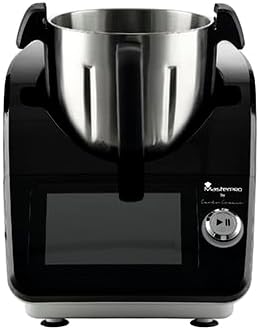
Imagine: față view of the MasterPRO Food Processor, showcasing the main unit with the stainless steel bowl inserted and the control panel.
Ghid de instalare
Follow these steps to set up your food processor for first use:
- Despacheta: Scoateți cu grijă toate componentele din ambalaj. Păstrați ambalajul pentru depozitare sau transport ulterior.
- Curat: Wash the stainless steel bowl, lid, and all accessories (blades, whisk, etc.) with warm soapy water. Rinse thoroughly and dry completely. The main unit should be wiped with a damp pânză.
- Asamblați bolul: Place the stainless steel bowl onto the main unit, ensuring it is securely seated and locked into position.
- Lame de inserție: Carefully place the desired blade or accessory onto the spindle inside the bowl.
- Atașați capacul: Place the lid onto the bowl and twist or secure it according to the locking mechanism until it clicks into place. The appliance will not operate if the lid is not properly secured.
- Conectare alimentare: Conectați cablul de alimentare la o priză cu împământare.
Instrucțiuni de operare
The MasterPRO Food Processor features a 7-inch TFT LED screen for intuitive control and 12 functions for diverse cooking needs.
Using the 7-inch TFT LED Screen
The touch-sensitive screen allows you to select functions, adjust settings, and monitor cooking progress. Use the rotary knob for precise adjustments.
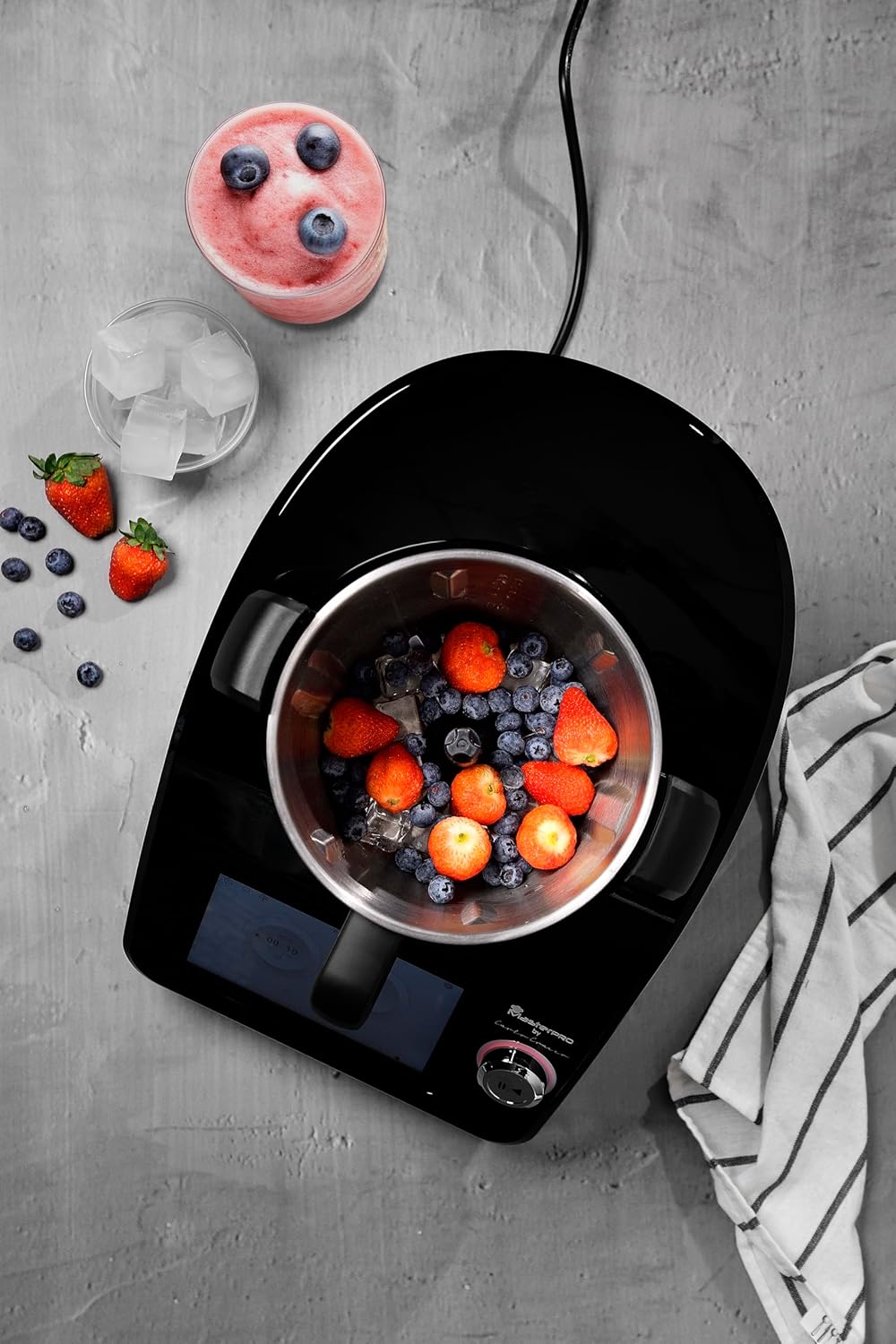
Image: A hand adjusting settings on the 7-inch TFT LED screen, demonstrating the intuitive control interface.
12 Funcții pesteview
This appliance is equipped with 12 functions, including but not limited to:
- Amestecare: For combining ingredients.
- Tocare: For finely dicing vegetables, herbs, or nuts.
- Frământare: For preparing doughs for bread or pastries.
- Amestecare: For smoothies, sauces, and purees.
- Tăiere: For uniform slices of fruits and vegetables.
- Grilaj: For cheese, vegetables, or other ingredients.
- Emulgator: For creating smooth emulsions like mayonnaise.
- Gătit: Integrated heating element for cooking and simmering.
- Aburire: (If applicable with specific accessories)
- Biciuire: For cream or egg whites.
- Măcinare: For spices or coffee beans.
- Pasare: For baby food or smooth soups.
Temperature and Timer Control
The appliance offers adjustable temperature control and a timer function, allowing for precise cooking and consistent results. Use the screen to set your desired temperature and cooking duration.

Imagine: De sus în jos view of the food processor bowl filled with berries and ice, illustrating its use for blending.
Curatenie si intretinere
Proper cleaning and maintenance will extend the life of your MasterPRO Food Processor.
- Deconectați întotdeauna the appliance from the power outlet before cleaning.
- Doar spălare manuală: The stainless steel bowl, lid, and all accessories (blades, whisk, etc.) are recommended for hand washing. Use warm soapy water and a non-abrasive sponge. Rinse thoroughly and dry immediately to prevent water spots or corrosion.
- Unitate principală: Wipe the main unit, including the control panel and screen, with a soft, damp Nu utilizați substanțe de curățare abrazive și nu scufundați unitatea principală în apă.
- Depozitare: Depozitați aparatul și accesoriile sale într-un loc curat și uscat atunci când nu le utilizați.
Depanare
Dacă întâmpinați probleme cu robotul de bucătărie, consultați următoarele probleme și soluții frecvente:
| Problemă | Cauza posibila | Soluţie |
|---|---|---|
| Aparatul nu pornește. | Not plugged in; lid or bowl not properly secured. | Ensure power cord is securely plugged in. Check that the bowl and lid are correctly assembled and locked. |
| Motorul se oprește în timpul funcționării. | Overload protection activated; lid or bowl dislodged. | Reduce the amount of ingredients. Turn off, unplug, wait 15 minutes, then restart. Re-secure lid and bowl. |
| Ingredientele nu sunt procesate uniform. | Too many ingredients; incorrect blade; insufficient liquid. | Process in smaller batches. Ensure the correct blade is used for the task. Add more liquid if blending. |
| Zgomot sau vibrații neobișnuite. | Asamblare necorespunzătoare; obiect străin în bol. | Turn off and unplug. Check for proper assembly of all parts. Remove any foreign objects. |
Dacă problema persistă după încercarea acestor soluții, vă rugăm să contactați serviciul de asistență pentru clienți.
Specificatii tehnice
| Caracteristică | Detaliu |
|---|---|
| Numărul de model | BGMP-9305 |
| Marca | MasterPRO |
| Putere | 1000 wați |
| Capacitate bol | 4.5 litri |
| Material | Oţel inoxidabil |
| Afişa | 7-inch TFT LED Screen |
| Caracteristici speciale | Temperature Control, Timer, 12 Functions |
| Dimensiuni (A x L x Î) | 45.5P x 25.5L x 32.5H centimetri |
| Greutatea articolului | 11.71 kilograme |
| Instrucțiuni de îngrijire | Doar spălare manuală |
| Se poate spăla vase | Nu |
| Materialul lamei | Oţel inoxidabil |
| Sursa de alimentare | Adaptor de curent alternativ |
Informații despre garanție
This MasterPRO product is covered by a manufacturer's warranty. Please refer to the warranty card included in your product packaging for specific terms, conditions, and duration. Keep your proof of purchase for warranty claims.
Asistență pentru clienți
For further assistance, technical support, or to inquire about replacement parts, please visit the official MasterPRO website or contact our customer service department. Contact details can typically be found on the product packaging or the brand's official website-ul.