
1. Informații de siguranță
Vă rugăm să citiți cu atenție toate instrucțiunile înainte de instalare și utilizare. Nerespectarea acestor instrucțiuni poate duce la deteriorarea produsului, a vehiculului sau la vătămări corporale. Păstrați acest manual pentru referințe ulterioare.
- Ensure the vehicle's ignition is off and the negative battery terminal is disconnected before installation to prevent electrical shorts.
- Consultați un profesionist pentru instalare dacă nu sunteți sigur de vreun pas.
- Nu utilizați dispozitivul într-un mod care vă distrage atenția de la condus. Prioritizați întotdeauna siguranța rutieră.
- Evitați expunerea unității la temperaturi extreme, lumina directă a soarelui sau umiditate.
- Folosiți doar cablurile de alimentare și accesoriile specificate.
2. Conținutul pachetului
Verificați dacă toate articolele sunt prezente în pachet înainte de a continua instalarea.

Image: Components included in the UNITOPSCI A3612A3 package, including the main unit, wiring harnesses, and accessories.
- UNITOPSCI A3612A3 Car Stereo Unit
- Power Cable & Speaker Cable Harnesses
- Telecomandă de control al volanului
- Microfon
- Cameră spate cu 12 LED-uri
- Antenă
- Manual de utilizare (acest document)
- Suporturi de montare
3. Instalare
Proper installation is crucial for optimal performance. Refer to the wiring diagram and consult a professional if needed.
3.1 Schema electrică

Image: Detailed wiring connections for the car stereo unit.
Connect the power and speaker cables according to the diagram. Ensure all connections are secure to prevent malfunctions.
- Roșu (ACC): Connect to ignition switch +12V.
- Yellow (BATTERY+): Connect to constant +12V.
- Negru (GND): Connect to vehicle ground.
- Blue (ANT): Connect to antenna power.
- Orange (ILLUMINATION): Connect to vehicle illumination wire.
- Pink (REVERSE): Connect to reverse light signal for backup camera activation.
- Brown (KEY): Connect to steering wheel control wire.
- Speaker wires (White, Gray, Green, Purple) should be connected to corresponding vehicle speakers (Front Left, Front Right, Rear Left, Rear Right).
3.2 Montarea unității
Use the provided mounting brackets to secure the double din unit into your vehicle's dashboard opening. Ensure a snug fit to prevent vibrations.
3.3 Instalarea camerei de mers înapoi
Mount the backup camera at the rear of your vehicle. Connect its video output to the 'CAM IN' input on the stereo and its power to the reverse light circuit.
4. Configurare
4.1 Pornirea inițială
After installation, reconnect the vehicle battery. Turn on the ignition. The unit should power on and display the main interface.
4.2 Setări de bază
Navigate to the 'Settings' menu to configure basic parameters such as language, time, and date.
4.3 Display Backlight Adjustment
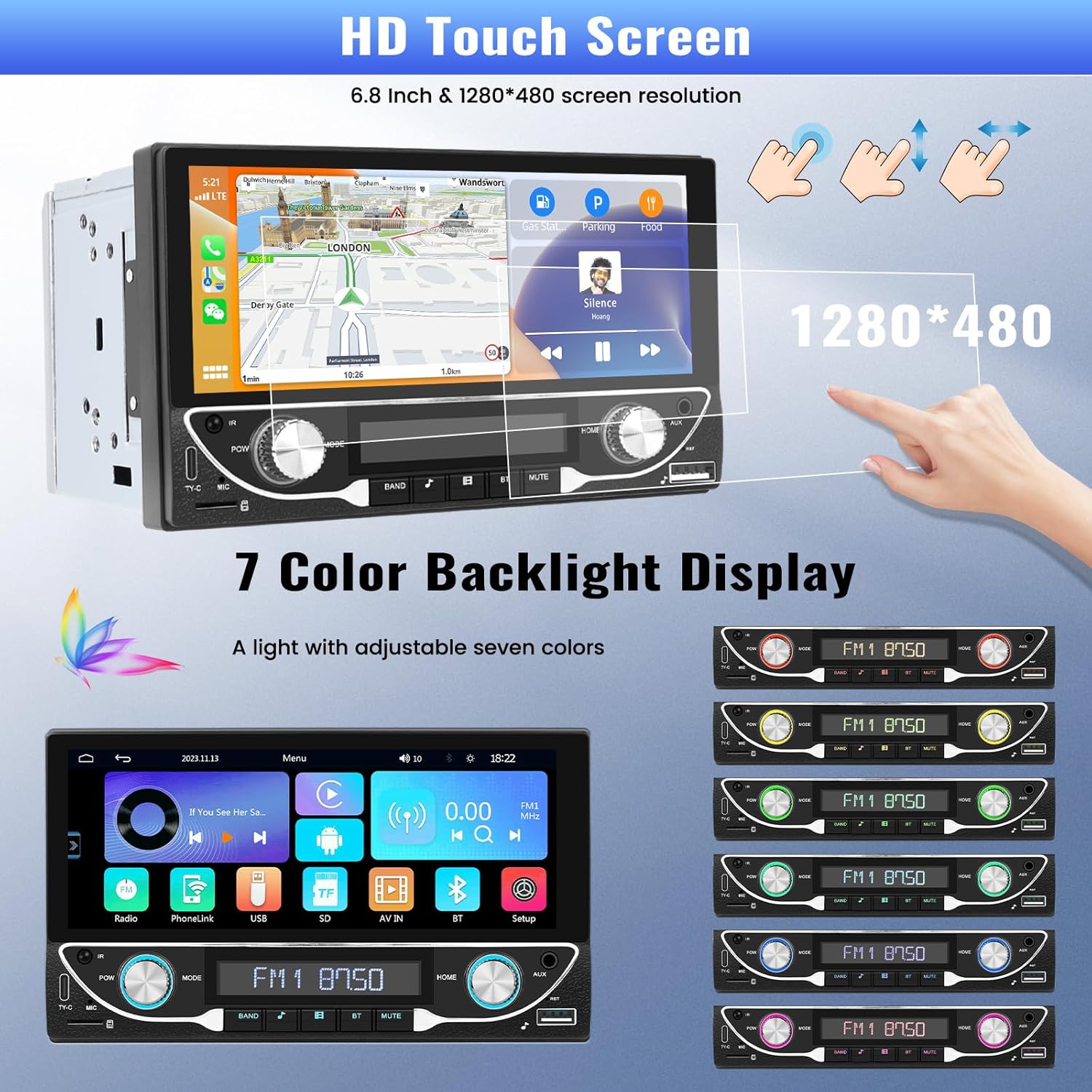
Image: The HD touchscreen and customizable 7-color backlight display options.
Access the display settings to adjust brightness and select from 7 available backlight colors for the physical buttons.
5. Instrucțiuni de utilizare
Apple CarPlay și Android Auto fără fir 5.1
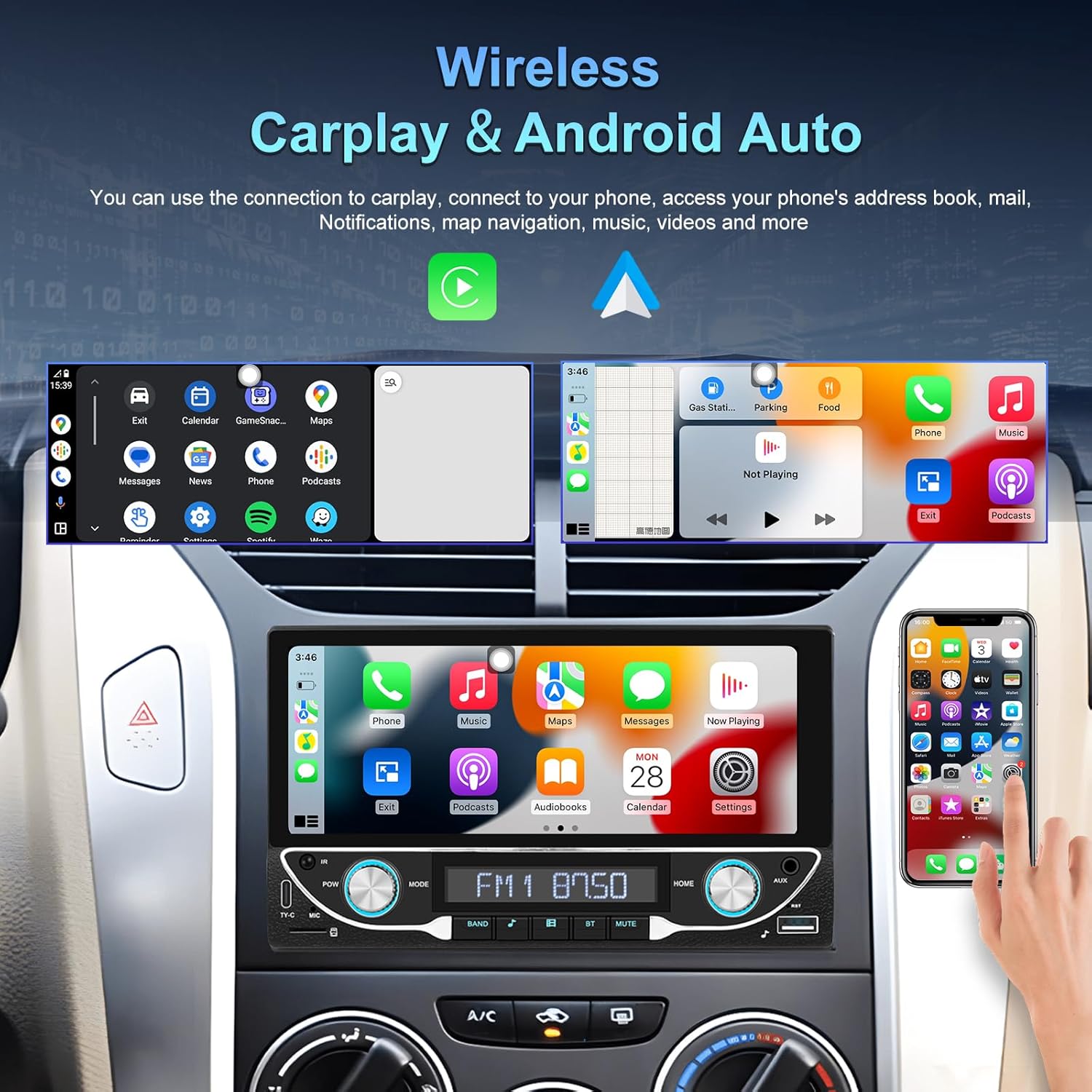
Image: The car stereo displaying both Apple CarPlay and Android Auto interfaces.
Connect your smartphone wirelessly to access Apple CarPlay or Android Auto. This allows for navigation, music, calls, and messages directly from the car stereo display.
- Asigurați-vă că Bluetooth și Wi-Fi sunt activate pe smartphone-ul dvs.
- Pe sistemul stereo al mașinii, selectați pictograma CarPlay sau Android Auto.
- Urmați instrucțiunile de pe ecran pentru a vă asocia dispozitivul.
5.2 Conectivitate Bluetooth 5.1
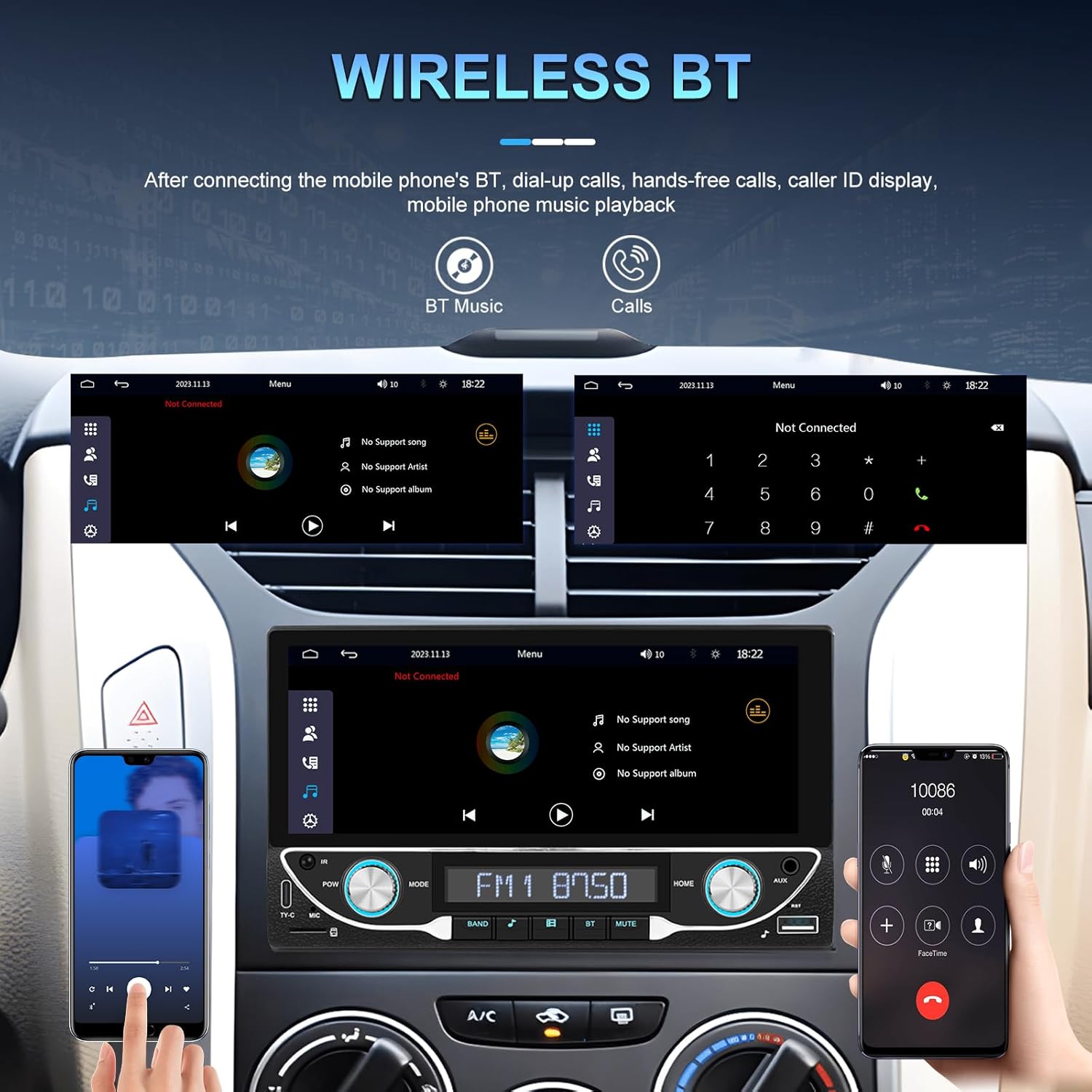
Image: Bluetooth interface for hands-free calling and music streaming.
Asociați telefonul prin Bluetooth pentru apeluri hands-free și streaming audio wireless.
- Go to the 'Bluetooth' menu on the stereo.
- Activați Bluetooth pe telefon și căutați dispozitivele disponibile.
- Select 'UNITOPSCI A3612A3' (or similar name) from your phone's list and confirm pairing.
- Use the built-in microphone for calls and stream music from your phone.
5.3 Funcționarea radioului FM

Image: FM radio interface with frequency display and sound quality DSP/EQ settings.
Select the 'FM' icon to access the radio tuner. Use the on-screen controls or physical buttons to scan for stations, save presets, and adjust frequency.
5.4 Audio & Video Playback (USB/TF/AUX/Type-C)

Image: Available input options for audio and video playback: USB, TF Card, Type-C, and AUX-in.
The unit supports various media inputs for audio and video playback:
- Intrare USB: Connect a USB drive with media files.
- Slot pentru carduri TF: Insert a TF (MicroSD) card with media files.
- Intrare AUX: Connect external audio devices using a 3.5mm audio cable.
- Port de tip C: For charging compatible devices and potentially data transfer.
Select the corresponding input source from the main menu to access your media.
5.5 Comandă la volan

Image: Steering wheel control setup interface on the car stereo.
If your vehicle supports steering wheel controls, connect the 'KEY' wire during installation. Access the 'Steering Wheel Control' settings to program the buttons for functions like volume, track change, and mode selection.
5.6 Spate View Camera / HD Reversing Video
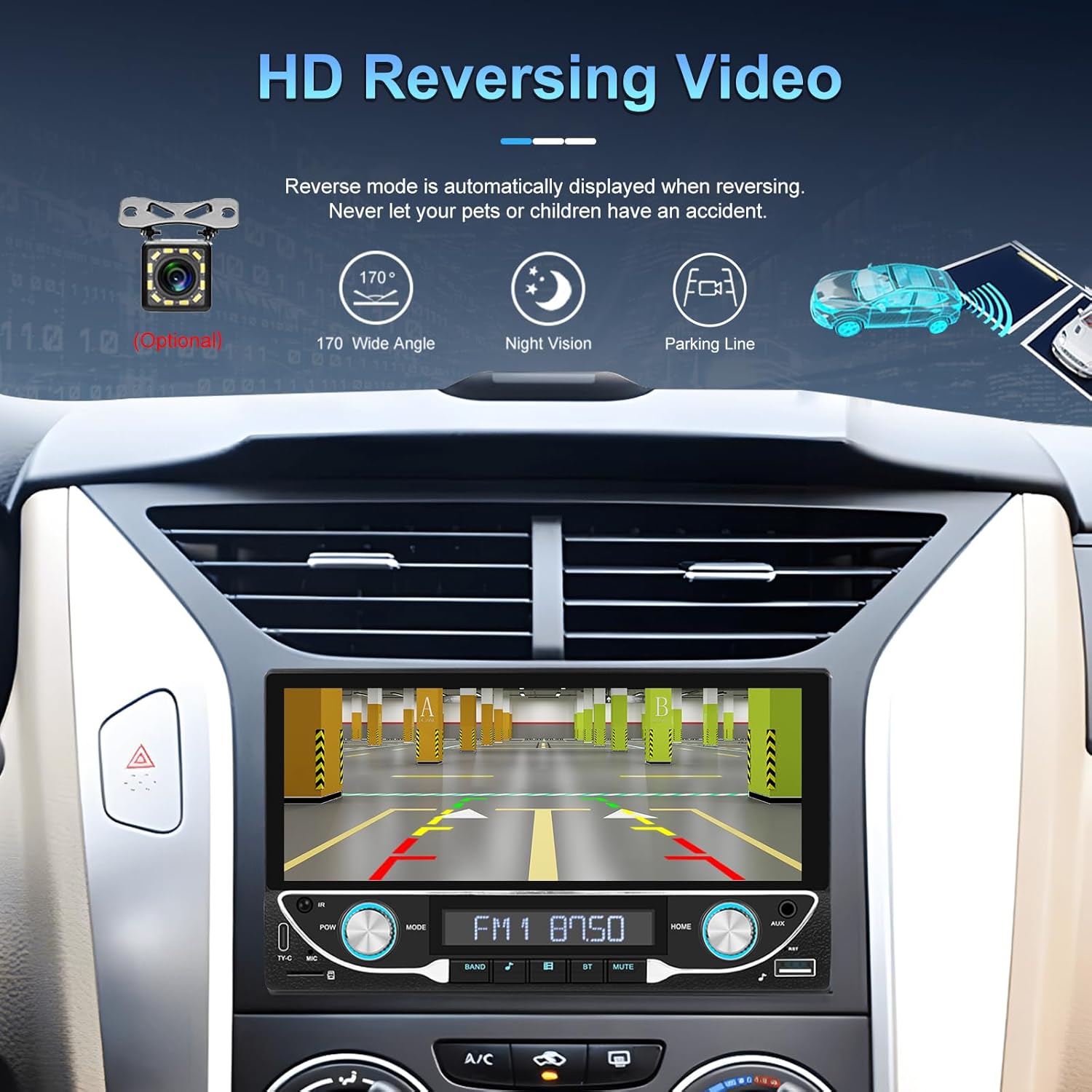
Image: High-definition reversing video display with parking guidelines.
Când vehiculul este schimbat în marșarier, sistemul stereo afișează automat partea din spate view camera feed. The included camera offers a 170-degree wide angle and night vision capabilities, along with parking lines for assistance.
5.7 DVR Function Support
The unit supports an optional DVR (Digital Video Recorder) function. Connect a compatible USB DVR camera to the dedicated USB input on the rear of the car radio to record driving footage.
5.8 Funcția de legătură în oglindă
Use the Mirror Link function to display your smartphone's screen directly on the car stereo. This feature is compatible with both Android and iOS devices, allowing you to view apps and content from your phone on the larger display.
Control vocal 5.9 și navigație GPS
When connected via Apple CarPlay or Android Auto, you can utilize voice commands (e.g., Siri, Google Assistant) for navigation, making calls, sending messages, and controlling music, enhancing driving safety and convenience.
5.10 Sound Quality (DSP & EQ)
The built-in Digital Sound Processor (DSP) and Equalizer (EQ) allow for precise audio customization. Access the 'EQ Setup' menu to adjust bass, treble, and other frequency bands to match your audio preferences. Pre-set EQ modes (e.g., Jazz, Rock, Pop) are also available.
6. Întreținere
Pentru a asigura longevitatea și performanța optimă a sistemului stereo auto, urmați aceste instrucțiuni de întreținere:
- Curățarea ecranului: Use a soft, lint-free cloth to gently wipe the touchscreen. Avoid abrasive cleaners or solvents that could damage the display.
- Curatenie generala: Keep the unit free from dust and debris. Use a soft brush or compressed air for hard-to-reach areas.
- Actualizări de software: Periodically check the manufacturer's webpentru orice actualizări de firmware disponibile pentru a îmbunătăți performanța și a adăuga noi funcții.
- Evitați lichidele: Do not spill liquids on the unit. If accidental spillage occurs, power off the unit immediately and allow it to dry completely before use.
7. Depanare
If you encounter issues with your UNITOPSCI A3612A3 car stereo, refer to the following common problems and solutions:
| Problemă | Cauza posibila | Soluţie |
|---|---|---|
| Fără putere | Cablare incorectă; Siguranță arsă; Conexiune slăbită. | Check power cable connections (ACC, BATTERY+, GND). Verify vehicle fuse and unit's fuse. Ensure all wires are securely connected. |
| Fără sunet | Cabluri difuzor deconectate; Volum prea scăzut; Funcție de dezactivare a sunetului activă; Sursă audio incorectă. | Check speaker wire connections. Increase volume. Deactivate mute. Select correct audio source (FM, USB, BT, etc.). |
| Bluetooth nu se conectează | Bluetooth off on phone/stereo; Device not in pairing mode; Interference. | Ensure Bluetooth is enabled on both devices. Put stereo in pairing mode. Delete previous pairings and try again. Move closer to the unit. |
| CarPlay/Android Auto nu funcționează | Wi-Fi/Bluetooth off; Phone not compatible; App issues. | Ensure Wi-Fi and Bluetooth are active on your phone. Restart phone and stereo. Check phone's settings for CarPlay/Android Auto permissions. |
| Camera din spate nu afișează | Camera nu este alimentată; Cablul video este slăbit; Firul de declanșare inversă nu este conectat. | Check camera power connection. Ensure video cable is securely connected to 'CAM IN'. Verify Pink (REVERSE) wire connection. |
| Ecranul tactil nu răspunde | Sistemul se blochează; Murdărie pe ecran. | Restart the unit (if possible, by briefly disconnecting power). Clean the screen. |
If the problem persists after trying these solutions, please contact UNITOPSCI customer support for further assistance.
8. Specificații
Key technical specifications for the UNITOPSCI A3612A3 car stereo:
- Numărul de model: A3612A3
- Dimensiunea afișajului: 6.86 inci
- Rezoluția afișajului: 1280 x 480 pixeli
- Putere de ieșiretage: 180 Watts (4 channels)
- Versiune Bluetooth: 5.1
- Servicii de Internet acceptate: Maps (via CarPlay/Android Auto)
- Tip ieșire audio: Intern
- Formate media acceptate: AVI, WAV, WMA
- Intrări: USB, TF Card, AUX, Type-C
- Caracteristici: Wireless Apple CarPlay, Wireless Android Auto, FM Radio, Mirror Link, DSP, EQ, Steering Wheel Control, Backup Camera Input, DVR Function Support, 7-Color Backlight.
Image: Front, rear, and side dimensions of the UNITOPSCI A3612A3 car stereo.
Dimensiuni (aproximative):
- Front Panel: 17.8cm (7.0in) width x 10.3cm (4.0in) height
- Chassis: 17.8cm (7.0in) width x 10.0cm (3.9in) height x 11cm (4.3in) depth
9. Garanție și asistență
UNITOPSCI products are designed for reliability and performance. For warranty information and technical support, please refer to the warranty card included in your package or visit the official UNITOPSCI website-ul.
When contacting support, please have your product model number (A3612A3) and purchase details ready.