
1. Introducere
Thank you for choosing the MARVO HG9086W-BK Wireless RGB Gaming Headset. This manual provides essential information for setting up, operating, and maintaining your headset to ensure optimal performance and longevity. Please read this guide thoroughly before use.
2. Conținutul pachetului
Verificați dacă toate articolele sunt prezente în colet:
- 1 x MARVO HG9086W-BK Wireless RGB Gaming Headset
- 1 x receptor wireless USB
- 1 x Microfon detașabil
- 1 x cablu de încărcare (USB-C)
- 1 x Manual de utilizare
3. Produs terminatview
The MARVO HG9086W-BK is a lightweight, ergonomic gaming headset designed for comfort during extended use. It features 40mm drivers for immersive sound, dynamic RGB lighting, and a versatile tri-mode connection system.
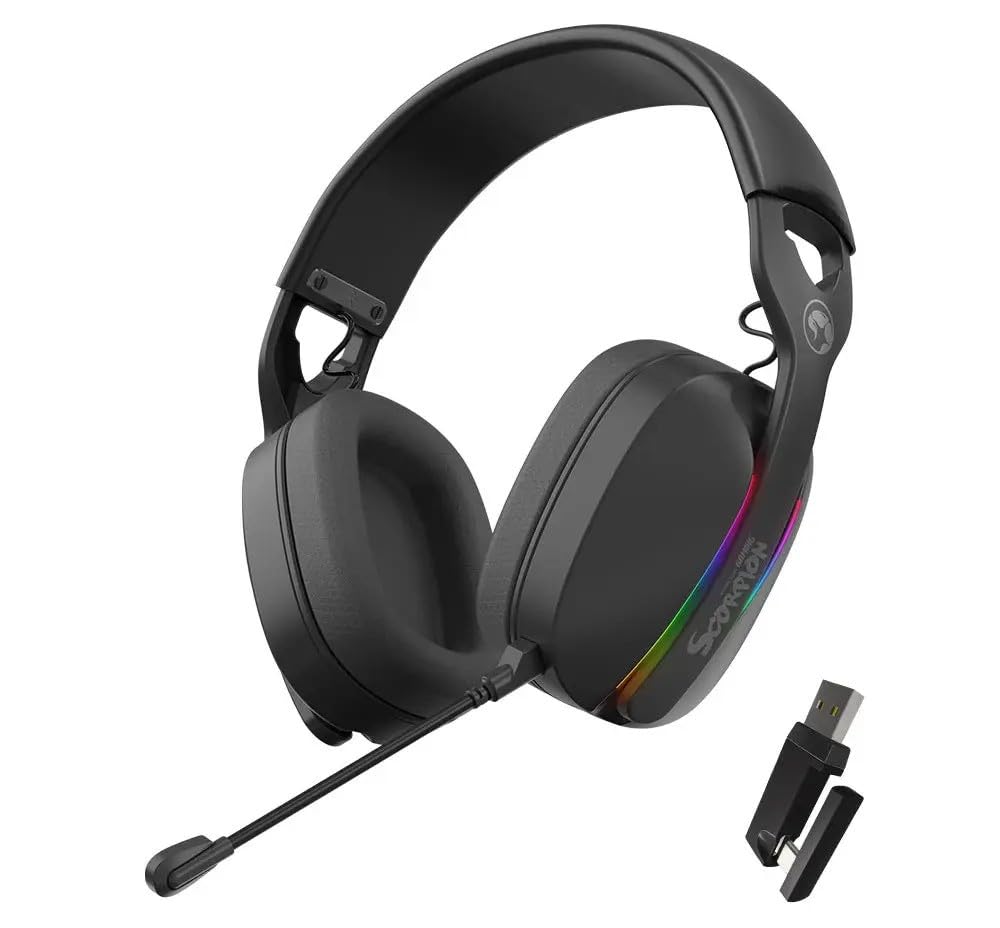
Figura 3.1: Faţă view of the MARVO HG9086W-BK Gaming Headset, showcasing its overall design and earcups.

Figura 3.2: Left earcup of the headset, showing control buttons for power, volume, and mode selection.
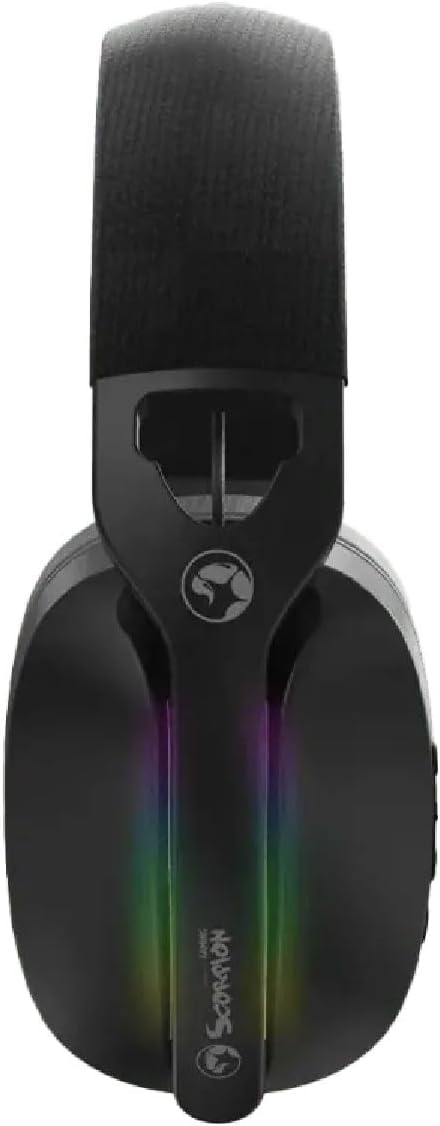
Figura 3.3: Top view of the headset, highlighting the adjustable headband and the integrated RGB lighting strip on the earcups.
4. Configurare și conectare
The HG9086W-BK headset offers three connection modes: 2.4G Wireless, Bluetooth 5.3, and Wired.
4.1. 2.4G Wireless Connection (Recommended for Gaming)
- Insert the USB wireless receiver into an available USB port on your PC or compatible device.
- Porniți setul cu cască apăsând și ținând apăsat butonul de pornire până când se aprinde indicatorul luminos.
- The headset will automatically connect to the receiver. The indicator light will turn solid blue when connected.
- Ensure the headset is selected as the default audio input and output device in your device's sound settings.
4.2. Conexiune Bluetooth 5.3
- Porniți setul cu cască.
- Press and hold the Mode button (or a dedicated Bluetooth button if available) until the indicator light flashes blue rapidly, indicating pairing mode.
- On your device (smartphone, tablet, etc.), go to Bluetooth settings and search for "MARVO HG9086W-BK".
- Selectați căștile pentru a le conecta. Indicatorul luminos va deveni albastru continuu după conectarea reușită.
4.3. Conexiune prin cablu
For wired use, connect a 3.5mm audio cable (not included) from the headset's audio jack to your device's 3.5mm audio port. The headset will function as a passive wired headset. Note that RGB lighting and some wireless functions may not be available in wired mode.
5. Instrucțiuni de utilizare
5.1. Pornire/Oprire
- Pornire: Apăsați și mențineți apăsat butonul de pornire timp de aproximativ 3 secunde.
- Oprire: Apăsați și mențineți apăsat butonul de pornire timp de aproximativ 3 secunde.
5.2. Controlul volumului
- Creșterea volumului: Apăsați butonul de creștere a volumului.
- Volum scăzut: Apăsați butonul de reducere a volumului.
5.3. Utilizarea microfonului
- Atașați microfonul: Insert the detachable microphone into the designated port on the left earcup.
- Dezactivați/Activați sunetul: Use the microphone mute button located on the earcup or the microphone itself.
- Reglați brațul flexibil al microfonului pentru o captare optimă a vocii.
5.4. Iluminare RGB
The headset features dynamic RGB lighting. The lighting typically activates automatically when the headset is powered on. Specific controls for changing RGB modes or turning them off may be available via a dedicated button or software (if applicable). Refer to the product's official website for any software downloads.
6. Încărcare
The MARVO HG9086W-BK headset is equipped with a durable battery for extended gameplay. When the battery is low, the indicator light may flash red or an audible alert may sound.
- Connect the included USB-C charging cable to the charging port on the headset.
- Conectați celălalt capăt al cablului la o sursă de alimentare USB (de exemplu, portul USB al computerului, adaptorul USB de perete).
- The indicator light will typically show red during charging and turn off or change color when fully charged.
Nota: Avoid using the headset while charging for optimal battery health, though it may be possible depending on the device.
7. Întreținere
Întreținerea corespunzătoare asigură longevitatea și performanța căștilor tale.
- curatenie: Use a soft, dry cloth to wipe the headset. For earcups, a slightly damp Se poate folosi o cârpă, dar asigurați-vă că nu pătrunde umezeală în grilele difuzoarelor.
- Depozitare: Depozitați setul cu cască într-un loc răcoros și uscat, ferit de lumina directă a soarelui și de temperaturi extreme.
- Evitați lichidele: Nu expuneți căștile la apă sau alte lichide.
- Manipulați cu grijă: Avoid dropping the headset or subjecting it to strong impacts.
8. Depanare
Dacă întâmpinați probleme cu setul cu cască, consultați următoarele soluții comune:
| Problemă | Soluție posibilă |
|---|---|
| Niciun sunet din căști |
|
| Microfonul nu funcționează |
|
| Căștile nu se conectează |
|
| Iluminarea RGB nu funcționează |
|
9. Specificații
| Caracteristică | Caietul de sarcini |
|---|---|
| Marca | MARVO |
| Numele modelului | HG9086W-BK |
| Tehnologia de conectivitate | Wireless (2.4G, Bluetooth 5.3), Wired (3.5mm) |
| Factor de formă | Peste ureche |
| Dimensiunea driverului | 40mm |
| Microfon | Integrated, Detachable, Omnidirectional |
| Iluminat | RGB dinamic |
| Greutatea articolului | 12.7 uncii (aprox. 360 g) |
| Dimensiuni pachet | 7.8 x 7.09 x 3.31 inci |
| Culoare | Negru |
10. Garanție și asistență
MARVO products are designed for quality and reliability. For warranty information and technical support, please refer to the warranty card included with your product or visit the official MARVO webPăstrați dovada achiziției pentru orice reclamații în garanție.
For further assistance, you may contact MARVO customer support through their official channels.