
Introducere
This manual provides essential information for the safe and efficient operation of your OMTech 50W Fiber Laser Engraver. Please read thoroughly before use.
Informații de siguranță
- Always wear protective eyewear (safety goggles included) when operating the laser engraver.
- Ensure proper ventilation to avoid inhaling fumes during engraving.
- Familiarizați-vă cu locația și funcția butonului de oprire de urgență.
- Do not operate the machine rapidly or out of sequence; allow a 3-second interval between operations.
- This is a Class 2 laser product (0.874 mW output power).
Ghid de instalare
Despachetarea și asamblarea inițială
Carefully unpack all components from the shipping crate. Ensure all parts listed in the packing list are present.
Descrierea videoclipului: This video demonstrates the step-by-step installation process for the OMTech fiber laser engraver, including attaching the laser arm and connecting components.
Descrierea videoclipului: A detailed guide on setting up your OMTech laser engraver, covering initial assembly and connections.
Identificarea componentelor

Descrierea imaginii: Un sfârșit vizualview of the main components of the OMTech 50W Fiber Laser Engraver, including the main unit, laser arm, and control panel.
Conectarea la alimentare și USB
Connect the power cable to a standard 110V power supply. Connect the machine to your computer via the provided USB cable.
Descrierea videoclipului: This video provides a comprehensive setup guide for the compact fiber marker, detailing how to connect the power, USB, and other essential components.
Software Installation (EzCad2)
Install the EzCad2 software from the provided USB drive. Ensure drivers are correctly installed via Device Manager.

Descrierea imaginii: An image showing the EzCad2 software interface on a laptop, which is used to control the OMTech 50W Fiber Laser Engraver.
Instrucțiuni de operare
Focalizarea laserului
Use the red dot pointer for precise calibration and focusing. Adjust the laser arm height until the two red dots converge into one for optimal focus.

Descrierea imaginii: This image illustrates the red dot guidance system, which helps in precisely focusing the laser on the material before engraving.
Procesul de gravare
Import your design into EzCad2, set engraving parameters (speed, power, frequency), and preview the engraving area using the frame function. Wear safety goggles before initiating engraving.
Descrierea videoclipului: A short video demonstrating the OMTech fiber laser engraver in action, showing the laser marking a surface.
Descrierea videoclipului: This video shows the OMTech fiber laser engraver working with a rotary axis to engrave cylindrical objects.

Descrierea imaginii: This image highlights the professional precision achieved by the OMTech engraver, showcasing fine details on an engraved design.
Rotary Axis Operation (Optional)
For engraving curved surfaces, connect a compatible rotary axis (not included) to the 4-pin port.

Descrierea imaginii: An image depicting the OMTech fiber laser engraver set up to engrave on curved surfaces using an optional rotary axis.
Întreţinere
Regularly clean the lens and work area to ensure optimal performance. Refer to the user manual for detailed cleaning procedures and recommended maintenance schedules.
The laser source has an average service life of over 100,000 hours, requiring minimal maintenance for the laser unit itself.
Depanare
Probleme comune și soluții
- Laserul nu se declanșează: Check power connections, emergency stop button, and ensure the "Fiber Laser" button is pressed. Verify the "Scan Head" key is turned to the ON position.
- Poor engraving quality: Re-check focal length using the red dot pointer. Ensure material is clean and flat on the workbed. Adjust engraving parameters (speed, power) in the software.
- Software not recognizing machine: Reinstall USB drivers from the provided USB drive. Check USB cable connection.
Specificații
- Număr de model: LYF-50W
- Putere laser: 50W Solid-State Fiber Laser
- Clasa laser: 2 (0.874 mW output power)
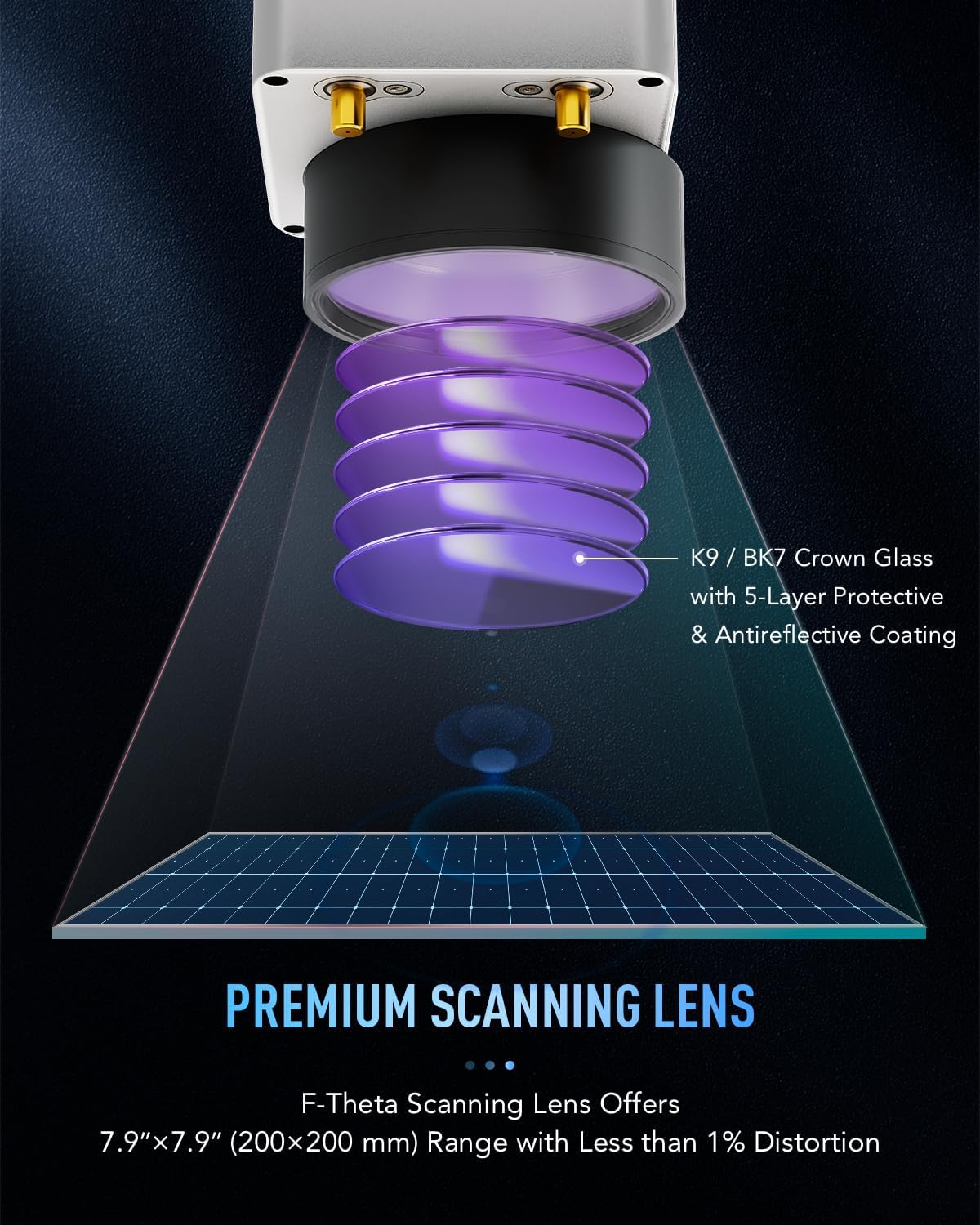
- Zona de lucru: 7.9 x 7.9 inchi (200 x 200 mm)
- Viteza de gravare: Până la 10,000 mm/s
- Engraving Precision: 0.01 mm
- Per-Pass Depth: 0.1 mm
- Laser Source Life: Peste 100,000 de ore
- Compatibilitate software: EzCad2 (Windows), LightBurn compatible
- Dimensiuni produs: 30.5 x 17.7 x 31.1 inci
- Capacitate material: Până la 44.1 lb.
Garanție și suport
This product includes a 30-day return policy for refund or replacement. For specific warranty details beyond this period, please contact OMTech Direct.
OMTech offers U.S.-based technical support and 24/7 online customer service. Our teams are available Monday to Friday, 8:30 AM to 4:30 PM PST.
Pentru asistență, vizitați Magazinul OMTech pe Amazon or contact support@omtechlaser.com.
Resurse suplimentare
For further assistance and community engagement, consider joining official laser user groups on Facebook or checking instructional videos on the OMTech YouTube channel.
A QR code is provided on the machine for the latest version of the user manual and additional resources.
Descrierea imaginii: A product image showing the OMTech 50W Fiber Laser Engraver, with a visible QR code that links to the latest user manual and support resources.