
1. Introducere
This user manual provides detailed instructions for the assembly, operation, and maintenance of your FLEXISPOT Lite Electric Standing Desk. Please read this manual thoroughly before installation and use to ensure proper function and safety. Keep this manual for future reference.
2. Informații importante privind siguranța
Nerespectarea acestor instrucțiuni de siguranță poate duce la vătămări corporale sau la deteriorarea produsului.
- The desk has a maximum load capacity of 70 kg (154 lbs)Nu depășiți această limită de greutate.
- Asamblarea trebuie efectuată de un adult.
- Asigurați-vă că toate șuruburile și șuruburile sunt bine strânse înainte de utilizare.
- Țineți copiii și animalele de companie departe de birou în timpul funcționării pentru a preveni accidentările cauzate de piesele în mișcare.
- Nu așezați mâinile sau alte obiecte în apropierea mecanismului de ridicare în timp ce biroul este în mișcare.
- Deconectați alimentarea cu energie electrică înainte de curățare sau efectuarea oricărei operațiuni de întreținere.
- Use only the power adapter supplied with the desk.
- Evitați vărsarea lichidelor pe panoul de control sau pe componentele motorului.
3. Produs terminatview și Caracteristici
The FLEXISPOT Lite Electric Standing Desk is designed to promote a healthy work environment by allowing seamless transitions between sitting and standing positions. It features a robust motor, memory presets, and an anti-collision system.

Figure 3.1: FLEXISPOT Lite Electric Standing Desk setup with accessories.
Caracteristici cheie:
- Design ergonomic: Facilitates alternating between sitting and standing to reduce physical strain.
- Quiet and Durable Motor: Operates at less than 50 dB, ensuring a quiet workspace.
- Electric Height Adjustment with Memory: Easily adjust height with a control panel and save up to four preferred height settings.
- Construcție robustă: Steel frame with a T-foot design provides stability and supports up to 70 kg.
- Desktop spațios: 140x60 cm maple tabletop with rounded corners and integrated wire holes.
- Anti-Collision Rebound Function: Automatically stops and reverses if an obstruction is detected during movement.
- Accesorii integrate: Includes two hooks and a cup holder for convenience.
4. Configurare și asamblare
This section outlines the general steps for assembling your FLEXISPOT Lite Electric Standing Desk. Refer to the separate assembly guide included in your package for detailed, step-by-step instructions and diagrams.
4.1 Despachetarea
- Deschideți cu grijă ambalajul și scoateți toate componentele.
- Place all parts on a clean, flat, and soft surface (e.g., a carpet) to prevent scratches.
- Verify that all parts listed in the assembly guide are present.
4.2 Identificarea componentelor
Familiarizați-vă cu componentele principale:
- Desktop sections
- Leg columns (lifting columns)
- Suporturi pentru picioare
- Caseta de control
- Panou de control
- Adaptor de alimentare și cablu
- Hardware (screws, bolts, tools)
- Accessories (hooks, cup holder)
4.3 Pași de asamblare (generalități)
- Attach the lifting columns to the desktop frame.
- Secure the foot supports to the bottom of the lifting columns.
- Mount the control box and control panel to the underside of the desktop.
- Connect all cables from the motors to the control box, and then connect the power adapter.
- Attach the desktop sections together (if applicable) and secure them to the frame.
- Install the cup holder and hooks as desired.
Note: Refer to the detailed assembly manual for specific screw types, torque requirements, and visual aids for each step.
5. Utilizarea biroului
This section explains how to use the control panel to adjust your desk height and utilize its features.

Figure 5.1: Smart Control Panel.
5.1 Funcțiile panoului de control
- Display LED: Afișează înălțimea curentă a biroului în centimetri.
- Butoane sus/jos (▲ / ▼): Press and hold to continuously adjust the desk height upwards or downwards. Release the button to stop at the desired height.
- Sit/Stand Button (i): This button may function as a quick switch between a default sitting and standing height, or as a general indicator. Refer to your specific control panel model for exact functionality.
- Butoane presetate pentru memorie (1, 2, 3, 4): These buttons allow you to save and recall up to four preferred height settings.
5.2 Setarea presetărilor de memorie
- Reglați biroul la înălțimea dorită folosind butoanele Sus/Jos.
- Press the 'M' or 'Set' button (if available, otherwise proceed to step 3). The display may flash.
- Immediately press one of the number buttons (1, 2, 3, or 4) to save the current height to that preset. The display will show 'S-' followed by the number, confirming the setting.
5.3 Reapelarea presetărilor din memorie
Simply press the desired number button (1, 2, 3, or 4). The desk will automatically move to the saved height.
5.4 Anti-Collision Rebound Function
The desk is equipped with an anti-collision system. If the desk encounters an obstruction while moving up or down, it will automatically stop and reverse slightly to prevent damage or injury.
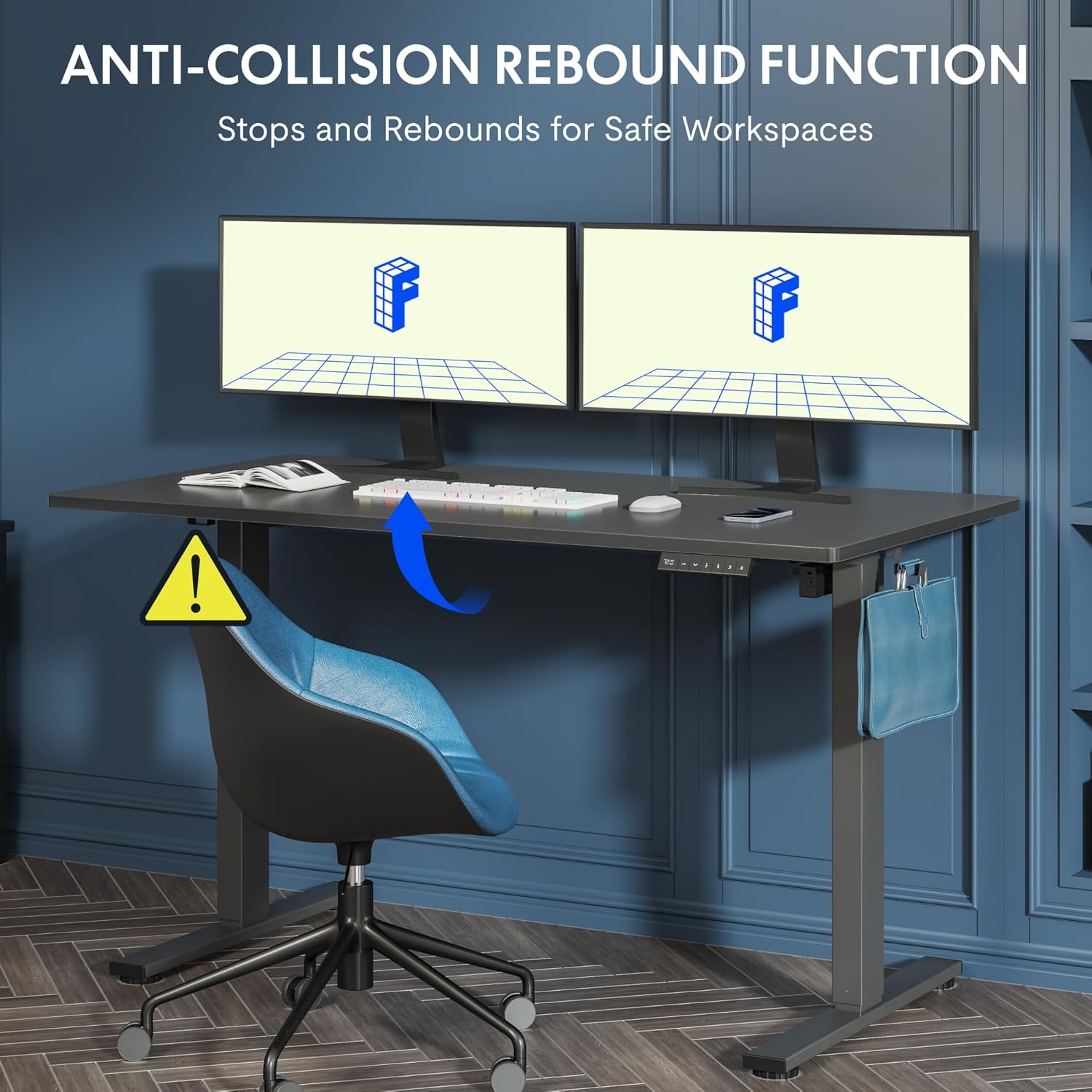
Figure 5.2: Anti-Collision Rebound Function in action.
6. Întreținere și îngrijire
Regular maintenance ensures the longevity and optimal performance of your standing desk.
- curatenie: Ștergeți suprafața de lucru și rama cu o lavetă moale șiamp Evitați produsele de curățare abrazive sau substanțele chimice dure.
- Inspecţie: Verificați periodic toate șuruburile și bolțurile pentru a vă asigura că sunt strânse. Strângeți-le din nou dacă este necesar.
- Organizare de cabluri: Ensure all cables are neatly routed and not pinched or tangled, which could affect operation.
- Capacitate de încărcare: Do not overload the desk beyond its 70 kg capacity.
7. Ghid de depanare
Dacă întâmpinați probleme cu biroul dvs., consultați următoarele probleme și soluții frecvente:
| Problemă | Cauza posibila | Soluţie |
|---|---|---|
| Biroul nu se mișcă și nu răspunde la comenzi. | Power cable disconnected; control box cable loose; motor cable loose. | Check all cable connections. Ensure the power cable is securely plugged into the wall outlet and the control box. |
| Biroul se mișcă neuniform sau scoate zgomote neobișnuite. | Overload; loose screws; obstruction. | Reduce weight on the desk. Check and tighten all assembly screws. Ensure no obstructions are in the path of the lifting columns. |
| Desk stops moving unexpectedly. | Anti-collision system activated; motor overheating. | Check for obstructions and remove them. If no obstruction, allow the motor to cool down for 20 minutes before attempting operation again. |
| Cod de eroare afișat pe panoul de control. | Eroare specifică a sistemului. | Refer to the detailed assembly manual for specific error code meanings and troubleshooting steps. If the issue persists, contact customer support. |
8. Specificatii tehnice

Figure 8.1: Desk Dimensions and Performance Metrics.
| Caietul de sarcini | Detaliu |
|---|---|
| Marca | FLEXISPOT |
| Numărul de model | QS1M-1460-IE |
| Culoare | White Frame + Maple Top |
| Dimensiuni birou (L x l) | 140 cm x 60 cm |
| Interval de reglare a înălțimii | 73.5 cm - 118 cm |
| Material | Wood (Maple Top), Metal (Alloy Steel Frame) |
| Capacitate maximă de încărcare | 70 kg |
| Greutatea articolului | 26.9 kg |
| Nivel de zgomot | < 50 dB |
| Viteza de reglare | 20 mm/s |
| Caracteristici speciale | Ergonomic, Adjustable, Anti-Collision, Memory Presets |
9. Garanție și asistență pentru clienți
For warranty information, specific troubleshooting not covered in this manual, or to purchase replacement parts, please contact FLEXISPOT customer support directly. Refer to the product packaging or the official FLEXISPOT website pentru detalii de contact.