
1. Produs terminatview
The YangDiana GT06A Car GPS Tracker is a versatile device designed for real-time vehicle tracking, anti-theft protection, and comprehensive fleet management. It offers a range of features including live location monitoring, geo-fencing, speed alerts, and remote control capabilities, accessible via mobile applications, web platforms, and SMS commands.
This manual provides detailed instructions for setting up, operating, and maintaining your GT06A GPS Tracker to ensure optimal performance and security.
2. Ce se află în cutie
La deschiderea ambalajului, verificați dacă sunt incluse toate componentele următoare:
- 1 x GT06 GPS SMS GPRS Vehicle Tracker Unit
- 1 x GPS Sensor
- 1 x releu
- 1 x SOS Cable
- 1 x cablu difuzor
- 1 x cablu de alimentare
- 1 x Bilingual User Manual (English)
- Additional cables for microphone, panic button, and door open alarm (as shown in product images)

Image: All components included in the GT06A GPS Tracker package, laid out on a white surface. This includes the main tracker unit, various cables, a relay, and the user manual.
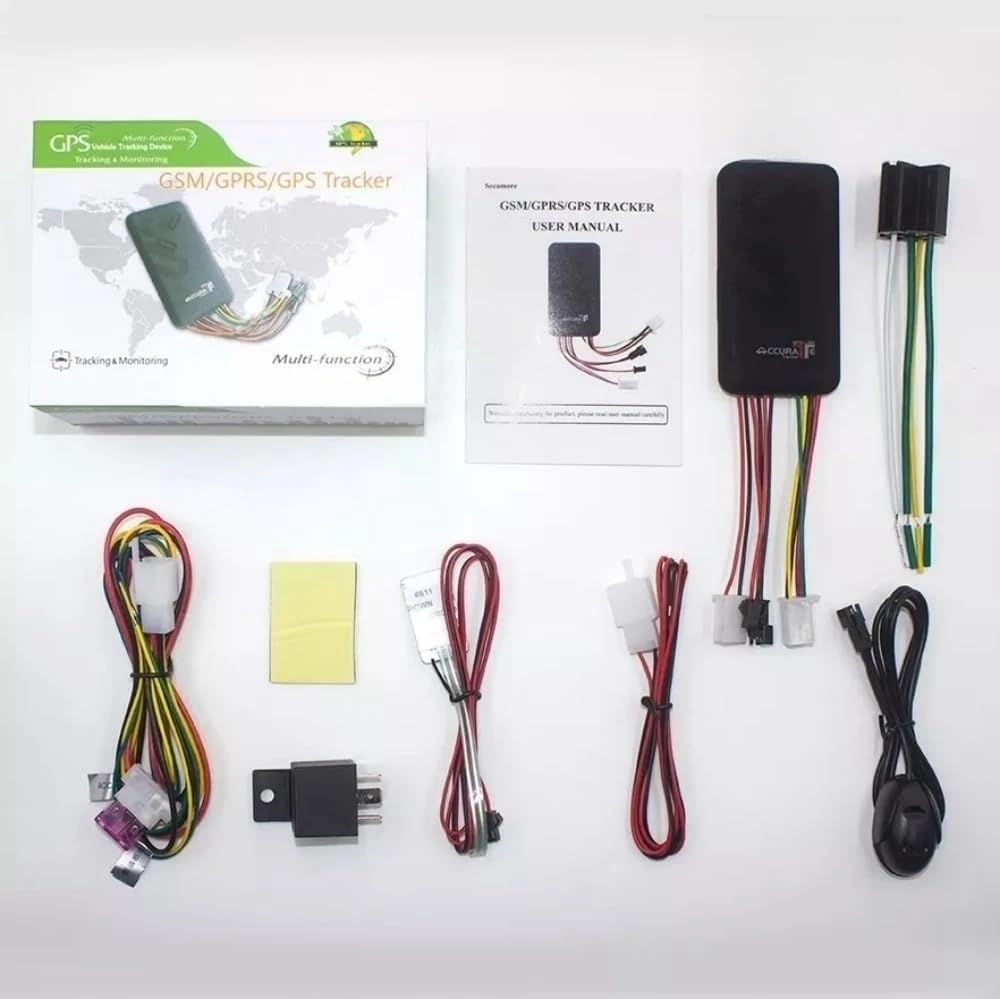
Image: Another perspective of the GT06A GPS Tracker package contents, showing the main unit, cables, relay, and user manual.
Video: An unboxing and component overview of the GT06A GPS Tracker, demonstrating the various parts included in the package and how to insert the SIM card.
3. Configurare și instalare
Proper installation is crucial for the optimal performance of your GT06A GPS Tracker. It is recommended to have this device installed by a qualified professional.
3.1 Introducerea cartelei SIM
- Locate the SIM card slot on the GT06A tracker unit.
- Insert a standard-sized SIM card into the designated slot. Ensure the SIM card has an active data plan for GPRS communication.
- After inserting the SIM card, use the provided tool (or a similar thin object) to push the SIM card firmly into place until it clicks and is secured.
- Închideți bine capacul slotului cartelei SIM.
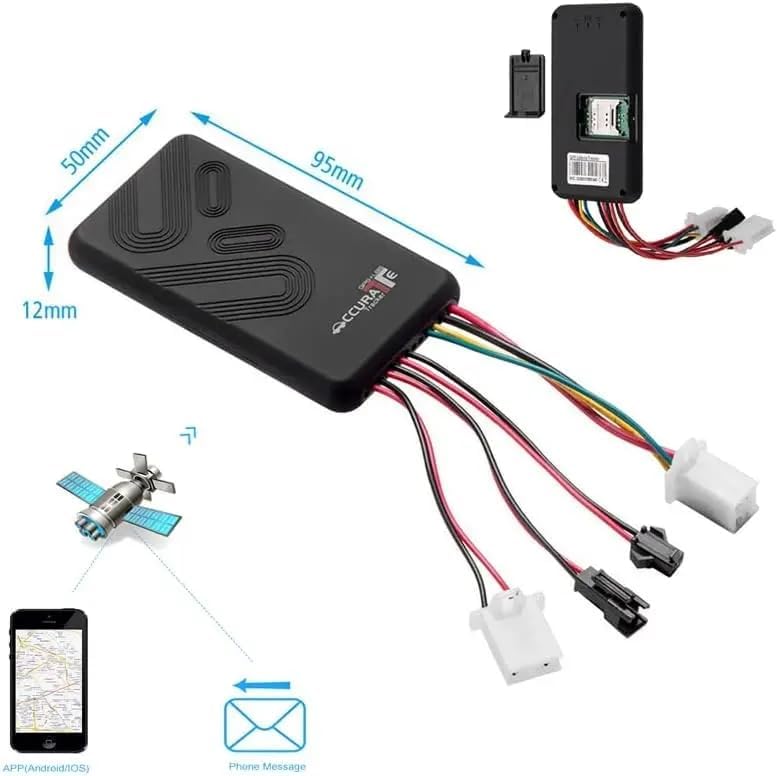
Image: This image illustrates the dimensions of the GT06A tracker and highlights the location of the SIM card slot, indicating where to insert the SIM card.
3.2 Cablare și conectare
The GT06A tracker requires connection to your vehicle's power supply and other components for full functionality. Refer to the wiring diagram below and consult a professional if unsure.
- Cablu de alimentare: Connect the power cable to the vehicle's 9V-36V power supply. The tracker has a wide voltage input range, making it compatible with various car models.
- Releu: Connect the relay for remote engine cut-off functionality.
- Butonul SOS: Connect the SOS cable to the panic button for emergency alerts.
- Microfon: Connect the microphone for voice monitoring.
- Vorbitor: Connect the speaker for two-way communication (if supported by your model).
- Alarma usi deschise: Connect the wire for door open alarm functionality.
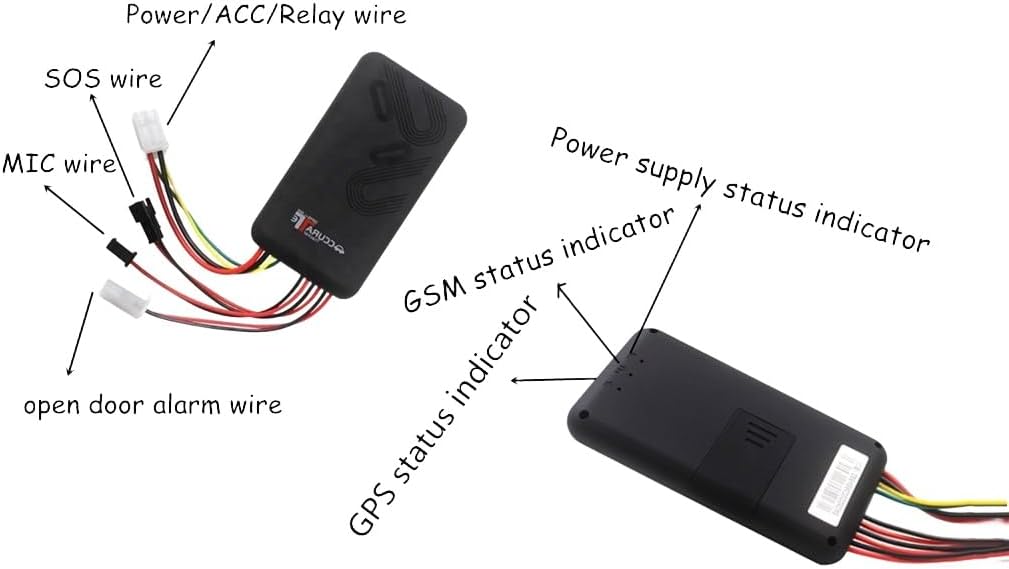
Imagine: O imagine detaliată view of the GT06A tracker showing various wires and their corresponding functions, such as Power/ACC/Relay, SOS, MIC, and Open Door Alarm. It also indicates the location of the Power Supply, GSM, and GPS status indicators.

Image: The GT06A GPS Tracker unit with its wiring harness, shown alongside a smartphone displaying the real-time tracking application interface, including a map with location details.
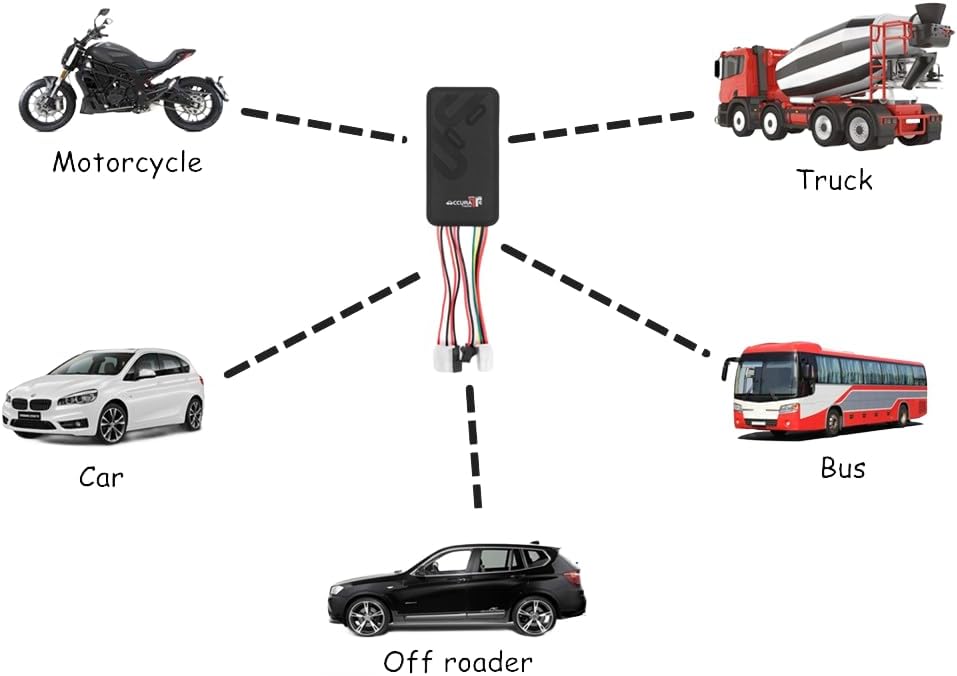
Image: An illustration demonstrating the GT06A GPS Tracker's compatibility with different vehicle types, including motorcycles, cars, trucks, buses, and off-roaders.
4. Instrucțiuni de utilizare
The GT06A tracker offers multiple ways to monitor and control your vehicle.
4.1 Mobile App and Web Platformă
Download the official Android/iOS app or access the web platform for comprehensive tracking and management features.
- Urmărire în timp real: View your vehicle's current location on a map.
- Urmărirea istoricului: Review past routes and stops.
- Geo-Fence: Configurați limite virtuale și primiți alerte când vehiculul intră sau iese din aceste zone.
- Telecomanda: Arm/disarm the alarm, or remotely cut off the engine (if connected).
- Mileage Calculation: Access odometer readings.

Image: Four screenshots of the mobile application interface, showing features such as Mileage Statistics, Device Icon Set, Accurate Position display, and the ability to view mai multe dispozitive simultan.
4.2 Comenzi SMS
You can send specific SMS commands to the tracker's SIM card number to perform various actions and receive location information.
- Location Query: Send a command to receive a Google Maps URL of the vehicle's current location.
- Armare/Dezarmare: Remotely arm or disarm the vehicle alarm.
- Engine Cut-off: Send an SMS to safely cut off the engine (requires proper relay connection).
- Alertă SOS: In an emergency, pressing the SOS button will send an alert to pre-configured numbers.
4.3 Funcții de alarmă
The GT06A tracker includes several alarm features for enhanced security:
- Alarmă de vibrații: Triggers if the vehicle experiences unusual vibrations.
- Alarma usi deschise: Alerts if a door is opened without authorization.
- Alarmă de mișcare: Notifies if the vehicle moves from its parked location.
- Ignition On Alarm: Alerts when the vehicle's ignition is turned on.
- Alarmă de pană de curent: Notifies if the main power supply to the tracker is disconnected.
- Alarmă Geo-fence: Alerts when the vehicle enters or exits a predefined geographical area.
- Alarmă de supraviteză: Triggers if the vehicle exceeds a set speed limit (1-255 km/h).
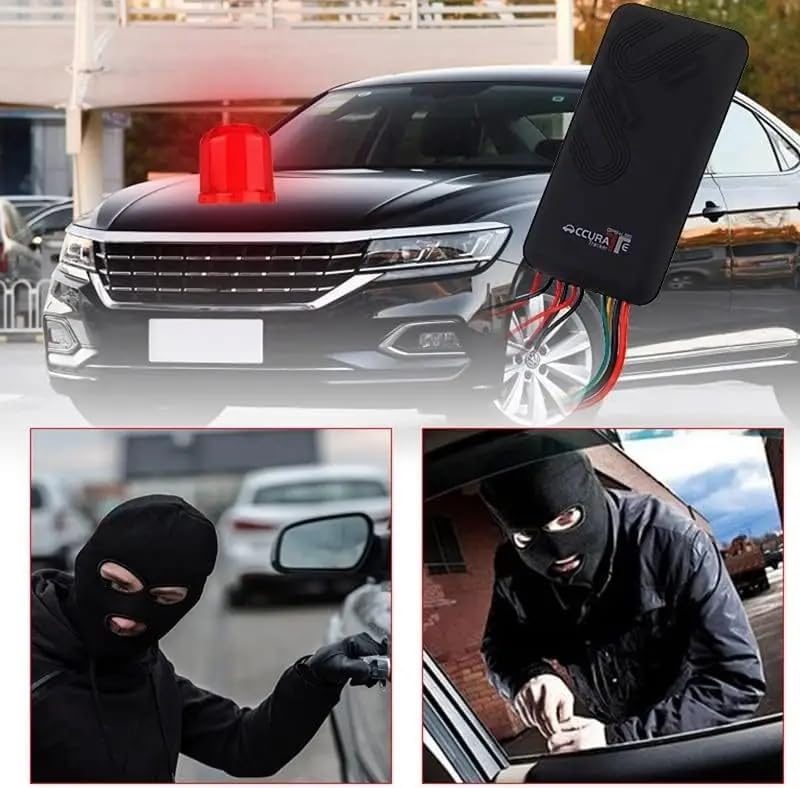
Image: This image visually represents the anti-theft capabilities of the GT06A tracker, showing a car with an alarm light and scenarios involving unauthorized access, emphasizing the device's security features.
5. Întreținere
To ensure the longevity and reliable operation of your GT06A GPS Tracker, follow these maintenance guidelines:
- Verificări regulate: Verificați periodic toate conexiunile cablurilor pentru a vă asigura că sunt fixate și nu prezintă deteriorări.
- Curăţenie: Păstrați dispozitivul curat și fără praf și resturi. Folosiți o cârpă moale și uscată pentru curățare.
- Conditii de mediu: Avoid exposing the tracker to extreme temperatures, direct sunlight for prolonged periods, or excessive moisture. Refer to specifications for operating temperature and humidity ranges.
- Actualizări de software: Ensure your mobile application and tracker firmware (if applicable) are updated to the latest versions for improved performance and new features.
- Starea cartelei SIM: Verify that the SIM card has sufficient credit and an active data plan to maintain continuous tracking and communication.
6. Depanare
If you encounter issues with your GT06A GPS Tracker, refer to the following common problems and solutions:
| Problemă | Cauza posibila | Soluţie |
|---|---|---|
| No GPS Signal / Inaccurate Location | Poor satellite reception (e.g., underground parking, dense urban areas), device not powered on, GPS antenna obstructed. | Move the vehicle to an open area. Ensure the device is powered and the GPS antenna is not covered. Check GPS status indicator. |
| No GPRS/GSM Connection | SIM card not inserted correctly, SIM card no credit/data, network coverage issue, incorrect APN settings. | Reinsert SIM card. Check SIM card balance and data plan. Verify network coverage in the area. Configure APN settings via SMS if necessary (refer to full manual). Check GSM status indicator. |
| Device Not Responding to SMS Commands | Incorrect command format, SIM card issues (as above), device not powered on. | Verify SMS command syntax. Check SIM card status and device power. |
| Alarmele nu se declanșează | Alarm settings not configured, sensors not connected properly, device not armed. | Ensure alarm functions are enabled in the app/platform. Check sensor connections. Arm the device. |
| Remote Engine Cut-off Not Working | Relay not connected or faulty, incorrect wiring, vehicle ignition on. | Verify relay connection and functionality. Ensure wiring matches the diagram. Engine cut-off typically works when the vehicle is stationary or at low speed. |
Pentru probleme persistente, vă rugăm să contactați serviciul de asistență pentru clienți.
7. Specificații
| Caracteristică | Detaliu |
|---|---|
| Model | GT06A |
| Dimensiunile produsului | 5.6 x 4.3 x 2.8 inci |
| Temperatura de depozitare | -40 to 85 Deg.C |
| Temperatura de funcționare | -20 to 55 Deg.C |
| Umiditate | 5 - 95 percent |
| Benzile GPS | 4G+ GSM 850/900/1800/1900MHz |
| Reţea | GPRS, GSM |
| Voltage Gama | 9V - 36V |
| Sensibilitate GPS | -159 dBm |
| GPS Start Time (Cold Status) | anii 45 |
| GPS Start Time (Warm Status) | anii 35 |
| GPS Start Time (Hot Status) | 1s |
| Tehnologii de conectivitate | GPRS |
| Caracteristici speciale | SOS, Alarm, Remote Control, Geo-Fence, Speed Alert |
| Material | Acrilonitril Butadien Stiren (ABS) |
8. Garanție și asistență
For information regarding product warranty, please refer to the warranty card included in your product packaging or contact the manufacturer directly. The manufacturer of this product is Yangtongjixies.
For technical support, troubleshooting assistance beyond this manual, or inquiries about product features, please contact YangDiana customer service through their official channels. You can often find contact information on the product packaging, the official brand website-ul web sau prin intermediul comerciantului de unde a fost achiziționat produsul.
Vizitați YangDiana Store pentru mai multe informații.