
1. Instrucțiuni de siguranță
Vă rugăm să citiți și să înțelegeți toate instrucțiunile de siguranță înainte de a utiliza acest dispozitiv. Păstrați acest manual pentru referințe ulterioare.
- Sursa de alimentare: Conectați amplifier only to the specified power supply (AC 110-240V or DC 12V/5A).
- Ventilare: Asigurați o ventilație adecvată în jurul unității. Nu blocați orificiile de ventilație.
- Umiditate: Nu expuneți unitatea la ploaie, umezeală sau lichide care picură/stropi.
- Căldură: Țineți unitatea departe de surse de căldură, cum ar fi calorifere, registre de căldură, sobe sau alte aparate care produc căldură.
- curatenie: Deconectați unitatea de la priză înainte de curățare. Folosiți doar o cârpă uscată.
- Service: Nu încercați să reparați singur acest produs. Consultați toate lucrările de service către personalul calificat de service.
- Conexiune difuzor: Ensure correct polarity when connecting speakers to prevent damage.
2. Produs terminatview
The WOOPKER AK55 is a versatile 2.0 channel stereo audio amplifier designed for home audio systems, karaoke, and home theater setups. It features multiple input options including Bluetooth 5.0, USB, RCA, AUX, Optical, and Coaxial, along with dual microphone inputs for karaoke functionality.
2.1 Caracteristici cheie
- Ieșire puternică: RMS 70W x 2 rated power, with a maximum peak power of 450W + 450W.
- Controlul tonului: Independent Bass and Treble control knobs for sound customization.
- Bluetooth 5.0: Stable wireless audio streaming with a range of up to 30 feet (10 meters).
- Intrări multiple: USB, SD card, RCA, AUX, Optical, Coaxial, and FM radio.
- Funcționalitate Karaoke: Two microphone input jacks with adjustable microphone volume, echo, and delay.
- Design compact: Suitable for small apartments, bedrooms, offices, and other spaces.
- Telecomanda: Operare convenabilă de la distanță.
2.2 Conținutul pachetului

Image: Contents of the WOOPKER AK55 amplifier package, showing the amplifier unit, power cable, remote control, and user manual.
- 1x WOOPKER AK55 Stereo Audio Ampmai în viață
- 1x adaptor de alimentare
- 1x telecomandă
- 1x Manual de utilizare
2.3 Panoul frontal pesteview

Image: Detailed diagram of the AK55 amplifier's front panel, labeling all knobs, buttons, and ports.
- Întrerupător: Pornește sau oprește unitatea.
- Buton de bas: Ajustează ieșirea audio de joasă frecvență.
- Buton Treble: Ajustează ieșirea audio de înaltă frecvență.
- Port USB: Pentru redarea de pe o unitate flash USB.
- Slot pentru card SD: Pentru redarea de pe card SD.
- Display LED: Shows current input mode and other information.
- Butoane funcționale: Control playback (Play/Pause, Next/Previous Track), input mode selection.
- Mufă AUX: Intrare auxiliara de 3.5 mm.
- Volumul principal: Controls the overall audio output level.
- Volumul microfonului: Reglează volumul microfoanelor conectate.
- Mic Input Jacks (MIC1, MIC2): Connect microphones for karaoke.
- Butonul pentru eco: Adjusts the echo effect for microphone audio.
- Delay Knob: Adjusts the delay effect for microphone audio.
2.4 Panoul din spate pesteview

Image: Detailed diagram of the AK55 amplifier's back panel, showing all input/output ports and power connections.
- OPT/COAX Input: Optical and Coaxial digital audio inputs.
- Antena FM: Connection for the FM radio antenna.
- Intrare/Ieșire audio (RCA): Stereo RCA input and output jacks.
- Ieșire difuzor: Terminals for connecting passive speakers (4Ω-16Ω).
- Intrare alimentare CC 12V/5A: For external DC power supply.
- AC 90-240V Power Input: For AC power connection.
3. Configurare
3.1 Conectarea difuzoarelor
Image: Diagram illustrating how to connect passive speakers to the AK55 ampterminalele de ieșire a difuzorului ale unui lifter.
- Before connecting speakers, identify the positive (+) and negative (-) terminals on both the amplifier and your speakers. The positive terminal is typically red, and the negative terminal is black.
- Press the clasp on the back of the AK55 amplifier's speaker output terminals and insert the bare speaker wires. Ensure a secure connection and correct polarity.
- Connect the other end of the speaker wires to your passive speakers, matching positive to positive and negative to negative.
- Atenţie: Avoid plugging and unplugging USB drives, SD cards, RCA audio cables, or speaker cables while the ampLifierul este pornit.
3.2 Conectarea surselor audio
The AK55 amplifier supports various audio input methods:
- Bluetooth: For wireless connection from smartphones, tablets, or computers.
- Card USB/SD: Pentru redarea directă a sunetului files from USB flash drives or SD cards.
- RCA/AUX: For connecting traditional audio devices like CD/DVD players, TVs, or other analog sources.
- Optic/Coaxial: For connecting digital audio sources like modern TVs or game consoles.
- Radio FM: Built-in tuner for radio broadcasts.
3.3 Conexiune la alimentare
- Connect the provided power adapter to the AC 90-240V power input on the back of the ampmai în viață.
- Conectați adaptorul de alimentare la o priză de perete adecvată.
- Alternatively, for DC power, connect a 12V/5A DC power source to the DC 12V/5A input.
4. Instrucțiuni de utilizare
4.1 Pornire/Oprire
Apăsați tasta Comutator de alimentare pe panoul frontal pentru a porni amplifier on or off. The LED display will illuminate when the unit is powered on.
4.2 Selectarea intrării
Apăsați tasta Modul button on the front panel or remote control to cycle through available input sources: Bluetooth, USB, SD, AUX, Optical, Coaxial, FM.
4.3 Controlul volumului
Rotiți cea mai mare Volumul principal knob on the front panel clockwise to increase volume and counter-clockwise to decrease it. You can also use the volume buttons on the remote control.
4.4 Reglarea tonului

Image: Close-up of the AK55 amplifier's front panel, highlighting the Bass and Treble adjustment knobs.
- Rotiți Buton pentru bas to increase or decrease low-frequency sounds.
- Rotiți Buton Treble to increase or decrease high-frequency sounds.
4.5 Asociere Bluetooth

Image: A smartphone screen showing Bluetooth settings, with the AK55 amplifier listed as an available device for pairing.
- Selecta Bluetooth mode using the Mode button. The LED display will show "BLUE" and flash, indicating it's in pairing mode.
- Pe dispozitivul dvs. (smartphone, tabletă etc.), activați Bluetooth și căutați dispozitivele disponibile.
- Select "AK55" from the list of devices to pair.
- Once paired, the LED display will stop flashing, and you can stream audio wirelessly.
4.6 Redare de pe USB/card SD
- Introduceți o unitate flash USB sau un card SD care conține fișiere audio fileîn portul/slotul respectiv.
- Selecta USB or SD mode using the Mode button. The ampLifer va începe automat redarea audio files.
- Utilizați Butoane funcționale (Play/Pause, Next/Previous Track) on the front panel or remote control to manage playback.
4.7 Funcții de microfon și karaoke

Image: Two individuals singing into microphones connected to the AK55 amplifier, demonstrating its karaoke feature.
- Conectați până la două microfoane la MIC1 şi MIC2 mufe de intrare.
- Reglați volumul microfonului folosind butonul Volumul microfonului butonul.
- Utilizați Butonul pentru eco to add an echo effect to your voice.
- Utilizați Buton de întârziere to adjust the delay of the echo effect.
4.8 Funcționarea radioului FM
- Connect the FM antenna to the FM ANT port on the back panel.
- Selecta FM modul utilizând butonul Mod.
- Utilizați Piesa următoare/anterioră butoane pentru a scana posturile de radio.
4.9 Telecomandă
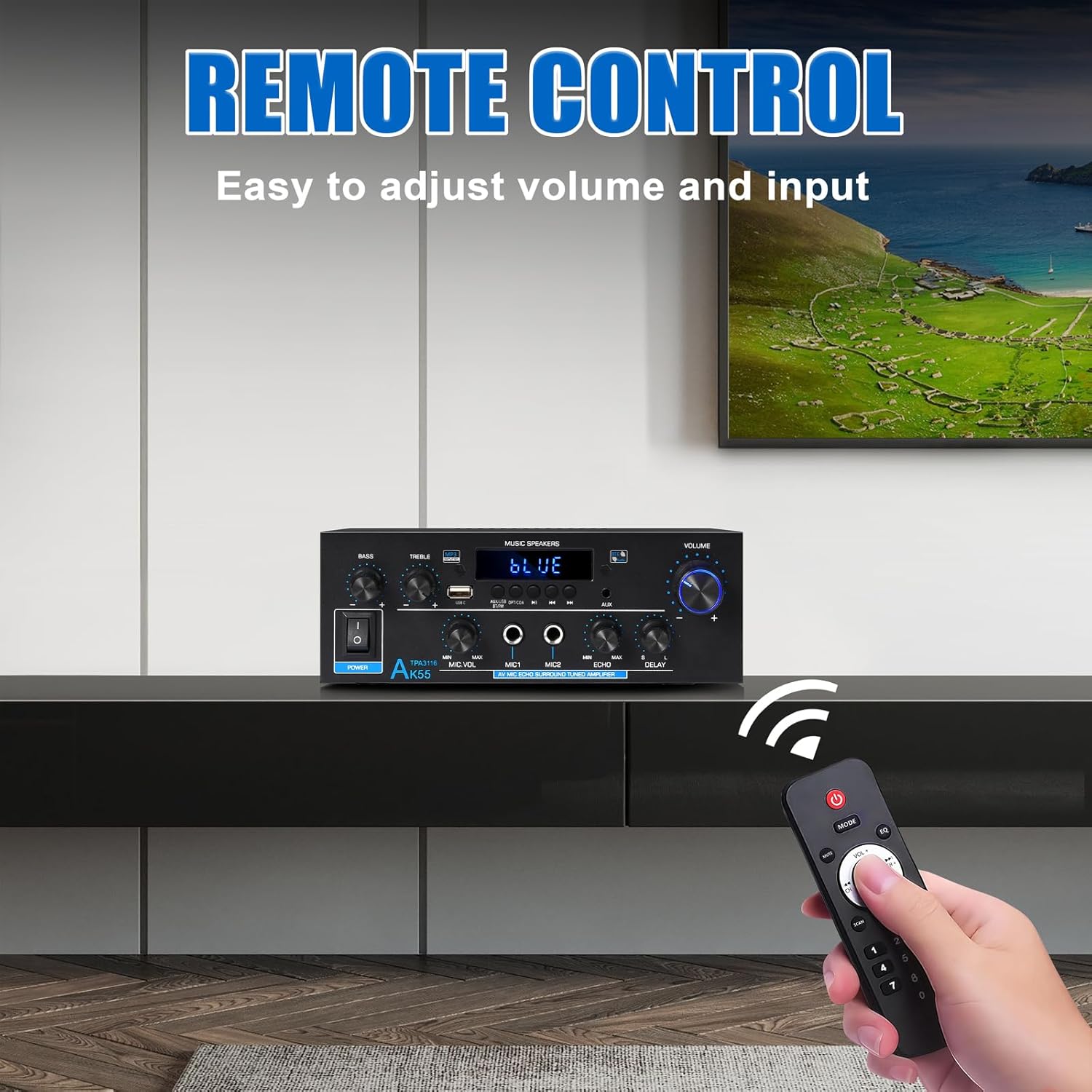
Image: The remote control for the AK55 amplifier, showing buttons for power, mode, volume, track control, and numeric input.
The included remote control allows for convenient operation of the amplifier from a distance. Functions include power on/off, input mode selection, volume adjustment, track control (for USB/SD/Bluetooth), and FM station tuning.
5. Întreținere
- curatenie: Utilizați o cârpă moale și uscată pentru a curăța exteriorul ampNu utilizați agenți de curățare lichizi sau aerosoli.
- Ventilare: Verificați periodic dacă orificiile de ventilație sunt lipsite de praf și resturi.
- Depozitare: Dacă depozitați unitatea pentru o perioadă lungă de timp, deconectați-o de la sursa de alimentare și depozitați-o într-un loc răcoros și uscat.
6. Depanare
| Problemă | Cauza posibila | Soluţie |
|---|---|---|
| Fără putere | Cablul de alimentare nu este conectat; Întrerupătorul este oprit; Defecțiune la priză | Verificați conexiunea cablului de alimentare; Asigurați-vă că întrerupătorul de alimentare este pornit; Testați priza cu un alt dispozitiv. |
| Fără ieșire de sunet | Incorrect input selected; Volume too low; Speaker wires loose/incorrectly connected; Audio source issue | Select correct input mode; Increase Master Volume; Check speaker wire connections and polarity; Verify audio source is playing. |
| Bluetooth nu se asociază | Amplifier not in pairing mode; Device Bluetooth off; Device too far | Asigura amplifier is in Bluetooth mode (LED flashes); Enable Bluetooth on your device; Move device closer to amplifier (within 10m). |
| Nu se redă cardul USB/SD | Incorrect input selected; Incompatible file format; Corrupted media | Select USB/SD input; Ensure audio filesunt compatibile (de exemplu, MP3); Încercați un alt card USB/SD. |
| Microfonul nu funcționează | Mic not connected; Mic Volume too low; Mic switch off | Ensure microphone is securely plugged in; Increase Mic Volume; Check if microphone has an on/off switch. |
7. Specificații
| Caracteristică | Caietul de sarcini |
|---|---|
| Marca | WOOPKER |
| Numărul de model | AK55-US |
| Putere de ieșire (RMS) | 70W x 2 |
| Puterea de vârf | 450W + 450W |
| Configurare canal de sunet surround | 2.0 canale |
| Tehnologia de conectivitate | Bluetooth 5.0, RCA, Auxiliary, USB, Optical, Coaxial |
| Dispozitive compatibile | Smartphone, Computers, CD Player, Tablet, Passive Speakers |
| Impedanta difuzorului | 4-16 ohmi |
| Greutatea articolului | 2.02 lire sterline (0.92 kilograme) |
| Dimensiuni pachet | 9.92 x 8.94 x 3.82 inci |
| Intrare de putere | AC 90-240V or DC 12V/5A |
8. Garanție și asistență
For warranty information and technical support, please refer to the contact details provided with your purchase or visit the official WOOPKER webPăstrați bonul fiscal ca dovadă a achiziției pentru orice reclamații în garanție.