
1. Introducere
Thank you for choosing the GEEKOM Mechanical Keyboard and Mouse Set. This manual provides detailed instructions for setting up, operating, and maintaining your new peripheral devices. Please read this manual thoroughly before use to ensure optimal performance and longevity of your product.
2. Conținutul pachetului
Please check the package contents upon unboxing. If any items are missing or damaged, please contact GEEKOM customer support.
- GEEKOM Mechanical Keyboard
- GEEKOM Mouse
- USB Receiver (for wireless connection, if applicable)
- USB-C Charging Cable (for keyboard/mouse, if rechargeable)
- Manual de utilizare (acest document)
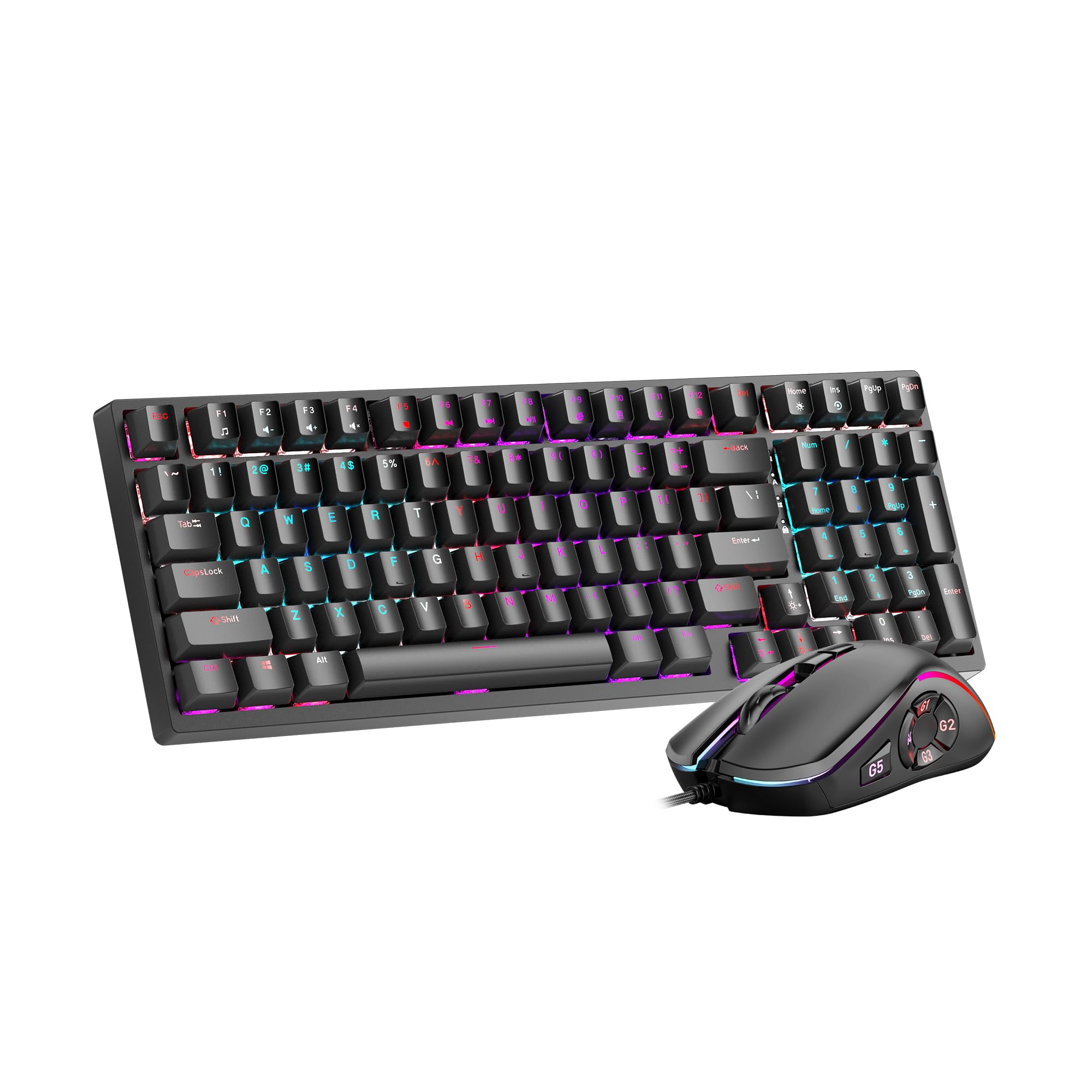
Image 1: GEEKOM Mechanical Keyboard and Mouse Set components.
3. Configurare
3.1 Conectarea tastaturii și a mouse-ului
The GEEKOM Mechanical Keyboard and Mouse Set can be connected via a 2.4GHz wireless USB receiver or a wired USB connection, depending on the model variant. Please refer to your specific product's connection type.
3.1.1 Wireless Connection (2.4GHz USB Receiver)
- Locate the USB receiver, usually stored in a compartment on the mouse or keyboard.
- Conectați receptorul USB la un port USB disponibil de pe computer.
- Turn on the keyboard and mouse using their respective power switches. The devices should automatically connect to the receiver.
- If connection fails, press the pairing button (if available) on the keyboard/mouse and the receiver simultaneously.
3.1.2 Wired Connection (USB Cable)
- Connect the USB-C end of the provided cable to the keyboard/mouse.
- Conectați capătul USB-A al cablului la un port USB disponibil al computerului.
- The devices will be recognized by your operating system automatically.
3.2 Instalarea driverului
The GEEKOM Mechanical Keyboard and Mouse Set is typically plug-and-play, requiring no additional driver installation for basic functionality. For advanced features or customization, please visit the official GEEKOM website to download any optional software or drivers.
4. Instrucțiuni de utilizare
4.1 Funcțiile tastaturii
The mechanical keyboard offers a responsive typing experience. Specific functions may vary by model, but common features include:
- Chei standard: All standard alphanumeric and symbol keys.
- Taste funcționale (F1-F12): Often combined with the Fn key for multimedia controls (volume, play/pause, etc.) or system shortcuts. Refer to the keycap legends for specific functions.
- Iluminare de fundal: Many mechanical keyboards feature adjustable backlighting. Use Fn + [Tastă] combinations (e.g., Fn + Arrow keys, Fn + Ins/Del/Home/End) to change brightness, mode, or color.
- N-Key Rollover (NKRO): Allows multiple key presses to be registered simultaneously, crucial for fast typing and gaming.
4.2 Funcțiile mouse-ului
The mouse provides precise tracking and comfortable use. Key features typically include:
- Clic stânga/dreapta: Standard primary and secondary click functions.
- Rotiță de defilare: For vertical scrolling and often acts as a middle click button.
- Butonul DPI: (Dots Per Inch) Allows adjustment of mouse sensitivity on the fly. Press to cycle through different DPI settings.
- Butoane laterale: Often programmable for forward/backward navigation in web browsers or custom functions in software.
5. Întreținere
Proper maintenance ensures the longevity and performance of your GEEKOM Mechanical Keyboard and Mouse Set.
5.1 Curățare
- Tastatura:
- Deconectați tastatura de la computer.
- Use a can of compressed air to blow out dust and debris from between the keycaps.
- Wipe the keycaps and surface with a soft, slightly damp, lavetă fără scame. Evitați umiditatea excesivă.
- For deeper cleaning, keycaps can often be carefully removed using a keycap puller (not included) and cleaned separately. Ensure they are completely dry before reattaching.
- Mouse:
- Deconectați mouse-ul de la computer.
- Ștergeți suprafața cu o lavetă moale, ușor damp, cârpă fără scame.
- Clean the optical sensor on the underside with a dry cotton swab to ensure accurate tracking.
5.2 Depozitare
Când nu le utilizați pentru perioade lungi de timp, depozitați tastatura și mouse-ul într-un loc uscat și răcoros, ferit de lumina directă a soarelui și de temperaturi extreme.
6. Depanare
If you encounter issues with your GEEKOM Mechanical Keyboard and Mouse Set, please refer to the following common solutions:
| Problemă | Cauza posibila | Soluţie |
|---|---|---|
| Keyboard/Mouse not responding (Wireless) | Low battery; USB receiver not connected; Pairing issue. | Charge devices; Ensure receiver is firmly plugged in; Re-pair devices (refer to Section 3.1.1). |
| Keyboard/Mouse not responding (Wired) | Loose cable connection; Faulty USB port. | Ensure cable is firmly connected; Try a different USB port; Test with a different cable if possible. |
| Cheile nu se înregistrează sau se tastează de două ori | Dust/debris under keycap; Switch malfunction. | Clean under keycaps with compressed air (refer to Section 5.1); If issue persists, contact support. |
| Cursorul mouse-ului este neregulat sau nu se mișcă | Senzor optic murdar; Suprafață nepotrivită; Baterie descărcată. | Clean optical sensor (refer to Section 5.1); Use on a clean, opaque mouse pad; Charge mouse. |
| Iluminarea de fundal nu funcționează | Backlight turned off; Software issue. | Adjust backlight settings using Fn key combinations; Check for software updates. |
7. Specificații
The following are general specifications for the GEEKOM Mechanical Keyboard and Mouse Set. Specific details may vary slightly by production batch.
- Marca: GEEKOM
- Model: Set tastatură mecanică și mouse
- Conectivitate: 2.4GHz Wireless (via USB Receiver) / Wired USB
- Tip tastatură: Mecanic
- Mouse Sensor: Optic
- DPI Settings (Mouse): Adjustable (e.g., 800/1200/1600/2400 DPI)
- Baterie: Rechargeable Lithium-ion (for wireless models)
- Compatibilitate cu sistemul de operare: Windows, macOS, Linux (basic functionality)
- Dimensiuni pachet: 50 x 15 x 5 cm
- Greutate pachet: 1 kg
- ASIN: B0CTSVD82J
- UPC/GTIN: 850055043657
8. Garanție și asistență
GEEKOM products are designed for reliability and performance. This product comes with a standard manufacturer's warranty. For detailed warranty terms and conditions, please refer to the warranty card included in your package or visit the official GEEKOM website-ul.
For technical support, troubleshooting assistance, or warranty claims, please contact GEEKOM customer service through their official website-ul sau informațiile de contact furnizate în documentația produsului.
Official GEEKOM Website: www.geekom.nl (Notă: Acesta este un substituent URL. Please refer to your product packaging for the correct support website-ul.)