
1. Introducere
Sistemul de urmărire a aerului ATUVOS Tag is a compact Bluetooth device designed to help you locate your personal belongings using the Apple Find My network. This manual provides detailed instructions for setting up, operating, and maintaining your ATUVOS Air Tracker Tags.
2. Informații de siguranță
- A nu se lăsa la îndemâna copiilor mici și a animalelor de companie pentru a preveni ingerarea accidentală a pieselor mici, în special a bateriei.
- Nu încercați să dezasamblați sau să modificați dispozitivul dincolo de înlocuirea bateriei.
- Dispose of batteries according to local regulations. Do not expose batteries to excessive heat or fire.
- This device is water-resistant (IP67 rated) but not waterproof. Avoid prolonged submersion in water.
3. Conținutul pachetului
- ATUVOS Air Tracker Tags (2 pachete)
- Manual de utilizare
- CR2032 Coin Cell Batteries (pre-installed)
4. Produs terminatview
Sistemul de urmărire a aerului ATUVOS Tag is a compact, square-shaped device designed for easy attachment to various items. It features a single button for operation and a small hole for attaching to keyrings or straps.

Figure 1: ATUVOS Air Tracker Tags
Caracteristici cheie:
- Find My App Compatibility: Works exclusively with Apple's Find My network (iOS devices only).
- Loud Ring: Built-in speaker emits an 80-100dB sound to help locate nearby items.
- Wide Bluetooth Range: Up to 200 feet (60 meters) without obstacles.
- Alerte pentru cei rămași în urmă: Primește notificări dacă părăsești tagged item behind.
- Mod pierdut: Mark your item as lost in the Find My app to receive automatic notifications when detected by the network.
- Rezistență la apă IP67: Protejat împotriva prafului și a imersiunii temporare în apă.
- Baterie înlocuibilă: Powered by a CR2032 coin cell battery with over 1 year of life.
- Protecția confidențialității: The Find My network is encrypted and anonymous; location data is not stored on the tag.
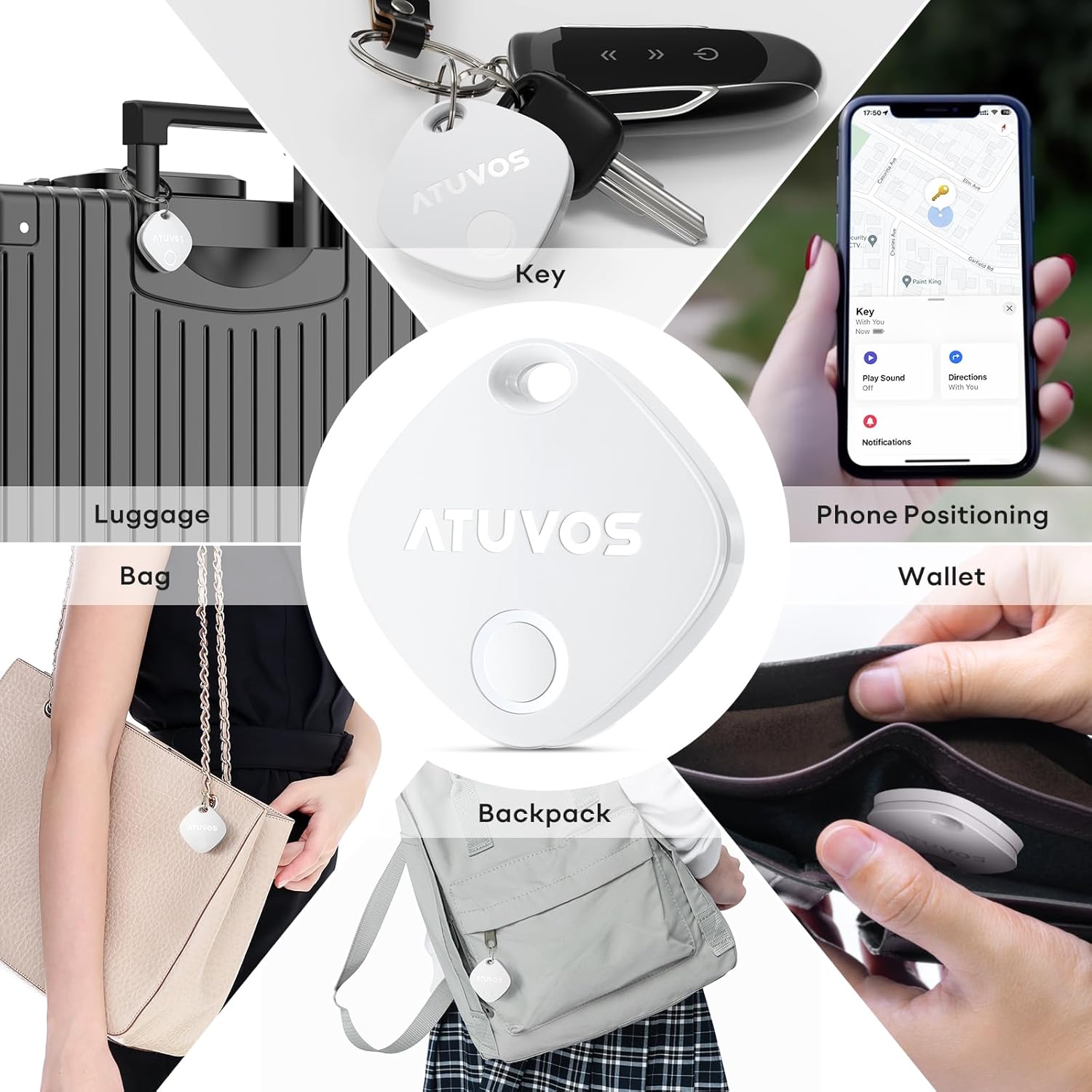
Figure 2: Product Dimensions (1.34 x 1.34 x 0.42 inches)
5. Configurare
Follow these steps to connect your ATUVOS Air Tracker Tag to your iOS device:
- Resetați dispozitivul: Asigurați tag is powered on. Press and hold the button on the ATUVOS Tag for approximately 10 seconds. You will hear a short beep after 3 seconds, and a long beep after 10 seconds. Release the button after the long beep. Two short beeps will confirm a successful reset.
- Deschideți aplicația Găsește-mi: On your iOS device, open the 'Find My' application. Ensure Bluetooth is enabled on your device.
- Adăugați un element nou: Navigate to the 'Items' tab at the bottom of the screen. Tap the '+' icon and select 'Add Other Item'.
- Conectare: Your iOS device will search for nearby compatible items. Once 'Atuvos Tag' appears, tap 'Connect'.
- Denumește articolul tău: Follow the on-screen prompts to name your item (e.g., 'Keys', 'Wallet', 'Luggage') and choose an emoji to represent it.
- Accept Termenii și Condițiile: Review și sunteți de acord cu termenii și condițiile.
- Finalizați configurarea: The tag is now linked to your Apple ID and ready for use.
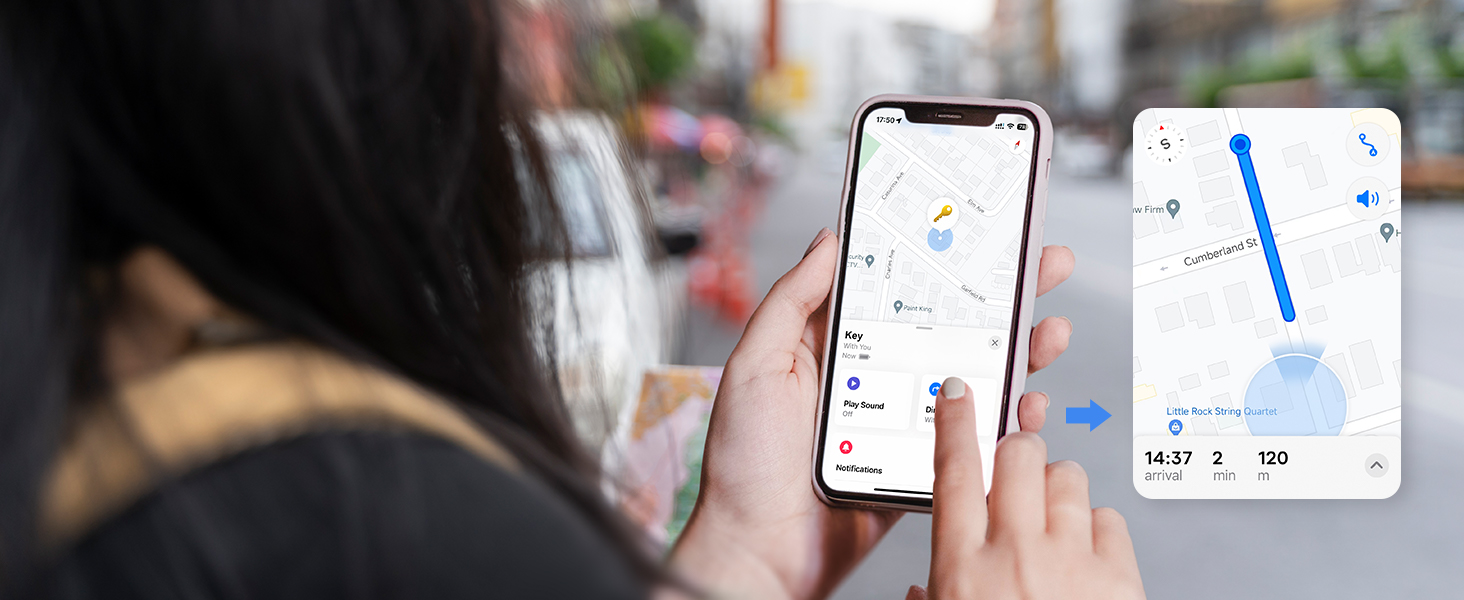
Figure 3: Setup Process in Find My App
Video 1: ATUVOS Tracker Tag Compatible with Apple Find My (iOS Only) - This video demonstrates the process of connecting the ATUVOS Tag to the Apple Find My app on an iOS device.
6. Instrucțiuni de utilizare
6.1. Find Nearby
When your ATUVOS Tag is within Bluetooth range, you can make it play a sound to help you locate it.
- Open the 'Find My' app on your iOS device.
- Accesați fila „Articole”.
- Select your ATUVOS Tag din lista.
- Tap 'Play Sound'. The tag will emit a loud ring (80-100dB) to guide you to its location.
- You can also ask Siri, "Hey Siri, find my [item name]."

Figure 4: Locating a Nearby Item
6.2. Find Far Away
If your ATUVOS Tag is outside of Bluetooth range, you can still locate it using the Find My network.
- Open the 'Find My' app on your iOS device.
- Accesați fila „Articole”.
- Select your ATUVOS TagAplicația va afișa ultima locație cunoscută pe o hartă.
- Tap 'Directions' to get navigation to the tag's vicinity.

Figure 5: Locating a Far Away Item
6.3. Left Behind Remind
Receive instant alerts if you accidentally leave your tagged item behind.
- In the 'Find My' app, select your ATUVOS Tag.
- Scroll down and enable 'Notify When Left Behind'.
- You can customize locations where you don't want to be notified (e.g., home).

Figure 6: Left Behind Reminder Notification
6.4. Lost Mode
If your item is lost, activate Lost Mode to increase your chances of recovery.
- In the 'Find My' app, select your ATUVOS Tag.
- Scroll down to 'Lost Mode' and tap 'Enable'.
- Follow the instructions to enter your contact information (phone number or email) and a message for the person who finds your item.
- You will be automatically notified when your lost item is detected by any device in the Find My network.

Figure 7: Anti-Lost Mode Interface
6.5. Share Item (iOS 17 and above)
With iOS 17 or later, you can share your ATUVOS Tag with up to 5 other individuals.
- Ensure your iOS device is updated to iOS 17 or newer.
- In the 'Find My' app, select your ATUVOS Tag.
- Scroll down and tap 'Share This Item'.
- Follow the prompts to add up to 5 borrowers. They will be able to see the item's location on a map.
- Borrowers will not receive tracking notifications when the item moves with them.

Figure 8: Sharing an ATUVOS Tag
7. Înlocuirea bateriei
Sistemul de urmărire a aerului ATUVOS Tag uses a replaceable CR2032 coin cell battery. When the battery is low, you will receive a notification on your iOS device.
- Locate the small gap on the side of the ATUVOS Tag.
- Carefully insert a thin tool (like a guitar pick or a small flat-head screwdriver) into the gap.
- Gently pry open the two halves of the tag.
- Scoateți vechea baterie CR2032.
- Introduceți o nouă baterie CR2032 cu partea pozitivă (+) în sus.
- Aliniați cele două jumătăți ale tag and press them firmly together until they click securely into place. Ensure the top hole on both lids aligns.

Figura 9: Pași pentru înlocuirea bateriei
Video 2: How do I replace the battery? - This video provides a visual guide on replacing the battery of the ATUVOS Tag.
8. Întreținere
- Clean the ATUVOS Tag cu o cârpă moale și uscată. Evitați utilizarea substanțelor chimice dure sau a materialelor abrazive.
- Regularly check the battery level in the Find My app to ensure continuous tracking.
- Asigurați tag is securely attached to your items to prevent accidental detachment.
9. Depanare
9.1. Tag Not Pairing
- Asigurați-vă că Bluetooth este activat pe dispozitivul dvs. iOS.
- Make sure the ATUVOS Tag este pornit și are o baterie nouă.
- Perform a device reset as described in Section 5.1.
- Adu tag closer to your iOS device during the pairing process.
9.2. Sound Not Playing
- Asigurați tag is within Bluetooth range of your iOS device.
- Check the battery level of the tag. A low battery might affect sound output.
- Verify that the volume on your iOS device is not muted or too low.
9.3. Inaccurate Location
- Location accuracy depends on the density of Apple devices in the Find My network. In areas with fewer devices, location updates might be less frequent or precise.
- Ensure your iOS device has a stable internet connection for accurate map data.
- Dacă tag is indoors or in a dense environment, GPS signals might be obstructed.
10. Specificații
| Numărul de model | AT2301 |
| Dimensiuni | 1.34 x 1.34 x 0.42 inci |
| Greutatea articolului | 1.44 uncii |
| Conectivitate | Bluetooth 5.2 |
| Rezistenta la apa | IP67 |
| Tip baterie | Baterie tip pastilă CR2032 (inclusă) |
| Durata de viață a bateriei | Peste 1 an |
| Compatibilitate | iOS devices only (Apple Find My network) |
11. Garanție și asistență
ATUVOS provides customer service for its products. For any questions regarding the use of your ATUVOS Air Tracker Tags, please contact customer support. Refer to the product packaging or the official ATUVOS website-ul pentru detalii specifice despre garanție și informații de contact.
Serviciu clienți: Available 24 hours. Please refer to the contact details provided with your product or on the ATUVOS official website-ul.