
1. Introducere
This manual provides detailed instructions for the installation, operation, and maintenance of your EZoneTronics RM-26VW93-2G32 9-inch Android 11 Car Stereo. This universal car radio is designed for various VW models including Passat, Golf MK5, Golf MK6, Jetta, T5, EOS, POLO, Touran, Seat, and Sharan. It features an Android 11 operating system, integrated CarPlay and Android Auto, Bluetooth 5.0, FM/RDS radio, and GPS navigation. Please read this manual thoroughly before using the product to ensure proper function and safety.
2. Informații de siguranță
- Utilizați întotdeauna dispozitivul în mod responsabil și în conformitate cu legile locale privind traficul. Condusul distras poate duce la accidente.
- Do not attempt to install or repair the unit yourself if you are not qualified. Improper installation can cause damage to the vehicle's electrical system or the unit itself.
- Asigurați-vă că toate cablurile sunt conectate și izolate corect pentru a preveni scurtcircuitele.
- Țineți unitatea departe de apă și umiditate excesivă.
- Evitați expunerea unității la temperaturi extreme.
3. Conținutul pachetului
Verificați dacă toate articolele enumerate mai jos sunt incluse în pachetul dumneavoastră:
- 1 x EZoneTronics Android Car Stereo Unit
- 1 x Antenă GPS
- 1 x VW Wiring Harness
- 1 x Cutie CANBUS
- 1 x Adaptor antenă radio
- 1 x adaptor USB
- 1 x Manual de utilizare (acest document)
4. Produs terminatview
The EZoneTronics RM-26VW93-2G32 is a 9-inch universal car stereo designed to enhance your driving experience with advanced features and seamless integration. Key features include:
- Sistem Android 11: Provides a fast, stable, and user-friendly operating environment.
- 9-inch TFT Capacitive Touchscreen: High-definition display with 1280 x 720 pixels for clear visuals.
- Integrated CarPlay & Android Auto: Connect your smartphone via USB for navigation, music, calls, and messages.
- Bluetooth 5.0: For hands-free calling, phonebook access, and audio streaming (A2DP).
- Navigare prin GPS: Built-in receiver compatible with various navigation apps like Waze, Navfree, and Google Maps.
- Radio FM/RDS: Automatic memory and preset scanning for your favorite stations.
- Suport pentru controlul volanului: Retains original vehicle steering wheel control functionality via CANBUS.
- Player multimedia: Supports various audio and video formats.
- Intrare cameră spate: Supports CVBS/AHD cameras for parking assistance.
- 32 GB memorie flash: Ample storage for music, map data, and videos.
- 4 x 45W Output Power: Oferă un sunet clar și puternic.
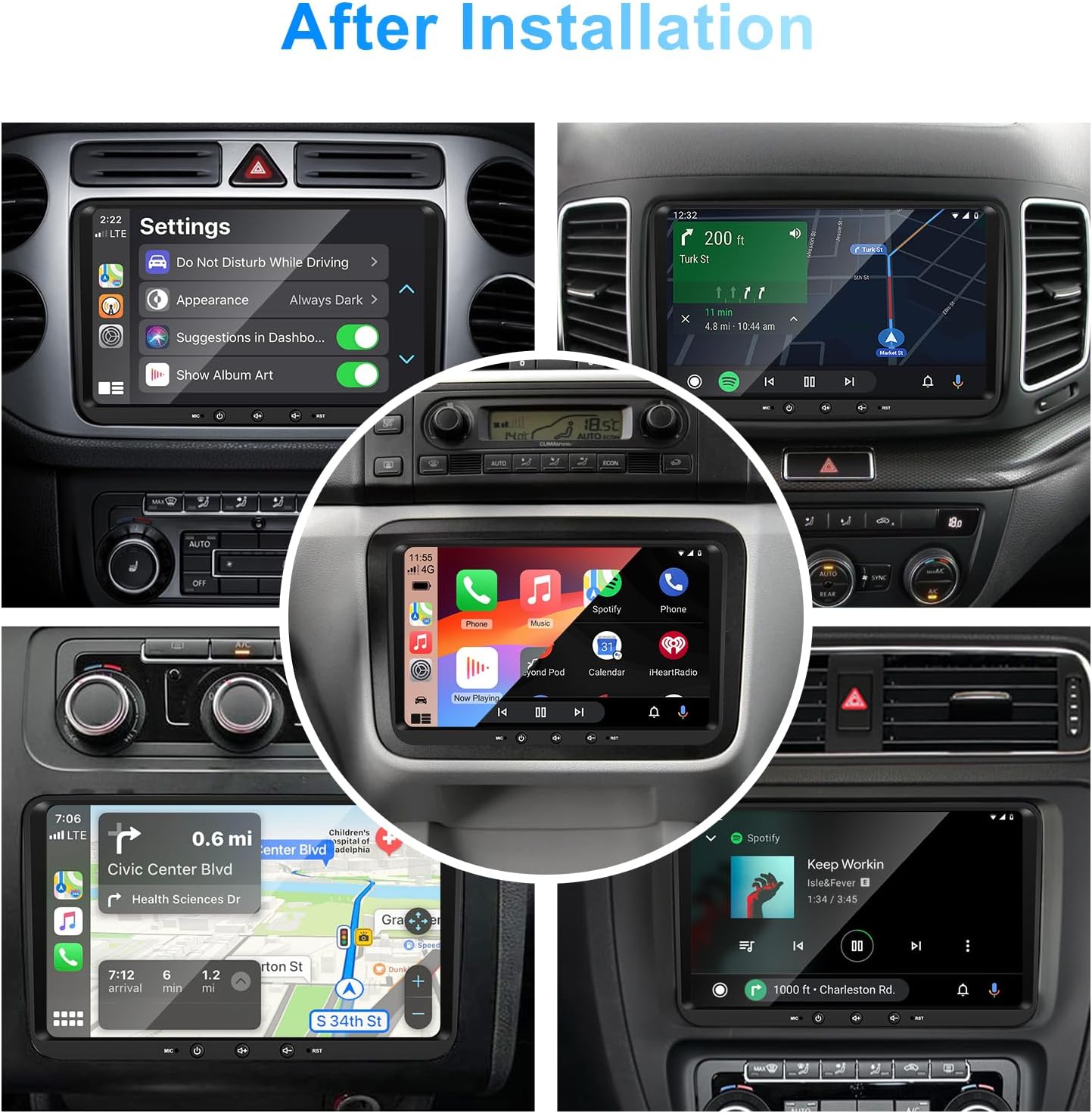
Imaginea 1: Față view of the EZoneTronics 9-inch Android 11 Car Stereo unit, showcasing its large touchscreen display and sleek design.
5. Configurare și instalare
Se recomandă instalarea de către un profesionist. Asigurați-vă că vehiculul este deconectat de la rețeaua electrică înainte de a începe instalarea.
5.1 Schema electrică
Refer to the following diagram for proper wiring connections. Each connector is labeled for clarity.

Image 2: Detailed wiring diagram illustrating connections for the power harness, CANBUS box, USB extension, backup camera video input, radio antenna adapter, and GPS antenna.
5.2 Pași de instalare (generali)
- Scoateți unitatea originală: Carefully remove your vehicle's existing car stereo unit and trim panels.
- Conectați cablajul de alimentare: Connect the provided VW wiring harness to the vehicle's wiring and then to the car stereo unit. Ensure all connections are secure.
- Connect CANBUS Box: Integrate the CANBUS box as shown in the wiring diagram. This enables steering wheel controls and other vehicle data integration.
- Conectarea antenei GPS: Montați antena GPS într-un loc cu lumină naturală view al cerului (de exemplu, colțul bordului sau al parbrizului) și conectați-l la unitate.
- Connect Radio Antenna: Use the provided radio antenna adapter to connect the vehicle's radio antenna to the unit.
- Connect USB Adapters: Connect the USB extension harnesses for external USB devices.
- Conexiuni opționale: Connect any optional accessories such as a backup camera (CVBS/AHD), external amplifier (RCA output), or additional video inputs/outputs.
- Funcționalitate de testare: Before fully reassembling the dashboard, temporarily connect the unit and test all functions (power, audio, radio, GPS, Bluetooth, steering wheel controls, camera).
- Unitate securizată: Once all functions are verified, secure the car stereo unit in the dashboard and reassemble all trim panels.
6. Instrucțiuni de utilizare
This section details the primary functions and operations of your EZoneTronics car stereo.
6.1 Operare de bază
- Pornire/Oprire: Press and hold the power button (usually on the front panel) to turn the unit on or off. A short press typically mutes/unmutes audio.
- Controlul volumului: Use the physical volume knob or the on-screen controls to adjust the audio level.
- Interfață cu ecran tactil: Navigați prin meniuri și aplicații atingând, glisând și ciupind degetele pe ecranul tactil capacitiv de 9 inci.
Sistem Android 11 6.2
The unit runs on Android 11, providing a familiar smartphone-like experience. You can download and install various applications from the Google Play Store.

Image 3: Screenshot of the Android 11 system interface, showing various applications and media options available on the car stereo.
6.3 CarPlay și Android Auto
Connect your iPhone or Android smartphone via USB to access CarPlay or Android Auto. This allows for safe and convenient use of phone features while driving.
- Conexiune: Connect your smartphone to one of the unit's USB ports using a certified USB cable.
- Activare: The unit should automatically detect and prompt you to launch CarPlay or Android Auto. Follow on-screen instructions.
- Caracteristici: Access navigation, make calls, send/receive messages, and play music using voice commands (Siri or Google Assistant) or the touchscreen.

Image 4: Display showing the CarPlay interface with Siri voice commands and the Android Auto interface with Google Assistant commands, demonstrating smartphone integration.
6.4 Navigare GPS
The unit includes a built-in GPS receiver and supports various navigation applications.
- Pre-installed Maps: Sygic Maps are typically pre-installed. For offline use, download regional map data as needed.
- Navigare online: Connect to Wi-Fi or use a mobile hotspot to access real-time traffic information and online map services like Google Maps.
- External GPS Antenna: Ensure the external GPS antenna is properly connected and positioned for optimal signal reception.

Image 5: The car stereo displaying an online navigation map, showing a route and real-time traffic conditions within a vehicle dashboard.
6.5 Bluetooth 5.0
Connect your smartphone via Bluetooth for hands-free communication and audio streaming.
- Asociere: Enable Bluetooth on your smartphone and search for the car stereo (e.g., "EZoneTronics"). Select the device and confirm the pairing code.
- Apeluri fără mâini: Make and receive calls directly from the car stereo. Access your phonebook and recent call history.
- Transmisie audio (A2DP): Play music from your smartphone through the car stereo's speakers.

Image 6: The car stereo displaying music playback via Bluetooth 5.0, with a smartphone shown next to it also playing music, illustrating the wireless audio connection.
Radio FM/RDS 6.6
Accesați posturile de radio locale cu tunerul FM/RDS încorporat.
- Reglare: Use the on-screen controls to manually tune to frequencies or perform an automatic scan for available stations.
- presetări: Salvați posturile preferate pe butoanele de presetare pentru acces rapid.
- RDS (sistem de date radio): Displays station information such as song title, artist, or program type where available.
6.7 Comandă la volan
The unit supports your vehicle's original steering wheel controls through the CANBUS box, allowing you to manage audio and other functions without taking your hands off the wheel.
- Functionalitate: Control volume, change tracks, answer calls, and switch modes directly from your steering wheel.
- Configurare: In some cases, steering wheel controls may require initial configuration in the unit's settings menu.

Image 7: Illustration showing a steering wheel with control buttons and corresponding icons on the car stereo display, indicating seamless integration of steering wheel controls.
6.8 Audio Settings (32-Band EQ)
Customize your audio experience with the built-in 32-band equalizer and other sound controls.
- Egalizator: Adjust frequency bands to fine-tune the sound output to your preference.
- Preset EQ Modes: Select from various preset equalizer modes (e.g., Pop, Rock, Jazz, Classic).
- Fader / echilibru: Adjust the audio distribution between front/rear and left/right speakers.
- Loudness: Enhance bass and treble at low volume levels.

Image 8: Screenshot of the car stereo's 32-band equalizer interface, showing adjustable frequency sliders and preset sound modes, along with a visual representation of sound distribution in a car cabin.
6.9 After Installation Overview
Once installed, the unit provides a comprehensive interface for various functions, including system settings, navigation, media playback, and vehicle information.
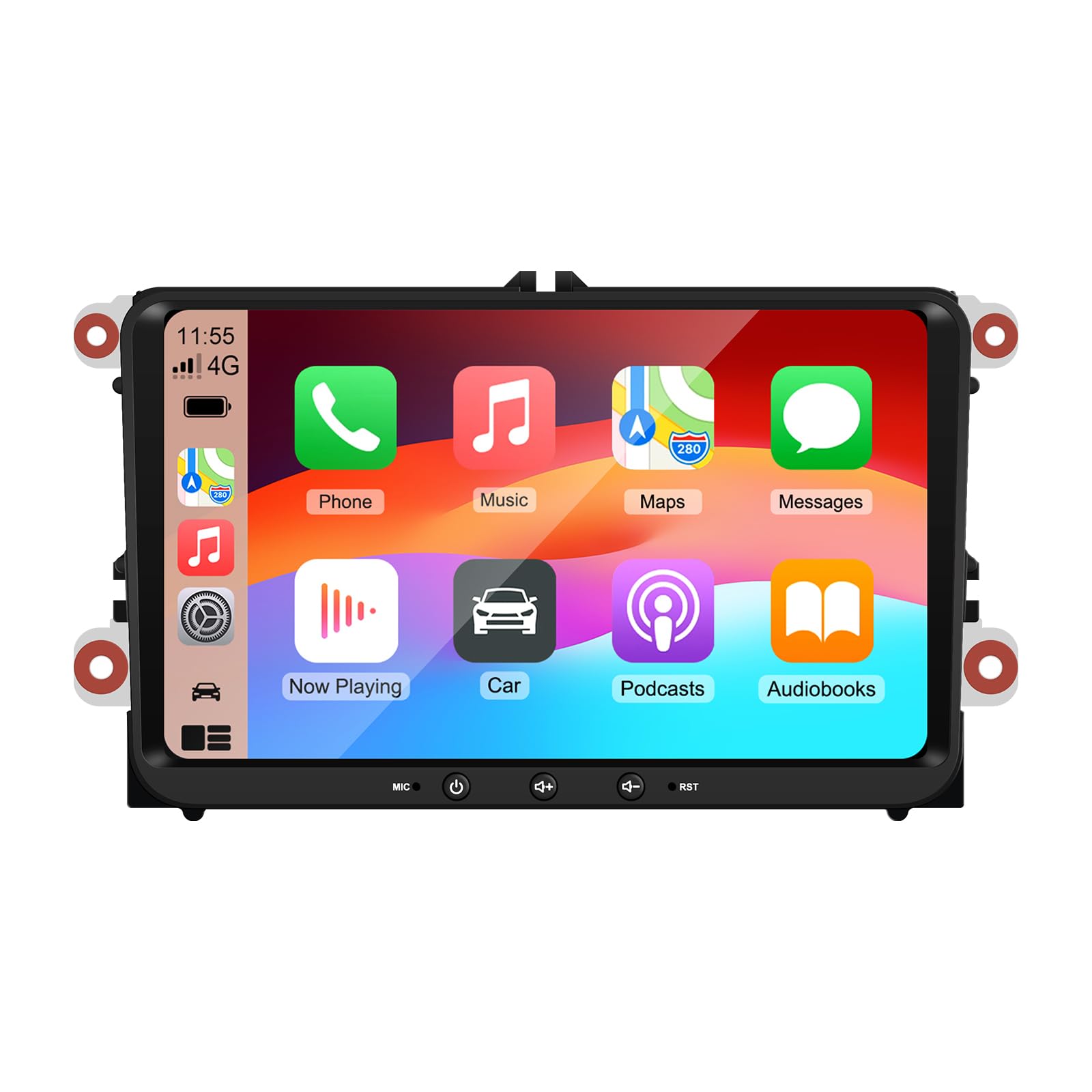
Image 9: A collage of various screen displays from the car stereo after installation, showing settings, navigation, CarPlay, Spotify, and vehicle information screens.
7. Întreținere
- Curățarea ecranului: Folosiți o lavetă moale, fără scame, pentru a șterge ușor ecranul tactil. Pentru petele persistente, ștergeți ușor.ampCurățați laveta cu apă sau cu un produs de curățare sigur pentru ecran. Evitați substanțele chimice dure.
- Actualizări de software: Verificați periodic dacă există actualizări de software prin meniul de setări al unității sau prin intermediul setărilor producătorului. website-ul pentru a asigura performanțe optime și acces la funcții noi.
- Resetare sistem: If the unit experiences persistent issues, a factory reset option is available in the settings. Note that this will erase all user data and settings.
8. Depanare
If you encounter problems with your EZoneTronics car stereo, refer to the following common issues and solutions:
| Problemă | Cauza posibila | Soluţie |
|---|---|---|
| Unitatea nu pornește. | Cablare incorectă; Siguranță arsă; Problemă cu alimentarea vehiculului. | Verificați conexiunile de alimentare și siguranțele. Consultați un instalator profesionist. |
| Nici un sunet. | Volume muted; Speaker wiring incorrect; Ampproblema lifitorului. | Check volume and mute settings. Verify speaker connections. |
| Semnal GPS pierdut sau inexact. | Antena GPS amplasată necorespunzător sau deconectată. | Asigurați-vă că antena GPS are o distanță clară view al cerului și este conectat în siguranță. |
| Asocierea Bluetooth nu reușește. | Bluetooth not enabled on phone/unit; Incorrect pairing process. | Ensure Bluetooth is active on both devices. Restart pairing process. |
| Comenzile de pe volan nu funcționează. | CANBUS box not connected; Incorrect configuration. | Verify CANBUS box connection. Check steering wheel control settings in the unit. |
9. Specificații
Technical specifications for the EZoneTronics RM-26VW93-2G32 car stereo:
| Caracteristică | Caietul de sarcini |
|---|---|
| Numărul de model | RM-26VW93-2G32 |
| Sistem de operare | Android 11 |
| Dimensiunea ecranului | 9 inci |
| Rezoluția afișajului | 1280 x 720 pixeli |
| Procesor | Quad Core 1.5G |
| RAM | 2G DDR4 |
| Stocare internă | Memorie flash de 32 GB |
| Versiune Bluetooth | 5.0 |
| Putere de ieșire | 4 x 45W (180 Watts total) |
| Numărul de canale | 2 |
| Receptor GPS | Built-in, with external antenna |
| Wifi | Încorporat |
| Intrare USB | 2 x USB din spate |
| Intrarea camerei | CVBS/AHD compatible |
| Producător | Rhythm Electronics Limited |
10. Garanție și asistență
10.1 Informații despre garanție
The EZoneTronics RM-26VW93-2G32 car stereo comes with a 1 an garanție de la data achiziției. Această garanție acoperă defectele de fabricație și defecțiunile în condiții normale de utilizare. Nu acoperă daunele cauzate de instalare necorespunzătoare, utilizare necorespunzătoare, accidente sau modificări neautorizate.
10.2 Asistență pentru clienți
For technical assistance, warranty claims, or any questions regarding your product, please contact our customer support team:
- E-mail: support@ezonetronics.com
When contacting support, please provide your product model number (RM-26VW93-2G32) and a detailed description of the issue.