
HyperGear f77e1861-dee6-44da-9fa4-1771211b27d1
HyperGear MagSafe Magnetic Phone Holder Car Mount Instruction Manual
Model: f77e1861-dee6-44da-9fa4-1771211b27d1
Introducere
This manual provides instructions for the installation, operation, and maintenance of your HyperGear MagSafe Magnetic Phone Holder Car Mount. This device is designed to securely hold your smartphone in your vehicle, offering convenient access for navigation and hands-free communication.
Conținutul pachetului
- HyperGear MagSafe Magnetic Phone Holder Car Mount
- Adhesive-Backed Adapter Ring Plate (for non-MagSafe phones & cases)
Ghid de instalare
Attaching the Mount to Your Air Vent
Follow these steps to securely attach the car mount to your vehicle's air vent:
- Twist the collar open: Rotate the collar on the vent clip counter-clockwise to open the clip jaws.
- Slide into vent: Carefully slide the vent clip onto one of your car's air vent blades. Ensure it is firmly seated.
- Twist the collar closed: Rotate the collar clockwise to tighten the clip, securing the mount firmly to the vent. The anti-slip silicone padding helps ensure a stable hold.

Image: Quick installation steps for the HyperGear MagSafe Magnetic Phone Holder Car Mount.
Conectarea telefonului
- For MagSafe-compatible phones/cases: Simply place your MagSafe-compatible iPhone or case directly onto the magnetic surface of the mount. The magnets will automatically align and secure your device.
- For non-MagSafe phones/cases: Apply the included adhesive-backed adapter ring plate to the back of your phone or phone case. Ensure it is centered for optimal magnetic connection. Once the adapter ring is attached, you can place your device onto the magnetic mount.

Image: Illustration of universal compatibility for iPhone and Android devices, including the use of an adapter ring for non-MagSafe phones.
Instrucțiuni de operare
Securing Your Device
Once the mount is installed, simply bring your phone close to the magnetic surface. The powerful magnets will securely hold your device in place, allowing for one-handed operation. This ensures your phone remains stable even on uneven roads.
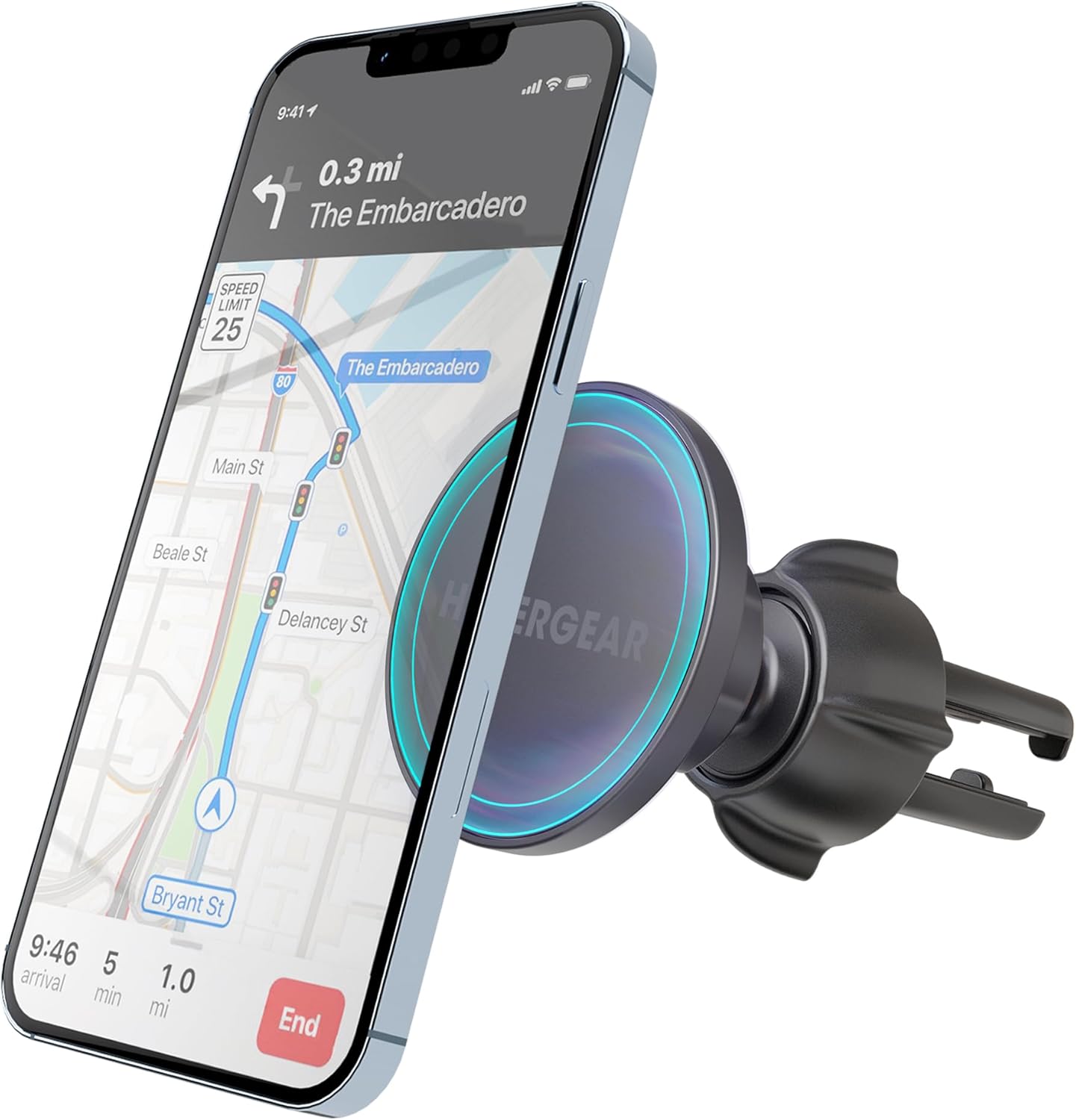
Image: The HyperGear car mount holding a smartphone with navigation displayed.
Reglare Viewunghiul ing
The mount features a 360-degree swivel ball joint, allowing you to adjust your phone to any desired viewing angle. This flexibility supports both portrait and landscape orientations, optimizing visibility for navigation or other applications.
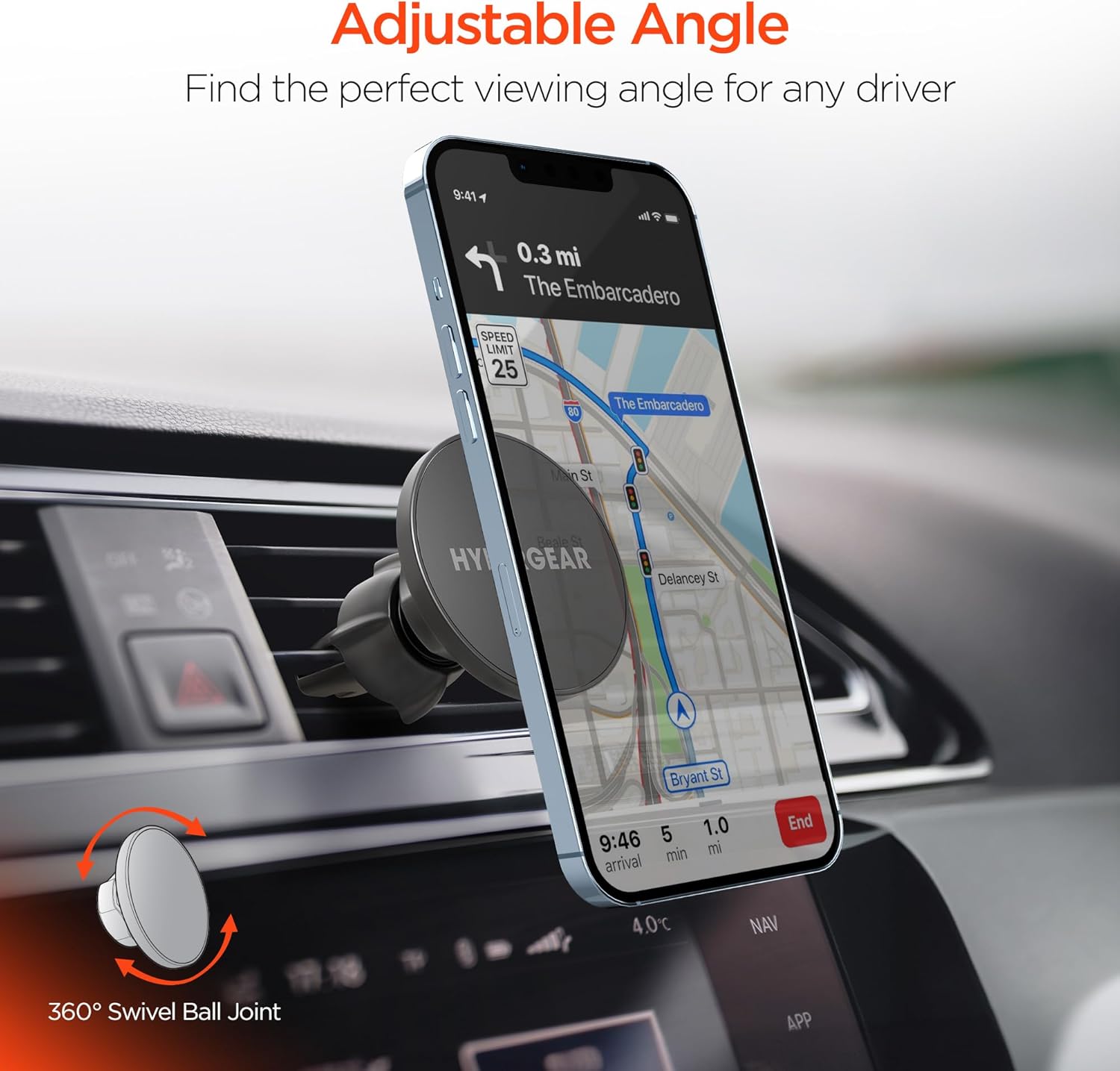
Image: The mount's 360-degree swivel feature for flexible viewunghiuri de ing.
Compatibilitate dispozitiv
This magnetic phone holder is compatible with a wide range of smartphones. It offers direct compatibility with MagSafe-enabled iPhones (e.g., iPhone 16/15/14/13 Pro and similar models). For other devices, including various Android phones (e.g., Samsung S24, S23, S22) and non-MagSafe cases, the included adhesive adapter ring ensures broad compatibility.
Îngrijire și întreținere
- curatenie: Use a soft, dry cloth to wipe the surface of the mount. Avoid using harsh chemicals or abrasive cleaners.
- Depozitare: Când nu este utilizată pentru perioade lungi de timp, depozitați montura într-un loc răcoros și uscat, ferit de lumina directă a soarelui.
- Clemă de ventilație: Periodically check the vent clip for tightness to ensure continued secure attachment.
Depanare
| Emisiune | Cauza posibila | Soluţie |
|---|---|---|
| Telefonul nu se atașează în siguranță. | Not a MagSafe-compatible device or adapter ring is not properly installed. | Ensure your phone is MagSafe-compatible or that the adapter ring is correctly applied and centered on your device/case. |
| Mount feels loose on the air vent. | Vent clip is not tightened sufficiently. | Rotate the collar clockwise to tighten the vent clip firmly onto the air vent blade. |
| Difficulty adjusting the viewunghiul de ing. | Ball joint might be stiff or obstructed. | Apply gentle, firm pressure to adjust the ball joint. Ensure no debris is obstructing movement. |
Specificațiile produsului
| Caracteristică | Detaliu |
|---|---|
| Dimensiunile produsului | 4.7 x 1.6 x 4.7 inci |
| Greutatea articolului | 3.68 uncii |
| Numărul de model al articolului | f77e1861-dee6-44da-9fa4-1771211b27d1 |
| Caracteristici speciale | Extra-Secure Air Vent Clip, MagSafe-Compatible, Secure & Go with Just One Hand |
| Culoare | Negru |
| Tip de montare | Aerisire |
| Dispozitive compatibile | All Cell Phones (with or without adapter ring) |
Garanție și suport
HyperGear products are designed for reliability and performance. For information regarding warranty coverage, technical support, or customer service, please refer to the official HyperGear website-ul lor sau contactați direct serviciul de asistență pentru clienți. Păstrați bonul fiscal pentru reclamații în garanție.
Suport online: www.hypergear.com/support
Ask a question about this manual
Ask about setup, troubleshooting, compatibility, parts, safety, or missing instructions. Manuals+ will review the question and use this page’s manual context to help answer it.