
1. Introducere
The YOJOCK USB C Tester Power Meter is a versatile digital multimeter designed to accurately measure various electrical parameters of USB Type-C devices and chargers. This device helps users verify the performance of their charging equipment and cables, ensuring optimal and safe power delivery. It is an essential tool for digital enthusiasts and professionals alike.
Caracteristici cheie:
- Versiune actualizată: Records Max Watt, Current, and Voltage during charging. Detects voltage, current, capacity, electric quantity, power, temperature, and charging time.
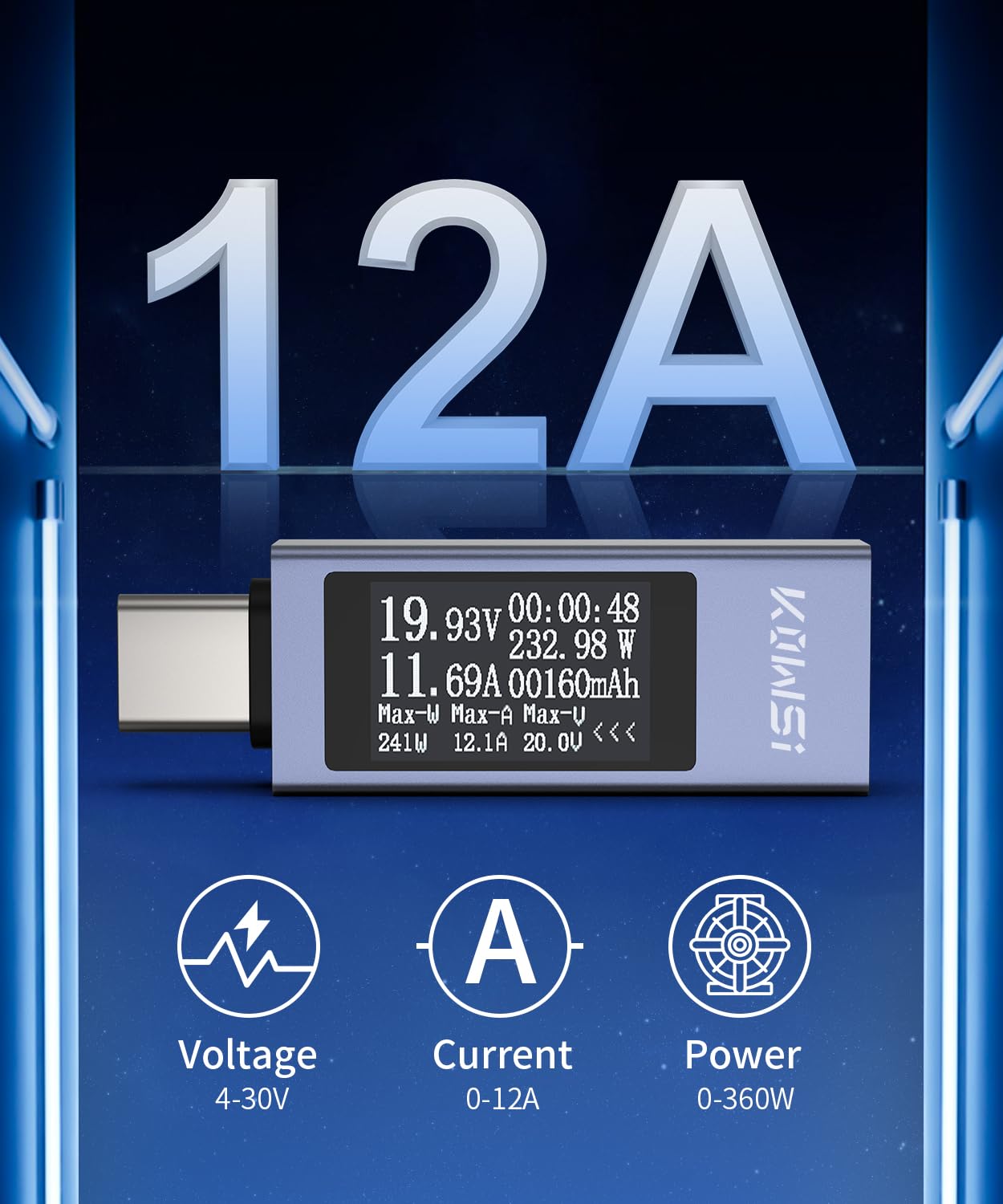
- Aplicabilitate largă: Equipped with a 12A high current terminal. Measures current from 0-12A and voltage from 4V-30V. Compatible with a broad range of 3C digital peripheral products.
- Fast Charging Protocol Detection: Supports PD2.0/3.0, QC2.0/3.0, FCP, SCP, AFC, PE, DASH VOOC, and Super VOOC protocols. Note: The name of the fast charging protocol will not be displayed on the USB tester.
- Stocarea datelor: Power-off storage function retains capacity and energy data for later viewing and testing.
- Interfață ușor de utilizat: Multi-interface LCD display with intuitive button functions for screen switching, rotation, and data clearing.
2. Produs terminatview
The YOJOCK USB C Tester features a compact design with a clear LCD display and multiple input/output ports for comprehensive testing. Understanding its components is crucial for proper operation.
Componente:
- Port de intrare USB-C
- Port de ieșire USB-C
- Port de intrare USB-A
- Port de ieșire USB-A
- Micro USB Input Port (for external power if needed, or specific testing scenarios)
- Multi-interface LCD Display
- Buton de control


3. Configurare
To begin using your YOJOCK USB C Tester, follow these steps to connect it correctly to your charging setup.
Conexiune de bază:
- Connect the USB-C input of the tester to your power source (e.g., wall charger, power bank, computer USB port).
- Connect your device (e.g., smartphone, tablet, laptop) to the USB-C output of the tester using a compatible charging cable.
- The display on the tester will automatically light up and begin showing real-time measurements.
Using with PD Chargers:
When connecting to a Power Delivery (PD) charger, ensure both the input and output of the USB tester are connected for the screen to light up and display readings. If only the USB-C input is inserted into a PD charger without a device connected to the output, the screen may not activate.

Unboxing and Initial Connection (Video):
4. Instrucțiuni de utilizare
The USB C Tester provides real-time data and various functions accessible through its single control button.
Display Modes and Button Functions:
- Un singur clic: Press the button once to cycle through different display screens, showing various parameters like voltage, current, power, capacity, energy, temperature, and time.
- Dublu click: Double-click the button to rotate the displayed content 180 degrees, useful for viewing the screen from different orientations.
- Apăsare lungă (3 secunde): Press and hold the button for 3 seconds to clear all accumulated capacity, electric quantity, and time data. This is useful for starting new measurement cycles.
Parametrii de măsurare:
The tester displays the following parameters:
- Voltage (V): The electrical potential difference.
- Curent (A): The flow rate of electric charge.
- Putere (W): The rate at which electrical energy is transferred.
- Capacitate (mAh): The total charge delivered over time.
- Energy (mWh): The total energy delivered over time.
- Timp de încărcare: Durata procesului de încărcare.
- Temperatura procesorului: Internal temperature of the tester.
- Max Watt/Current/Voltage: Records the peak values observed during testing.

Fast Charging Protocol Identification:
While the tester supports various fast charging protocols (PD2.0/3.0, QC2.0/3.0, FCP, SCP, AFC, PE, DASH VOOC, Super VOOC), it will display the voltage and current values corresponding to the active protocol, but not the protocol name itself. This allows you to confirm if your charger and device are engaging in fast charging by observing higher voltage or current outputs.

5. Întreținere
Proper care and maintenance will extend the lifespan and accuracy of your USB C Tester.
- curatenie: Folosiți o lavetă moale și uscată pentru a curăța dispozitivul. Evitați utilizarea de produse de curățare abrazive sau solvenți.
- Depozitare: Store the tester in a cool, dry place, away from direct sunlight and extreme temperatures. Use the provided storage case to protect it from dust and physical damage.
- Manipulare: Manevrați dispozitivul cu grijă. Evitați să îl scăpați sau să îl supuneți la impacturi puternice.
- Porturi de conexiune: Ensure the USB ports are free from dust and debris before connecting cables.
6. Depanare
If you encounter issues with your YOJOCK USB C Tester, refer to the following common problems and solutions:
| Problemă | Cauza posibila | Soluţie |
|---|---|---|
| Tester screen does not light up. |
|
|
| Inaccurate readings or no current/voltage afisat. |
|
|
| Tester runs warm at high wattage. | High power transfer generates heat, especially at wattages above 60W. | This is normal for high-power applications. Ensure adequate ventilation around the tester. If the temperature becomes excessively high (e.g., above 90°C CPU temp), reduce the load or discontinue use to prevent potential damage. |
| USB-C connector becomes loose over time. | Wear and tear from frequent use. | Handle connections gently. Avoid excessive force or wiggling. If the connection becomes unreliable, it may indicate physical damage to the port. |
7. Specificații
Detailed technical specifications for the YOJOCK USB C Tester Power Meter (Model 2301C-en).
| Parametru | Valoare |
|---|---|
| Numărul de model | 2301C-en |
| Marca | YOJOCK |
| Voltage Interval de măsurare | 4V - 30V |
| Gama de măsurare a curentului | 0A - 12A |
| Interval de măsurare a puterii | 0W - 360W |
| Precizia măsurătorilor | 0.01 |
| Greutatea articolului | 30 g |
| Dimensiunile coletului | 8.6 x 8.2 x 1.9 cm |
| Culoare | Argint |
| Tipul sursei de alimentare | Electric cu fir |
| Componente incluse | USB C Tester |
| Certificari | CE, EN 61010-1 |

8. Informații despre garanție
YOJOCK products are designed for reliability and performance. For specific warranty details, including coverage period and terms, please refer to the warranty card included with your product or visit the official YOJOCK webPăstrați bonul fiscal ca dovadă a achiziției pentru orice reclamații în garanție.
9. Asistență pentru clienți
If you have any questions, require technical assistance, or need to report an issue with your YOJOCK USB C Tester, please contact our customer support team. Contact information can typically be found on the product packaging, the official YOJOCK website-ul web sau prin canalele de asistență ale comerciantului dumneavoastră.