
Introducere
The JLab Nightfall Wired Gaming Headset is designed to provide an immersive audio experience for gamers across multiple platforms. Featuring 50mm drivers, cloud foam cushions, and a sound-isolating inner shelf, this headset ensures clear communication and comfortable wear during extended gaming sessions.
Conținutul pachetului
- JLab Nightfall Wired Gaming Headset
- Manual de instructiuni
Configurare și conectivitate
The Nightfall headset offers universal compatibility through its wired 3.5mm connection cable, making it suitable for a wide range of gaming and multimedia devices.
Conectarea setului cu cască
- Locate the 3.5mm audio jack on your device (PC/Mac, Xbox, PlayStation 4 & 5, Nintendo Switch).
- Insert the 3.5mm connector from the headset cable firmly into the device's audio jack.
- Adjust your device's audio settings to ensure the headset is selected as the input and output device.

Image: The JLab Nightfall Wired Gaming Headset in use, connected to a gaming setup, demonstrating its universal compatibility.
Instrucțiuni de operare
Audio Quality and Immersion
Equipped with 50mm drivers and a sound-isolating inner shelf, the Nightfall headset delivers immersive and powerful sound. This design enhances your gaming experience by providing rich audio with clarity and deep bass, allowing you to hear crucial in-game details.

Imagine: O explozie view diagram highlighting the 50mm audio driver and the sound-isolating inner shelf within the headset's ear cup.
Utilizarea microfonului
The headset features a flip-to-mute rotating boom mic, ensuring clear team communications during gaming sessions. The TeamSpeak Certified near-field directional mic captures your voice while actively eliminating background noise, ensuring your teammates hear you clearly without distractions.
- Pentru a dezactiva sunetul: Flip the microphone boom upwards.
- Pentru a activa sunetul: Flip the microphone boom downwards.
- The rotating design allows for optimal positioning of the mic for better voice pickup.
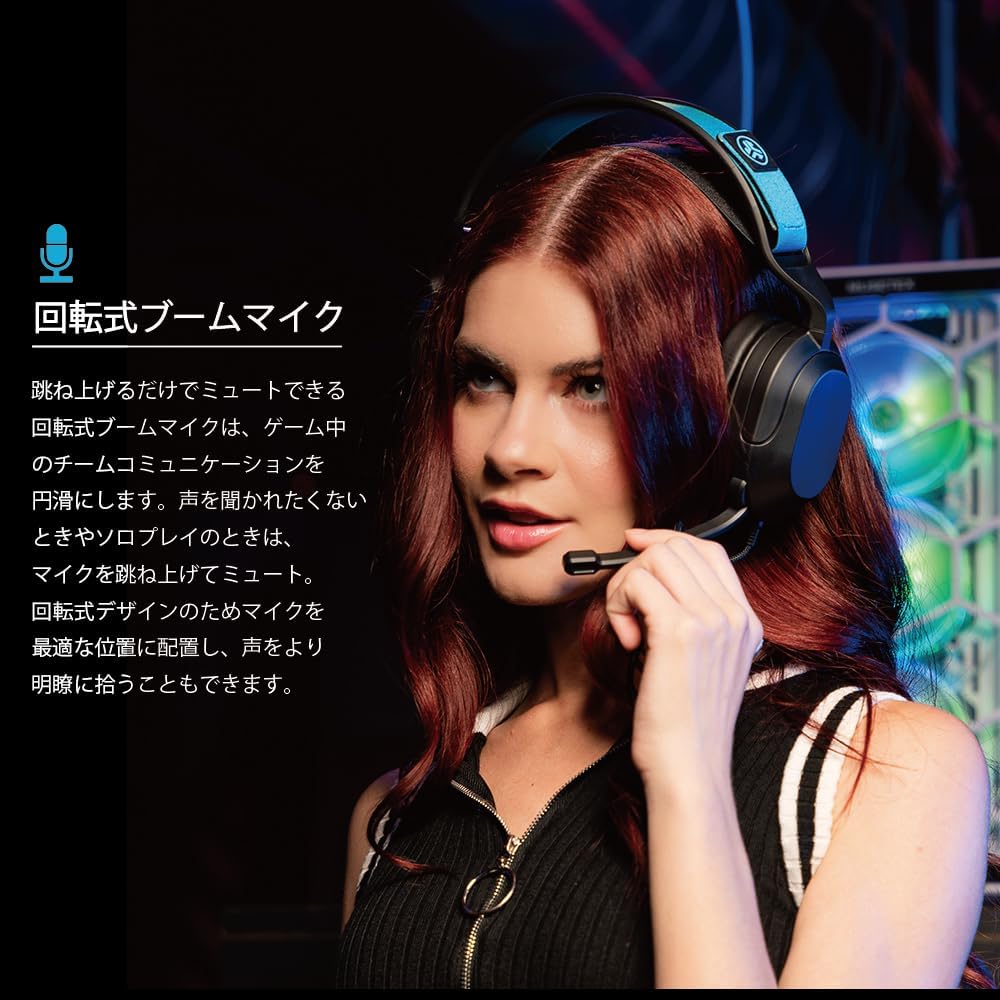
Image: A user wearing the JLab Nightfall headset, demonstrating the flexible and rotating boom microphone in an active position.

Image: A gamer wearing the JLab Nightfall headset, illustrating the effective noise elimination provided by the directional microphone for clear communication.
Confort și design
The Nightfall headset is engineered for all-night comfort. It features super-wide stretchable and adjustable headbands that provide a customizable fit for various head sizes. The cloud foam cushions further enhance comfort, preventing discomfort during long gaming sessions.
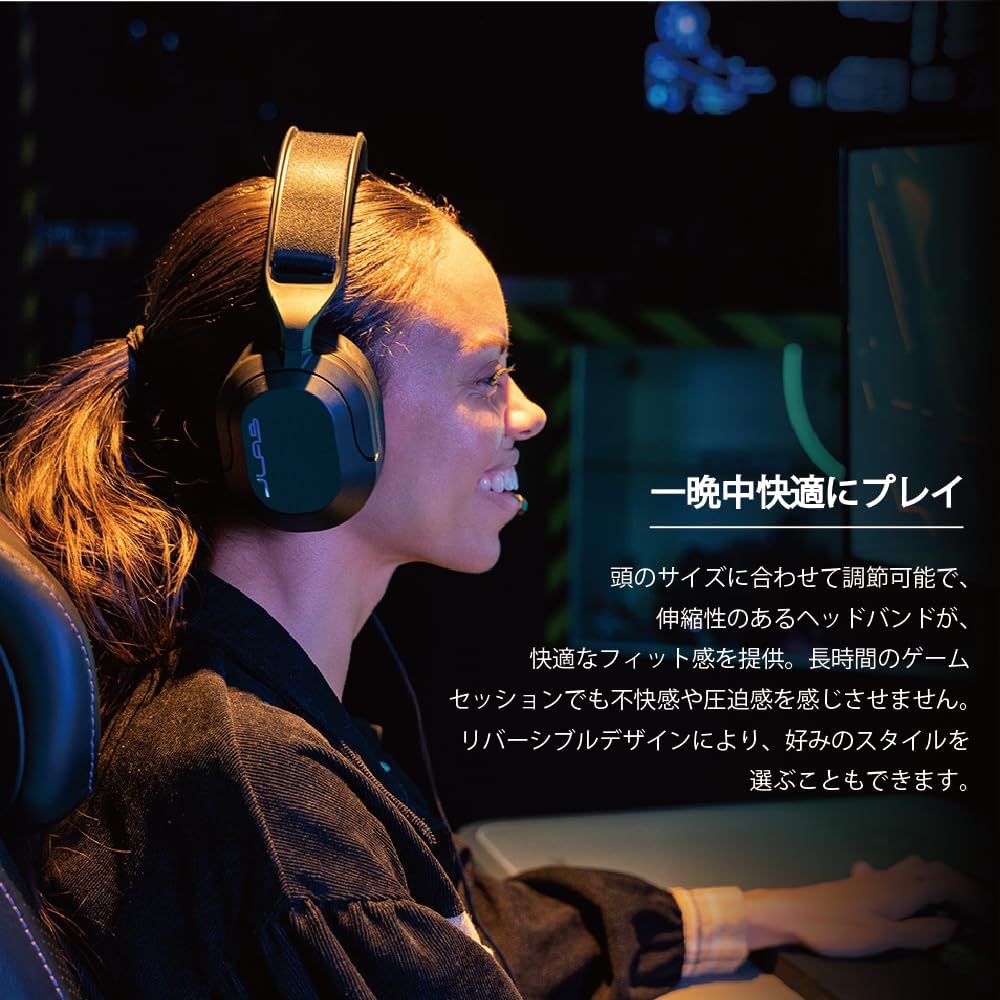
Image: A user wearing the JLab Nightfall headset, showcasing the comfortable over-ear design and adjustable headband for extended wear.

Imagine: O imagine detaliată view of the JLab Nightfall headset's cloud foam ear cushions, emphasizing their soft and comfortable design.
Specificații
| Caracteristică | Detaliu |
|---|---|
| Marca | JLab |
| Numele modelului | Nightfall |
| Tehnologia de conectivitate | Cu fir (mufă de 3.5 mm) |
| Plasarea urechii | Peste ureche |
| Dimensiunea driverului audio | 50 milimetri |
| Impedanta | 32 ohmi |
| Sensibilitate | 102 dB |
| Gama de frecvente | 20 Hz - 20,000 Hz |
| Controlul zgomotului | Izolarea sunetului |
| Microfon | Flip-to-mute rotating boom mic, TeamSpeak Certified near-field directional |
| Dispozitive compatibile | PC/Mac, Xbox, PlayStation 4, PlayStation 5, Nintendo Switch |
| Greutatea articolului | 0.39 kilograme |
| Material | Plastic, Metal, Synthetic materials |
| Caracteristici suplimentare | Adjustable Headband, Cloud Foam Cushions |
Întreţinere
- curatenie: Folosiți o lavetă moale și uscată pentru a curăța setul cu cască. Nu utilizați agenți de curățare lichizi sau aerosoli.
- Depozitare: Depozitați setul cu cască într-un loc răcoros și uscat, ferit de lumina directă a soarelui și de temperaturi extreme.
- Îngrijirea cablului: Evitați curburile bruște sau tragerea excesivă a cablului pentru a preveni deteriorarea.
Depanare
- Fără sunet:
- Asigurați-vă că mufa de 3.5 mm este introdusă complet în dispozitiv.
- Check your device's audio settings to confirm the headset is selected as the output device and volume is not muted.
- Testați setul cu cască cu un alt dispozitiv pentru a exclude o problemă specifică dispozitivului.
- Microfonul nu funcționează:
- Ensure the microphone boom is flipped down to the active position (not muted).
- Verify your device's audio settings have the headset microphone selected as the input device and input volume is not muted.
- Check for any in-game or application-specific microphone settings.
- Audio distorsionat:
- Lower the volume on your device or the headset.
- Asigurați-vă că conexiunea de 3.5 mm este sigură și fără resturi.
- Test with another audio source to determine if the issue is with the headset or the source device.
Garanție și suport
The JLab Nightfall Wired Gaming Headset comes with a 2-Year Warranty from the manufacturer, JLab Audio. For detailed warranty information, technical support, or service inquiries, please refer to the official JLab website-ul lor sau contactați direct serviciul de asistență pentru clienți.
Manufacturer: JLab Audio