
Introducere
The Vieta Pro Way 3 headphones are designed to provide a versatile audio experience with multiple connectivity options and features. This device supports Bluetooth wireless connection, an Aux-in port for wired use, an integrated microphone for hands-free communication, a dedicated gaming mode, and Dual Pairing functionality. With an impressive battery life of up to 50 hours, these headphones are suitable for extended listening sessions.
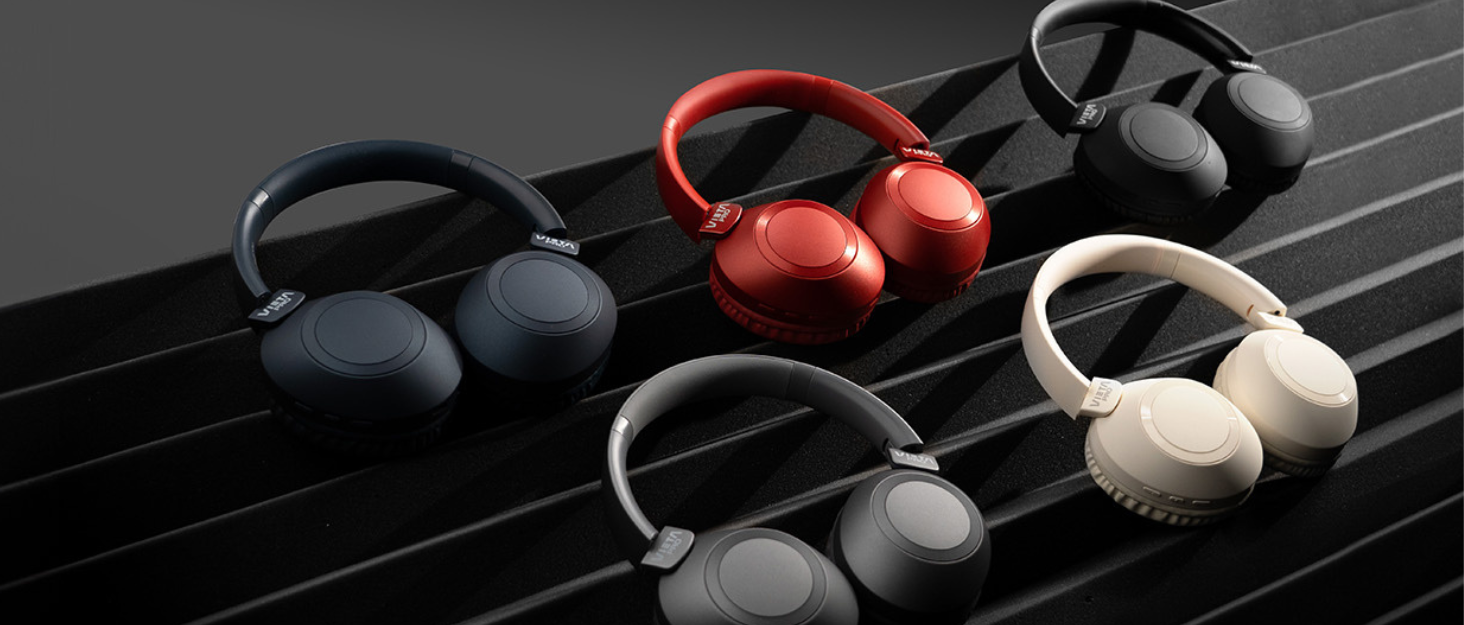
Image: Vieta Pro Way 3 headphones displayed in multiple color options.
Înființat
1. Încărcarea căștilor
Before initial use, ensure the headphones are fully charged. The Vieta Pro Way 3 headphones support wireless charging. A full charge provides up to 50 hours of continuous playback.
- Connect the provided charging cable to the charging port on the headphones and to a compatible USB power source.
- Alternatively, place the headphones on a compatible wireless charging pad.
- The indicator light will show the charging status and turn off or change color once fully charged.
2. Pornire/Oprire
- Pentru a porni: Apăsați și țineți apăsat butonul de pornire timp de aproximativ 3 secunde, până când se aprinde indicatorul luminos.
- Pentru a opri: Apăsați și țineți apăsat butonul de pornire timp de aproximativ 3 secunde, până când indicatorul luminos se stinge.
3. Asociere Bluetooth
Pentru a conecta căștile fără fir la un dispozitiv:
- Asigurați-vă că căștile sunt oprite.
- Apăsați și țineți apăsat butonul de pornire timp de aproximativ 5-7 secunde, până când indicatorul luminos clipește rapid, indicând modul de asociere.
- Pe smartphone, tabletă sau computer, activați Bluetooth și căutați dispozitivele disponibile.
- Select "Vieta Pro Way 3" from the list of found devices.
- Once connected, the indicator light will stop flashing and remain solid or flash slowly.
4. Conexiune Aux-in
For a wired connection, use a 3.5mm audio cable:
- Conectați un capăt al cablului audio de 3.5 mm la portul Aux-in de pe căști.
- Connect the other end to the 3.5mm audio output of your audio source.
- The headphones will automatically switch to Aux-in mode when a cable is detected.
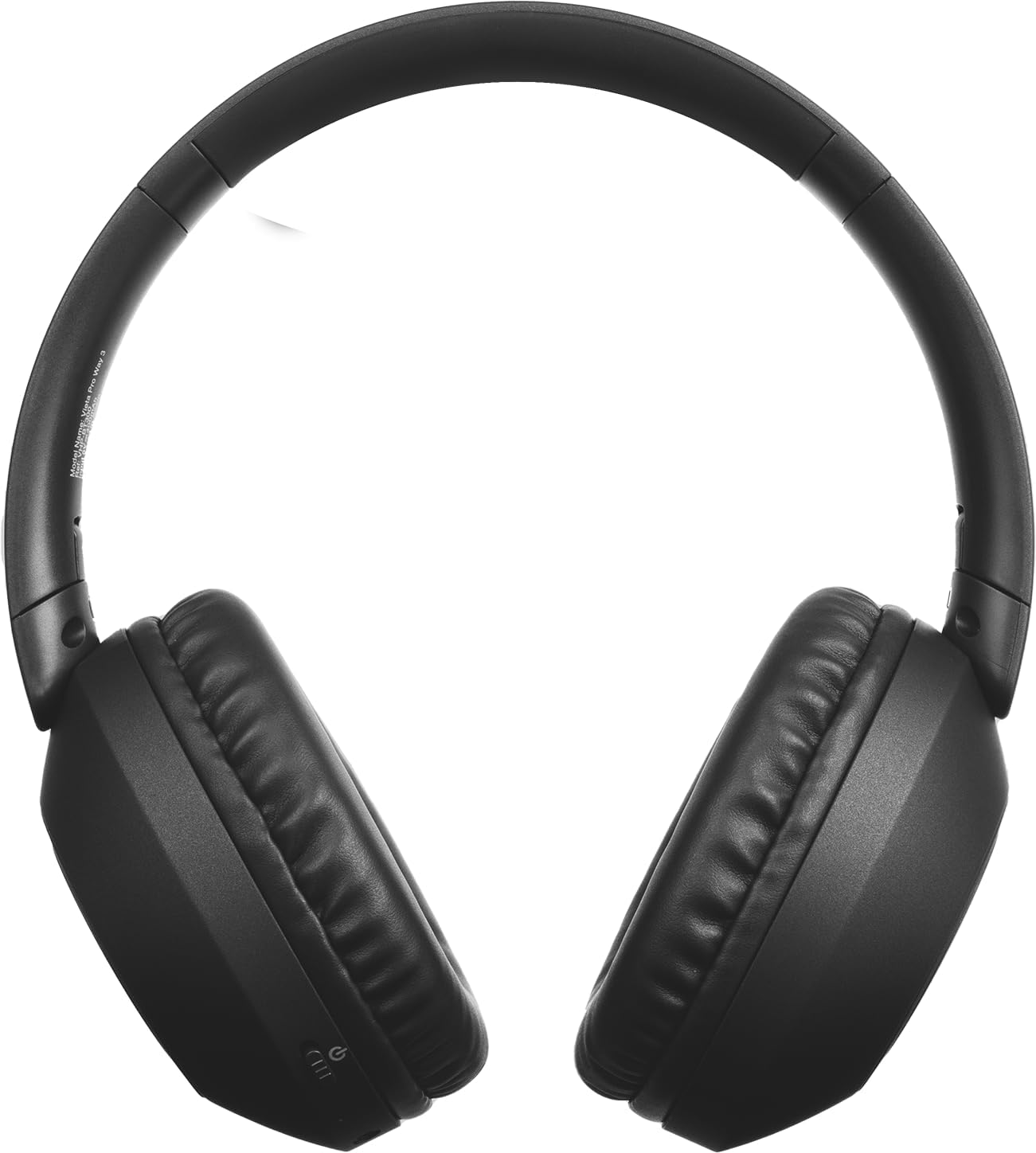
Imagine: față view of the Vieta Pro Way 3 headphones, showing the earcups and headband.
Instrucțiuni de operare
1. Redarea muzicii
When connected via Bluetooth or Aux-in, you can control your music:
- Redare/Pauză: Apăsați o dată butonul multifuncțional.
- Următoarea piesă: Apăsați și mențineți apăsat butonul de creștere a volumului.
- Pista anterioară: Apăsați și mențineți apăsat butonul de reducere a volumului.
- Creșterea volumului: Apăsați scurt butonul de creștere a volumului.
- Volum scăzut: Apăsați scurt butonul de reducere a volumului.
2. Managementul apelurilor
The integrated microphone allows for hands-free calls when connected via Bluetooth:
- Răspundeți/Terminați apelul: Apăsați o dată butonul multifuncțional.
- Respinge apelul: Apăsați și mențineți apăsat butonul multifuncțional timp de 2 secunde.
- Asistent vocal: Apăsați de două ori butonul multifuncțional pentru a activa asistentul vocal al dispozitivului.
3. Modul de joc
Activate the dedicated gaming mode for optimized audio performance during gameplay, reducing latency and enhancing sound effects.
- Activează modul de jocuri: Refer to the specific button or gesture indicated in the quick start guide for your model. (Typically a dedicated button or a long press on a volume button).
4. Împerechere duală
The Dual Pairing feature allows the Vieta Pro Way 3 headphones to connect to two different Bluetooth devices simultaneously. This enables seamless switching between audio sources without the need to disconnect and re-pair.
- Pair the headphones with your first device following the Bluetooth Pairing instructions.
- Deconectați temporar Bluetooth-ul de pe primul dispozitiv.
- Asociați căștile cu al doilea dispozitiv.
- Reactivați Bluetooth pe primul dispozitiv. Căștile ar trebui să fie acum conectate la ambele dispozitive.
- Audio will play from the active source, and you can switch by pausing one and playing the other.

Image: A person wearing the Vieta Pro Way 3 headphones, demonstrating comfortable use.
Întreţinere
1. Curatenie
- Ștergeți căștile cu o lavetă moale, uscată și fără scame.
- Do not use abrasive cleaners, solvents, or strong chemicals, as these may damage the surface or internal components.
- Evitați pătrunderea umezelii în orice deschidere.
2. Depozitare
- Depozitați căștile într-un loc răcoros și uscat, ferit de lumina directă a soarelui și de temperaturi extreme.
- When not in use for extended periods, store them in their protective case (if included) to prevent dust and damage.
3. Îngrijirea bateriei
- To prolong the lifespan of the battery, avoid fully discharging the headphones frequently.
- Încărcați căștile în mod regulat, chiar dacă nu le utilizați frecvent.
Depanare
1. Fără sunet
- Asigurați-vă că căștile sunt pornite și încărcate.
- Verificați nivelurile de volum atât la căști, cât și la dispozitivul conectat.
- Verify that the headphones are properly paired via Bluetooth or securely connected via the Aux-in cable.
- Încercați să reporniți atât căștile, cât și dispozitivul sursă audio.
2. Probleme de asociere
- Ensure the headphones are in Bluetooth pairing mode (indicator light flashing rapidly).
- Dezactivați și reactivați Bluetooth pe dispozitiv.
- Move the headphones closer to your device to ensure a strong signal.
- Clear previous Bluetooth connections from your device's Bluetooth settings and try pairing again.
3. Probleme de încărcare
- Verify that the charging cable is securely connected to both the headphones and the power source, or that the headphones are correctly placed on the wireless charging pad.
- Ensure the power source (USB adapter, computer port, wireless charger) is functional.
- Check the charging port on the headphones for any debris that might obstruct the connection.
Specificații
| Marca | Vieta Pro |
| Model | Calea 3 |
| Factor de formă | Over-ear (Headband) |
| Tehnologia de conectivitate | Wireless (Bluetooth), Wired (Aux-in) |
| Comunicare fără fir | Bluetooth |
| Durata de viață a bateriei | Până la 50 de ore (redare) |
| Caracteristici speciale | Wireless Charging, Built-in Microphone, Gaming Mode, Dual Pairing |
| Producător | FRAMASON AUDIO SA |
| ASIN | B0CRL99NBD |
Notă: Specificațiile pot fi modificate fără notificare prealabilă.
Garanție și suport
For detailed warranty information, product registration, or technical assistance, please refer to the official Vieta Pro website or contact their customer support directly. It is recommended to retain your purchase receipt as proof of purchase for any warranty claims.
- Oficial Website: Vizita www.vietapro.com (or relevant regional site) for support resources.
- Serviciu clienți: Contact information can typically be found on the official website-ul.