
Introducere
The SP CONNECT Moto Stem Mount Pro is designed for securely attaching your smartphone to Supersport motorcycles. Crafted from high-quality CNC machined aircraft aluminum, this mount provides a robust yet lightweight solution for integrating your SP Connect Phone Case. It features an adjustable head for optimal viewing angles and an integrated vibration damping system to protect your device during rides.
Ce este în cutie
- SP Connect Moto Stem Mount Pro
Configurare și instalare
Follow these steps to correctly install your Moto Stem Mount Pro on your motorcycle.
- Pregătiți tulpina: Ensure the stem hole of your motorcycle is clean and free from obstructions. The mount is designed for stem holes with a diameter suitable for the expanding mechanism.
- Insert the Mount: Carefully insert the Moto Stem Mount Pro into the stem hole. The expanding mechanism should fit snugly.
- Fixați suportul: Use the provided tool to tighten the screw at the base of the mount. This expands the mechanism, securing the mount firmly within the stem. Do not overtighten.

Image: The Moto Stem Mount Pro securely installed in the motorcycle's steering stem.
- Adjust Height (if applicable): The mount offers an extension of approximately 26mm. Adjust the height as needed before final tightening.

Image: A diagram illustrating the 26mm extension capability of the mount for customized positioning.
- Final Position Adjustment: The adjustable holder head allows for flexible positioning. Loosen the adjustment screw, set your desired vertical and horizontal angle, and then re-tighten the screw to lock the position.

Image: The Moto Stem Mount Pro installed on a green motorcycle, ready for phone attachment.
Instrucțiuni de operare
Once the mount is installed, attaching and using your smartphone is straightforward.
- Attach Phone Case: Align your SP Connect Phone Case with the mount's locking mechanism. Place the phone case onto the mount and rotate it 90 degrees clockwise until it locks securely into place. You should feel a distinct click.
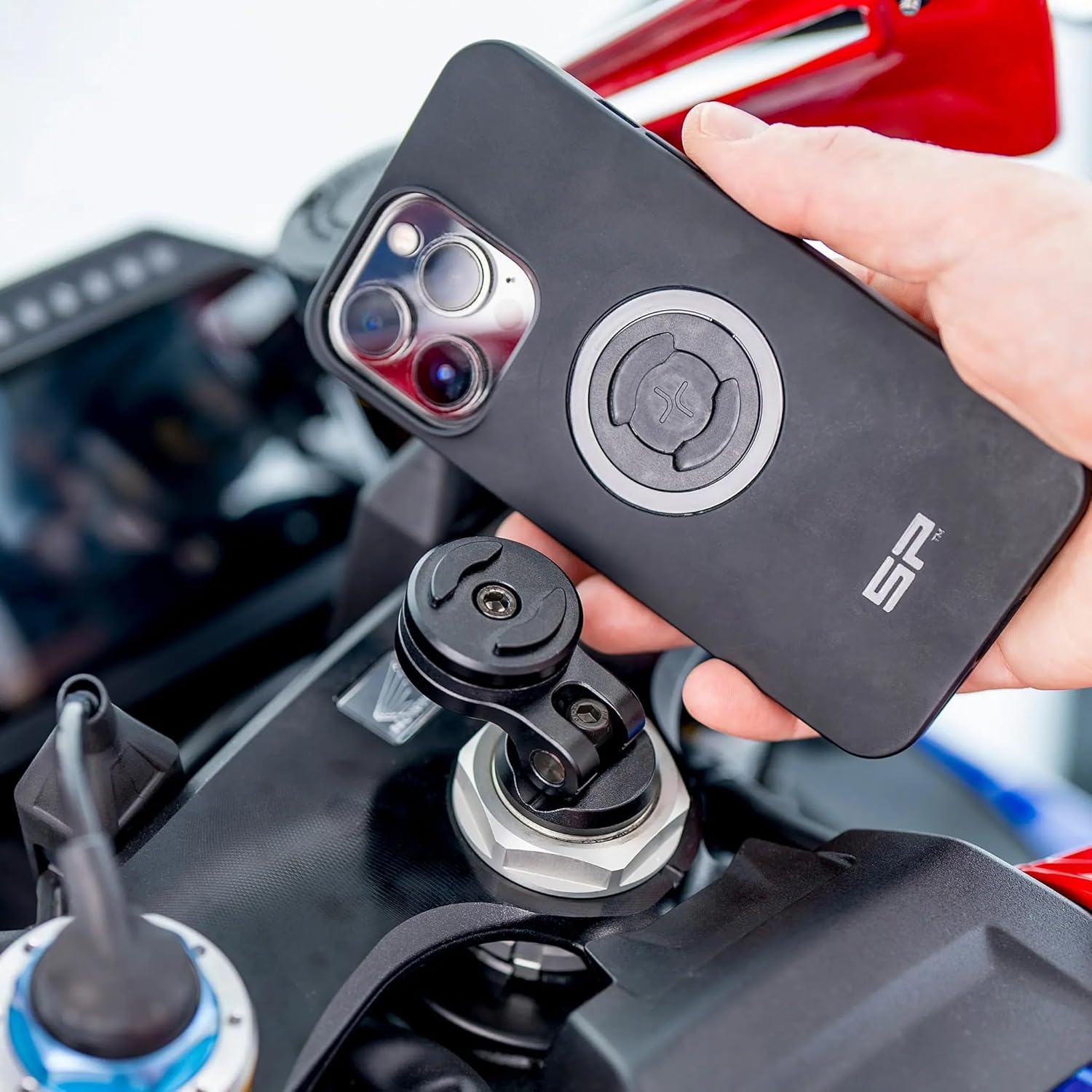
Image: A hand demonstrating the attachment of an SP Connect phone case to the mount.
- Verificați atașamentul securizat: Gently tug on the phone to ensure it is firmly locked to the mount before riding.
- Regla Viewunghi: If you need to change the phone's angle, loosen the adjustment screw on the mount head, reposition the phone, and then re-tighten the screw.
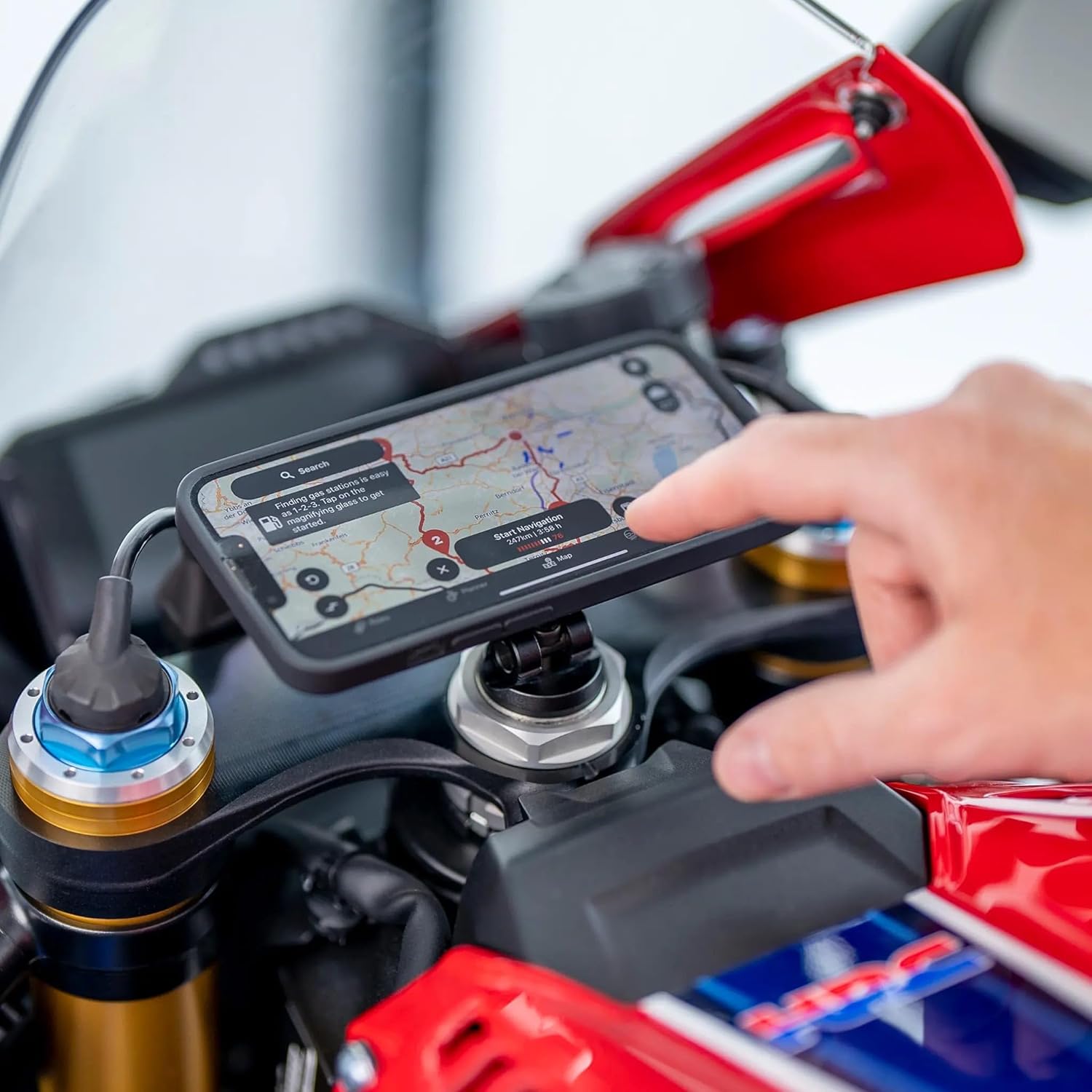
Image: A smartphone displaying a navigation application, securely mounted and visible on the motorcycle.

Imagine: Side profile of the mounted smartphone, illustrating its secure and ergonomic placement.

Image: The smartphone mounted on a green motorcycle, providing a clear view a ecranului.

Image: A map application displayed on the mounted smartphone, indicating its use for navigation.
Întreţinere
Proper maintenance ensures the longevity and reliable performance of your Moto Stem Mount Pro.
- curatenie: Ștergeți suportul cu o lavetă moale,amp o lavetă pentru a îndepărta praful și murdăria. Evitați substanțele de curățare abrazive sau solvenții care ar putea deteriora finisajul.
- Inspecţie: Periodically check all screws and connections to ensure they are tight. Re-tighten if necessary, but do not overtighten.
- Depozitare: If not in use for extended periods, store the mount in a clean, dry place away from direct sunlight and extreme temperatures.
Depanare
If you encounter issues with your Moto Stem Mount Pro, refer to the following common problems and solutions.
- Mount feels loose in the stem:
- Ensure the expansion screw is sufficiently tightened.
- Verify that the mount diameter is compatible with your motorcycle's stem hole.
- Phone does not lock securely:
- Ensure the SP Connect Phone Case is correctly aligned with the mount and rotated 90 degrees clockwise until it clicks.
- Check for any debris or obstruction in the locking mechanism of both the mount and the phone case.
- Vibrație excesivă:
- While the mount has integrated vibration damping, extreme road conditions or motorcycle vibrations may still be felt. Ensure the mount is installed as securely as possible.
- Consider using an additional vibration dampening module if available and compatible with your setup.
Specificații
| Marca | SP CONECT |
| Numele modelului | Moto Stem |
| Numărul de model | SPC52849 |
| Culoare | Negru |
| Dispozitive compatibile | Smartphones (with SP Connect Phone Case) |
| Tip de montare | Vehicle Mount (Motorcycle Stem) |
| Material | CNC Machined Aircraft Aluminum (Mount), Polyester (Enclosure Material) |
| Dimensiunile articolului | 3.94 x 3.94 x 3.94 inci |
| Greutatea articolului | 0.13 kilograme |
| Nivel de rezistență la apă | Rezistent la apă |
Garanție și suport
The SP CONNECT Moto Stem Mount Pro comes with a 12 luni garantie de la data achiziției, acoperind defectele de fabricație.
For technical support, warranty claims, or any questions regarding your product, please visit the official SP CONNECT website or contact their customer service directly. Ensure you have your proof of purchase and product model number (SPC52849) ready when contacting support.