
1. Introducere
This manual provides detailed instructions for the installation, setup, operation, and maintenance of your Warmall WiStat Wi-Fi Thermostat for electric in-floor heating systems. Please read this manual thoroughly before installation and use to ensure proper function and safety.
2. Informații de siguranță
- Instalarea trebuie efectuată de către un electrician calificat, în conformitate cu codurile electrice locale.
- Deconectați alimentarea cu energie electrică de la întrerupătorul de circuit înainte de instalarea sau service-ul termostatului.
- Do not install the thermostat in areas exposed to direct sunlight, drafts, or extreme temperatures.
- Asigurați-vă că toate conexiunile cablurilor sunt sigure pentru a preveni pericolele electrice.
- This thermostat is designed for electric in-floor heating systems only. Do not use with other heating types.
3. Conținutul pachetului
Verificați dacă toate articolele sunt prezente în colet:
- Warmall WiStat Wi-Fi Thermostat
- Senzor de podea
- Manual de instrucțiuni (acest document)
4. Caracteristicile produsului
The Warmall WiStat Wi-Fi Thermostat offers advanced features for optimal comfort and energy efficiency:
- Integrare Smart Home: Compatible with smart home ecosystems for voice control and remote management.
- Telecomanda: Adjust floor temperature via an intuitive mobile application from any location.
- Intelligent Scheduling: Customize heating schedules to align with daily routines.
- Energy Insights: Monitor energy consumption and receive suggestions for usage optimization.
- Design elegant: Modern and minimalist aesthetic with a touchscreen display.
- Siguranță și securitate: Equipped with advanced safety features and encrypted Wi-Fi connections.
- Wi-Fi dublă bandă: Supports both 2.4 GHz and 5 GHz Wi-Fi networks for flexible connectivity.
5. Instalare
The thermostat is designed for wall mounting and requires connection to your electric in-floor heating system. Refer to the wiring diagram below.

Imaginea 5.1: Spate view of the Warmall WiStat thermostat, illustrating the wiring terminals for power input (L, N) and heating load (LOAD). The floor sensor connection is also visible.
- Deconectare de la curent: Turn off the main power supply to the heating circuit at the breaker.
- Montare: Secure the thermostat's backplate to a standard electrical junction box on the wall.
- Cablaj: Connect the live (L) and neutral (N) wires from your power supply to the corresponding terminals on the thermostat. Connect the heating load wires to the LOAD terminals. Connect the floor sensor wires to the designated sensor terminals. Ensure all connections are tight and secure.
- Plasarea senzorului: Install the floor sensor cable into the floor according to your heating system's instructions, ensuring it is positioned correctly to measure floor temperature.
- Asamblare finala: Attach the thermostat's front panel to the backplate.
- Restaurarea energiei: Restabiliți alimentarea la întrerupătorul de circuit.
6. Configurare
After installation, configure your thermostat for Wi-Fi connectivity and initial settings.

Imaginea 6.1: Faţă view of the Warmall WiStat Wi-Fi Thermostat, displaying the current temperature, auto mode, and control buttons.
- Pornire inițială: The thermostat display will illuminate.
- Conexiune Wi-Fi: Follow the on-screen prompts or refer to the dedicated app instructions to connect the thermostat to your home Wi-Fi network. The WiStat supports both 2.4 GHz and 5 GHz networks.
- Descărcarea aplicației: Download the Warmall smart home application from your device's app store.
- Împerecherea dispozitivului: Open the app and follow the instructions to pair your WiStat thermostat.
- Setări de bază: Set the current time, date, and desired temperature units (Celsius/Fahrenheit) through the thermostat's touchscreen or the mobile app.
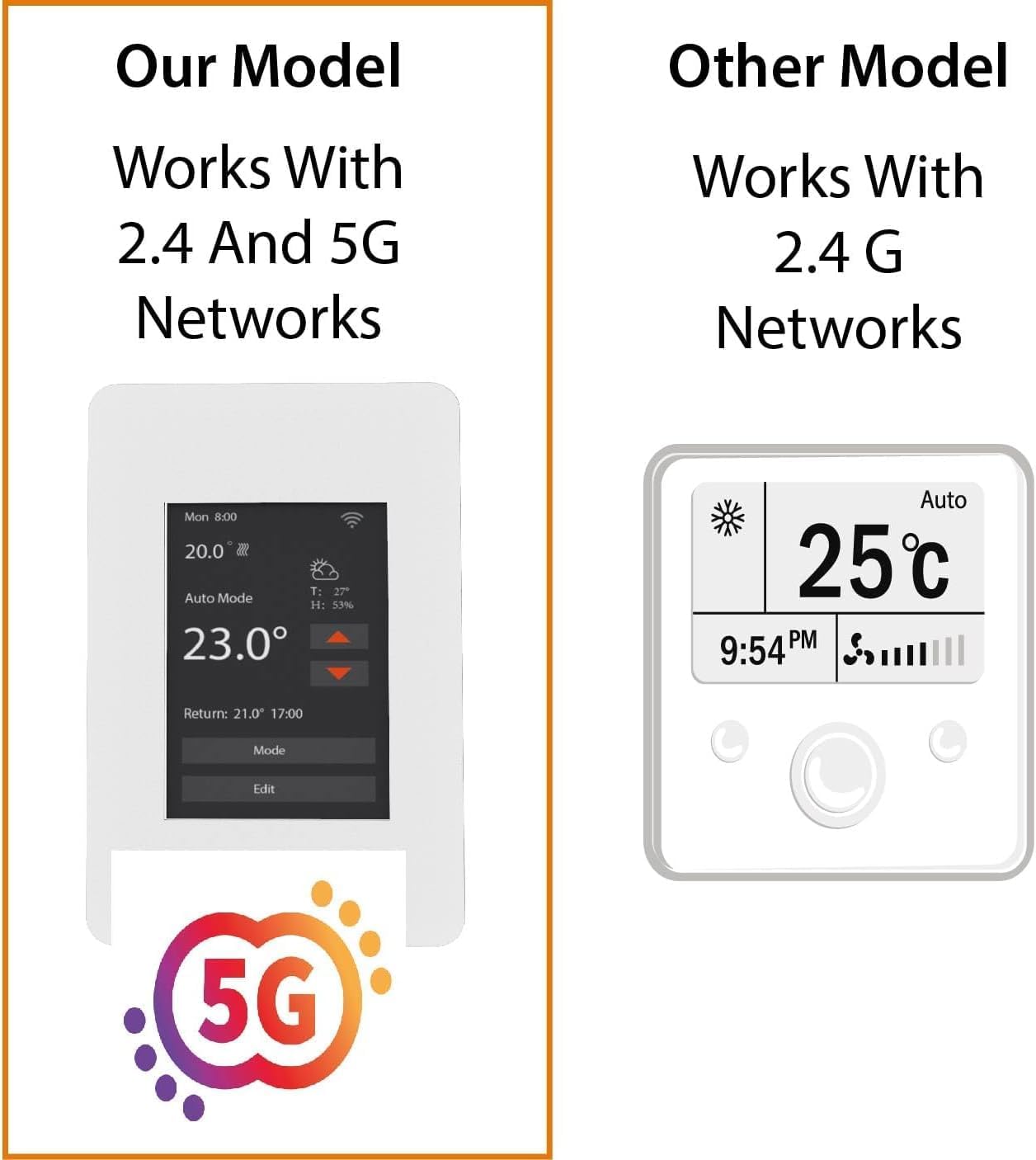
Imaginea 6.2: This image highlights the Warmall WiStat's compatibility with both 2.4 GHz and 5 GHz Wi-Fi networks, offering enhanced connectivity options compared to some other models.
7. Instrucțiuni de utilizare
Control your in-floor heating system using the touchscreen or the mobile application.
7.1. Operarea ecranului tactil
- Reglarea temperaturii: Use the up/down arrows on the display to set the desired temperature.
- Selectarea modului: Press the 'Mode' button to cycle through available operating modes (e.g., Auto, Manual).
- Editing Schedules: Press the 'Edit' button to access and modify heating schedules.
- Iluminare de fundal a afișajului: The display backlight will dim or turn off after a few seconds of inactivity to save energy. Touch the screen to reactivate it.
7.2. Mobile App Operation
The Warmall app provides comprehensive control and monitoring features:
- Controlul temperaturii de la distanță: Adjust the set temperature from anywhere.
- Programare: Create and manage detailed heating schedules for different days and times.
- Monitorizarea energiei: View historical energy consumption data.
- Gestionarea modului: Switch between heating modes.
- Control vocal: Integrare cu Amazon Alexa pentru operare hands-free.
8. Întreținere
The Warmall WiStat Thermostat requires minimal maintenance.
- curatenie: Ștergeți ecranul și casing cu un d moaleamp pânză. Nu utilizați agenți de curățare abrazivi sau solvenți.
- Actualizări de software: Ensure your mobile app is up-to-date for the latest features and security enhancements. Firmware updates for the thermostat may be pushed automatically or require manual initiation via the app.
9. Depanare
If you encounter issues with your Warmall WiStat Thermostat, refer to the following common problems and solutions.
- Termostatul nu pornește:
- Check the circuit breaker for the heating system.
- Verificați dacă toate conexiunile cablurilor sunt sigure și corecte.
- Fără conexiune Wi-Fi:
- Ensure your Wi-Fi router is powered on and functioning.
- Confirm the thermostat is within range of your Wi-Fi signal.
- Verify correct Wi-Fi password entry during setup.
- The thermostat supports both 2.4 GHz and 5 GHz networks. Ensure your router is configured appropriately.
- Inaccurate or fluctuating temperature readings:
- Ensure the floor sensor is correctly installed and not damaged.
- Avoid placing the thermostat in direct sunlight or near heat sources/drafts that could affect its internal temperature sensor.
- Dacă problema persistă, contactați asistența pentru clienți.
- Ground Fault trips frequently:
- A ground fault trip indicates a potential electrical issue. This should be investigated by a qualified electrician.
- Ensure the heating mat/cable is not damaged and is properly insulated.
- If the ground fault trips even when heating is off, it suggests a persistent electrical issue that requires immediate attention.
- Thermostat display turns off too quickly:
- This is a normal energy-saving feature. Touch the screen to reactivate the display. There is no option to keep the display permanently on.
10. Specificații
| Caracteristică | Caietul de sarcini |
|---|---|
| Marca | Warmall |
| Numele modelului | WiStat |
| Numărul de model al articolului | 831459009418 |
| UPC | 831459009418 |
| Tehnologia de conectivitate | Wi-Fi (2.4 GHz și 5 GHz) |
| Metoda de control | App, Voice (Amazon Alexa), Touchscreen |
| Tip de afișare | Touch screen |
| Sursa de alimentare | Electric cu fir |
| Material | Plastic |
| Tip de montare | Montare pe perete |
| Dimensiunile produsului | 6 x 3 x 3 inci |
| Greutatea articolului | 12 uncii |
11. Garanție și asistență
For warranty information and technical support, please refer to the contact details provided with your purchase or visit the official Warmall webPăstrați dovada achiziției pentru reclamații în garanție.