
1. Introducere
Thank you for choosing the EMANER Smart Security Light Motion Sensor. This device combines advanced motion detection with smart control features, offering adjustable brightness, color temperature, and seamless integration with smart home systems like Alexa and Google Home. This manual provides detailed instructions for safe installation, configuration, and operation of your new security light.

Image 1.1: EMANER Smart Security Lights with smart home integration.
2. Informații de siguranță
WARNING: Risk of electric shock. Installation should be performed by a qualified electrician or a person with electrical knowledge. Disconnect power at the fuse box or circuit breaker before installation or servicing.
- Asigurați-vă că sursa de alimentare este oprită înainte de instalare.
- Follow all local electrical codes and ordinances.
- Nu încercați să modificați produsul.
- Țineți produsul departe de materiale inflamabile.
- This product is designed for outdoor use and is water-resistant. However, do not submerge it in water.
3. Conținutul pachetului
Verificați dacă toate componentele sunt prezente înainte de a începe instalarea:
- EMANER Smart Security Light (2 units for 2-Pack)
- Elemente de montare (șuruburi, piulițe de cablu, placă de montare)
- Manual de instrucțiuni (acest document)
4. Specificații
| Caracteristică | Detaliu |
|---|---|
| Marca | EMANER |
| Numele modelului | EMR-8030 |
| Ieșire de lumină | 2800 lumeni (maximum) |
| Temperatura de culoare | 2700K-6500K (Tunable) |
| Reglabil | 1% to 100% via App |
| Sursa de alimentare | Electric cu fir (120 volți) |
| Conectivitate | Wi-Fi de 2.4 GHz |
| Metode de control | App (Smart Life/Tuya Smart), Voice (Alexa, Google Assistant) |
| Gama senzorului de mișcare | Până la 26 metri (reglabil) |
| Durata luminii | 5 seconds to 60 minutes (adjustable) |
| Material | Plastic |
| Dimensiuni | 12 cm L x 6.7 cm l x 6 cm Î |
| Rezistenta la apa | Water Resistant (Weatherproof) |

Imaginea 4.1: Dimensiunile produsului și capete de iluminare reglabile.
5. Configurare
5.1. Instalare
- Opriți alimentarea: Înainte de a începe, asigurați-vă că alimentarea cutiei de joncțiune este oprită de la întrerupătorul de circuit.
- Pregătirea montajului: Attach the mounting plate to your outdoor junction box using the provided screws.
- Conexiuni prin cablu: Connect the light's wires to your household wiring:
- Black wire (Live) to Black wire (Live)
- Fir alb (neutru) la fir alb (neutru)
- Fir de cupru verde/neizolat (împământare) la fir de cupru verde/neizolat (împământare)
- Dispozitiv de fixare: Carefully tuck the wires into the junction box and secure the light fixture to the mounting plate.
- Reglați capetele de lumină: The three light heads and the motion sensor are rotatable. Adjust them to cover your desired area.
- Restabiliți puterea: Reporniți alimentarea la întrerupător.
5.2. App Connection (Smart Life / Tuya Smart)
The EMANER Smart Security Light connects via 2.4GHz Wi-Fi to the Smart Life or Tuya Smart app.
- Descărcați aplicația: Descărcați aplicația „Smart Life” sau „Tuya Smart” din magazinul de aplicații al smartphone-ului dvs. (iOS sau Android).
- Înregistrare/Autentificare: Deschide aplicația și creează un cont nou sau conectează-te dacă ai deja unul.
- Adăugați dispozitiv:
- Asigurați-vă că telefonul este conectat la o rețea Wi-Fi de 2.4 GHz.
- În aplicație, atinge pictograma „+” din colțul din dreapta sus pentru a adăuga un dispozitiv.
- Select "Lighting" or "Security & Sensor" and then "Light Source (Wi-Fi)" or "Floodlight (Wi-Fi)".
- Follow the in-app instructions to put the light into pairing mode. This usually involves turning the light off and on a few times until it blinks rapidly.
- Introduceți parola rețelei Wi-Fi când vi se solicită.
- Wait for the app to discover and connect to the device. Once connected, you can rename the light.
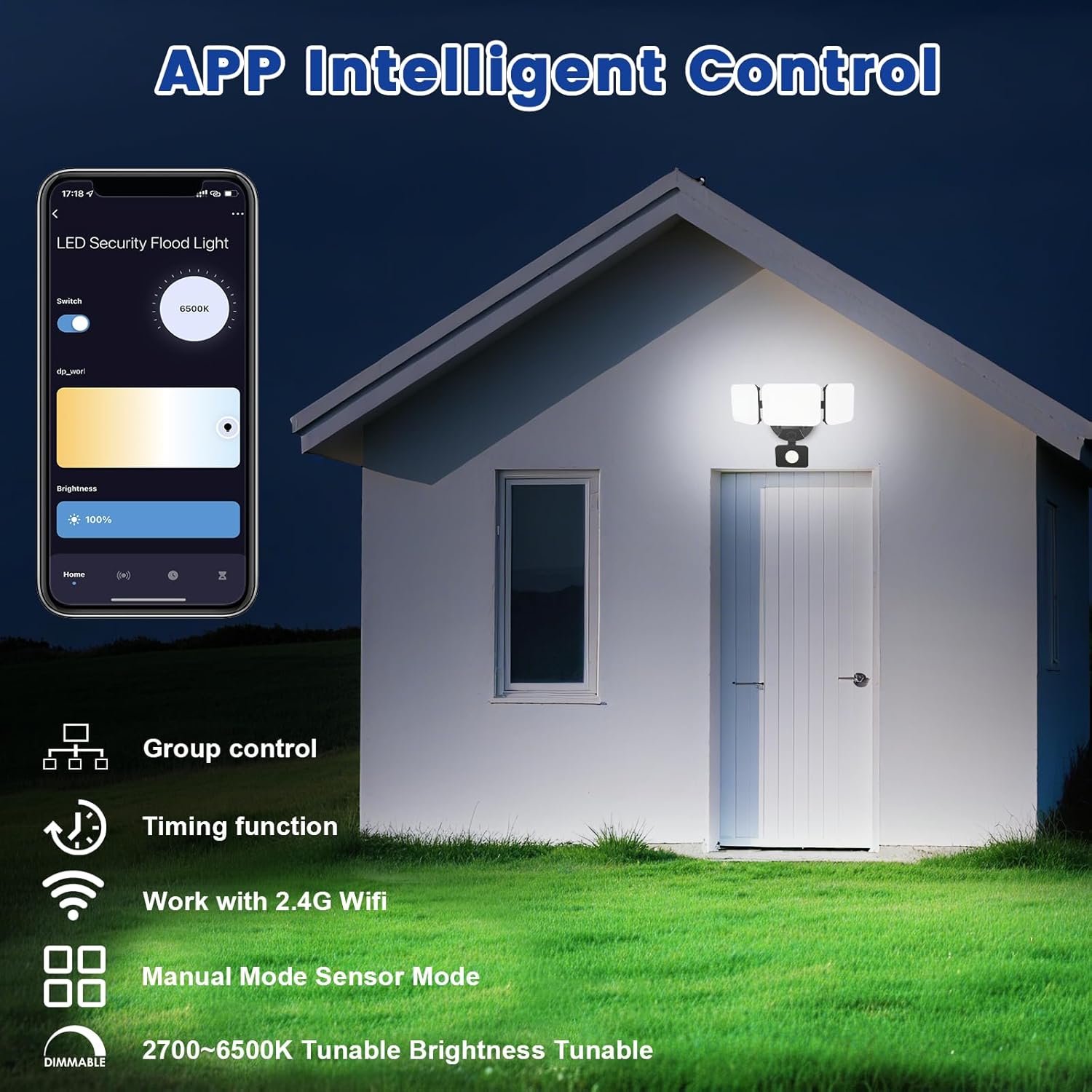
Image 5.1: App interface for intelligent control.
6. Instrucțiuni de utilizare
6.1. Controlul aplicației
Once connected, use the Smart Life/Tuya Smart app to control your security light:
- Reglarea luminozității: Reglați intensitatea luminii de la 1% la 100%.
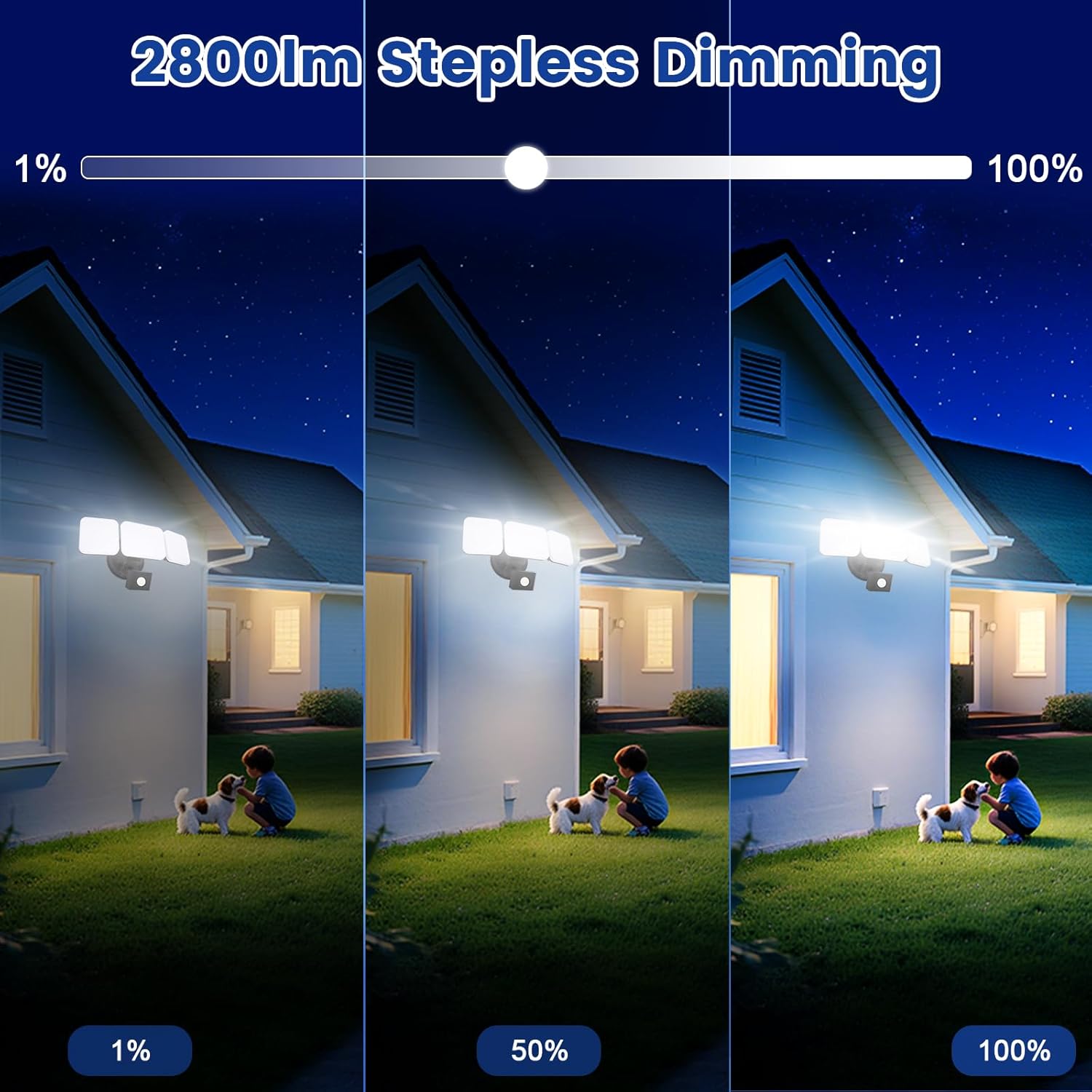
Image 6.1: Stepless dimming from 1% to 100% brightness.
- Reglarea temperaturii culorii: Change the light color from warm white (2700K) to daylight white (6500K).
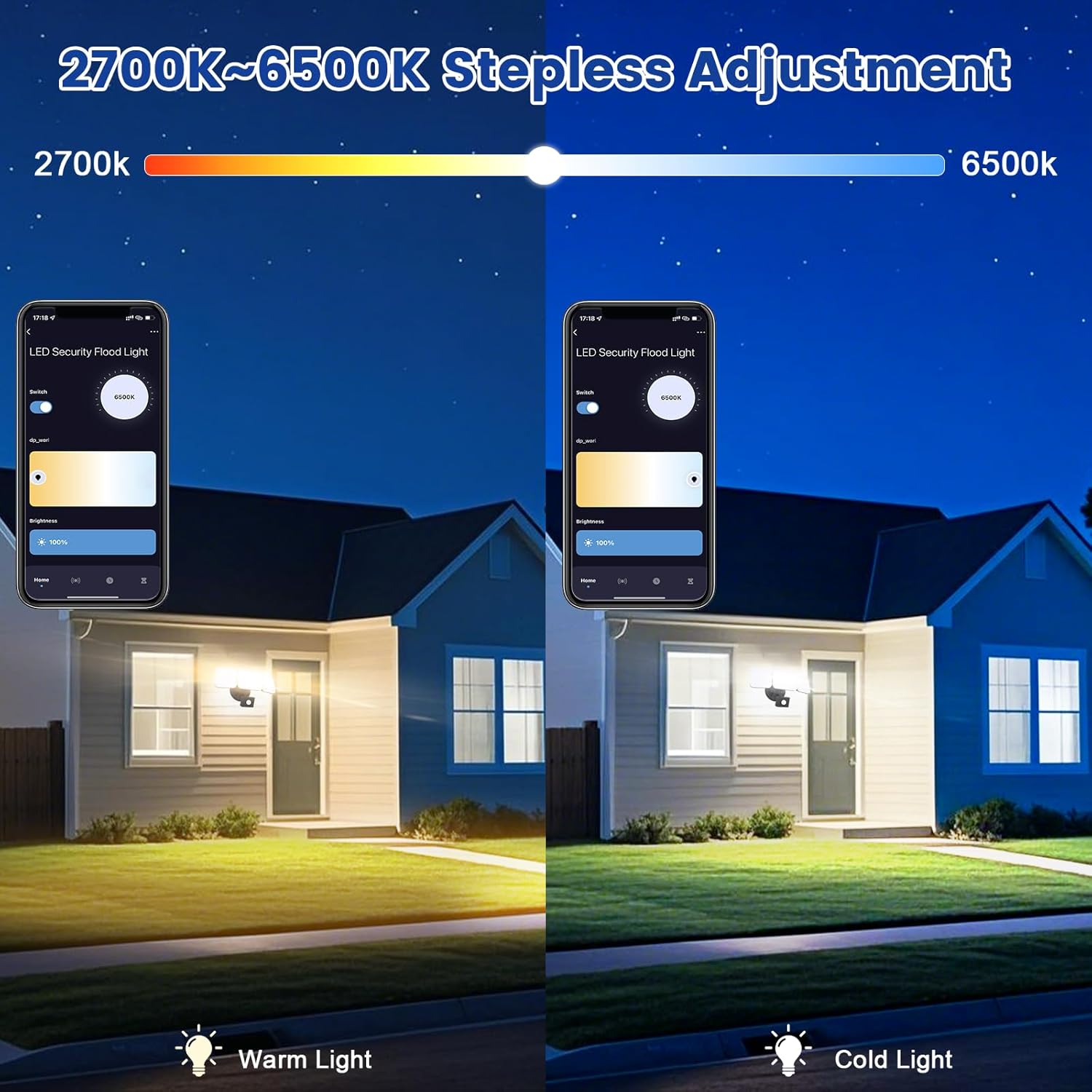
Image 6.2: Tunable white from 2700K (Warm) to 6500K (Daylight).
- Moduri de operare:
- Modul manual: Functions as a regular light. You can set it to turn on/off at specific times and adjust brightness/color temperature.
- Modul senzor: Activates the motion sensor. Customize sensor settings like sensitivity and light duration.
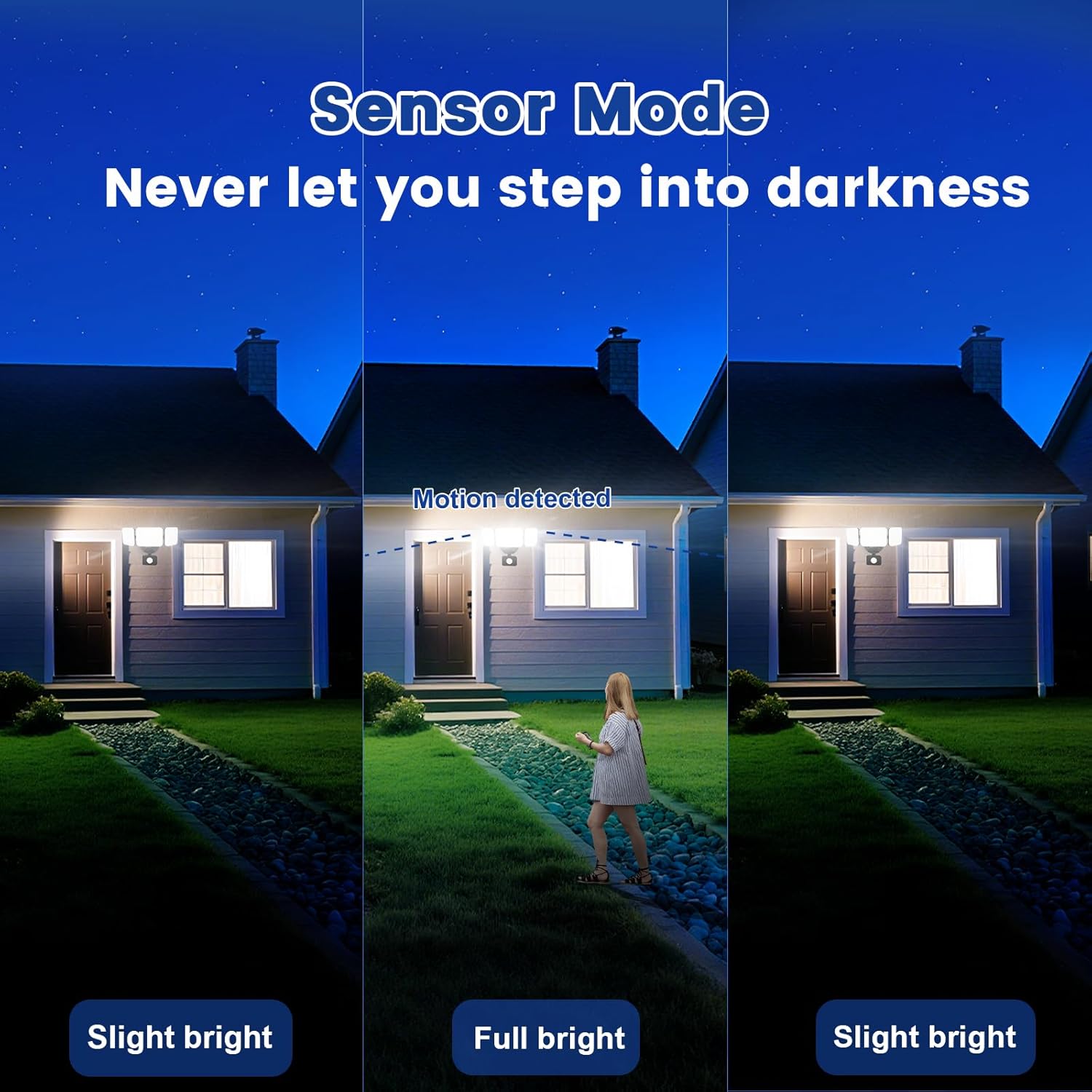
Image 6.3: Sensor Mode operation, detecting motion and adjusting brightness.
- Setări senzor de mișcare: Adjust the detection range (up to 26ft) and the duration the light stays on after motion is detected (5 seconds to 60 minutes).

Image 6.4: Adjustable full light duration time.
- Programare: Setați programe pentru aprinderea sau stingerea luminii la anumite ore.

Image 6.5: Time scheduling and delay settings.
- Controlul grupului: Group multiple EMANER smart lights together for simultaneous control.
6.2. Control vocal (Alexa / Asistent Google)
Integrate your EMANER Smart Security Light with Amazon Alexa or Google Assistant for convenient voice commands.
- Conectare cont: In the Alexa or Google Home app, enable the "Smart Life" or "Tuya Smart" skill/service and link your account.
- Descoperiți dispozitive: Ask Alexa or Google Assistant to "Discover devices."
- Comenzi vocale: Folosește comenzi precum:
- "Alexa, turn on the security light."
- "Hey Google, set the security light to 50% brightness."
- "Alexa, change the security light to warm white."
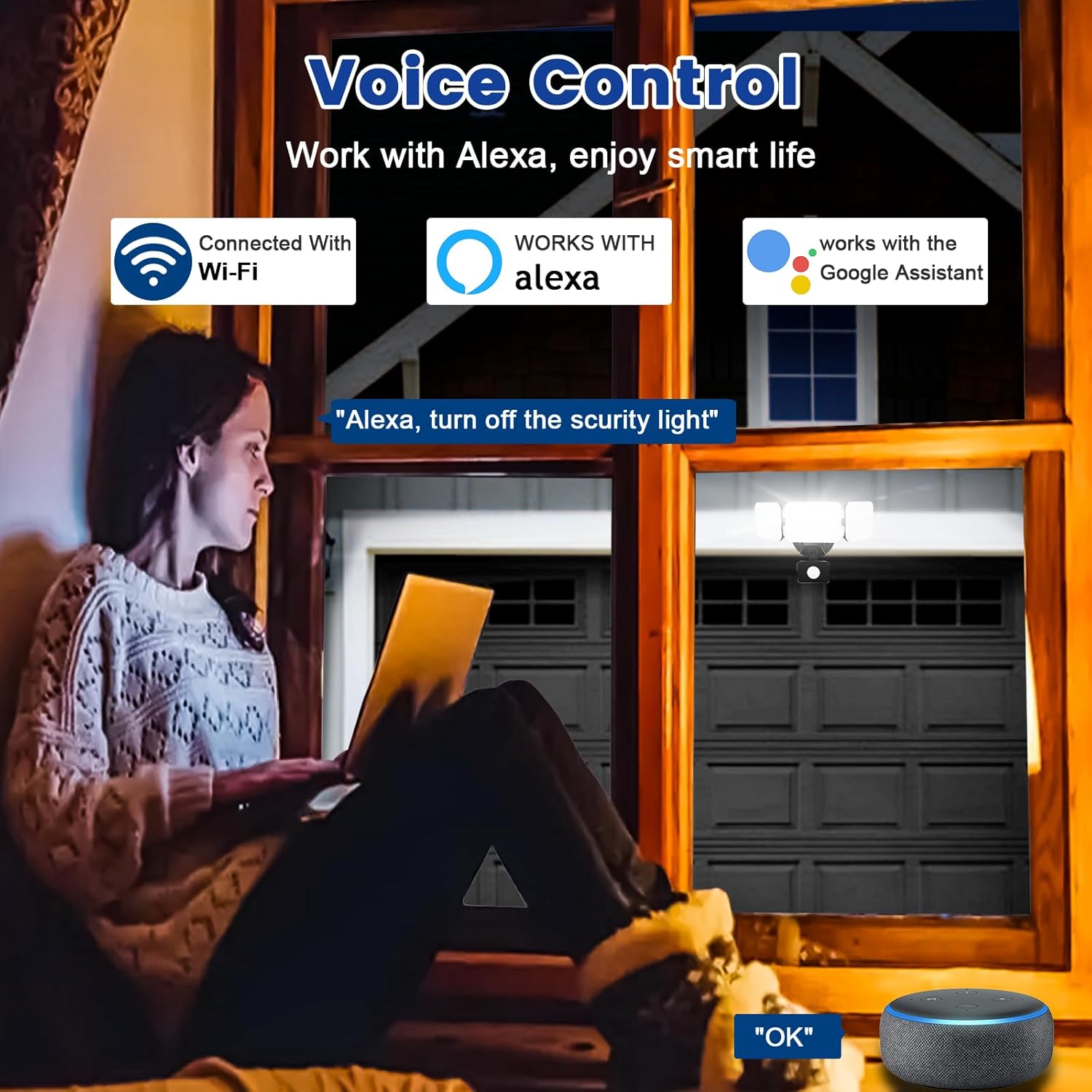
Image 6.6: Voice control integration with Alexa and Google Assistant.
7. Întreținere
- curatenie: Curățați periodic corpul de iluminat cu o lavetă moale șiamp pânză. Nu utilizați agenți de curățare abrazivi sau solvenți.
- Inspecţie: Regularly check for any loose wiring or damage to the fixture.
- Actualizări firmware: Keep the Smart Life/Tuya Smart app updated to ensure your device receives the latest firmware for optimal performance and security.
8. Depanare
| Problemă | Cauza posibila | Soluţie |
|---|---|---|
| Lumina nu se aprinde. | Fără curent, cablaj slăbit, instalație defect. | Check circuit breaker. Ensure all wiring connections are secure. Contact support if issue persists. |
| Nu se poate conecta la Wi-Fi. | Incorrect Wi-Fi band (not 2.4GHz), wrong password, light not in pairing mode, weak signal. | Ensure your router is broadcasting 2.4GHz Wi-Fi. Verify password. Put light into pairing mode (turn off/on several times). Move router closer or use a Wi-Fi extender. |
| Motion sensor not working or too sensitive. | Incorrect settings in app, obstruction, environmental factors. | Adjust sensitivity and detection range in the Smart Life/Tuya Smart app. Ensure sensor is not obstructed. Avoid aiming at heat sources or reflective surfaces. |
| Comanda vocală nu răspunde. | App account not linked, device not discovered, incorrect commands. | Ensure Smart Life/Tuya Smart skill is enabled and linked in Alexa/Google Home app. Ask to "Discover devices." Use correct voice commands. |
9. Garanție și asistență
EMANER provides a Lifetime Warranty for this product, ensuring quality and customer satisfaction. For technical support, warranty claims, or any questions regarding your EMANER Smart Security Light, please contact EMANER customer service through the retailer's platform or visit the official EMANER website pentru informații de contact.
Resurse online:
- For app-related issues, refer to the help section within the Smart Life or Tuya Smart application.
- Vizitați Magazinul EMANER pe Amazon pentru informații despre produs și asistență.