
MONOKEI STND87
MONOKEI Standard Keyboard User Manual
Model: STND87
Introducere
Welcome to the user manual for your MONOKEI Standard Keyboard. This mechanical keyboard is designed for versatility and a superior typing experience, featuring hot-swappable MX switches and durable PBT keycaps. It supports both wired and wireless connectivity, making it suitable for various devices and environments. This manual provides essential information for setup, operation, maintenance, and troubleshooting to ensure optimal performance and longevity of your keyboard.
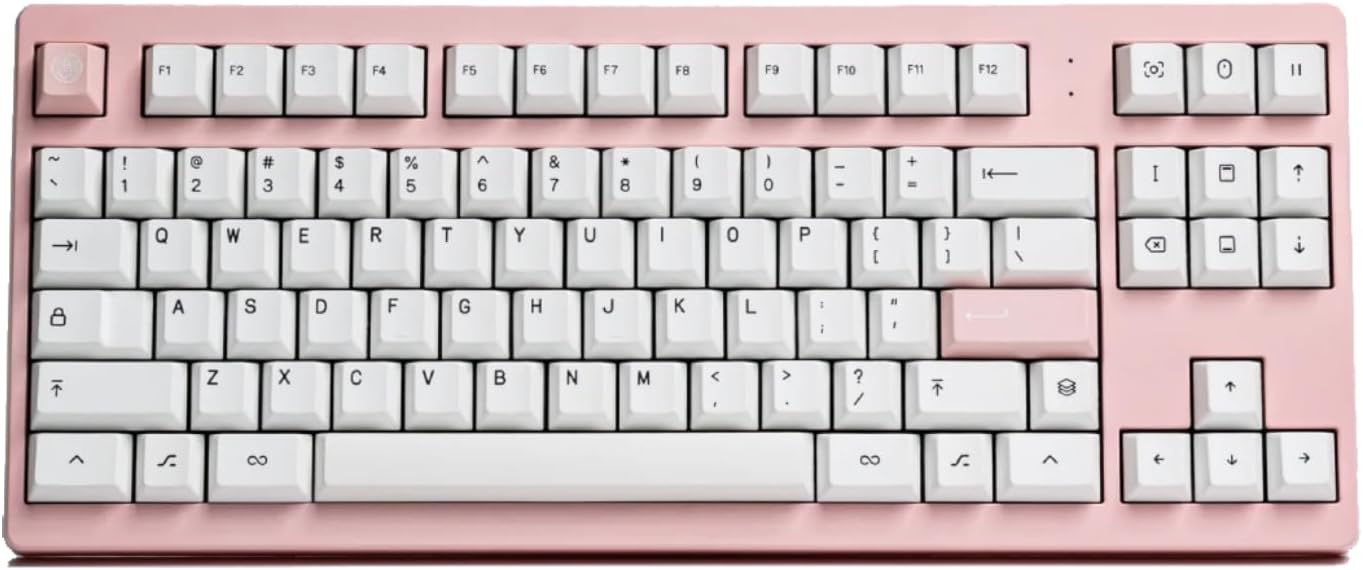
Imagine: De sus în jos view of the MONOKEI Standard Keyboard in Blush Pink with white keycaps.
Ce este în cutie
Upon unboxing your MONOKEI Standard Keyboard, please verify that all the following components are present:
- MONOKEI Standard Keyboard
- Extractor pentru chei
- Cablu USB (USB-C la USB-A)

Image: The keyboard box open, showing the keyboard, keycap puller, and USB cable neatly arranged inside.
Înființat
Încărcare inițială
Before first use, it is recommended to fully charge your MONOKEI Standard Keyboard.
- Conectați cablul USB-C furnizat la portul USB-C al tastaturii.
- Connect the other end of the USB cable to a powered USB port on your computer or a wall adapter.
- The keyboard's indicator light will show charging status (refer to LED indicator section for details).
Opțiuni de conectivitate
The MONOKEI Standard Keyboard offers both wireless (Bluetooth) and wired (USB-C) connectivity.
Conexiune fără fir (Bluetooth)
- Asigurați-vă că tastatura este încărcată.
- Locate the connectivity switch on the keyboard (usually on the back or side) and set it to Bluetooth mode.
- On your device (Laptop, PC, Smartphone, Tablet), navigate to Bluetooth settings.
- Caută available devices and select "MONOKEI Standard" from the list.
- Urmați orice instrucțiuni de pe ecran pentru a finaliza procesul de asociere.
- The keyboard can connect wirelessly to multiple devices, allowing quick switching.
Wired (USB-C) Connection
- Conectați cablul USB-C furnizat la portul USB-C al tastaturii.
- Conectați celălalt capăt al cablului USB la un port USB de pe computer.
- Tastatura va fi recunoscută automat și gata de utilizare.

Image: The MONOKEI Standard Keyboard positioned next to a laptop, illustrating its use in a typical setup.
Instrucțiuni de operare
Utilizare generală
The MONOKEI Standard Keyboard is designed for intuitive use. Simply connect it via your preferred method (Bluetooth or USB-C) and begin typing. The keyboard features a standard 87-key layout, providing a familiar and efficient typing experience.
Comutatoare interschimbabile la cald
One of the key features of your MONOKEI Standard Keyboard is its hot-swappable sockets, allowing you to change out mechanical switches without soldering. This enables customization of your typing feel.
- Scoaterea unui comutator: Use the provided switch puller tool. Gently grip the switch from the top and bottom (where the clips are located) and pull upwards with even pressure until the switch detaches from the PCB.
- Instalarea unui comutator: Align the pins of the new switch with the holes on the PCB. Ensure the pins are straight to avoid bending. Gently push the switch down until it clicks into place. Do not force the switch if it doesn't go in easily; check pin alignment.

Image: A hand demonstrating the use of a switch puller tool to remove a mechanical switch from the keyboard.
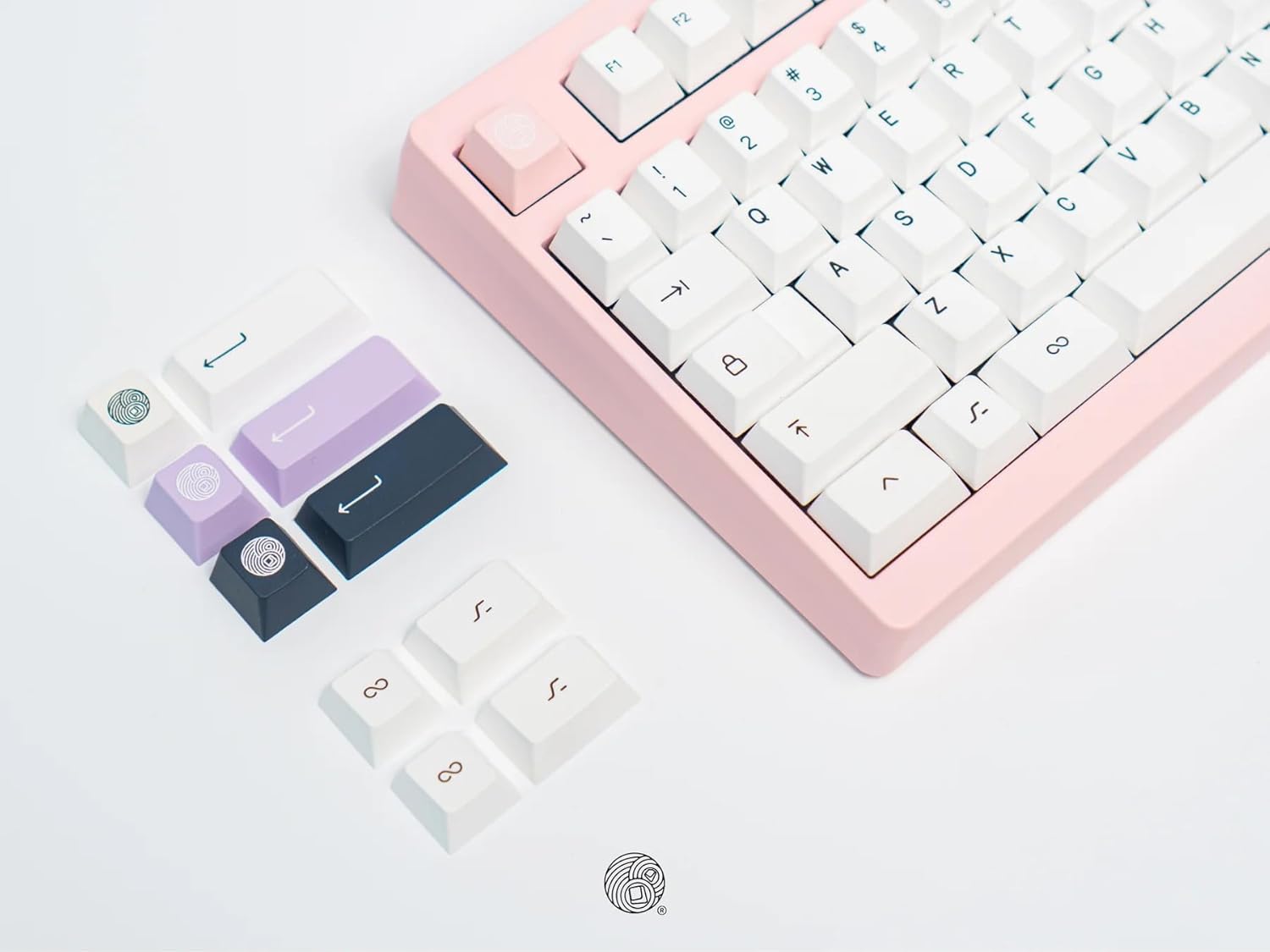
Image: A collection of different colored keycaps and a keycap puller tool, highlighting the customization options.
Înlocuirea tastelor
The keyboard comes installed with Series 1 doubleshot PBT keycaps, known for their durability. You can replace them with other compatible keycaps.
- Îndepărtarea unei taste: Use the provided keycap puller. Place the puller over the keycap, ensuring the wires hook under opposite sides of the keycap. Pull straight up with gentle, even force.
- Instalarea unui capac de taste: Align the cross-shaped stem on the underside of the keycap with the stem on the switch. Press down firmly until the keycap is seated securely.
Întreţinere
Curățarea tastaturii
Regular cleaning helps maintain the appearance and functionality of your keyboard.
- Tastaturi: For general cleaning, wipe keycaps with a soft, damp cloth. For deeper cleaning, keycaps can be removed (using the keycap puller) and washed with mild soap and water. Ensure they are completely dry before reattaching.
- Corpul tastaturii: Folosiți o cârpă moale, fără scame, ușor umezităampCurățați cu apă sau cu o soluție de curățare delicată pentru a șterge corpul tastaturii. Evitați umiditatea excesivă.
- Între chei: Use compressed air to blow out dust and debris from between the keycaps. A small brush can also be used to dislodge stubborn particles.
Atenţie: Do not immerse the keyboard in water or any liquid. Avoid using harsh chemicals or abrasive materials for cleaning.
Depanare
| Problemă | Cauza posibila | Soluţie |
|---|---|---|
| Tastatura nu răspunde (cu fir) | Conexiune USB slăbită, cablu defect, problemă cu driverul. |
|
| Tastatura nu răspunde (Bluetooth) | Keyboard not paired, out of range, low battery, Bluetooth interference. |
|
| Cheile nu se înregistrează sau se tastează de două ori | Loose or faulty switch, debris under keycap/switch. |
|
| Bateria nu se încarcă | Faulty USB cable, power source issue, keyboard defect. |
|
Specificații
- Număr de model: STND87
- Dimensiuni produs: 14.3 x 5.9 x 1.5 inchi (36.32 x 14.99 x 3.81 cm)
- Greutatea articolului: 2.1 lire (0.95 kg)
- Producător: MONOKEI
- Tehnologie de conectivitate: Bluetooth BLE 5.1, USB-C
- Descrierea tastaturii: Mecanic
- Număr de chei: 87
- Caracteristici speciale: Hot-Swappable, Long lasting PBT keycaps, Positive typing experience, Wired, Wireless, Bluetooth
- Dispozitive compatibile: Laptop, PC, Smartphone, Tablet (macOS / iOS / Windows / Android)
- Durata de viață a bateriei: Up to 30 days (based on 8 hours/day usage)
- Unghi de tastare: 5 de grade

Image: A graphic displaying key specifications of the MONOKEI Standard Keyboard, including compatibility, connectivity, dimensions, weight, battery life, and typing angle.
Garanție și suport
For warranty information and customer support, please refer to the official MONOKEI website-ul lor web sau contactați direct serviciul lor de asistență pentru clienți. Păstrați dovada achiziției pentru solicitările de garanție.
Puteți vizita MONOKEI Store on Amazon pentru mai multe informații și actualizări ale produsului.
Ask a question about this manual
Ask about setup, troubleshooting, compatibility, parts, safety, or missing instructions. Manuals+ will review the question and use this page’s manual context to help answer it.