
1. Produs terminatview
The Roku 40" Select Series 1080p Full HD Smart RokuTV offers a seamless entertainment experience with its integrated Roku platform. Enjoy bright, full HD picture quality and clear audio. The customizable home screen provides quick access to streaming apps, inputs, and free live TV. This model features a bezel-less design and comes with a voice remote for easy navigation.
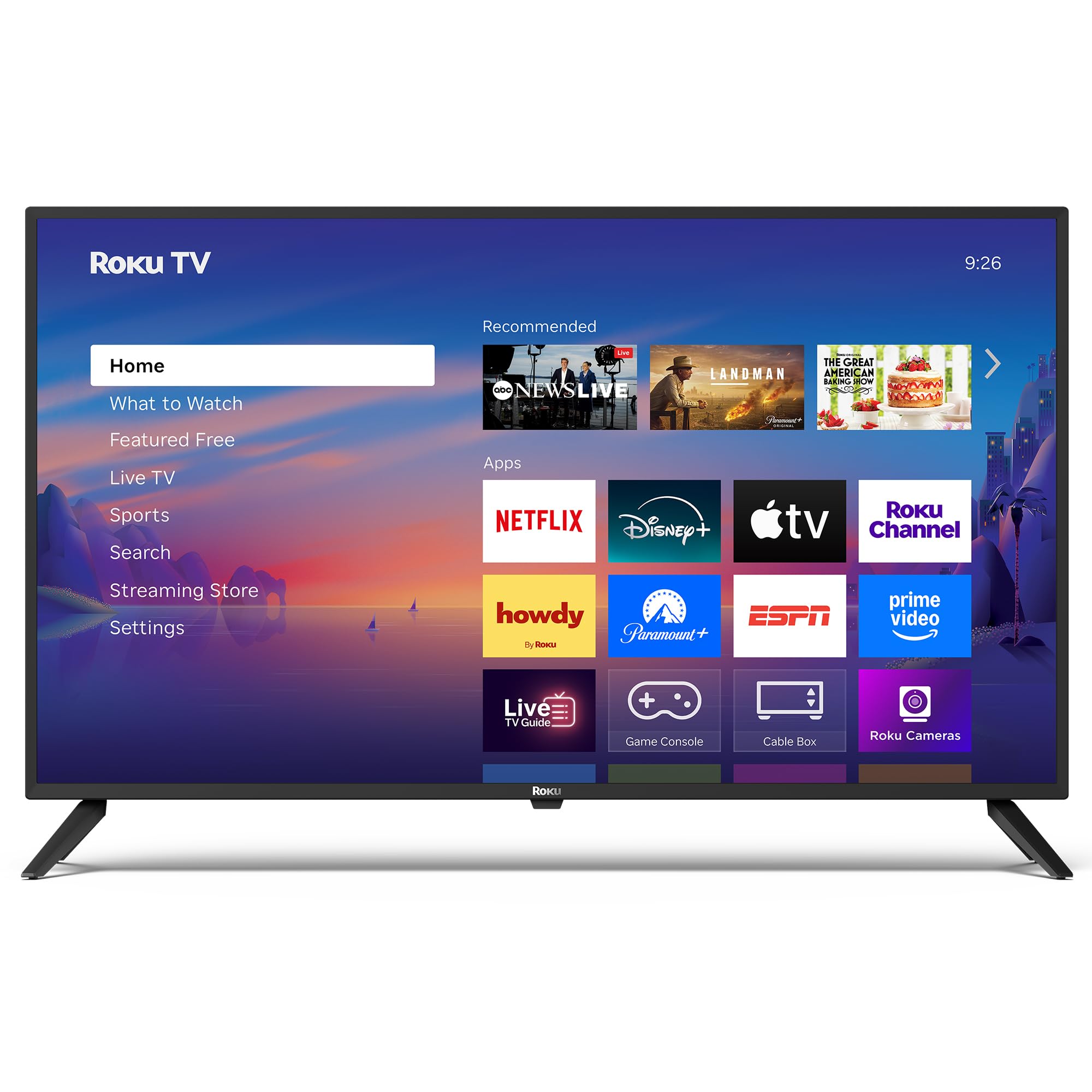
Imagine: față view of the Roku 40" Select Series Full HD Smart TV.
2. Ce se află în cutie
- Roku 40” Select Series Full HD Smart TV
- Roku voice remote with batteries
- Suporturi TV (2)
- Stand screws (4)
- Manual de utilizare (acest document)

Image: Diagram illustrating the components included in the Roku TV package.
3. Ghid de instalare
3.1 Atașarea suporturilor TV
- Așezați cu grijă ecranul televizorului cu fundul în jos pe o suprafață moale și curată pentru a preveni zgârieturile.
- Align each TV stand with the corresponding screw holes on the bottom of the TV.
- Insert the provided screws into the holes and tighten them securely with a screwdriver.
- Ensure both stands are firmly attached before proceeding.
3.2 Conectarea alimentării și configurarea inițială
- Connect the power cord to the TV and then to a standard electrical outlet (100-240 VAC, 50-60 Hz).
- Insert the AAA batteries into the Roku voice remote.
- Apăsați butonul de pornire de pe telecomandă pentru a porni televizorul.
- Urmați instrucțiunile de pe ecran pentru a selecta limba, a vă conecta la rețeaua Wi-Fi și a activa contul Roku.
- The TV will guide you through adding your preferred streaming apps and setting up any connected devices.

Imagine: Prim-plan view of the TV's side panel, showing various input ports like HDMI, USB, and antenna connection.
4. Operating Your Roku TV
4.1 Navigare pe ecranul de start
The Roku home screen provides a centralized hub for all your entertainment. Easily access streaming apps, connected devices (like game consoles or cable boxes), and free live TV channels. The interface is designed for quick and intuitive navigation using your Roku voice remote.

Image: The Roku TV home screen, showing a grid of streaming applications and input selections.
4.2 Utilizarea telecomenzii vocale
The included voice remote simplifies your TV experience. Use voice commands to search for movies, shows, or songs across thousands of streaming apps. Dedicated shortcut buttons provide instant access to popular services like Netflix, Disney+, and Apple TV. Volume controls are conveniently located on the side of the remote.

Image: Close-up of the Roku voice remote, highlighting the voice command button and dedicated app shortcuts.
4.3 Setări de imagine și sunet
The Roku TV delivers a bright, full HD picture with exceptional clarity. It features direct LED backlighting for better brightness and uniformity. Enhanced audio output is provided by built-in speakers. You can adjust picture modes, screen brightness, and other advanced settings through the TV's menu to optimize your viewexperiență.
4.4 Integrare Smart Home
The Roku TV is compatible with various smart home ecosystems, including Apple AirPlay 2, Apple Home, Alexa, and Google Home. This allows for integrated control and seamless interaction with your existing smart devices.

Image: Icons representing compatibility with various smart home platforms.
5. Întreținere
To ensure the longevity and optimal performance of your Roku TV, follow these maintenance guidelines:
- Curățarea ecranului: Use a soft, lint-free cloth specifically designed for electronics. Gently wipe the screen to remove dust and smudges. Avoid harsh chemicals or abrasive materials.
- Curățarea exteriorului: Wipe the TV's exterior with a soft, dry cloth. Do not use liquid cleaners directly on the TV.
- Ventilare: Asigurați-vă că orificiile de ventilație ale televizorului nu sunt blocate pentru a preveni supraîncălzirea. Mențineți suficient spațiu în jurul televizorului pentru circulația aerului.
- Gestionare a energiei: Deconectați televizorul de la priză în timpul furtunilor sau când va fi lăsat nesupravegheat pentru perioade lungi de timp.
6. Depanare
If you encounter issues with your Roku TV, try the following basic troubleshooting steps:
- Fără putere: Ensure the power cord is securely plugged into both the TV and the electrical outlet. Check if the outlet is functioning by plugging in another device.
- Fără imagine/sunet: Verify that the correct input source is selected on the TV. Check all cable connections (HDMI, AV, etc.) for looseness.
- Telecomanda nu răspunde: Replace the batteries in the remote. Ensure there are no obstructions between the remote and the TV. Re-pair the remote if necessary (refer to the on-screen instructions during initial setup or the Roku support site).
- Probleme de conexiune la rețea: Restart your Wi-Fi router and modem. Go to the TV's network settings to reconnect to your Wi-Fi network.
- Blocarea/blocarea aplicației: Restart the specific app. If the issue persists, restart the TV by unplugging it from the power outlet for 30 seconds and then plugging it back in.
For more detailed troubleshooting or persistent issues, visit the official Roku support website-ul.
7. Specificații
| Caracteristică | Detaliu |
|---|---|
| Dimensiunea ecranului | 40 inchi |
| Marca | Roku |
| Numărul de model | 40R2A5R |
| Tehnologia de afișare | LED |
| Rezoluţie | Full HD 1080p |
| Rata de reîmprospătare | 60 Hz |
| Sistem de operare | Roku OS |
| Caracteristici speciale | Bezel-Less Design, Voice Remote |
| Tehnologia de conectivitate | HDMI, USB, Wi-Fi |
| Total porturi HDMI | 3 |
| Total USB 3.0 Ports | 1 |
| Mod ieșire audio | Îmbunătățit |
| Metoda de control | App Control, Remote Control, Voice Control |
| Screen Mirroring Technology | AirPlay 2, Miracast |
| Dimensiuni produs (D x L x H) | 8.7" D x 35.5" L x 22.6" H |
| Item Weight Without Stand | 11.2 lire sterline |
| Standard de montare VESA | 200 x 100 mm |
8. Garanție și asistență
8.1 Garanție limitată
Roku warrants the hardware of this device against defects in materials and workmanship under normal use for a period of one (1) year from the date of purchase ("Warranty Period"), provided it is used in accordance with the provided documentation. If a hardware defect is determined during the Warranty Period, Roku's sole obligation and your exclusive remedy will be to either repair or replace the unit with a new or rebuilt device, at Roku's option.
Important information about warranty returns and replacements is available on the Roku support site.
8.2 Returnări de produse
You may return a device for any reason, subject to the terms of the applicable return policy:
- Within thirty (30) days from the date of purchase from Roku.
- Within the applicable return period if purchased from an authorized reseller or distributor.
Additional details regarding product returns can be found on the Roku support site.