
1. Introducere
This manual provides detailed instructions for the Varmilo VA Series V2 Aurora Bluetooth White LED Mechanical Keyboard. It covers setup, operation, maintenance, and troubleshooting to ensure optimal performance and user experience. The VA Series V2 features an upgraded design with a standard USB-C cable, a double-section kickstand for enhanced adjustability, North-facing LEDs, and sound-proof silicone pads for a quieter typing experience. Indicator lights are positioned on the top right to minimize distractions.
2. Conținutul pachetului
Vă rugăm să verificați conținutul pachetului la despachetare. Dacă lipsesc sau sunt deteriorate articolele, contactați serviciul de asistență pentru clienți.
- Varmilo VA Series V2 Aurora Mechanical Keyboard
- Cablu USB-C
- Manual de utilizare (acest document)
3. Configurare
3.1 Configurarea fizică
- Despachetați tastatura: Scoateți cu grijă tastatura și toate accesoriile din ambalaj.
- Adjust Kickstands: Tastatura are douătage height adjustable feet. Flip out the desired kickstands on the underside of the keyboard to achieve your preferred typing angle.

Image: The underside of the keyboard, highlighting the two-stage adjustable kickstand for ergonomic positioning.
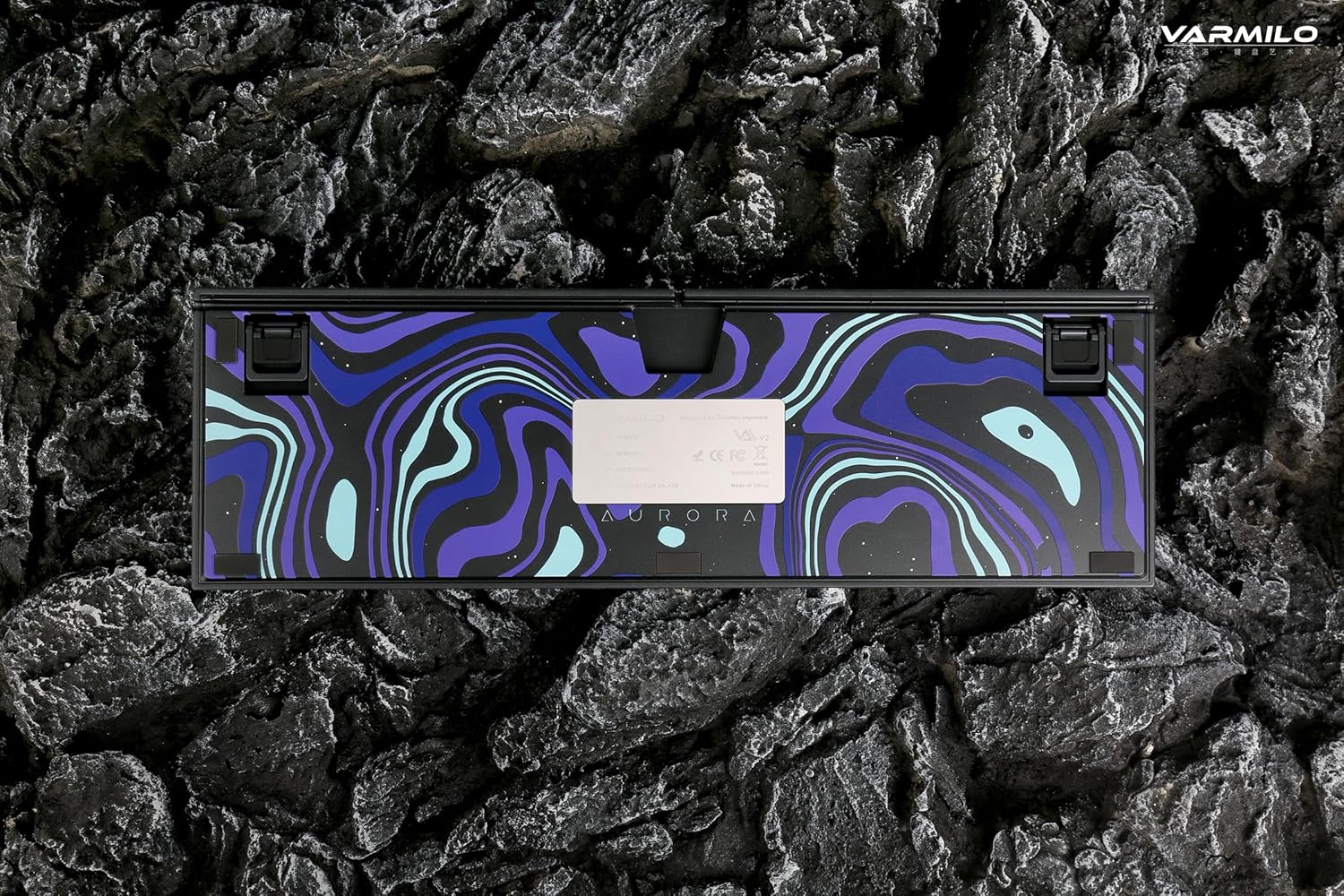
Image: The bottom of the keyboard, illustrating the cable grooves that allow the USB-C cable to exit from the left, right, or middle.
3.2 Metode de conectare
3.2.1 Conexiune prin cablu (USB-C)
- Localizați portul USB-C pe spatele tastaturii.
- Connect the provided USB-C cable to the keyboard and the other end to an available USB port on your computer or device.
- The keyboard will be automatically recognized by your operating system. The indicator light will show charging status if the battery is low.
3.2.2 Conexiune fără fir Bluetooth
The Varmilo VA Series V2 Aurora keyboard supports connecting up to 3 devices wirelessly via Bluetooth.
- Comutare la modul Bluetooth: Locate the mode switch on the keyboard (usually on the back or side) and set it to Bluetooth mode.
- Intrați în modul de asociere: Apăsați și mențineți apăsat Fn + Inserare (for Bluetooth device 1), Fn + Acasă (for Bluetooth device 2), or Fn + Pagina sus (for Bluetooth device 3) for 3-5 seconds until the indicator light flashes rapidly, indicating pairing mode.
- Activați Bluetooth pe dispozitivul dvs.: On your computer, smartphone, or tablet, go to Bluetooth settings and turn on Bluetooth.
- Selectați tastatura: Look for "Varmilo VA2" or a similar name in the list of available devices and select it to pair.
- Confirmați împerecherea: Once paired, the indicator light on the keyboard will stop flashing and remain solid for a few seconds, then turn off or show battery status.
- Pair Additional Devices: Repeat steps 2-5 using a different Fn key combination (Fn + Home or Fn + Page Up) to pair up to two more devices.
4. Instrucțiuni de utilizare
4.1 Comutarea între dispozitive
- To switch to Bluetooth device 1: Press Fn + Inserare.
- To switch to Bluetooth device 2: Press Fn + Acasă.
- To switch to Bluetooth device 3: Press Fn + Pagina sus.
- To switch to Wired mode: Set the mode switch on the keyboard to Wired mode.
4.2 Controlul iluminării de fundal cu LED-uri
The keyboard features a White LED backlight. Use the following key combinations to control the backlight:
- Fn + < (Left Arrow): Reduceți luminozitatea iluminării de fundal.
- Fn + > (Right Arrow): Măriți luminozitatea iluminării de fundal.
- Fn + Săgeată în sus: Change backlight mode/effect.
- Fn + Săgeată în jos: Change backlight mode/effect (reverse direction).
- Fn + Z: Activează/dezactivează iluminarea de fundal.
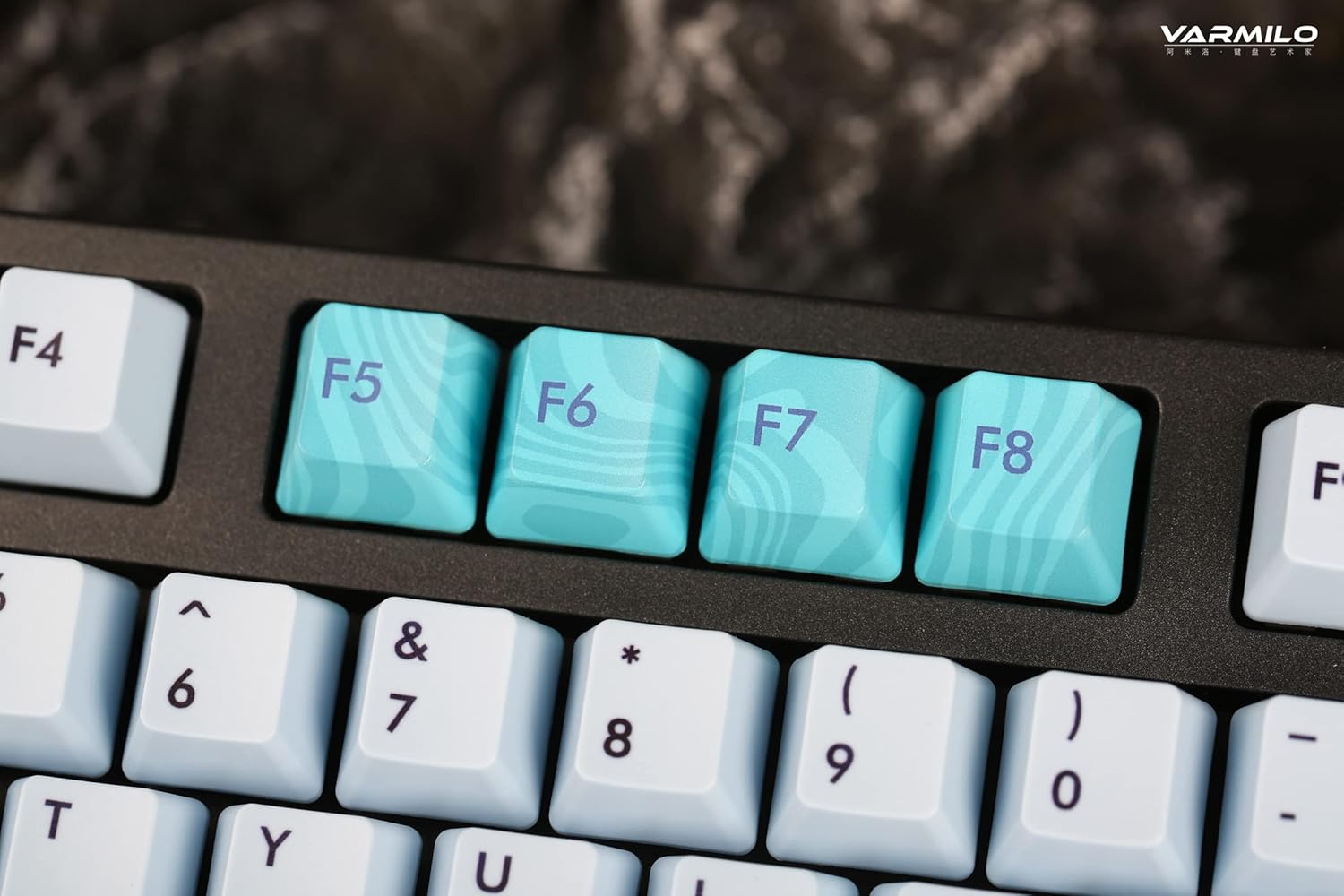
Image: Close-up of the arrow keys, which are used in combination with the Fn key to control backlight brightness and modes.
4.3 Function Keys and Multimedia Controls
The keyboard features a full-size (104 + 4) layout with dedicated function keys and multimedia controls accessible via the Fn cheie.
- Fn + F1-F12: Access various system functions (e.g., media playback, volume control, screen brightness). Refer to your operating system's settings for specific mappings or common keyboard shortcuts.
- Fn + Tasta Windows: Lock/unlock the Windows key to prevent accidental presses during gaming.
- Fn + Right Ctrl: Switch between Mac/Windows layout (if applicable, check specific model features).

Imagine: Un prim-plan view of the F5-F8 keys, showcasing their unique design and potential secondary functions.
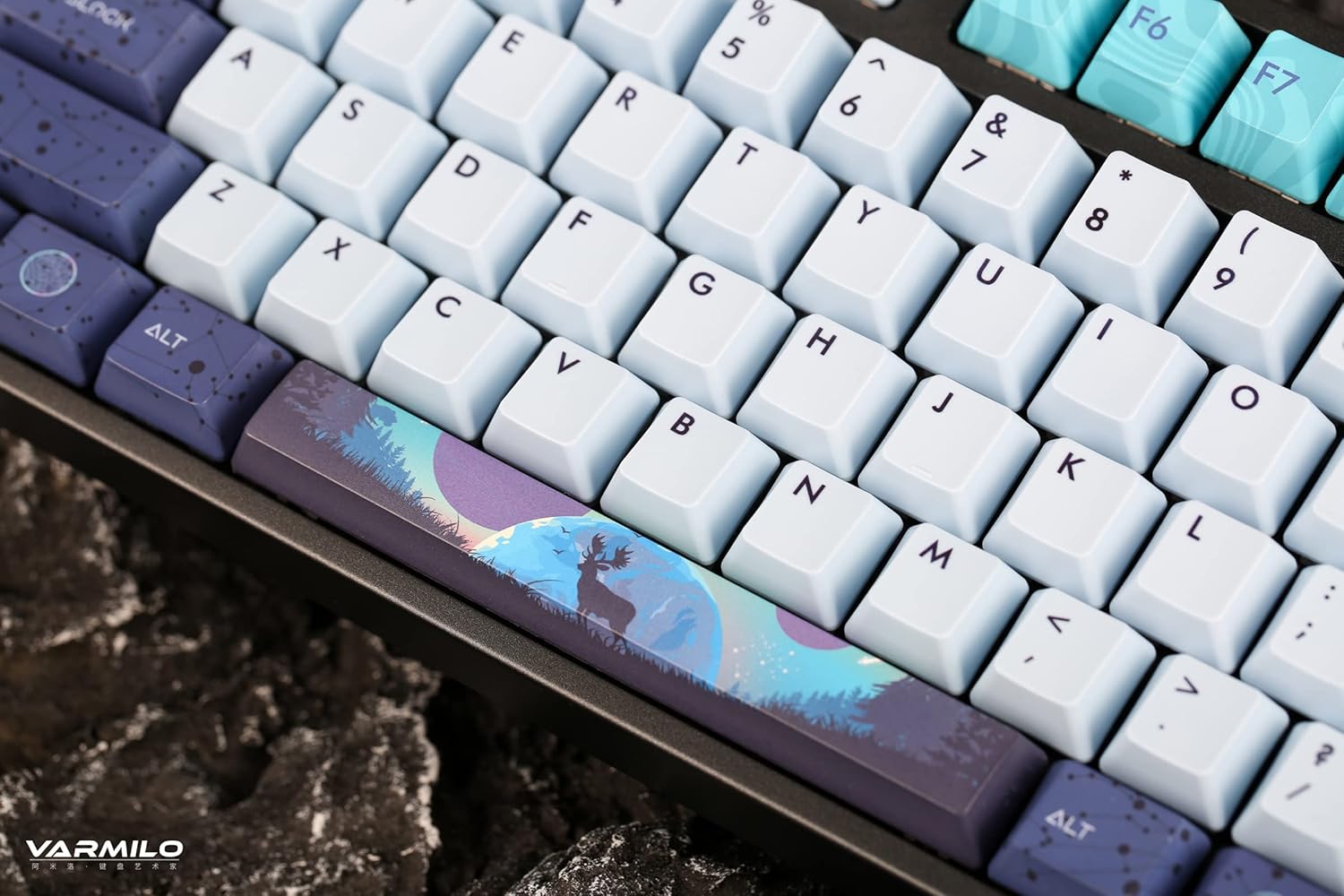
Imagine: O imagine detaliată view of the keyboard's keycaps, including a custom-designed spacebar, highlighting the thick Dye Sub PBT keycaps.
5. Întreținere
Proper maintenance ensures the longevity and performance of your Varmilo keyboard.
- curatenie: Use a soft brush or compressed air to remove dust and debris from between the keycaps. For stubborn dirt, gently wipe the keycaps with a damp o lavetă și o soluție delicată de săpun, asigurându-vă că nu pătrunde lichid în tastatură.
- Îndepărtarea capacului tastelor: If you need to clean under the keycaps or replace them, use a keycap puller. Gently pull the keycap straight up to avoid damaging the switch. The keyboard features durable Dye Sub PBT keycaps.
- Depozitare: Când nu este utilizată pentru perioade lungi de timp, depozitați tastatura într-un mediu uscat și fără praf.
- Evitați lichidele: Do not expose the keyboard to liquids. Spills can cause permanent damage.
6. Depanare
| Problemă | Cauza posibila | Soluţie |
|---|---|---|
| Tastatura nu răspunde (cu fir) | Loose USB-C cable connection; faulty USB port; incorrect mode. |
|
| Tastatura nu răspunde (Bluetooth) | Not paired; out of range; low battery; incorrect Bluetooth channel selected. |
|
| Lumina de fundal nu funcționează | Backlight turned off; brightness set to minimum; low battery. |
|
| Cheile nu se înregistrează sau se tastează de două ori | Dust/debris under keycap; switch malfunction; software issue. |
|
7. Specificații
| Caracteristică | Detaliu |
|---|---|
| Marca | Varmilo |
| Model | VA Series V2 Aurora |
| Tip tastatură | Mecanic |
| Tip comutator | Kailh Prestige Red |
| Conectivitate | USB-C (Wired), Bluetooth (Wireless) |
| Dispozitive fără fir | Connects up to 3 devices wirelessly |
| keycaps | Thick Dye Sub PBT |
| Iluminare de fundal | White LED, North-facing |
| Aspect | Full-size (104 + 4 keys) |
| Dispozitive compatibile | Laptop, PC, Smartphone, Tabletă |
| Caracteristici speciale | Două-stage height adjustable feet, Sound-proof silicone pads, Cable grooves |
| Material | Silicone (internal sound dampseară) |
8. Garanție și asistență
Varmilo products are designed for quality and durability. For warranty information, technical support, or service inquiries, please refer to the official Varmilo website-ul sau contactați comerciantul dvs.
You can visit the official Varmilo Store for more information: Varmilo Store on Amazon.