
1. Introducere
The Tenmars TM-902 is a portable, professional test device designed for verifying and troubleshooting twisted-pair LAN cables. It provides comprehensive analysis of cable connections, identifying various faults quickly and efficiently.
This manual provides detailed instructions for the proper use and maintenance of your TM-902 LAN Cable Tester.
2. Conținutul pachetului
Before using the device, please check the package contents to ensure all items are present:
- 1 x TM-902 Main Unit
- 1 x CAT5 STP Cable
- 1 x Remote ID Unit
- 6 baterii AAA de 1.5 V
- 1 x Husă de transport
- 1 x Manual de utilizare în limba engleză
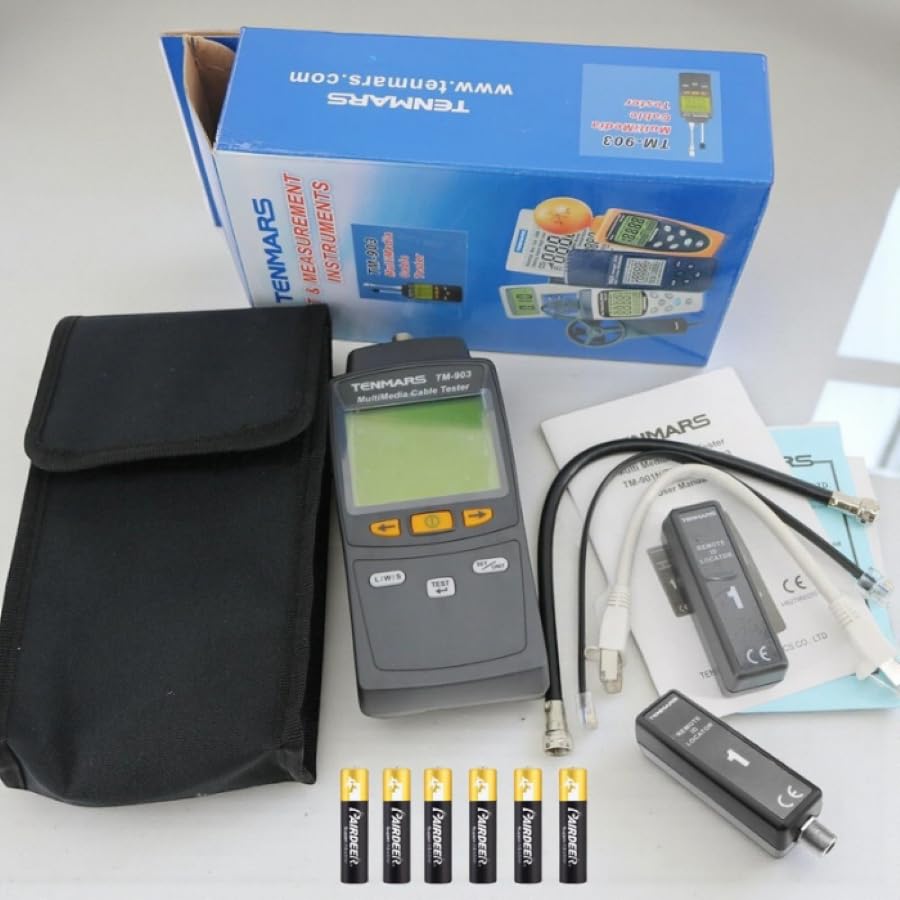
Figure 2.1: Complete package contents of the Tenmars TM-902 LAN Cable Tester.
3. Configurare
3.1 Instalarea bateriei
- Locate the battery compartment on the back of the TM-902 main unit.
- Deschideți capacul compartimentului bateriei.
- Introduceți 6 baterii AAA de 1.5 V, asigurându-vă că polaritatea este corectă (+/-).
- Închideți bine capacul compartimentului bateriei.
3.2 Conectarea cablurilor pentru testare
The TM-902 supports testing of UTP and STP LAN cables with RJ-45 connectors. It also includes a remote ID unit for testing installed cables.
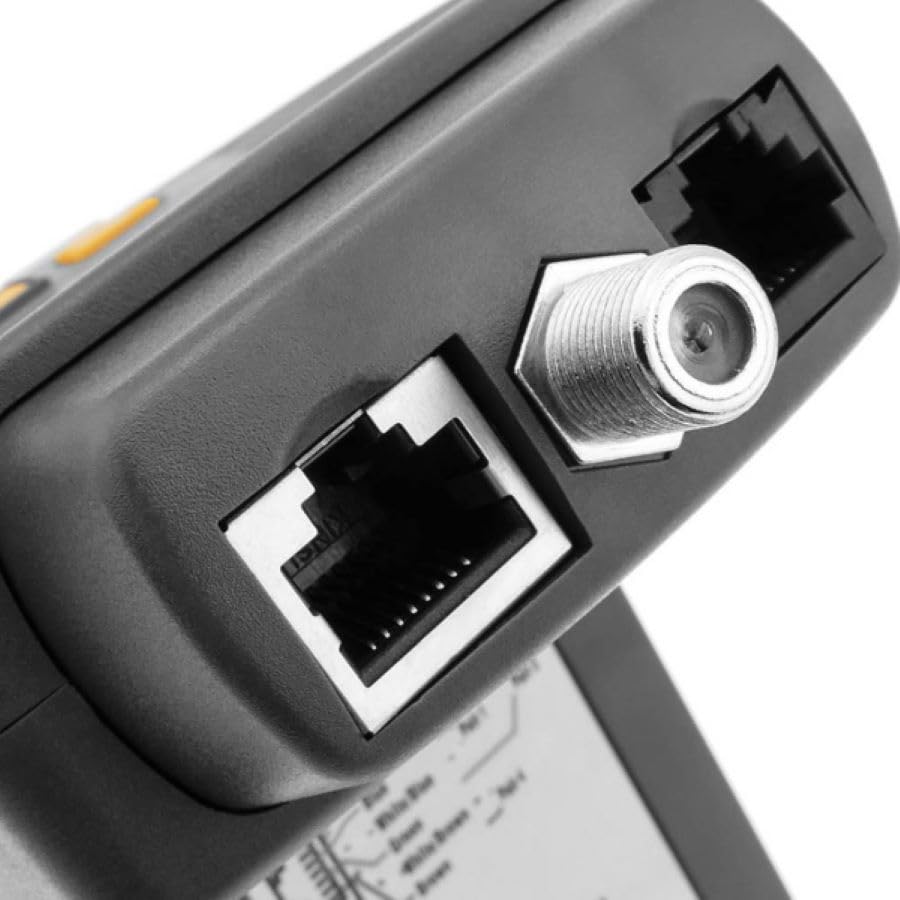
Figure 3.1: RJ-45 and F-type coaxial ports on the main unit.
- Connect one end of the LAN cable to be tested into the RJ-45 port on the main TM-902 unit.
- For remote testing, connect the other end of the LAN cable to the Remote ID unit. The device supports up to 8 different remote ID identifiers, though one remote ID unit is included.
- For direct testing of shorter cables, both ends can be connected to the main unit if applicable (though typically one end goes to the main unit and the other to the remote unit or a loopback).
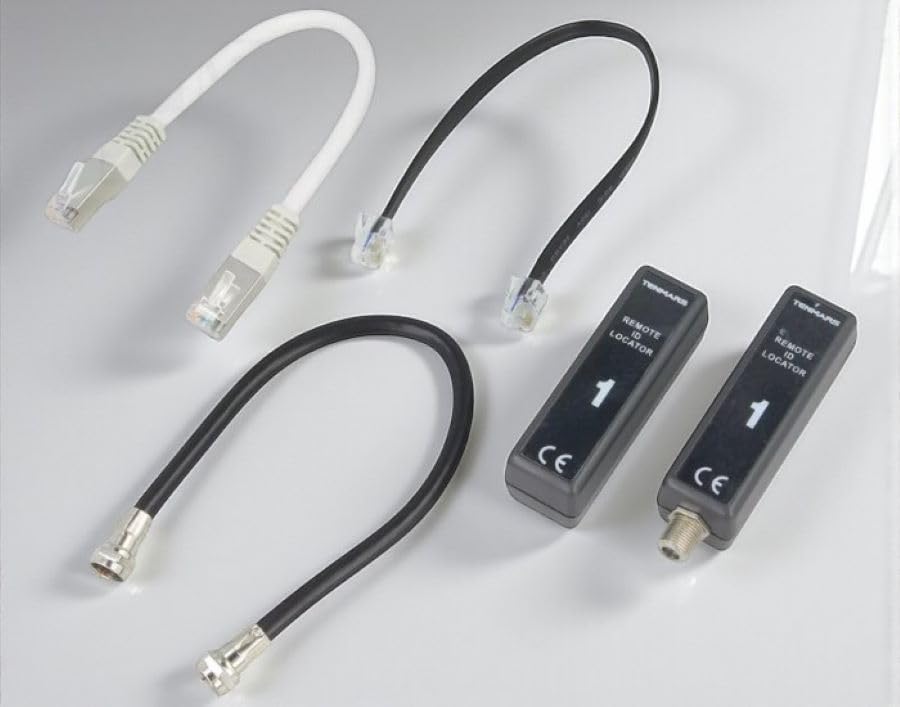
Figure 3.2: Included cables and remote ID locators.
4. Instrucțiuni de utilizare
The TM-902 features a backlit LCD screen that simultaneously displays wire-map, open circuits, short circuits, miswires, split pairs, and remote end ID numbers graphically.
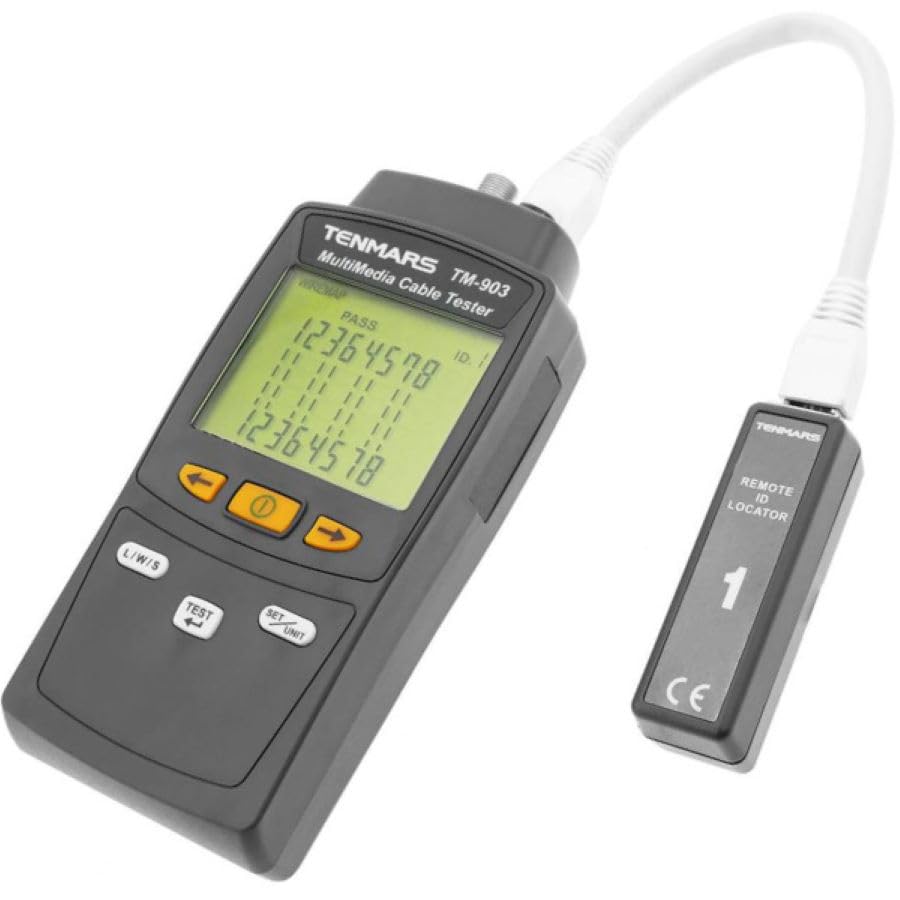
Figure 4.1: Tenmars TM-902 main unit with LCD display.
4.1 Performing a Cable Test
- Ensure the batteries are installed and the cable is properly connected to the main unit and remote ID (if applicable).
- Press the "TEST" button to initiate the cable test.
- Observe the backlit LCD screen for test results. The screen will graphically display the wire-map and any detected faults.
- The remote ID number, if connected, will also be shown on the LCD screen.
4.2 Understanding Test Results
- Open Circuit (Open): An open circuit indicates that a wire pair is not connected at both ends. One or more conductors in the cable do not complete the circuit, preventing the signal from reaching its destination. The TM-902 clearly shows which pins are open on the graphic display, helping to identify the problematic wire pair.
- Short Circuit (Short): A short circuit occurs when two wires that should not be in contact directly touch each other. This can hinder data transmission and potentially damage connected devices. The TM-902 immediately identifies shorted pins and provides an alert on the screen.
- Conectare greșită: A miswire is a wiring error where the wire ends are connected in the wrong sequence. For example, if pin 3 connects to pin 5 instead of pin 6 at the far end, it's a miswire. Even if a physical connection exists, signals do not reach the correct line, degrading network performance. The TM-902 graphically displays mismatched connections by comparing each pin number.
- Split Pair: A split pair is a wiring error where wire ends are connected to the correct pins but are grouped into incorrect pairs. Even if electrical continuity is maintained, this error causes interference (crosstalk) in data transmission and leads to network connection issues. The TM-902 can detect split pair errors in cables of at least 5 meters and notifies the user with a "SPLIT" warning. This type of error often results from incorrect pairing of wires during cable assembly and is not visible externally.
Nota: A minimum cable length of 5 meters is required for split pair detection.
5. Întreținere
To ensure the longevity and accurate performance of your Tenmars TM-902 LAN Cable Tester, follow these maintenance guidelines:
- curatenie: Folosiți o lavetă moale și uscată pentru a curăța dispozitivul. Nu utilizați substanțe de curățare abrazive sau solvenți.
- Depozitare: When not in use, store the device in its carrying case in a cool, dry place, away from direct sunlight and extreme temperatures.
- Înlocuire baterie: Replace batteries promptly when the low battery indicator appears on the screen to ensure accurate readings and prevent battery leakage. Remove batteries if the device will not be used for an extended period.
- Manipulați cu grijă: Evitați să scăpați dispozitivul sau să îl supuneți la impacturi puternice, deoarece acestea pot deteriora componentele interne.
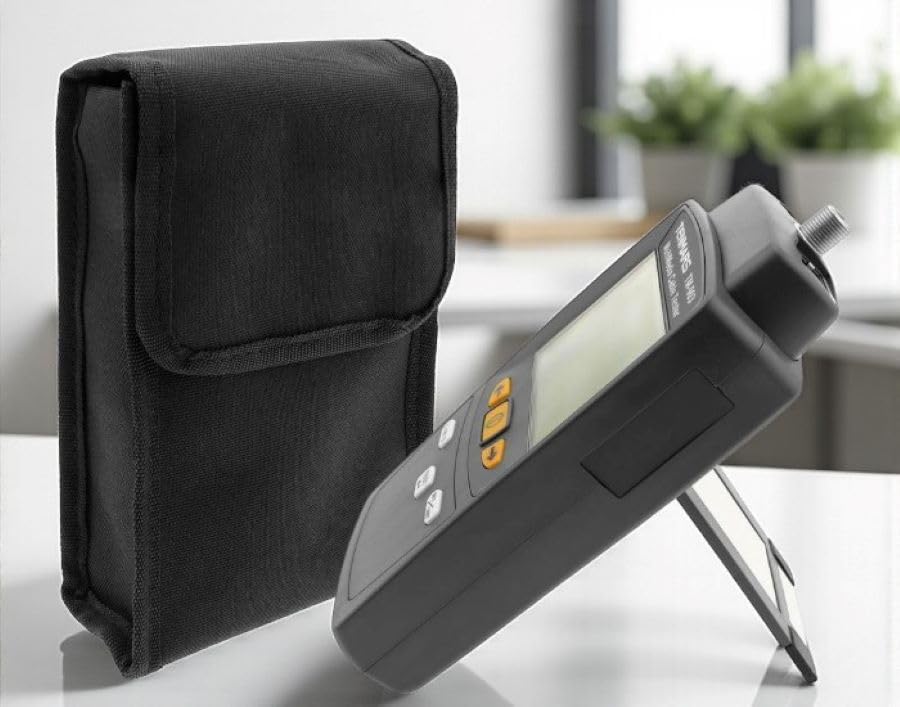
Figure 5.1: Tenmars TM-902 with its protective carrying case.
6. Depanare
This section provides guidance for common issues encountered during the use of the TM-902 LAN Cable Tester.
- Dispozitivul nu pornește:
- Check if batteries are installed correctly with the right polarity.
- Replace old or depleted batteries with new 1.5V AAA batteries.
- Inaccurate test results or no display:
- Ensure cable connectors (RJ-45) are fully inserted into the ports on both the main unit and the remote ID unit.
- Verify that the cable itself is not visibly damaged.
- Clean the RJ-45 ports if there is any visible dust or debris.
- "SPLIT" error on short cables:
- The TM-902 requires a minimum cable length of 5 meters to accurately detect split pair errors. Test longer cables for this specific fault.
- Remote ID not detected:
- Ensure the remote ID unit is properly connected to the far end of the cable.
- Check if the remote ID unit itself is functioning (though it's a passive device, ensure its connector is clean).
7. Specificații
| Caracteristică | Caietul de sarcini |
|---|---|
| Tested Cable Types | UTP, STP |
| Wiremap Test | Detects open circuit, short circuit, miswire, and split pairs. |
| Cable Category Types | CAT5, CAT6 |
| Conectori de testare | Shielded 8-pin modular jack (RJ-45) |
| Length Test Range | Până la 255 metri |
| Length Test Resolution | 0.1 metru |
| Length Test Unit | Contoare |
| Precizia testului de lungime | ± 10% + 1.0 meter |
| Afişa | 58mm x 45mm, Backlit LCD |
| Temperatura de funcționare și umiditate | 5℃ to 40℃, below 80% RH |
| Temperatura și umiditatea de depozitare | -10℃ to 60℃, below 70% RH |
| Sursa de alimentare | 6 baterii AAA de 1.5 V |
| Dimensiuni | 156 x 73 x 35 mm |
| Greutate | 170 de grame |
8. Informații de siguranță
Vă rugăm să citiți și să înțelegeți următoarele măsuri de siguranță înainte de a utiliza dispozitivul:
- Nu încercați să deschideți sau să modificați dispozitivul. Apelați la personal calificat pentru orice operațiune de service.
- Nu expuneți dispozitivul la umezeală sau la temperaturi extreme.
- Ensure correct battery polarity during installation. Remove batteries if the device is not used for extended periods to prevent leakage.
- This device is designed for testing LAN cables. Do not connect it to live electrical circuits or power outlets.