
1. Produs terminatview
The THINKCAR THINKSCAN 641 is a wireless OBD2 diagnostic tool designed for comprehensive vehicle system analysis. It provides diagnostic functions for Engine, Transmission, ABS, and SRS Airbag systems, along with full OBD2 modes and 10 essential maintenance reset services. The device features a touchscreen interface and connects wirelessly via Bluetooth to the vehicle's OBD-II port.
1.1 Conținutul pachetului
- THINKCAR THINKSCAN 641 OBD2 Scanner (x1)
- Bluetooth Connector (x1)
- Manual de produs (x1)
1.2 Componentele dispozitivului
Familiarize yourself with the main components of your THINKSCAN 641 device:

Image: THINKCAR THINKSCAN 641 device layout with labeled buttons and ports.
- Ecran tactil de 4.8 inci: Main display for navigation and data viewing.
- Buton de pornire/blocare ecran: Apăsați și mențineți apăsat timp de 3 secunde pentru a porni sau opri.
- Butonul de confirmare: Used to select options or confirm actions.
- Tastă de comutare sus, jos, stânga, dreapta: Pentru navigarea prin meniuri și opțiuni.
- Cheie de returnare: To go back to the previous screen or menu.
- Slot pentru carduri TF: Pentru spațiu de stocare extensibil.
- Port de încărcare: Pentru conectarea cablului de încărcare.
- Interfață OBD: Port for the Bluetooth connector.
2. Configurare
2.1 Conectarea inițială
To begin using your THINKSCAN 641, follow these steps to establish a connection with your vehicle:
- Localizați portul OBD-II al vehiculului dvs., care se găsește de obicei sub bordul de bord, pe partea șoferului.
- Plug the included Bluetooth 5.0 VCI Dongle into the vehicle's OBD-II port.
- Turn on the vehicle's ignition (engine off, key on).
- Power on the THINKSCAN 641 handheld unit by pressing and holding the Power/Screen Lock Button for 3 seconds.
- The device will automatically attempt to connect via Bluetooth. A stable connection should be established within 3 seconds.
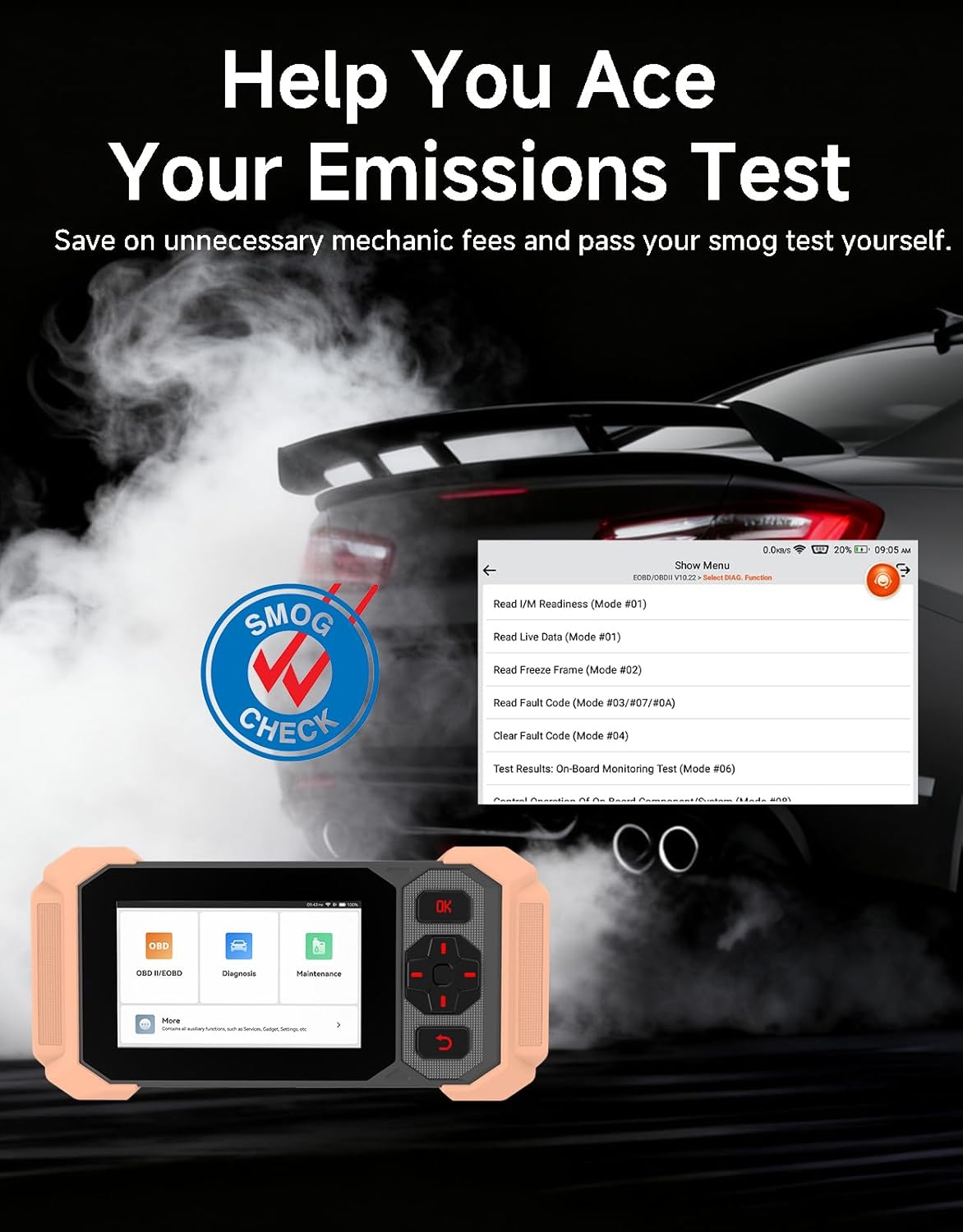
Image: Bluetooth VCI Dongle connected to the vehicle's OBD-II port.
2.2 Automatic Vehicle Identification (AutoVIN)
The THINKSCAN 641 supports AutoVIN functionality, which automatically identifies your vehicle's information upon connection. If AutoVIN fails for your specific vehicle model, you can manually enter the vehicle information to proceed with diagnostics.
2.3 Actualizări de software
The device supports lifetime free software updates via Wi-Fi. Ensure your device is connected to a stable Wi-Fi network to download and install the latest software versions, which include new vehicle models and improved functionalities.

Image: Lifetime Free Update icon.
2.4 Instructional Video: How to Use
Video: This video demonstrates the basic steps for connecting and using the THINKCAR THINKSCAN 641 diagnostic tool, including menu navigation and initiating a scan.
3. Instrucțiuni de utilizare
3.1 4-Diagnosticarea sistemului
The THINKSCAN 641 provides in-depth diagnostics for four core vehicle systems:
- Sistemul motorului: Reads and clears engine fault codes, views live data, and performs various engine-related tests.
- Sistem antiblocare frâne (ABS): Diagnoses ABS issues, reads and clears ABS fault codes, and performs ABS bleeding.
- Sistem suplimentar de siguranță (SRS/Airbag): Detects and clears airbag system fault codes, and performs SRS resets.
- Sistem de transmisie: Analyzes transmission performance, reads and clears transmission fault codes.

Imagine: Pesteview of 4-System Diagnostic capabilities.
3.2 Full OBD2 Modes
The device supports all 10 OBD2 test modes, offering comprehensive diagnostic capabilities:
- Citiți codurile: Displays Diagnostic Trouble Codes (DTCs).
- Coduri clare: Șterge codurile de eroare și resetează monitoarele.
- Date live: Shows real-time data stream from vehicle sensors.
- Blocare cadru: Stores a snapshot of vehicle operating conditions when an emission-related fault occurs.
- Disponibilitate I / M: Verifică starea monitoarelor legate de emisii.
- Test senzor O2: Preia rezultatele testelor de monitorizare a senzorului de O2.
- Test monitor de bord: Obține rezultate pentru componentele și sistemele sistemului de propulsie legate de emisii.
- Testul sistemului EVAP: Inițiază un test al sistemului de control al emisiilor prin evaporare.
- Informații despre vehicul: Preia numărul de identificare al vehiculului (VIN), ID-ul calibrării și numărul de verificare a calibrării (CVN).
- Căutare DTC: Provides detailed explanations for diagnostic trouble codes.

Image: Full OBD2 Modes functions display.
3.3 10 Maintenance Reset Functions
The THINKSCAN 641 includes 10 specialized maintenance and reset functions:
- Sângerare ABS: Elimină aerul din sistemul de frânare.
- Airbag (SRS) Reset: Resets the airbag system after repairs.
- Potrivirea bateriei: Registers a new battery to the vehicle's ECU.
- Resetare plăcuțe de frână: Resets the brake pad life after replacement.
- Regenerarea DPF-ului: Inițiază procesul de regenerare a filtrului de particule diesel.
- Electronic Throttle Adaptation: Reînvață poziția corpului clapetei de accelerație.
- Codarea injectoarelor: Codifică noile numere de injectoare către ECU.
- Resetare service ulei: Resetează martorul luminos de service al uleiului după un schimb de ulei.
- Resetare unghi de direcție: Resetează senzorul de unghi de direcție.
- Resetare TPMS: Resetează sistemul de monitorizare a presiunii în anvelope.

Image: 10 Maintenance Reset Functions.
3.4 Grafice de date în timp real
The device allows for real-time graphing of multiple sensor readings simultaneously, aiding in the diagnosis of intermittent issues and performance analysis.

Image: Live Data Stream icon.
3.5 Compatibilitatea vehiculului
The THINKSCAN 641 is compatible with all OBDII-compliant vehicles manufactured in 1996 or later, covering over 118 automotive brands. It also supports the CAN FD protocol and FCA AutoAuth certification. Note that access to FCA AutoAuth requires a separate purchase and is currently supported for Renault, Nissan, and Chrysler brands.

Image: Wide compatibility with various car brands and regions.
4. Întreținere
4.1 Routine Maintenance Resets
Utilize the 10 maintenance reset functions to perform routine service tasks and clear corresponding indicator lights after repairs. This includes tasks such as oil service resets, brake pad replacements, and battery registrations.
4.2 Actualizări de software
Regularly check for and install software updates via Wi-Fi to ensure your device has the latest vehicle coverage and diagnostic capabilities. Updates are provided free for life.
5. Depanare
5.1 Ștergerea codurilor de eroare
When a fault code is detected, it is crucial to diagnose and fix the underlying issue before clearing the code. Clearing codes without addressing the root cause will likely result in the fault code reappearing.
Image: Reminder to fix vehicle faults before clearing codes.
5.2 AutoVIN Failure
If the AutoVIN feature does not automatically identify your vehicle, proceed by manually entering the vehicle's information (make, model, year) to continue with the diagnostic process.
5.3 Navigare în interfața utilizator
While the device is designed for ease of use, some advanced functions may require familiarity with diagnostic procedures. Refer to the built-in DTC Lookup Library for code definitions and consult the online customer service for further assistance if needed.
6. Specificații
| Caracteristică | Caietul de sarcini |
|---|---|
| Marca | Gândește-te la mașină |
| Numărul de model | THINKSCAN 641 |
| Sursa de alimentare | Alimentat cu baterie |
| Sistem de operare | Android 8.1 |
| Dimensiunea ecranului | 4.3 inchi |
| Limbă | English (supports 23 languages) |
| Tip de potrivire auto | Potrivire universală |
| Greutatea articolului | 0.9 lire sterline |
| Conectivitate | Bluetooth 5.0 (fără fir) |
| Actualizări | Lifetime Free Updates via Wi-Fi |
| Protocoale acceptate | OBDII, CAN FD, FCA AutoAuth (separate purchase for specific brands) |
7. Garanție și asistență
7.1 Garanția producătorului
The THINKCAR THINKSCAN 641 comes with a 3-year manufacturer's warranty, ensuring coverage for potential defects or malfunctions.
7.2 Suport tehnic
Lifetime free technical support is provided for the THINKSCAN 641. For assistance, you can access the built-in online customer service feature directly from the device. This allows for direct communication with professional support staff to resolve any queries or issues.

Image: Timely Online Feedback and Support.