
Introducere
Mulțumesc pentru achizițieasing the Emerson EPD-1001 Portable 10-inch DVD Player. This manual provides essential information for setting up, operating, and maintaining your device. Please read these instructions carefully before use to ensure proper functionality and to maximize your viewexperiență.
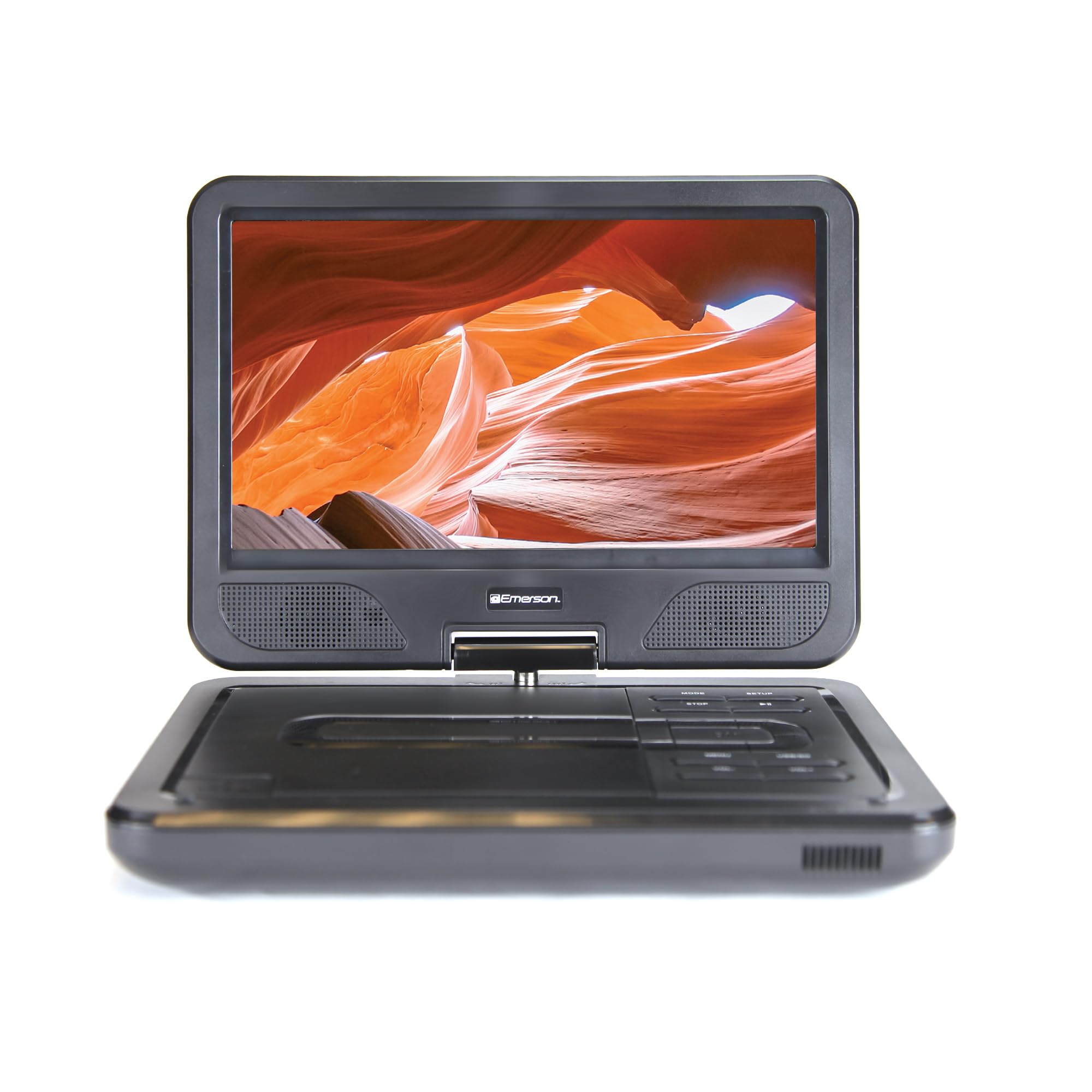
Image: The Emerson EPD-1001 Portable 10-inch DVD Player shown with its screen open, displaying a vibrant image.
Ce este în cutie
Verificați dacă toate articolele sunt prezente în ambalaj:
- Emerson EPD-1001 Portable 10-inch DVD Player
- Telecomanda
- Adaptor de curent alternativ
- DC Car Cord
- Cablu AV
- Manual de utilizare (acest document)
- Card de garanție

Image: The Emerson EPD-1001 Portable 10-inch DVD Player displayed alongside its remote control.
Caracteristicile produsului
- 10-inch Swivel Screen: The large 10-inch screen swivels 180 degrees, allowing for flexible viewunghiuri de ing.
- Difuzor încorporat: Integrated speaker provides clear audio for an immersive experience.
- Baterie reîncărcabilă: Enjoy portable viewing with the built-in rechargeable battery, offering hours of playback.
- Telecomanda: Navigate menus and control playback effortlessly with the included remote.
- Design compact: Lightweight and compact for easy transport during travel.
- Multi-Format Compatibility: Supports a wide range of DVD formats, as well as media from USB flash drives and SD cards.
Video: A 360-degree product overview of the Emerson EPD-1001 Portable DVD Player, showcasinprivind designul și caracteristicile sale din diferite unghiuri.
Înființat
- Despachetarea: Scoateți cu grijă toate componentele din ambalaj. Păstrați ambalajul pentru depozitare sau transport ulterior.
- Încărcarea bateriei: Before first use, fully charge the internal rechargeable battery. Connect the AC power adapter to the DC IN 9-12V port on the DVD player and plug it into a standard wall outlet. The charging indicator light will illuminate. A full charge typically takes several hours.
- Car Power (Optional): For in-car use, connect the DC car cord to the DC IN 9-12V port and plug the other end into your vehicle's 12V accessory socket.
- External Display Connection (Optional): To connect to an external display (e.g., TV), use the provided AV cable. Connect the AV OUT port on the DVD player to the corresponding AV IN ports on your television.

Image: A hand plugging a 12V car adapter into a vehicle's power outlet, demonstrating how to power the DVD player on the go.
Instrucțiuni de operare
Pornire/Oprire
- Pentru a porni, apăsați și mențineți apăsat butonul PUTERE butonul până când ecranul se aprinde.
- Pentru a opri, țineți apăsat butonul PUTERE din nou butonul până când ecranul se stinge.
Inserting and Playing a DVD
- Open the disc cover by gently lifting the DESCHIDE zăvor.
- Place a DVD disc onto the spindle with the label side facing up. Gently press the center of the disc to secure it.
- Închideți capacul discului.
- The player will automatically detect the disc and begin playback. If not, press the REDARE/PAUZĂ buton.
Using the Swivel Screen
The screen can be rotated up to 180 degrees. Gently swivel the screen to your desired viewing angle. You can also fold the screen flat against the base for a tablet-like viewexperiență.

Image: A woman using the Emerson EPD-1001 Portable DVD Player, demonstrating the swivel screen feature for comfortable viewing.
Media Playback (USB/SD Card)
- Introduceți o unitate flash USB în USB un port sau un card SD în CARD SD slot.
- Utilizați MOD button on the player or remote to select the appropriate input (USB or SD).
- Navigați prin media dvs. files using the arrow buttons and press ENTER a juca.

Image: A hand inserting a USB flash drive into the side port of the portable DVD player, illustrating media playback from external storage.
Utilizarea telecomenzii
Point the remote control directly at the infrared sensor on the DVD player. The remote allows access to functions such as Play, Pause, Stop, Fast Forward, Rewind, Chapter Skip, Volume Control, Menu Navigation, and Input Selection.
Ieșire audio
- Boxe încorporate: Audio will play automatically through the integrated speakers. Adjust volume using the VOL+ şi VOL- butoane.
- Jack pentru căști: For private listening, plug standard 3.5mm headphones into the Căști jack. This will mute the built-in speakers.
Întreţinere
- curatenie: Use a soft, dry cloth to clean the exterior of the DVD player. For the screen, use a soft, lint-free cloth specifically designed for electronics screens. Do not use liquid cleaners or abrasive materials.
- Îngrijirea discurilor: Handle discs by their edges. Keep discs clean and free of scratches. Use a soft, lint-free cloth to wipe discs from the center outwards if cleaning is necessary.
- Îngrijirea bateriei: Pentru a prelungi durata de viață a bateriei, evitați descărcarea completă frecventă a acesteia. Dacă depozitați dispozitivul pentru o perioadă lungă de timp, încărcați bateria la aproximativ 50% și depozitați-o într-un loc răcoros și uscat. Reîncărcați-o la fiecare câteva luni pentru a preveni descărcarea completă.
- Depozitare: Store the DVD player in a cool, dry environment away from direct sunlight, extreme temperatures, and excessive dust.
Depanare
| Problemă | Cauza posibila | Soluţie |
|---|---|---|
| Playerul nu pornește. | Bateria este descărcată sau adaptorul de alimentare nu este conectat. | Connect the AC power adapter and allow the battery to charge. Ensure the power button is pressed and held. |
| Nicio imagine pe ecran. | Disc is dirty/scratched, incorrect input selected, or screen is folded incorrectly. | Clean the disc. Ensure the screen is properly opened and swiveled. If connected to an external display, verify AV cable connections and TV input selection. |
| Nici un sunet. | Volume is too low, headphones are connected, or disc has no audio track. | Increase the volume. Disconnect headphones if using built-in speakers. Check disc for audio content. |
| Discul nu se redă sau sare peste rânduri. | Discul este murdar, zgâriat sau formatat incompatibil. | Clean the disc thoroughly. Try a different disc. Ensure the disc format is supported by the player. |
| Telecomanda nu funcționează. | Batteries are dead or remote is not pointed at sensor. | Replace remote control batteries. Ensure direct line of sight to the player's IR sensor. |
Specificații
| Caracteristică | Detaliu |
|---|---|
| Marca | Emerson |
| Numărul de model | EPD-1001 |
| Dimensiunea ecranului | 10 inchi |
| Tip de afișare | LCD |
| Rezoluție nativă | 1280x720 |
| Tehnologia de conectivitate | USB |
| Dispozitive compatibile | Mobile Phone, Television (via AV out) |
| Tip media | DVD, CD, MP3, USB, SD Card |
| Dimensiuni articol (L x l x H) | 10 cm L x 1.8 cm l x 7.35 cm Î |
| Greutatea articolului | 2.2 lire sterline |
| Culoare | Negru |
| Opțiuni de alimentare | Built-in rechargeable battery, AC adapter, 12V car adapter |

Image: A diagram illustrating the dimensions (length, width, height) and weight of the Emerson EPD-1001 Portable DVD Player.
Garanție și suport
The Emerson EPD-1001 Portable 10-inch DVD Player comes with a warranty covering 1 Year for Parts şi 90 Days for Labor de la data cumpărării.
For technical support, warranty claims, or service inquiries, please contact the manufacturer, Naxa Electronics, Inc. Refer to the warranty card included in your product packaging for specific contact details and procedures.
Vă rugăm să păstrați dovada achiziției pentru validarea garanției.