
Aune YUKI
Aune Yuki Portable DAC with Headphone AmpManual de utilizare mai viu
Model: YUKI | Brand: Aune
Introducere
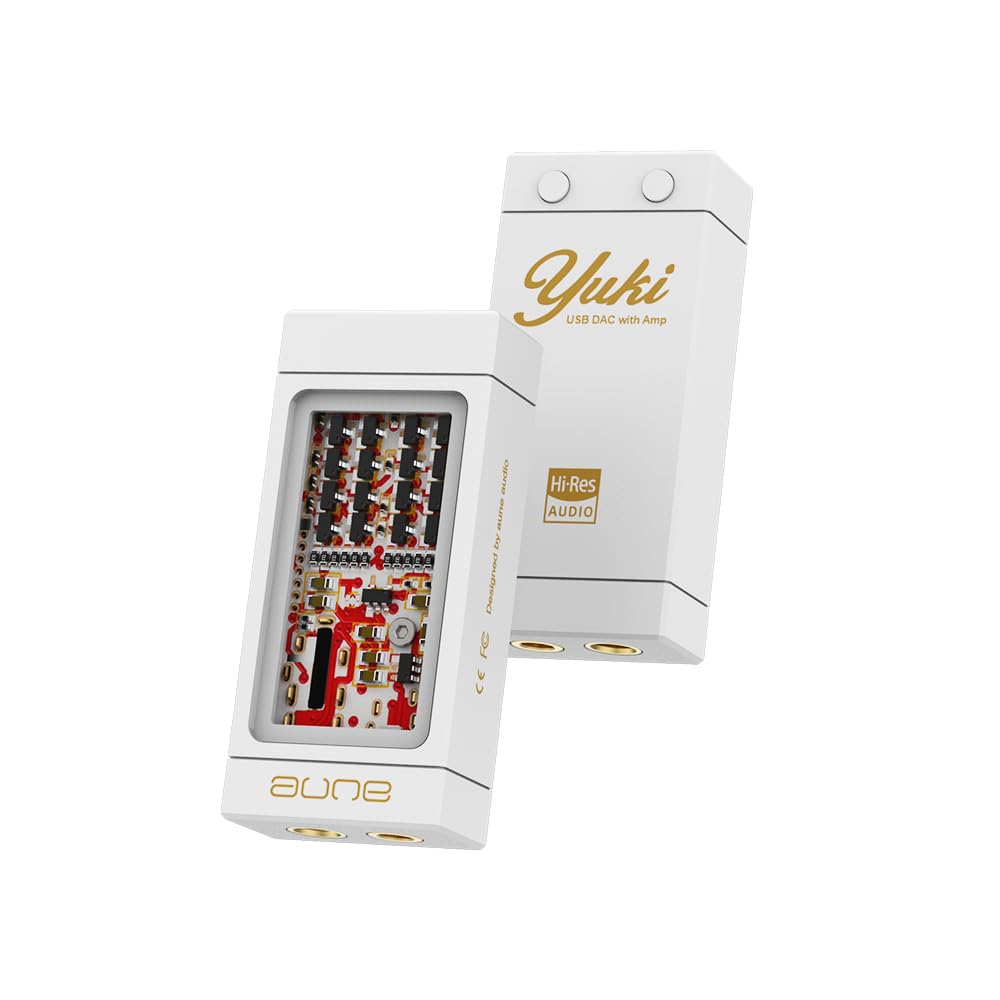
The Aune Yuki is a portable Digital-to-Analog Converter (DAC) with an integrated headphone amplifier, designed to enhance the audio experience for smartphones, PCs, and laptops. It features a unique dual-layer structure, separating the DAC and amplifier circuits for optimal sound quality. With support for high-resolution audio up to 32bit/768kHz and DSD256, and both 3.5mm and 4.4mm outputs, the Yuki aims to deliver a high-fidelity listening experience.
Caracteristici cheie
- Innovative Dual-Layer Structure: DAC și amplifier circuits are completely separated to ensure true high-fidelity audio reproduction.
- Căști discrete Ampmai în viață: Features a discrete headphone amp board with a ±5V power supply and 16 transistors for powerful 4-way amplificare.
- Dual DAC Chip: Equipped with dual CS43198 DAC chips, providing independent channels for improved dynamics and separation.
- Suport audio de înaltă rezoluție: Supports audio up to 32bit/768kHz and DSD256 when connected to a computer.
- Ieșiri versatile: Includes balanced 4.4mm and single-ended 3.5mm headphone outputs, compatible with various earphones and IEMs.
- Ceramic Substrate: Utilizes a ceramic substrate for excellent thermal conductivity, high electrical insulation, and resistance to high temperatures, contributing to stable sound quality.
- High-Spec Aesthetic Tuning: Engineered for low noise (2.9 μV) and low THD+N (0.00033% @1kHz), tuned for natural and musical sound.
- Design estetic: Features an all-aluminum alloy structure with a fine baked painting finish and a glass window, combining art and technology.

Figure 1: Illustration of the Aune Yuki's dual DAC chip architecture with independent channels.

Figure 2: Visual representation of the ±5V boost converter for the headphone amp and the hybrid ceramic PCB for improved high frequencies.
Ghid de instalare
1. Connecting to a Smartphone/Tablet
- Connect one end of the provided USB-C to USB-C cable to the Aune Yuki.
- Connect the other end of the USB-C cable to your smartphone or tablet's USB-C port.
- Plug your headphones or earphones into either the 3.5mm or 4.4mm output jack on the Yuki.
- Ensure your music application is configured to use the external DAC. Some apps may require enabling a "USB exclusive mode" in their settings.

Figure 3: Aune Yuki connected to a smartphone, transforming it into a high-resolution audio player.
2. Connecting to a PC/Laptop
- Connect one end of the provided USB-C to USB-C cable to the Aune Yuki.
- If your PC/laptop has a USB-A port, attach the USB-A to USB-C adapter to the USB-C cable, then connect to your computer. If your PC/laptop has a USB-C port, connect the cable directly.
- Plug your headphones or earphones into either the 3.5mm or 4.4mm output jack on the Yuki.
- Your computer should automatically recognize the Aune Yuki as an audio output device. Select it in your system's sound settings.

Figure 4: Aune Yuki connected to a laptop, enabling high-resolution audio playback up to 32bit/768kHz DSD256.
Instrucțiuni de operare
Controlul volumului
The Aune Yuki features two buttons on its back for volume adjustment. The button with the dot is for Volume Up, and the other button is for Volume Down. These buttons control the device's internal volume.
Changing Gain Level
To switch between high gain and low gain modes, press and hold both Volume Up and Volume Down buttons simultaneously for 2 seconds. You will notice a change in volume, indicating the gain level has been adjusted. High gain is suitable for harder-to-drive headphones, while low gain is ideal for sensitive IEMs.
UAC1.0 Device Compatibility (e.g., Nintendo Switch)
For devices that support UAC1.0 (such as the Nintendo Switch), please hold down the Volume Up button on the Yuki and do not release it until the two devices are connected by cable and the Yuki is powered on. This ensures proper recognition and functionality.
Video 1: Demonstrates volume control and gain level adjustment on the Aune Yuki, along with UAC1.0 device connection instructions. This video is provided by Wuhan Aune Acoustics Co.,Ltd.
Întreţinere
- Păstrați dispozitivul curat ștergându-l cu o cârpă moale și uscată. Evitați utilizarea substanțelor chimice dure sau a materialelor abrazive.
- Store the Aune Yuki in a cool, dry place away from direct sunlight and extreme temperatures.
- Evitați expunerea dispozitivului la apă sau umiditate excesivă.
- Handle the USB-C cable and connectors with care to prevent damage.
Depanare
Fără ieșire de sunet
- Verificați conexiunile: Ensure all cables (USB-C and headphone) are securely connected to both the Aune Yuki and your source device.
- Verify Source Device Output: On your smartphone or PC, confirm that the Aune Yuki is selected as the primary audio output device.
- Reglați volumul: Increase the volume on both the Aune Yuki and your source device.
- Test with Different Device/Headphones: Try connecting the Yuki to a different source device or using different headphones to isolate the issue.
- USB Exclusive Mode: If using a music app, check if it requires "USB exclusive mode" and enable it if necessary.
Perceived Electrical Noise During Playback
- Enable USB Exclusive Mode: In your music app, enable USB exclusive mode.
- Test with Different Device: Try connecting the Yuki to a different smartphone or PC to check if the noise persists.
- Turn off Dolby Sound Enhancement: Disable any Dolby sound enhancement modes in your phone settings.
- Add Impedance Adapter: Consider adding an impedance adapter between the headphone jack and the device's headphone output port.
Specificații
| USB Input Max Bit Depth: | 32 biți |
| Max SampRată ling: | 768 kHz |
| Max DSD Rate (Native): | DSD512 |
| Single-Ended 3.5mm Output: | |
| Nivel de ieșire: | 2.0Vrms |
| Nivelul de zgomot: | 2.6μV |
| THD+N: | 0.00036% @1kHz |
| Putere de iesire: | 90mW@30Ω |
| Balanced 4.4mm Output: | |
| Nivel de ieșire: | 4.0Vrms |
| Nivelul de zgomot: | 2.9μV |
| THD+N: | 0.00033% @1kHz |
| Putere de iesire: | 160mW@30Ω |
| Dimensiuni: | 53.5*24*13 (mm) |
| Dimensiuni produs: | 4.02 x 3.98 x 0.1 inci; 4.16 uncii |
| Tip interfață: | USB |
| Volumul maxim de alimentaretage: | 5 volți |

Figure 5: Detailed specifications and port layout of the Aune Yuki.
Ce este în cutie
- Aune Yuki Portable DAC with Headphone Amp
- Cablu USB-C la USB-C
- Adaptor USB-A la USB-C
Garanție și suport
For warranty information and technical support, please refer to the official Aune website-ul lor web sau contactați direct serviciul lor de asistență pentru clienți. Păstrați bonul fiscal pentru reclamații în garanție.
Ask a question about this manual
Ask about setup, troubleshooting, compatibility, parts, safety, or missing instructions. Manuals+ will review the question and use this page’s manual context to help answer it.