
BSP-Y02
Manual de utilizare a stick-ului arcade wireless Y02
Model: BSP-Y02
Introducere
Thank you for choosing the Y02 Wireless Arcade Stick. This manual provides detailed instructions on how to set up, operate, and maintain your device. Designed for a wide range of gaming platforms, the Y02 offers a classic arcade experience with modern features like multi-platform compatibility, TURBO function, and macro programming. Please read this manual thoroughly before use to ensure optimal performance and longevity of your arcade stick.
Produs terminatview
The Y02 Wireless Arcade Stick is a versatile gaming controller featuring a classic arcade layout with a joystick and multiple action buttons. It supports various connection methods and is compatible with numerous gaming platforms.
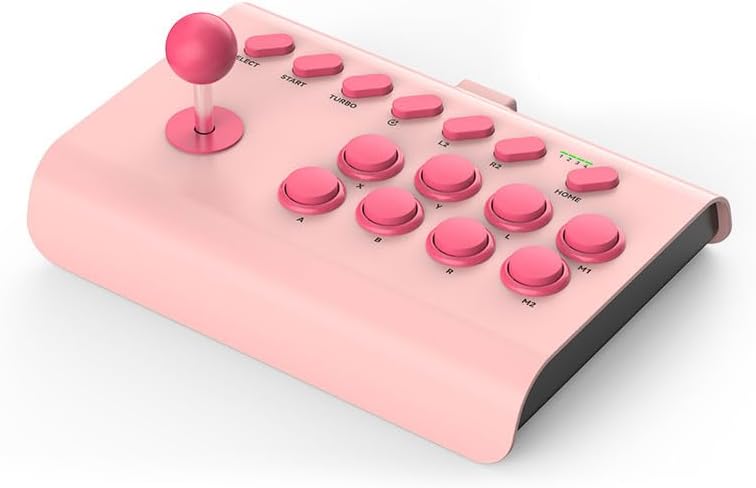
Image: The Y02 Wireless Arcade Stick in a pink color, showcasing its joystick and button layout.
Caracteristici cheie:
- Compatibilitate cu mai multe platforme: Supports PS4, Nintendo Switch, PC, Android phones, iOS phones, and TV set-top boxes.
- Trei moduri de conectare: Offers wired (USB-C), Bluetooth wireless, and 2.4G wireless connectivity for flexible gaming.
- Funcția TURBO: Enables one-key automatic continuous shooting and continuous attack with adjustable burst speeds (Low, Mid, High).
- Programare macro: Allows for custom one-key combo configurations for advanced gameplay.
- Baterie încorporată: Equipped with a 600 mAh high-capacity battery for extended play sessions.
- Design ergonomic: Features a conventional arcade design with standardized, sensitive, and precise professional combat buttons.
- Suport pentru telefon integrat: Includes an extensible stand that supports phones with a width of 48-91 mm.

Image: Visual representation of the Y02 Arcade Stick's multi-platform compatibility, including icons for PS4/PS3, Switch, Computer, Set-top box, Android, and iOS MFI.

Image: Diagram illustrating the three available connection modes: Wired (USB icon), Bluetooth Wireless (Bluetooth icon), and 2.4G Wireless (Wi-Fi icon).
Înființat
Continutul pachetului:
- 1 x Y02 Wireless Arcade Stick
- 1 x suport de telefon
- Cablu de încărcare 1 x USB-C
- 1 x Manual de utilizare
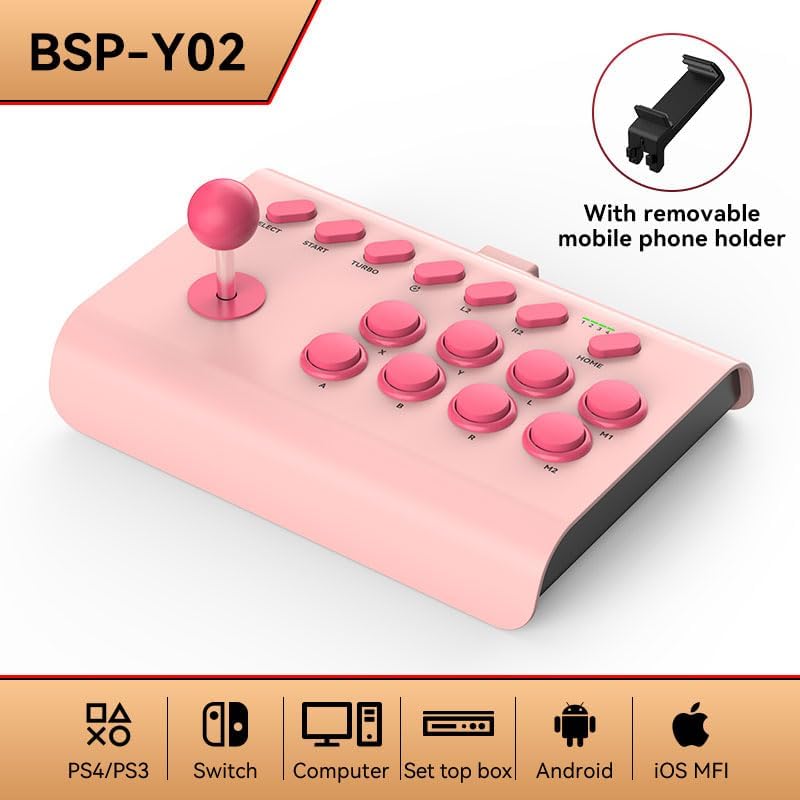
Image: The Y02 Wireless Arcade Stick shown with its included removable mobile phone holder, highlighting the accessory.
Încărcarea dispozitivului:
Before first use, fully charge the arcade stick. Connect the included USB-C charging cable to the TYPE-C port on the device and the other end to a USB power source (e.g., computer, wall adapter). The charging indicator will show the charging status. A full charge takes approximately 2 hours.
Connecting to Platforms:
The Y02 Arcade Stick supports three connection methods:
- Conexiune prin cablu:
Connect the USB-C cable from the arcade stick directly to your PC, PS4, Switch dock, or set-top box. The device should be recognized automatically.
- Conexiune wireless Bluetooth:
- Ensure the arcade stick is powered on.
- On your device (e.g., Android phone, iOS phone, PC with Bluetooth), go to Bluetooth settings and search for new devices.
- Select "Y02 Arcade Stick" or similar from the list of available devices to pair.
- Once paired, the connection indicator on the arcade stick will stabilize.
- Conexiune wireless 2.4G:
(Note: A 2.4G USB dongle is typically required for this mode, usually included with the product if supported. Please check your package contents.)
- Plug the 2.4G USB dongle into an available USB port on your PC, PS4, Switch dock, or set-top box.
- Power on the arcade stick. It should automatically connect to the dongle.
Instrucțiuni de operare
Controale de bază:
The Y02 Arcade Stick features a standard arcade layout:
- joystick: Pentru mișcare direcțională.
- Action Buttons (A, B, X, Y, L, R, L2, R2, M1, M2): Pentru acțiuni în joc.
- Butoane SELECTARE/START: For game menus and pausing.
- Butonul HOME: For system-level functions (e.g., returning to console home screen).
Funcția TURBO:
Funcția TURBO permite apăsarea rapidă și continuă a unui buton.
- Activate TURBO: Press and hold the desired action button, then press the TURBO button. The button will now continuously register presses as long as it's held down.
- Reglați viteza TURBO: În timp ce ține TURBO button, move the joystick UP or JOS to cycle through burst speeds:
- Low Gear: 8 times per second
- Mid Range: 15 times per second
- High Gear: 25 times per second
- Deactivate TURBO: Press and hold the TURBO-enabled action button, then press the TURBO butonul din nou.
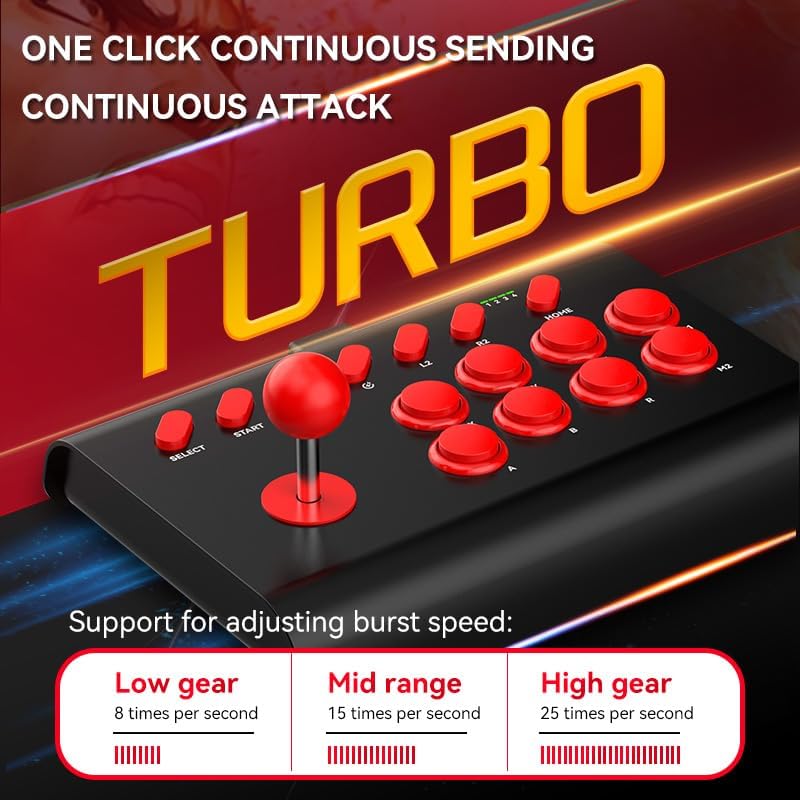
Image: The Y02 Arcade Stick highlighting the TURBO function and its adjustable burst speeds: Low (8/sec), Mid (15/sec), and High (25/sec).
Programare macro:
The Y02 supports macro configurations for one-key combos. Specific instructions for macro programming are typically detailed in the included user manual. Generally, this involves entering a programming mode, inputting a sequence of button presses, and then assigning that sequence to a specific macro button (M1 or M2).
Utilizarea suportului pentru telefon:
Attach the provided phone holder to the designated slot on the arcade stick. Extend the holder to securely grip your smartphone (48-91mm width) for mobile gaming.
Întreţinere
- curatenie: Use a soft, dry cloth to wipe the surface of the arcade stick. Do not use harsh chemicals or abrasive cleaners.
- Depozitare: Depozitați dispozitivul într-un loc răcoros și uscat, ferit de lumina directă a soarelui și de temperaturi extreme.
- Îngrijirea bateriei: Pentru a prelungi durata de viață a bateriei, evitați descărcarea completă frecventă a bateriei. Încărcați dispozitivul în mod regulat, chiar dacă nu îl utilizați pentru perioade lungi de timp.
- Evitați impactul: Do not drop or subject the arcade stick to strong impacts, as this may damage internal components.
Depanare
| Problemă | Cauză/Soluție posibilă |
|---|---|
| Dispozitivul nu pornește. | Battery is low or depleted. Charge the device for at least 30 minutes. |
| Nu se poate conecta prin Bluetooth. |
|
| Buttons or joystick are unresponsive. |
|
| TURBO function not working. | Ensure you are pressing the correct button combination to activate/deactivate TURBO. Refer to the "Operating Instructions" section. |
Specificații
| Numele modelului | Y02 Wireless Arcade Stick with Stand |
| Numărul de model | BSP-Y02 |
| Material | ABS |
| Tip de interfață | TIP-C |
| Dimensiuni (L x l x H) | 283 x 198 x 116 mm |
| Metode de conectare | Wired, Bluetooth Wireless, 2.4G Wireless |
| Vibrație | Fara vibratii |
| Capacitatea bateriei | 600 mAh (încorporat) |
| Timp de încărcare | Aproximativ. 2 ore |
| Durata de viață a bateriei | Aproximativ. 15 ore |
| Platforme compatibile | PC, iOS, Android, PS3/PS4, Nintendo Switch, Set-top Boxes |
| Phone Holder Width Support | 48-91 mm |
Garanție și suport
This product comes with a standard manufacturer's warranty. Please refer to the warranty card included in your package for specific terms and conditions. For technical support, troubleshooting assistance, or warranty claims, please contact the retailer or manufacturer directly using the contact information provided with your purchase.
For the latest information and support, please visit the official product website (if available) or contact customer service.
Ask a question about this manual
Ask about setup, troubleshooting, compatibility, parts, safety, or missing instructions. Manuals+ will review the question and use this page’s manual context to help answer it.