
1. Introducere
This manual provides detailed instructions for the installation, operation, and maintenance of your addlon 52 Inch Smart Ceiling Fan with Light. Please read this manual thoroughly before installation and use to ensure safe and efficient operation. Keep this manual for future reference.
2. Informații de siguranță
Respectați întotdeauna măsurile de siguranță de bază la instalarea și utilizarea aparatelor electrice pentru a reduce riscul de incendiu, electrocutare și vătămare corporală.
- Asigurați-vă că alimentarea este oprită de la întrerupătorul de circuit înainte de instalare sau service.
- Toate instalațiile electrice trebuie să fie în conformitate cu codurile electrice naționale și locale.
- Consultați un electrician calificat dacă nu sunteți sigur de procedurile de cablare.
- The mounting structure must be capable of supporting the weight of the fan (refer to specifications).
- Nu lăsați mâinile, hainele și alte obiecte să ajungă la palele ventilatorului atunci când acesta funcționează.
- Nu utilizați acest ventilator cu un dispozitiv de control al vitezei în stare solidă.
3. Conținutul pachetului
Verificați dacă toate componentele enumerate mai jos sunt incluse în pachet:
- Smart Ceiling Fan Unit
- Trusă de lumină
- Telecomanda
- Hardware de montare
- Downrods (various lengths may be included)
- Manual de instructiuni
4. Specificații
| Caracteristică | Detaliu |
|---|---|
| Marca | addlon |
| Numărul de model | KDM52ABS01S1 |
| Dimensiunile produsului | 52" D x 52" L x 19.68" H |
| Culoare | Negru |
| Material | Acrylonitrile Butadiene Styrene (Plastic Blades) |
| Tip motor | Motor de curent continuu reversibil |
| Numărul de lame | 3 |
| Numărul de viteze | 6 |
| Tip de lumină | LED, 3CCT Dimmable (3000K, 4000K, 6000K) |
| Wattage | 45 wați |
| Capacitatea fluxului de aer | 5273 de picioare cubi pe minut |
| Voltage | 120 volți |
| Metode de control | Remote Control, App Control (Joinin home/Smartlife/Tuya Smart), Voice Control (Alexa/Google Home) |
| Utilizare în interior/exterior | Indoor, Outdoor (avoid direct rain) |
| Nivel de zgomot | Low to 35dB |
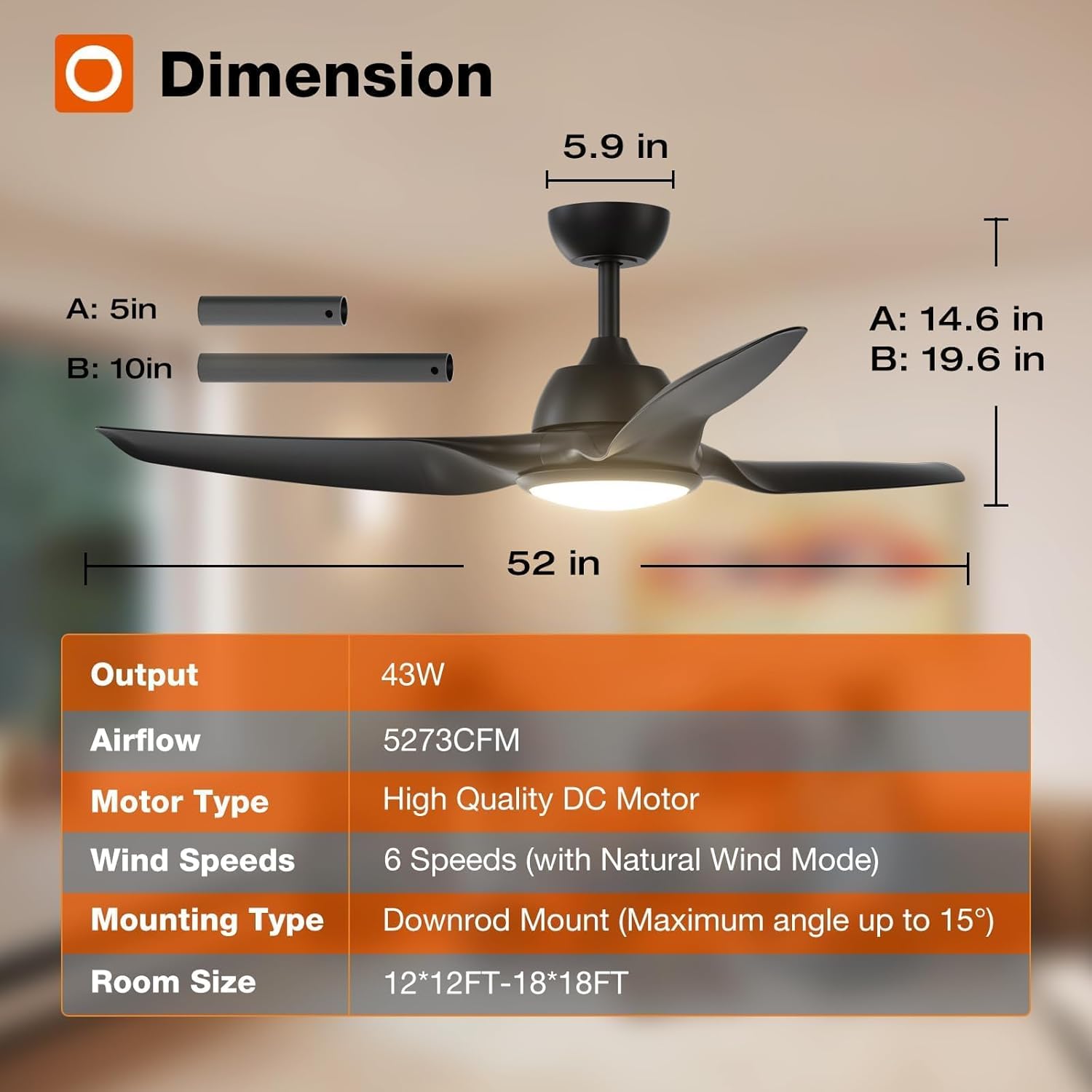
Figure 4.1: Fan Dimensions and Key Specifications
5. Instalare
The addlon 52 Inch Smart Ceiling Fan is designed for straightforward installation. Detailed instructions and diagrams are provided in the included installation guide. Ensure you have the necessary tools and follow all safety guidelines.
- Preinstalare: Turn off power at the circuit breaker. Read the entire installation manual before beginning.
- Montare: Securely attach the mounting bracket to a ceiling joist or an outlet box rated for fan support.
- Cablaj: Connect the fan's electrical wires to the household wiring according to the provided wiring diagram.
- Asamblare: Attach the fan body, blades, and light kit as instructed.
- Conexiune la aplicație: For smart features, ensure your Wi-Fi network is on the 2.4Ghz band for initial app connection.
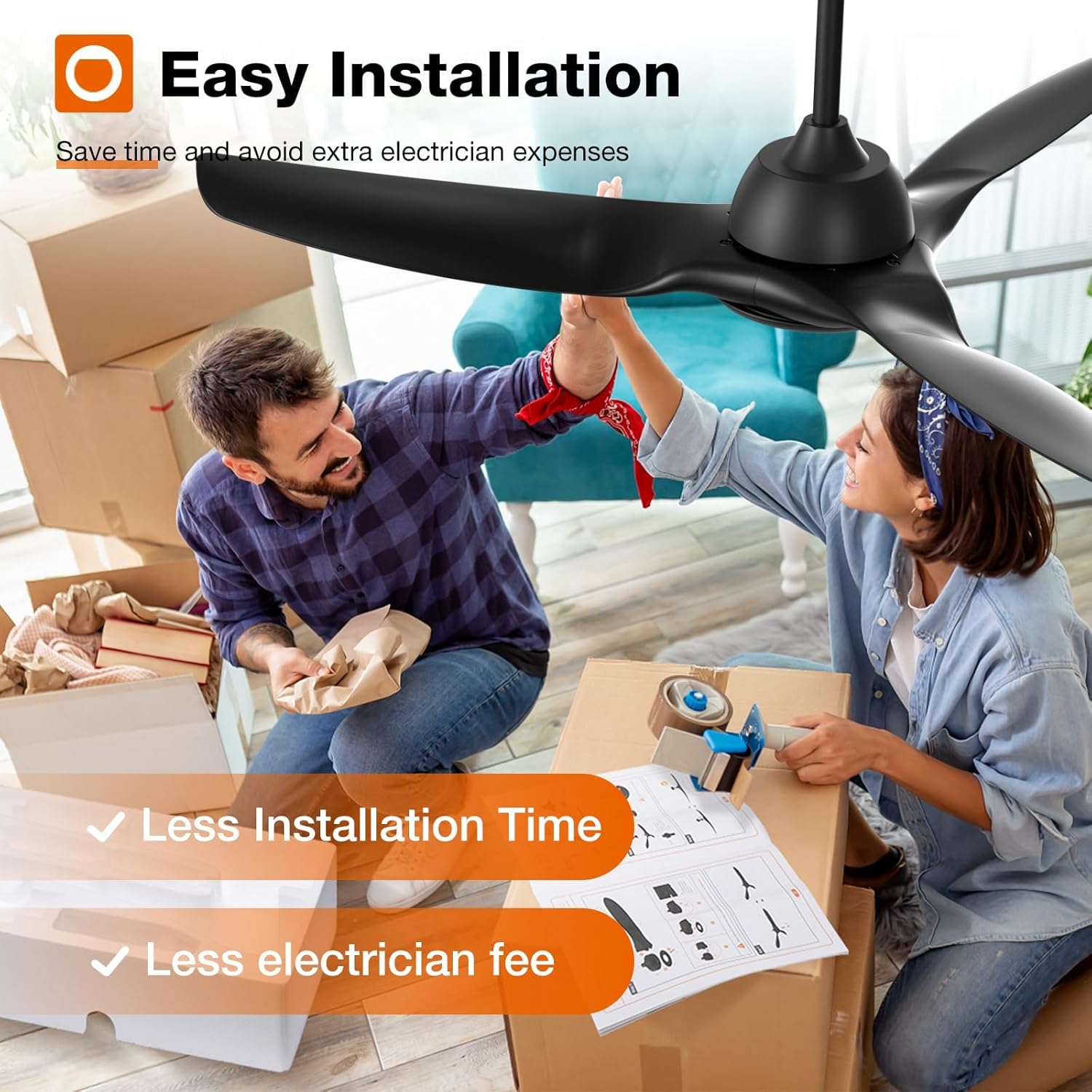
Figure 5.1: Easy Installation Process

Figure 5.2: DC Motor Design

Figure 5.3: Fan Blade Design

Figure 5.4: Downrod Mounting Options
6. Funcționare
Your addlon smart ceiling fan offers multiple control methods and features for optimal comfort.
6.1 Metode de control
- Telecomanda: Use the included remote to adjust fan speed, light settings, and set timers.
- Controlul aplicației: Download the Joinin Home, Smart Life, or Tuya Smart app to control the fan from your smartphone.
- Control vocal: Integrează-te cu Alexa sau Google Home pentru operare hands-free.

Figura 6.1: Interfața de control a aplicației

Figura 6.2: Funcționarea telecomenzii
6.2 Reglarea vitezei ventilatorului
The fan features 6 adjustable speeds, including a natural wind mode, to suit various comfort levels.
- Niveluri 1-2: Low, comfortable wind for sleeping or gentle ventilation.
- Niveluri 3-4: Medium, natural wind for daily use.
- Niveluri 5-6: High, cooling wind for exercise or hot weather.
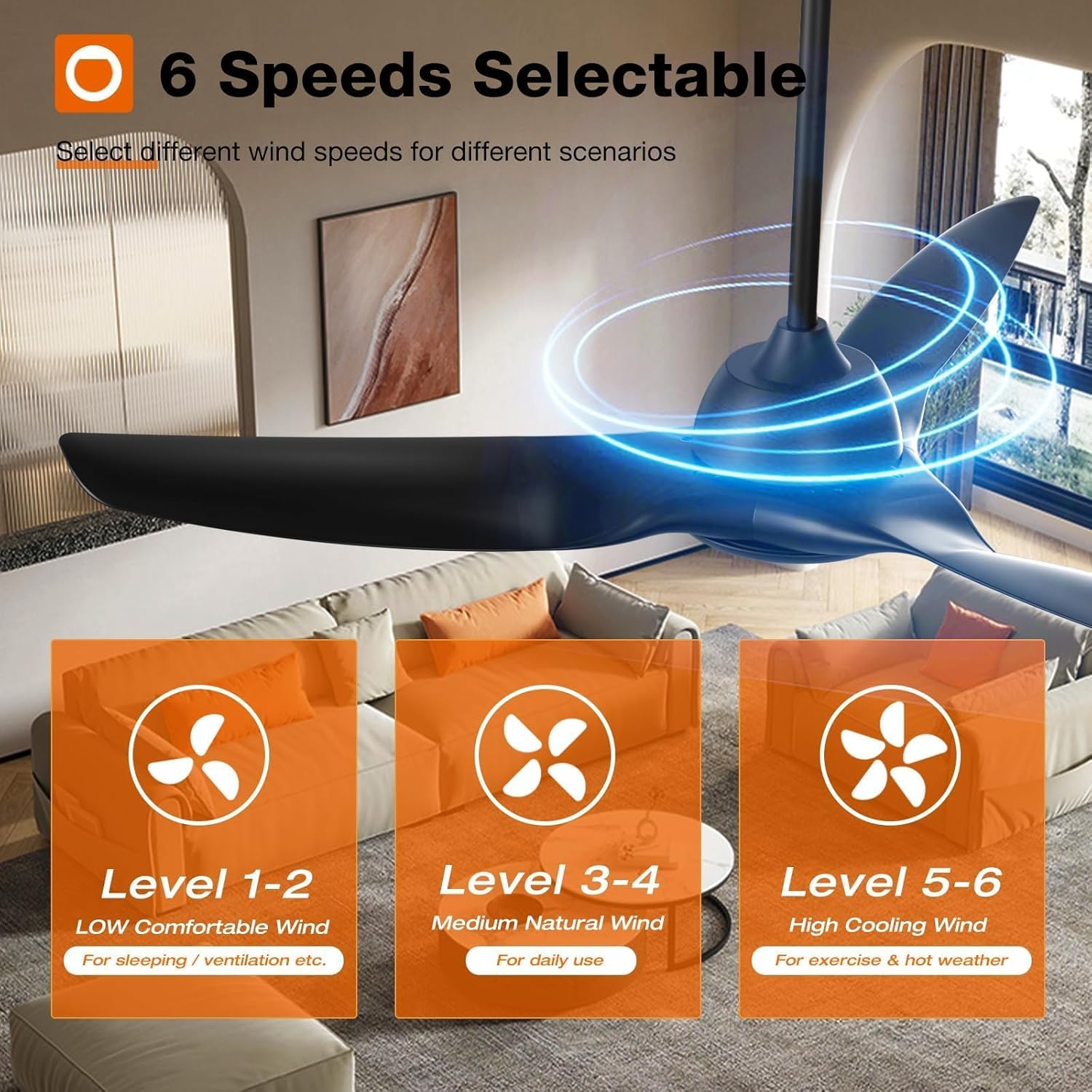
Figure 6.3: Fan Speed Settings

Figure 6.4: Visual Representation of Fan Speeds
6.3 Light Control (CCT & Dimming)
The integrated LED light is dimmable (10%-100%) and offers three color temperature options:
- 3000K: Alb Cald
- 4000K: Alb natural
- 6000K: Alb Rece

Figure 6.5: Customizable Light Temperatures

Figure 6.6: Light Color Temperature and Brightness Range
6.4 Motor de curent continuu reversibil
The reversible DC motor allows for year-round use, improving air circulation to keep you comfortable in both summer and winter.
- Mod vară: Blades rotate counter-clockwise to create a downward airflow, providing a cooling effect.
- Modul de iarnă: Blades rotate clockwise to create an upward airflow, recirculating warm air trapped near the ceiling.

Figure 6.7: Reversible Motor Function (Summer/Winter)

Figure 6.8: Seasonal Airflow Direction
6.5 Funcția de cronometru
Set the fan to automatically turn off after a specified period (2 or 4 hours) for convenience, especially during sleep.

Figura 6.9: Setări temporizator
6.6 Funcționare silențioasă
The fan operates at a low noise level, approximately 35dB, ensuring a quiet environment.
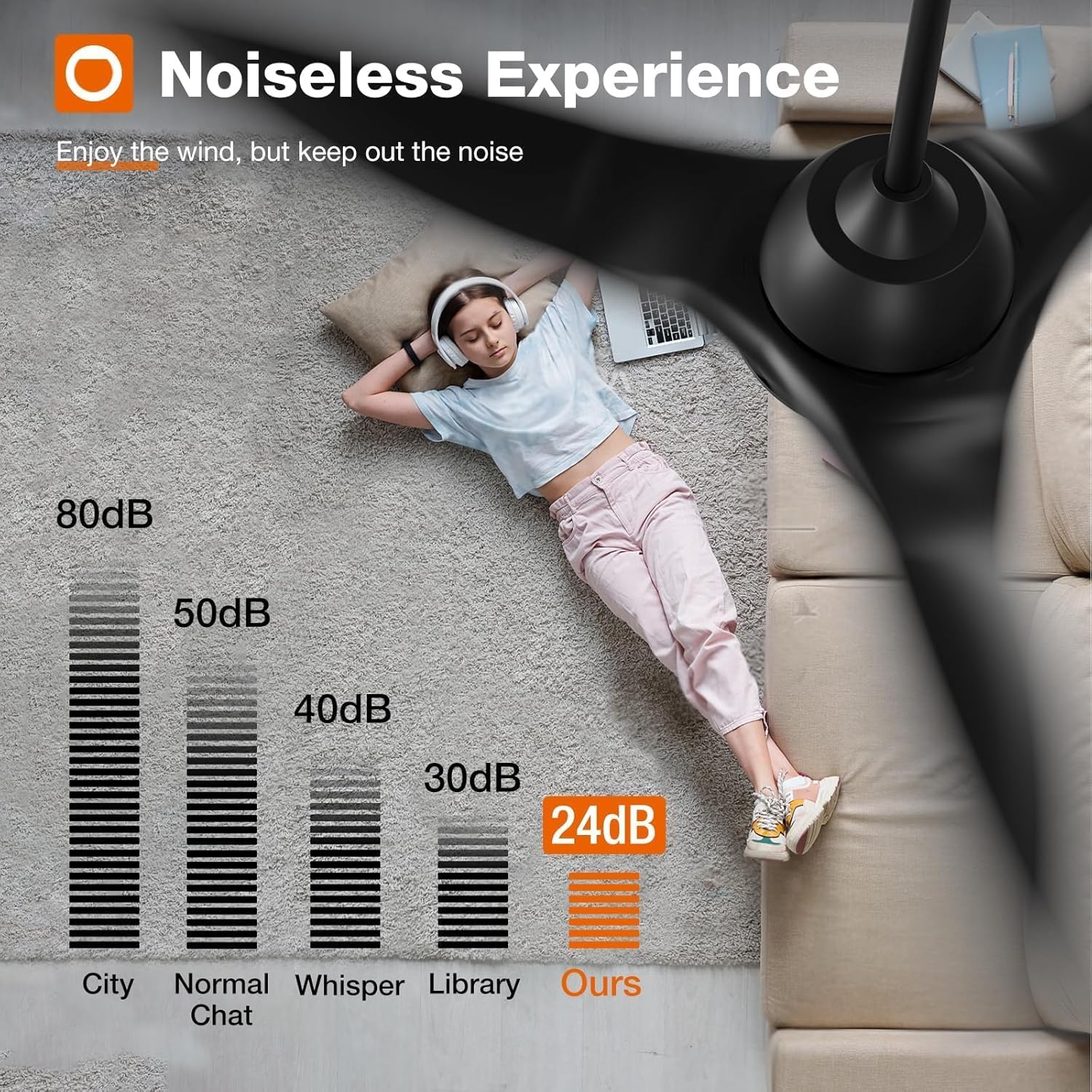
Figura 6.10: Comparație a nivelului de zgomot
7. Îngrijire și întreținere
Regular care and maintenance will prolong the life and performance of your ceiling fan.
- curatenie: Curățați periodic palele ventilatorului și carcasa motorului cu o lavetă moale,amp pânză. Nu utilizați agenți de curățare abrazivi sau solvenți.
- Inspecţie: Check all connections and mounting hardware annually to ensure they are secure.
- Lubrifiere: Motorul ventilatorului este lubrifiat permanent și nu necesită ungere suplimentară.
8. Depanare
Dacă întâmpinați probleme cu ventilatorul, consultați următorii pași comuni de depanare:
- Ventilatorul nu pornește: Check power supply, ensure all wiring connections are secure, and verify remote control battery.
- Lumina nu funcționează: Check light kit wiring, ensure light is turned on via remote/app, and verify dimming settings.
- Voblare excesivă: Ensure all blade screws are tightened, check blade balance, and verify mounting bracket is securely installed.
- Remote/App/Voice Control Issues: Ensure the fan is properly paired with the remote/app. For app control, confirm your Wi-Fi is 2.4Ghz and the fan is within range. For voice control, ensure proper integration with Alexa/Google Home.
Pentru asistență suplimentară, vă rugăm să contactați serviciul de asistență pentru clienți.
9. Garanție și asistență
addlon stands behind the quality of its products.
- Garanția motorului: Up to 120 months (10 years) warranty on the motor.
- Garanție pentru alte piese: 2 years warranty on all other fan components.
- Asistență clienți: 24-hour customer support is available to assist with any questions during installation or use.
Please contact addlon customer support for warranty claims or technical assistance.