
Introducere
Mulțumesc pentru achizițieasing the SNAKEBYTE GAMEPAD RGB X SB922312 wired controller. This manual provides essential information for setting up, operating, and maintaining your new gaming controller. Please read this manual thoroughly before use to ensure optimal performance and longevity of your device.

Faţă view of the SNAKEBYTE GAMEPAD RGB X SB922312 wired controller, showcasindesignul său ergonomic și dispunerea butoanelor.
Conținutul pachetului
Verificați dacă toate articolele sunt prezente în colet:
- SNAKEBYTE GAMEPAD RGB X SB922312 Wired Controller
- USB-C Cable (3 meters)
- Manual de utilizare (acest document)
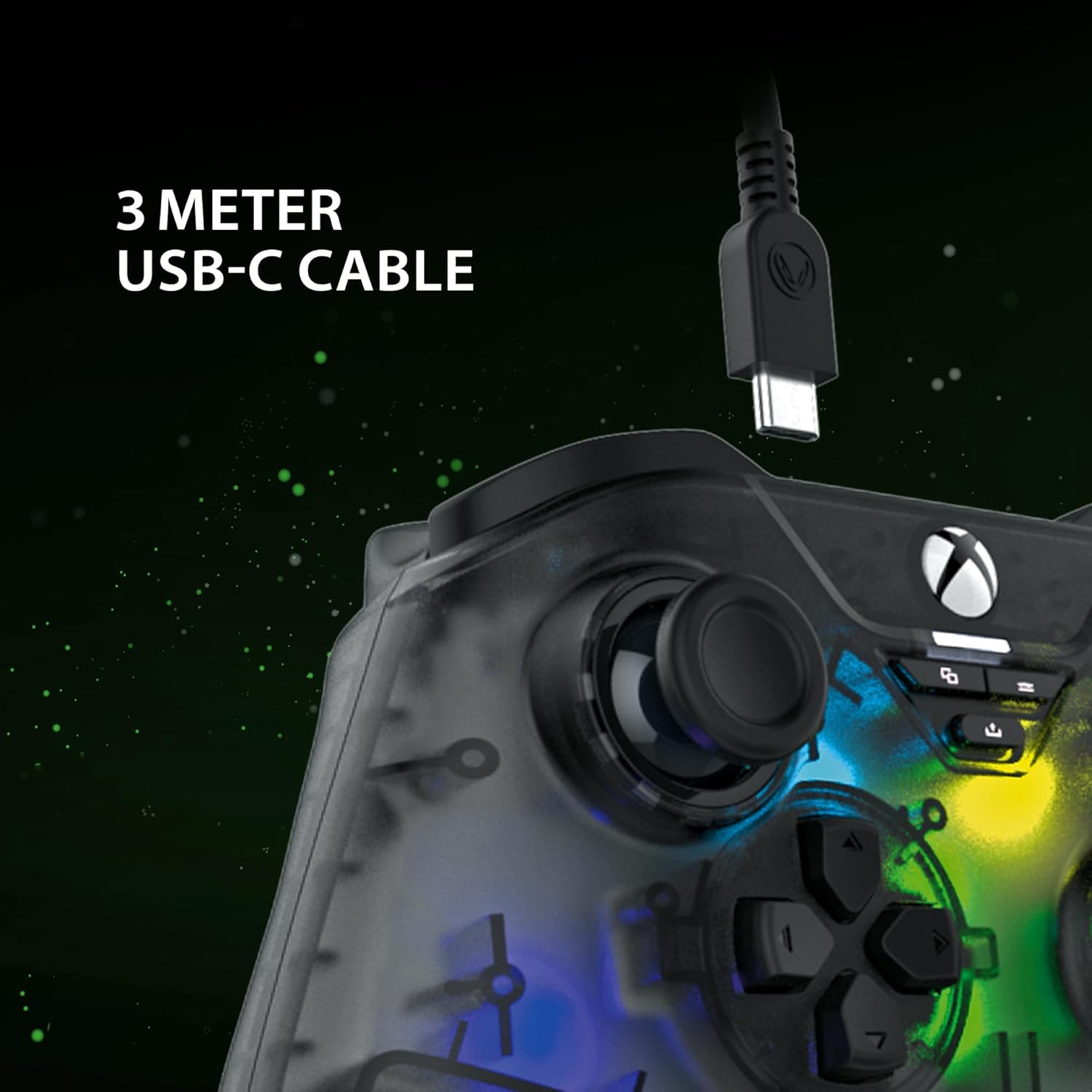
The included 3-meter USB-C cable for connecting the controller to your device.
Instrucțiuni de configurare
- Connect to Xbox Series X:
- Plug the USB-C end of the cable into the controller.
- Plug the USB-A end of the cable into an available USB port on your Xbox Series X console.
- The controller will automatically connect and be ready for use.
- Conectați-vă la PC:
- Plug the USB-C end of the cable into the controller.
- Plug the USB-A end of the cable into an available USB port on your PC.
- Your PC should automatically detect and install the necessary drivers. If not, please visit the SNAKEBYTE support website pentru descărcări de drivere.
- The controller is compatible with Windows operating systems.
Instrucțiuni de operare
Dispunerea butoanelor și funcții
The controller features a standard Xbox-style button layout. Familiarize yourself with the following components:
- Manete analogice: Două stick-uri analogice pe care se poate face clic pentru mișcare precisă și control al camerei.
- D-pad: Directional pad for menu navigation and specific game inputs.
- Butoane de acțiune (A, B, X, Y): Standard action buttons for in-game commands.
- Shoulder Buttons (LB, RB): Located on the top edge for quick actions.
- Triggers (LT, RT): Analog triggers for variable input, such as acceleration or aiming.
- View Buton: Access in-game maps or menus.
- Buton de meniu: Access game menus or system options.
- Butonul Xbox: Power on/off the console or access the Xbox Guide.
- Butonul de distribuire: Capture screenshots or record game clips.
- Mufă pentru căști de 3.5 mm: Connect a compatible headset for audio and chat.

The 3.5mm headset jack located at the bottom of the controller for audio connectivity.
Controlul iluminării RGB
The controller features customizable RGB lighting. Specific buttons or combinations of buttons can be used to cycle through different static and dynamic color modes. Refer to the controller's dedicated RGB control button (if present) or the manufacturer's software for detailed customization options.

The controller displaying its customizable RGB lighting effects.
Caracteristici cheie
- Senzori cu efect Hall: The analog sticks and triggers utilize Hall Effect sensors, which provide precise input and reduce wear, minimizing stick drift over time.
- Iluminare RGB personalizabilă: Personalize your gaming experience with multiple static and dynamic RGB color modes.
- Conectivitate prin cablu: Ensures a stable, low-latency connection for competitive gaming.
- Mufă pentru căști de 3.5 mm: Conveniently connect your gaming headset directly to the controller.
- High Polling Rate (PC): Offers a 1000 Hz polling rate on PC for ultra-responsive input.

An illustration of the Hall Effect sensor technology used in the analog sticks for enhanced precision and durability.

The Hall Effect triggers, designed for responsive and accurate input.
Întreţinere
Proper maintenance ensures the longevity of your controller:
- curatenie: Folosiți o lavetă moale și uscată pentru a șterge controlerul. Pentru murdăria persistentă, ștergeți ușor.ampClătiți cârpa cu apă. Evitați substanțele chimice dure sau materialele abrazive.
- Depozitare: Depozitați controlerul într-un loc răcoros și uscat, ferit de lumina directă a soarelui și de temperaturi extreme.
- Îngrijirea cablului: Avoid bending or twisting the USB-C cable excessively. Always grasp the plug, not the cable, when disconnecting.
Depanare
| Problemă | Soluţie |
|---|---|
| Controlerul nu este recunoscut de Xbox/PC. |
|
| Buttons or analog sticks are unresponsive. |
|
| Headset audio not working. |
|
Specificații
| Caracteristică | Detaliu |
|---|---|
| Numărul de model | SB922312 |
| Conectivitate | Wired USB (USB-C to USB-A cable) |
| Lungimea cablului | 3 metri |
| Compatibilitate | Xbox Series X, PC (Windows) |
| Caracteristici speciale | RGB Lighting, Hall Effect Sensors (sticks & triggers), 3.5mm Headset Jack |
| Rată de sondare (PC) | 1000 Hz |
| Numărul de butoane | 17 |
| Dimensiuni | 10 x 5 x 1.27 cm |
| Greutate | 250 g |
| Tip material | Acril |
Videoclip oficial al produsului
Acest videoclip oferă o imagine de 360 de grade view of the SNAKEBYTE GAMEPAD RGB X SB922312 controller, showcasinprivind designul său din toate unghiurile.
Garanție și suport
For warranty information, technical support, or further assistance, please visit the official SNAKEBYTE website-ul lor web sau contactați serviciul lor de asistență pentru clienți. Păstrați dovada achiziției pentru solicitările de garanție.
Producător: SNAKEBYTE
Website: www.snakebyte.com (Examplinkul, linkul real poate varia)