
1. Introducere
Thank you for choosing the FLEXISPOT L-Shaped Electric Standing Desk. This manual provides essential information for the safe assembly, operation, and maintenance of your new desk. Please read these instructions carefully before use and retain them for future reference. This desk is designed to provide a versatile and ergonomic workspace, allowing seamless transitions between sitting and standing positions.
2. Instrucțiuni de siguranță
Pentru a asigura o funcționare în siguranță și a preveni vătămările corporale sau deteriorarea, vă rugăm să respectați următoarele instrucțiuni de siguranță:
- Asigurați-vă că toate componentele sunt bine fixate înainte de utilizare.
- Țineți copiii și animalele de companie departe de birou în timpul funcționării.
- Do not place hands or other body parts near moving parts of the desk frame.
- Avoid overloading the desk. The maximum load capacity is 80 kg.
- Nu stați și nu stați în picioare pe birou.
- Only use the desk indoors in a dry environment.
- Deconectați alimentarea înainte de curățare sau întreținere.
- If any parts are damaged or missing, contact customer support immediately. Do not attempt to repair the desk yourself.
3. Conținutul pachetului
Please verify that all parts are present and undamaged before beginning assembly. Refer to the assembly diagram for a complete list of components.
- L-Shaped Desktop (2 parts)
- 4-Leg Frame (Dual Motor Mechanism)
- Panou de control inteligent
- Adaptor de alimentare și cabluri
- Elemente de asamblare (șuruburi, unelte etc.)
- Manual de utilizare
4. Configurare și asamblare
Assembly typically requires two people. Follow these steps carefully:
- Despachetați componente: Scoateți cu grijă toate piesele din ambalaj și așezați-le pe o suprafață moale și curată pentru a preveni zgârieturile.
- Assemble the 4-Leg Frame: Connect the frame components according to the included diagram. Ensure all bolts are tightened securely. The 4-leg design provides enhanced stability.
- Install Dual Motor Mechanism: The dual motor system is integrated into the frame. Ensure all motor connections are secure. This mechanism allows for smooth and precise height adjustments.
- Atașați panouri desktop: Carefully place the two desktop panels onto the assembled frame. Align the pre-drilled holes and secure the desktop to the frame using the provided screws. The L-shaped design offers ampspațiul de lucru.
- Panou de control al montării: Attach the intelligent control panel to the underside of the desktop in an easily accessible location. Connect the control panel cable to the main control box.
- Conectare alimentare: Plug the power adapter into the control box, then plug the power cord into a standard electrical outlet.
- Resetare inițială: After connecting power, perform an initial reset. Press and hold the 'Reset' button (usually marked with a circular arrow) until the desk reaches its lowest position and then slightly rises. This calibrates the desk.
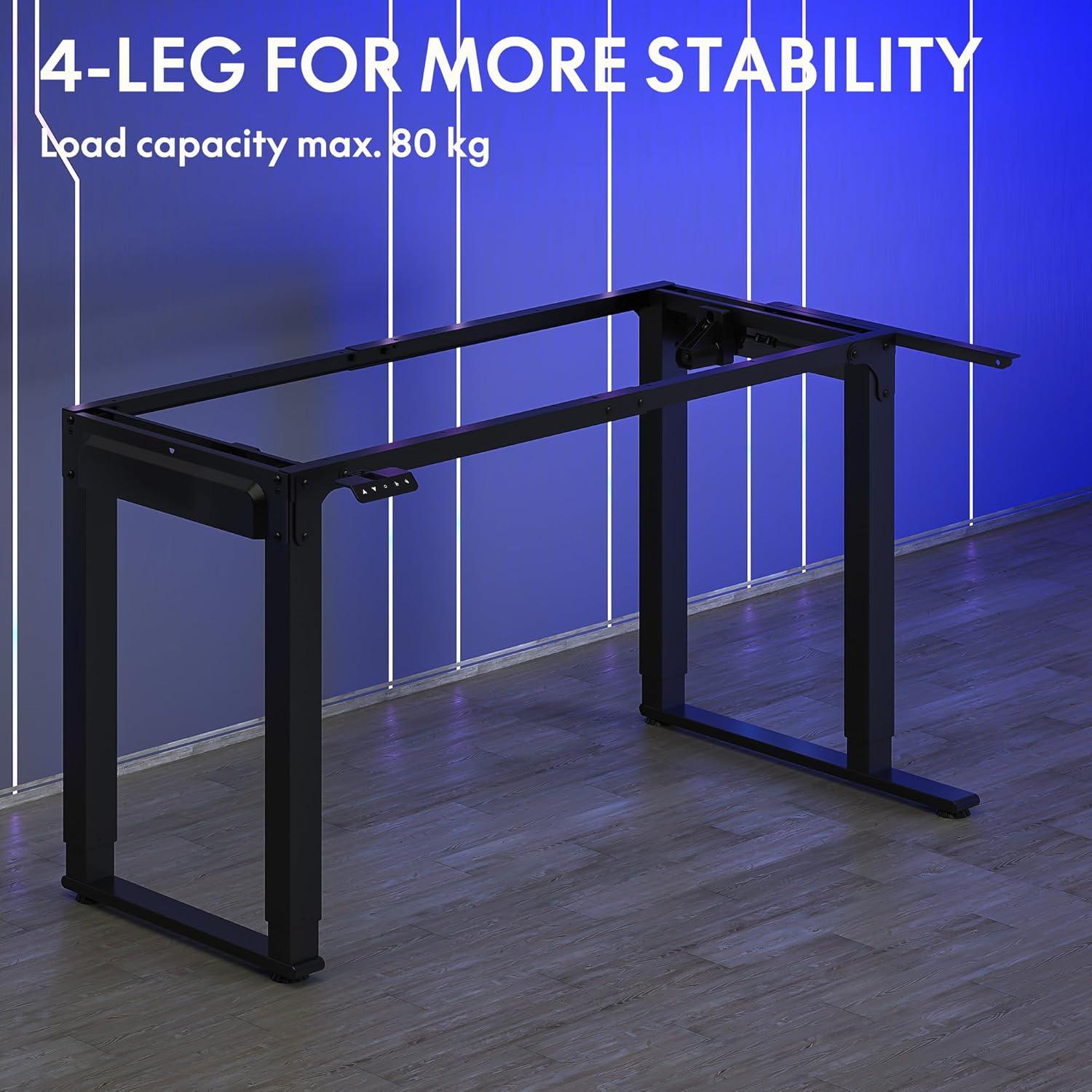
Image: The robust 4-leg frame provides superior stability for the L-shaped standing desk.

Image: Detail of the dual-motor mechanism, ensuring accurate and smooth height positioning.
5. Instrucțiuni de utilizare
Your FLEXISPOT L-Shaped Electric Standing Desk features an intelligent control panel for easy height adjustment and memory presets.
5.1 Funcțiile panoului de control

Image: The intelligent control panel with clearly labeled buttons for desk operation.
- Butoane sus/jos (▲ / ▼): Press and hold to continuously adjust the desk height up or down. Release to stop at the desired height.
- Reset Button (↺): Used for initial calibration or to reset the desk if an error occurs. Press and hold until the desk moves to its lowest point and slightly rises.
- Sitting Preset Button (👭): Press to automatically move the desk to your programmed sitting height.
- Standing Preset Button (👭 with upward arrow): Press to automatically move the desk to your programmed standing height.
5.2 Setarea presetărilor de memorie
To save your preferred sitting or standing height:
- Reglați biroul la înălțimea dorită folosind butoanele Sus/Jos.
- Press and hold the desired preset button (Sitting or Standing) for approximately 3-5 seconds until you hear a beep or see the display flash. This indicates the height has been saved.

Image: The desk can be adjusted from a minimum height of 72cm to a maximum of 117cm.

Image: The spacious L-shaped desktop (180cm x 110cm) provides ample room for multiple computers and accessories.
6. Întreținere
Întreținerea regulată asigură longevitatea și performanța optimă a biroului dumneavoastră.
- curatenie: Ștergeți suprafața de lucru și rama cu o lavetă moale șiamp Evitați substanțele chimice dure sau produsele de curățare abrazive.
- Inspecţie: Verificați periodic toate șuruburile și conexiunile pentru a vă asigura că sunt strânse. Strângeți-le din nou dacă este necesar.
- Organizare de cabluri: Ensure power cables and other device cables are properly managed to prevent entanglement or damage during height adjustments.
- Îngrijirea motorului: The dual motors are designed for durability. Avoid obstructing the desk's movement or exceeding the weight limit to prevent strain on the motors.

Image: The desk features safe and stylish rounded corners.
7. Depanare
Dacă întâmpinați probleme cu biroul dvs., consultați următoarele probleme și soluții frecvente:
| Problemă | Cauza posibila | Soluţie |
|---|---|---|
| Biroul nu se mișcă. | Cablu de alimentare deconectat; Cablu panou de control slăbit; Protecție la suprasarcină activată. | Check power connections; Ensure control panel cable is secure; Reduce weight on desk and perform a reset. |
| Biroul se mișcă neuniform sau face zgomote neobișnuite. | Unbalanced load; Loose connections; Obstruction. | Distribute weight evenly; Check and tighten all frame connections; Remove any obstructions. Perform a reset. |
| Height presets are not working. | Presetările nu au fost salvate corect. | Re-save the desired height by holding the preset button until confirmation. |
| Desk stops mid-movement. | Overload protection; Overheating protection. | Reduce weight on the desk. Allow the desk to cool down for 20-30 minutes if it has been used continuously. |
If the problem persists after attempting these solutions, please contact FLEXISPOT customer support.
8. Specificații
| Caracteristică | Detaliu |
|---|---|
| Numărul de model | QS2LB-1811 |
| Marca | FLEXISPOT |
| Tip birou | Birou electric în picioare în formă de L |
| Tip motor | Motor dublu |
| Tip cadru | 4-Leg Frame |
| Interval de reglare a înălțimii | 72 cm până la 117 cm |
| Dimensiuni birou (L x l) | 180 cm x 110 cm |
| Capacitate maximă de încărcare | 80 kg |
| Nivel de zgomot | < 50 dB |
| Material | Oțel aliat (cadru) |
| Culoare | Negru |
| Greutatea articolului | 30 kilograme |
9. Garanție și asistență
FLEXISPOT products are designed for quality and durability. For specific warranty information, please refer to the warranty card included with your purchase or visit the official FLEXISPOT website. If you require technical assistance, have questions about assembly, or need to report a missing/damaged part, please contact FLEXISPOT customer support directly. Ensure you have your model number (QS2LB-1811) and purchase details available when contacting support.
Informații de contact: Please refer to the contact details provided on the FLEXISPOT official webConsultați site-ul sau documentația achiziției pentru cele mai recente canale de asistență.