
1. Introducere
This manual provides essential information for the safe and efficient use of your FLEXISPOT 42-inch Sit-to-Stand Desk Riser. This height-adjustable computer workstation is designed to promote a healthy balance between sitting and standing throughout your workday. Please read these instructions thoroughly before assembly and operation.
2. Informații de siguranță
- Asigurați-vă că toate componentele sunt bine fixate înainte de utilizare.
- Do not exceed the maximum weight capacity of 33 lbs for the desktop and 4.4 lbs for the keyboard tray.
- Keep hands and fingers clear of moving parts during height adjustment to prevent injury.
- Place the desk riser on a stable, level surface.
- Distribute weight evenly on the desktop to maintain stability.
- Țineți copiii și animalele de companie departe de unitate în timpul funcționării.
3. Conținutul pachetului
Verificați dacă toate piesele sunt prezente înainte de a începe asamblarea. Dacă lipsesc sau sunt deteriorate piese, contactați serviciul de asistență pentru clienți.
- Main Desk Riser Unit
- Removable Keyboard Tray
- Assembly Hardware (screws for keyboard tray)
- Manual de instructiuni
4. Instrucțiuni de configurare
The FLEXISPOT Sit-to-Stand Desk Riser is designed for quick and straightforward assembly. Two people are recommended for easier setup.
- Despachetați unitatea: Scoateți cu grijă toate componentele din ambalaj.
- Poziționarea unității principale: Place the main desk riser unit on your existing desk or workstation. Ensure it is centered and stable.
- Atașați tava tastaturii: Align the removable keyboard tray with the designated slots on the underside of the main unit. Slide the tray into place until it clicks securely. Use a Phillips screwdriver (not included) to fasten any provided screws for additional stability.
- Organizați cablurile: Utilize the included cable management loops to organize your monitor, keyboard, and mouse cables. Ensure cables have enough slack to accommodate the full range of height adjustment.


5. Instrucțiuni de utilizare
The desk riser features a spring-assisted lifting mechanism for smooth and effortless height adjustments.
- Reglarea înălțimii: To raise or lower the desk, locate the lever on the right side of the main unit. Squeeze the lever firmly.
- Raising the Desk: While squeezing the lever, gently lift the desktop to your desired standing height. The spring-assisted mechanism will help elevate the unit. Release the lever to lock the desk in place.
- Lowering the Desk: While squeezing the lever, gently push down on the desktop to lower it to your desired sitting height. Release the lever to lock the desk in place.
- Mișcare verticală: The desk riser moves straight up and down within its own footprint, requiring no additional spatial accommodations. The height can be adjusted between 4.7 inches (minimum) and 19.7 inches (maximum).


6. Întreținere
Regular maintenance ensures the longevity and optimal performance of your desk riser.
- curatenie: Ștergeți suprafețele cu un material moale, damp pânză. Evitați agenții de curățare abrazivi sau substanțele chimice dure care pot deteriora finisajul.
- Inspecţie: Verificați periodic toate șuruburile și conexiunile pentru a vă asigura că rămân strânse. Strângeți dacă este necesar.
- Piese mobile: The lifting mechanism is designed to be maintenance-free. Do not attempt to lubricate or disassemble it.
7. Depanare
If you encounter any issues with your desk riser, refer to the following common solutions:
- Desk is difficult to adjust: Ensure no objects are obstructing the lifting mechanism. Verify that the weight on the desktop does not exceed the maximum capacity.
- Desk feels unstable: Check that the unit is placed on a flat, stable surface. Ensure all components, especially the keyboard tray, are securely attached. Redistribute weight evenly on the desktop.
- Keyboard tray is loose: Re-check the connection points of the keyboard tray and ensure any fastening screws are tightened.
If problems persist, please contact FLEXISPOT customer support for assistance.
8. Specificații
| Caracteristică | Caietul de sarcini |
|---|---|
| Marca | FLEXISPOT |
| Model | B0CDWSPYKQ |
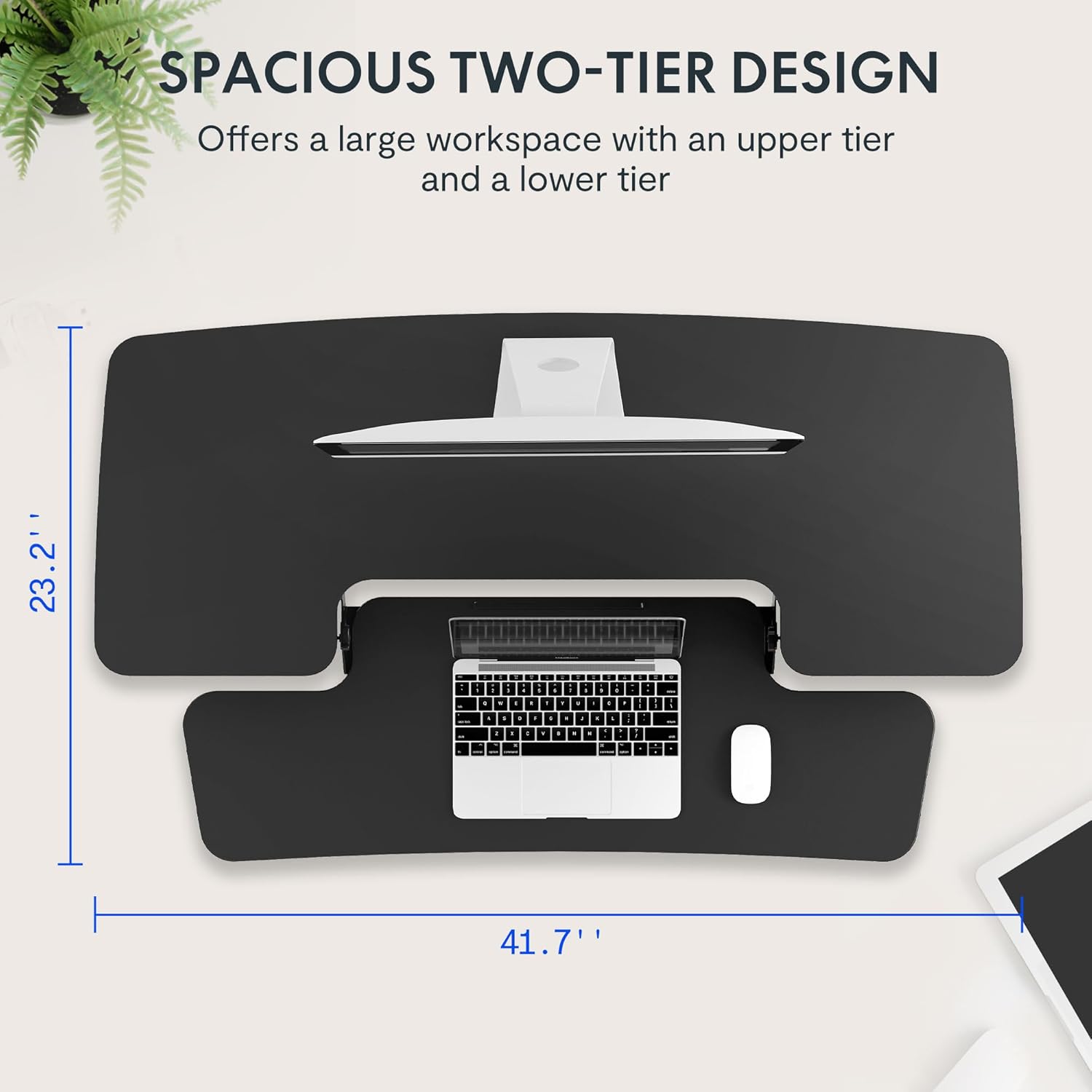
| Dimensiuni produs (D x L x H) | 24" D x 42" L x 19.7" H |
| Culoare | Negru |
| Tip material de sus | Lemn de inginerie |
| Greutatea articolului | 52 lire sterline |
| Inaltimea minima | 4.7 inchi |
| Înălțimea maximă | 19.7 inchi |
| Capacitate de încărcare pe desktop | 33 lbs |
| Keyboard Tray Load Capacity | 4.4 lbs |
| Asamblare necesară | Yes (Keyboard Tray) |
| Numărul de persoane recomandat pentru asamblare | 2 |

9. Garanție și asistență
Your FLEXISPOT Sit-to-Stand Desk Riser comes with a limited warranty. For specific details regarding warranty coverage, please refer to the warranty documentation included with your purchase or visit the official FLEXISPOT website-ul.
For technical support, troubleshooting assistance, or warranty claims, please contact FLEXISPOT customer service. You can typically find contact information on the manufacturer's website sau prin intermediul platformei dvs. de achiziții.
Suport online: Vizitați FLEXISPOT Store on Amazon pentru informații despre produs și resurse de asistență.