
1. Introducere
This manual provides instructions for the proper setup, operation, and maintenance of the Flashpoint Wave Commander II Camera Release Cable. This accessory is designed to provide remote shutter control and intervalometer functions for compatible cameras equipped with a Canon Sub-Mini Connector.
Vă rugăm să citiți cu atenție acest manual înainte de a utiliza produsul pentru a asigura o funcționare sigură și eficientă.
2. Produs terminatview
The Flashpoint Wave Commander II Camera Release Cable is a durable and reliable accessory that connects to your camera's remote port. It facilitates remote shutter release, reducing camera shake for sharper images, and offers advanced functions such as an intervalometer for time-lapse photography and a self-timer when used with a compatible remote unit.
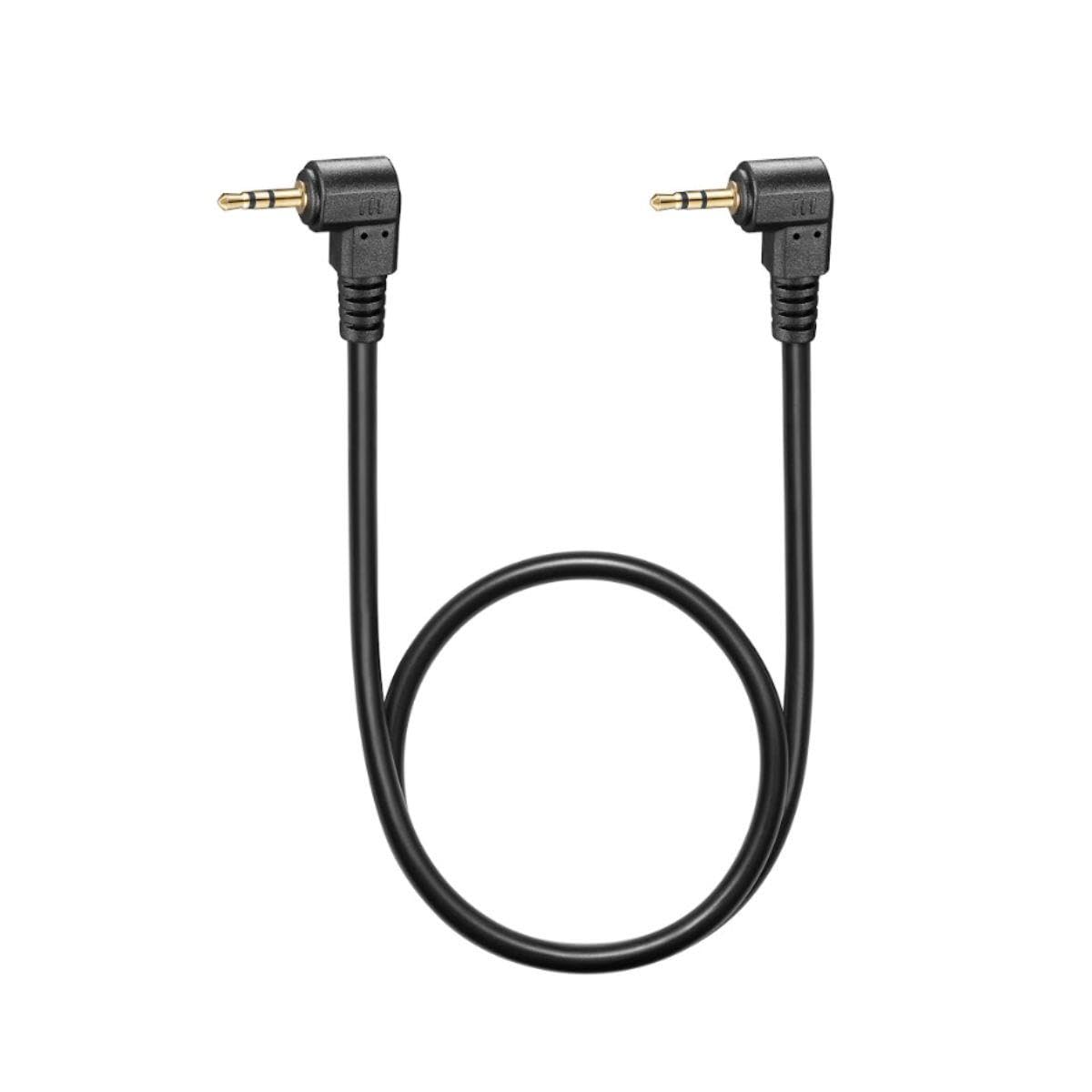
Figura 1: Flashpoint Wave Commander II Camera Release Cable. This image shows the cable with its connectors, designed for remote camera control.
Caracteristicile cheie includ:
- Acoperire extinsă: A 3-foot cable length allows for remote operation, preventing camera shake.
- Stabilitate îmbunătățită: Eliminates vibrations caused by direct shutter button presses.
- Construcție durabilă: Built for regular use and reliable performance.
- Multifuncțional: Enables remote shutter release, intervalometer, or self-timer functions when paired with a compatible remote unit.
3. Compatibilitate
This cable is compatible with cameras featuring a Canon Sub-Mini Connector. Verified compatible camera models include, but are not limited to:
- Canon R6 II, R7, T7, R6, R, SX70, 90D, T8i, R10, RP, SL3, RP, G1X Mark III, 80D
- Fujifilm X-T5, FUJIFILM X-T30 II, FUJIFILM X-T4, FUJIFILM GFX 100S
For other camera models, please verify the connector type before use.
4. Configurare
Follow these steps to connect the Wave Commander II Camera Release Cable to your camera:
- Locate the Remote Port: Identify the remote control terminal on your camera. This is typically a small port, often labeled with a remote control icon or "REMOTE". For Canon cameras, this is the Sub-Mini Connector port.
- Conectați cablul: Gently insert the connector end of the Wave Commander II cable into the camera's remote port. Ensure it is fully seated to establish a secure connection.
- Connect to Remote Unit (if applicable): If using with a separate remote trigger unit (e.g., Flashpoint Wave Commander II remote), connect the other end of the cable to the designated port on the remote unit.
- Pornire: Turn on your camera and the remote unit (if applicable).
The cable is now ready for operation.
5. Instrucțiuni de utilizare
Once connected, the Wave Commander II cable enables various remote control functions:
5.1. Declanșare de la distanță
- Apăsare pe jumătate: Press the shutter button on your remote unit (or the cable's integrated button, if present) halfway down to activate autofocus and metering, similar to pressing the camera's shutter button halfway.
- Apăsare completă: Press the shutter button fully down to trigger the camera's shutter and capture a photograph.
- Modul bec: For long exposures in Bulb mode, press and hold the shutter button on the remote unit. Release the button to end the exposure. Some remote units may have a lock function for extended Bulb exposures.
5.2. Intervalometer / Self-Timer Functions
When used with a compatible remote unit that features intervalometer or self-timer capabilities, the cable transmits these commands to the camera. Refer to your remote unit's specific manual for detailed instructions on setting up time-lapse sequences, delayed shots, or continuous shooting modes.
6. Întreținere
To ensure the longevity and optimal performance of your Wave Commander II Camera Release Cable, follow these maintenance guidelines:
- Depozitare: Depozitați cablul într-un loc răcoros și uscat, ferit de lumina directă a soarelui și de temperaturi extreme. Evitați înfășurarea sau îndoirea bruscă a cablului, deoarece acest lucru poate deteriora firele interne.
- curatenie: Use a soft, dry cloth to wipe the cable and connectors. Do not use liquid cleaners, solvents, or abrasive materials.
- Manipulare: Always grasp the connector housing when plugging or unplugging the cable. Avoid pulling directly on the cable itself.
- Inspecţie: Verificați periodic cablul pentru a depista orice semne de uzură, dezlipire sau deteriorare a conectorilor. Întrerupeți utilizarea dacă observați deteriorări.
7. Depanare
If you encounter issues with your Wave Commander II Camera Release Cable, consider the following:
- Cable Not Responding:
- Ensure the cable is securely connected to both the camera and the remote unit (if applicable).
- Verify that the camera and remote unit are powered on.
- Verificați setările camerei pentru a vă asigura că este activată telecomanda, dacă este cazul.
- Test with another compatible camera or remote unit if available, to isolate the issue.
- Conexiune intermitentă:
- Inspect connectors for dirt, dust, or damage. Clean gently with a dry, soft brush if necessary.
- Ensure the cable is not strained or bent at sharp angles during use.
- Camera Shake Still Occurs:
- While the cable reduces shake from pressing the shutter, other factors like tripod stability or wind can still cause movement. Ensure your camera setup is stable.
If problems persist, contact Flashpoint customer support for further assistance.
8. Specificații
| Număr de model: | Wave Commander II Cable |
| Marca: | Punct de aprindere |
| Tip conector: | Canon Sub-Mini Connector |
| Lungimea cablului: | Aproximativ 3 picioare (0.9 metri) |
| Dimensiuni produs: | 7 x 5 x 0.05 inches (approximate packaging/shipping dimensions) |
| ASIN: | B0CD2M2G1N |
| Data primului disponibil: | 27 iulie 2023 |
9. Garanție și asistență
Specific warranty information for the Flashpoint Wave Commander II Camera Release Cable is not provided in this document. For details regarding warranty coverage, technical support, or service inquiries, please contact Flashpoint customer service directly or refer to the official Flashpoint website-ul.
Păstrați bonul fiscal ca dovadă a achiziției pentru orice reclamații în garanție.
