
Introducere
This manual provides comprehensive instructions for the ACASIS 2.5" External Hard Drive Enclosure. This device allows you to easily connect a 2.5-inch SATA I/II/III HDD or SSD to your computer, gaming console, or other compatible devices via USB 3.0. It supports data transfer speeds up to 5Gbps and features UASP protocol for enhanced performance. The enclosure is designed for tool-free installation and offers robust protection for your drive.
Conținutul pachetului
Vă rugăm să verificați dacă toate articolele enumerate mai jos sunt incluse în pachetul dumneavoastră:
- 1x ACASIS 2.5" SATA Enclosure
- 1x 19-inch USB 3.0 to Micro-B Data Cable
- 1x Manual de utilizare

Image: Contents of the ACASIS 2.5" Hard Drive Enclosure package, showing the enclosure, data cable, and user manual.
Ghid de instalare
Follow these steps to install your 2.5-inch HDD or SSD into the enclosure:
- Deschideți carcasa: Gently slide open the enclosure cover. The design allows for easy, tool-free access.
- Introduceți unitatea: Align your 2.5-inch SATA HDD or SSD (7mm or 9.5mm thickness) with the SATA connector inside the enclosure. Push the drive firmly but gently until it is securely seated. The enclosure features a finger buckle design for easy insertion and removal.
- Închideți carcasa: Slide the cover back into place until it clicks, ensuring the drive is fully enclosed and protected.
- Conectați-vă la dispozitiv: Use the provided USB 3.0 to Micro-B cable to connect the enclosure to a USB port on your computer, laptop, gaming console (PS4, PS5, Xbox), or smart TV.

Imagine: Explodată view demonstrating the simple, tool-free installation of a 2.5-inch SSD or HDD into the ACASIS enclosure.

Image: A comparison illustrating the ACASIS enclosure's finger buckle design, which facilitates easy removal of the hard drive, unlike other enclosures.
Instrucțiuni de operare
Once connected, the enclosure is plug-and-play, requiring no additional drivers for most operating systems. Your device should recognize the connected drive automatically.
- Transfer de date: The enclosure supports USB 3.0 for high-speed data transfer up to 5Gbps. With UASP (USB Attached SCSI Protocol) support, speeds can reach up to 6Gbps, significantly reducing transfer times for large files. It is backward compatible with USB 2.0 and 1.1 ports.
- RGB Light Strip: The integrated RGB light strip indicates the working status of the hard drive. It displays different colorful lights during operation, providing visual feedback.
- Universal Compatibilitate: The enclosure is compatible with Windows, LINUX, and MacOS 8.0 and above. It can be used with personal computers, laptops, gaming consoles (PS4, PS5, Xbox), and other devices that support external storage.

Image: The ACASIS enclosure connected to a laptop, highlighting its USB 3.0 and UASP capabilities for significantly faster data transfer speeds compared to USB 2.0.

Image: A visual representation of the enclosure's broad compatibility with devices like PCs, TVs, and PS5, and operating systems including Windows, Linux, and MacOS, supporting both SSD and HDD.
Întreţinere
To ensure the longevity and optimal performance of your ACASIS Hard Drive Enclosure, please follow these maintenance guidelines:
- curatenie: Use a soft, dry cloth to wipe the exterior of the enclosure. Avoid using liquid cleaners or abrasive materials, as they may damage the surface.
- Protecţie: The enclosure is built with high-quality ABS plastic and includes a built-in EVA foam pad to protect the drive from shocks and vibrations. However, avoid dropping the enclosure or subjecting it to excessive force.
- Depozitare: Când nu este utilizată, depozitați carcasa într-un loc răcoros și uscat, ferit de lumina directă a soarelui și de temperaturi extreme.

Imagine: O imagine detaliată view of the enclosure's internal chip, emphasizing its built-in protections against over-voltage, over-current, and overheating to ensure stable and safe operation.
Depanare
If you encounter issues with your ACASIS Hard Drive Enclosure, please refer to the following common problems and solutions:
- Unitate nedetectată:
- Ensure the hard drive is correctly seated within the enclosure.
- Încercați să conectați carcasa la un alt port USB al dispozitivului.
- Testați cu un alt cablu USB, dacă este disponibil.
- Verify the hard drive itself is functional by testing it in another enclosure or directly connecting it to a system if possible.
- Pentru unitățile noi, asigurați-vă că sunt inițializate și formatate în Disk Management (Windows) sau Disk Utility (macOS) din sistemul de operare.
- Viteze mici de transfer de date:
- Asigurați-vă că sunteți conectat la un port USB 3.0 al computerului. Porturile USB 2.0 vor duce la viteze semnificativ mai mici.
- Verificați dacă sistemul de operare și driverele sunt compatibile cu UASP.
- Check the health of your hard drive; a failing drive can cause slow performance.
- Deconectări frecvente:
- Asigurați-vă că cablul USB este conectat ferm la ambele capete.
- Încercați un alt port USB sau un alt cablu USB.
- Evitați amplasarea carcasei în apropierea unor interferențe electromagnetice puternice.
Specificații
| Caracteristică | Detaliu |
|---|---|
| Numărul de model | 2.5'' Hard Drive Eclosure |
| Tipul de unitate compatibil | 2.5-inch SATA I/II/III HDD & SSD (7mm/9.5mm) |
| Capacitate maximă de stocare | Până la 6 TB |
| Interfață hardware | USB 3.0 (Micro-B) |
| Rata de transfer de date | 5 Gbps (USB 3.0), up to 6 Gbps (UASP) |
| Dispozitive compatibile | Personal Computer, Laptop, Gaming Console (PS4, PS5, Xbox), Smart TV |
| Sisteme compatibile | Windows, LINUX, MacOS 8.0 and above |
| Material | Acrilonitril Butadien Stiren (ABS) |
| Dimensiuni | 4.9 x 0.5 x 0.3 inci |
| Greutatea articolului | 3.52 uncii (0.1 kilograme) |
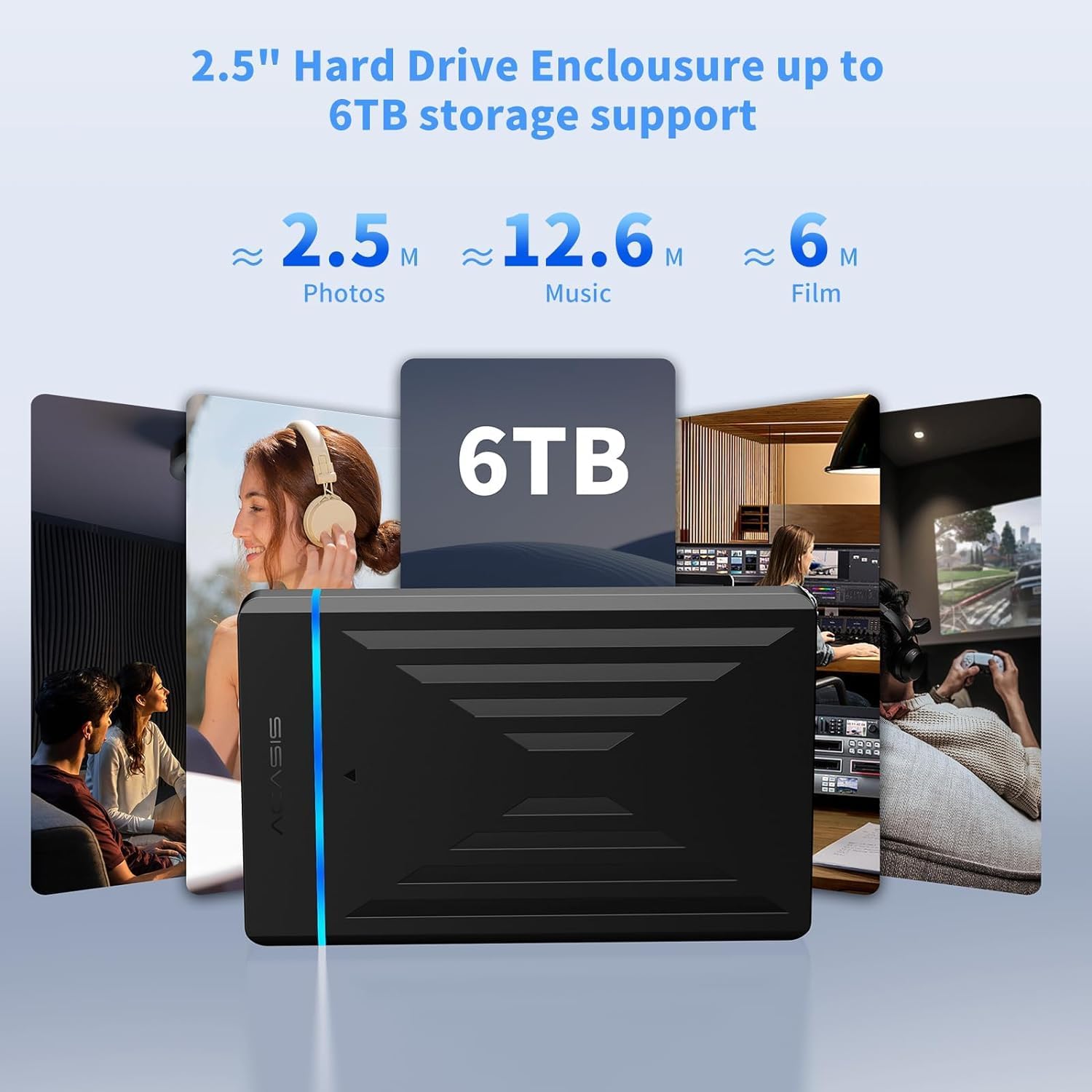
Image: The enclosure's capability to support up to 6TB of storage, illustrating the vast amount of photos, music, and films that can be stored.
Garanție și suport
ACASIS provides an 18 luni garantie for this product, ensuring peace of mind regarding its quality and performance.
For technical assistance, customer service, or warranty claims, please contact ACASIS support:
- E-mail: support@acasis.com
- Ore de serviciu: 24 de ore, 7 zile pe săptămână
ACASIS is committed to 100% customer satisfaction and offers dedicated technical support to address any concerns you may have.