
1. Introducere
Thank you for choosing the Jeecoo A30 Wired Computer Speaker Bar. This manual provides essential information for setting up, operating, and maintaining your speaker bar to ensure optimal performance and longevity. Please read these instructions carefully before use.
Ce este în cutie
- Jeecoo A30 PC Speaker Bar (with integrated USB power cable and 3.5mm AUX audio cable)
2. Caracteristici
- Design compact: The Jeecoo A30 features a simple and modern design, ideal for desktop setups. Dimensions: 13.78 x 2.56 x 2.56 inches.
- Sunet clar: Equipped with two 5W powerful driver units, providing clear and loud audio with well-balanced highs, mids, and enhanced bass.
- Control ușor al volumului: A large dial allows for convenient volume adjustment and power on/off.
- Compatibilitate largă: Connects via 3.5mm AUX for audio input and USB for power, compatible with various PCs, laptops, desktops, tablets, and smartphones. (Note: Not compatible with Xbox).
- Portabilitate: Weighing 1.2 lbs (560 grams), it is suitable for both office/home use and portable outdoor activities.

Image: The Jeecoo A30 Wired Computer Speaker Bar, showcasing its sleek black design and integrated cables.

Imagine: O explozie view of the Jeecoo A30 speaker bar, highlighting its two 5W powerful driver units for clear and balanced audio with enhanced bass.
3. Configurare
Follow these steps to connect your Jeecoo A30 speaker bar to your device:
- Conectați alimentarea USB: Plug the USB-A cable from the speaker bar into an available USB port on your computer, laptop, or a certified 5V/1A USB power adapter. This provides power to the speaker.
- Connect 3.5mm AUX Audio: Plug the 3.5mm AUX cable from the speaker bar into the headphone jack or audio output port of your device (PC, laptop, tablet, smartphone).
- Pornire: Rotate the large volume dial clockwise until you hear a click or see an indicator light, turning the speaker on.
- Reglați volumul: Continuați să rotiți butonul în sensul acelor de ceasornic pentru a crește volumul.
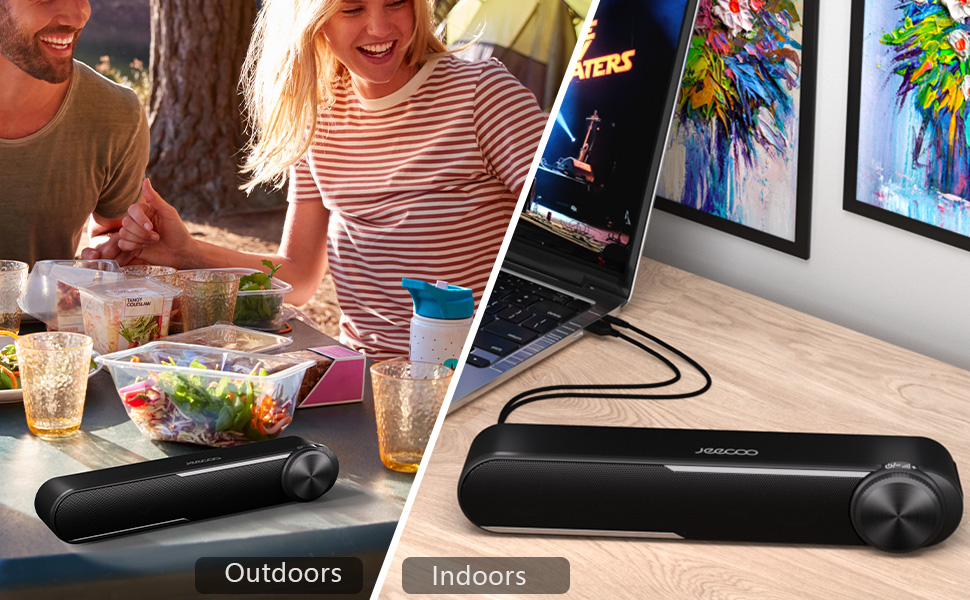
Image: Diagram showing how to connect the USB cable for power and the 3.5mm AUX cable for audio input to a laptop.
Video: Official Jeecoo video demonstrating the connection of the A30 Computer Speaker Bar with 3.5mm AUX input to a laptop.
4. Funcționare
Controlul volumului și alimentarea
The Jeecoo A30 features a large, integrated dial for convenient control:
- Power On/Increase Volume: Rotate the dial clockwise. The speaker will power on with a click, and continued rotation will increase the volume.
- Decrease Volume/Power Off: Rotate the dial anti-clockwise. The volume will decrease, and continued rotation past the minimum volume will power off the speaker with a click.

Image: A close-up of the large volume dial on the Jeecoo A30, illustrating how to rotate it clockwise to increase volume and anti-clockwise to decrease volume or power off.
5. Specificații
| Caracteristică | Detaliu |
|---|---|
| Numele modelului | Jeecoo A30 |
| Tip difuzor | Soundbar |
| Tehnologia de conectivitate | Auxiliary (3.5mm Jack) |
| Sursa de alimentare | USB (electric cu fir) |
| Vol. De intraretage | 5 volți |
| Putere maximă de ieșire difuzor | 10 wați (5 W x 2) |
| Mod ieșire audio | Stereo |
| Configurare canal de sunet surround | 2.0 |
| Dimensiunea difuzorului | 2 inci (diametrul difuzorului de woofer) |
| Tip de driver audio | Driver dinamic |
| Raportul semnal-zgomot | 65 dB |
| Frequency Response (Max) | 18 KHz |
| Impedanta | 4 ohmi |
| Dimensiuni produs (D x L x H) | 2.56 cm x 13.78 cm x 2.56 cm |
| Greutatea articolului | 1.2 livre (560 de grame) |
| Material | Plastic |
| Culoare | Negru |
| Tip de montare | Suport de masă |
| Dispozitive compatibile | PC Laptops, Desktop Computers, Macbook Air/Pro, iMac, iPad, Smartphones, Tablets |
| Caracteristica specială | PC Speaker Bar with Clear Audio & Enhanced Bass |
6. Depanare
If you encounter any issues with your Jeecoo A30 speaker bar, please refer to the following common troubleshooting steps:
- Fără putere:
- Ensure the USB power cable is securely connected to a powered USB port or a 5V/1A USB adapter.
- Rotate the volume dial clockwise to ensure the speaker is powered on.
- Fără sunet:
- Verify that the 3.5mm AUX audio cable is fully inserted into both the speaker bar and your device's audio output jack.
- Check the volume level on both the speaker bar (using the dial) and your connected device.
- Ensure your device's audio output is set to the correct output (e.g., "Headphones" or "External Speakers").
- Test the speaker with a different audio source or device to rule out device-specific issues.
- Distorted Sound / Static:
- Reduce the volume on both the speaker bar and your connected device. High volume levels can sometimes cause distortion.
- Asigurați-vă că toate conexiunile prin cablu sunt sigure.
- Avoid placing the speaker near sources of electromagnetic interference (e.g., Wi-Fi routers, power adapters).
- Testați cu o altă sursă audio sau cu un alt cablu, dacă este posibil.
7. Întreținere
To maintain the performance and appearance of your speaker bar:
- Curățați difuzorul cu o lavetă moale și uscată. Nu utilizați agenți de curățare lichizi sau aerosoli.
- Avoid exposing the speaker to excessive moisture, heat, or direct sunlight.
- Nu încercați să dezasamblați sau să reparați singur difuzorul, deoarece acest lucru va anula garanția.
8. Garanție și asistență
The Jeecoo A30 Wired Computer Speaker Bar comes with a limited warranty. For detailed warranty information, product support, or technical assistance, please contact Jeecoo customer service through the retailer where you purchased the product or visit the official Jeecoo website-ul.
Vă rugăm să păstrați dovada achiziției pentru cererile de garanție.