
Introducere
This manual provides comprehensive instructions for the Veho Kuzo Sports Smart Watch F1S. Please read this manual carefully before using your device to ensure proper operation and to maximize its features. Keep this manual for future reference.

Imagine: față view of the Veho Kuzo Sports Smart Watch F1S, showcasing its round display and rugged design.
Informații de siguranță
Always follow basic safety precautions when using this device to reduce the risk of injury, electric shock, fire, or damage to the product.
- Nu încercați să dezasamblați sau să modificați dispozitivul.
- Țineți dispozitivul departe de temperaturi extreme și lumina directă a soarelui.
- Evitați expunerea dispozitivului la impacturi puternice sau căderi.
- Consultați un medic înainte de a începe orice nou regim de exerciții fizice, mai ales dacă aveți afecțiuni preexistente.
- The device is water-resistant (IP68) but not waterproof for diving or high-pressure water activities.
Conținutul pachetului
Asigurați-vă că toate articolele sunt prezente în cutie:
- Veho Kuzo Sports Smart Watch F1S (Black)
- Magnetic Charging Cradle (USB-A)
- Manual de utilizare în mai multe limbi
Înființat
1. Încărcarea ceasului inteligent
Before first use, fully charge your Veho Kuzo F1S Smart Watch.
- Connect the magnetic charging cradle to a USB-A power source (e.g., computer USB port, wall adapter).
- Align the magnetic pins of the cradle with the charging contacts on the back of the watch. The watch will snap into place and display a charging indicator.
- Charge for approximately 2 hours for a full charge. A full charge provides up to 15 days of typical use.

Image: Graphic illustrating the 15-day battery life of the Veho Kuzo F1S Smart Watch.
2. Instalarea aplicației însoțitoare
To unlock all features and synchronize data, download the official companion app on your smartphone.
- The app is compatible with Apple iOS and Android devices.
- Caută "Kuzo" or "Veho Kuzo" in your device's app store.
- Install the app and follow the on-screen instructions to create an account.
3. Împerecherea cu smartphone-ul
After installing the app, pair your watch with your phone via Bluetooth.
- Asigurați-vă că Bluetooth este activat pe smartphone-ul dvs.
- Open the companion app and navigate to the device pairing section.
- Turn on your Veho Kuzo F1S Smart Watch.
- Select your watch from the list of available devices in the app.
- Confirmați solicitarea de asociere atât pe ceas, cât și pe smartphone.

Image: A smartphone displaying the Veho Kuzo companion app, showing health and activity data.
Instrucțiuni de operare
Navigare de bază
The Veho Kuzo F1S features a 1.3-inch AMOLED touchscreen and physical buttons for navigation.
- Touch screen: Glisați în sus, în jos, la stânga sau la dreapta pentru a naviga prin meniuri și widgeturi. Atingeți pentru a selecta elemente.
- Butoane laterale: Use the physical buttons on the side of the watch to return to the home screen, access sports modes, or other quick functions.
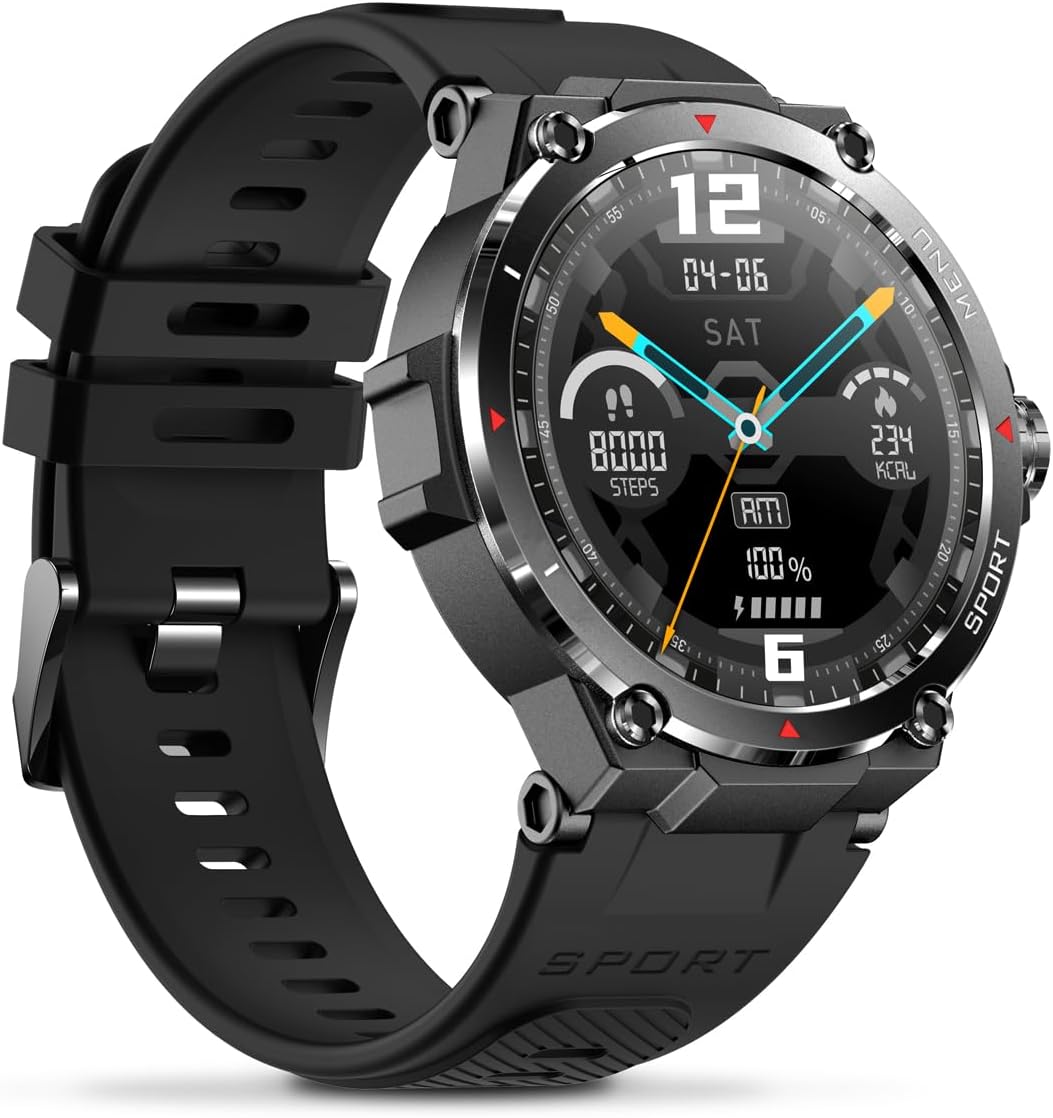
Imagine: Laterală view of the Veho Kuzo F1S Smart Watch, highlighting the control buttons and rugged casing.
Urmărirea sănătății și fitnessului
The watch continuously monitors various health and fitness metrics.
- Ritmul cardiac: 24/7 heart rate monitoring. View date în timp real pe ceas sau tendințe detaliate în aplicație.
- Oxigenul din sânge: Măsurați-vă nivelul de oxigen din sânge.
- Monitor de activitate: Tracks steps, calories burned, and distance covered. Supports walking, running, and cycling.
- Monitorizare somn: Monitors daily, weekly, and monthly sleep patterns, detailing deep sleep, light sleep, and awake times.
- GPS: Built-in 3-mode GPS (GPS+Beidou+Glonass) and Assisted GPS (AGPS) for accurate outdoor performance tracking and live map positioning. Compatible with STRAVA.

Image: The Veho Kuzo F1S Smart Watch displaying heart rate monitoring data.
Funcții inteligente
- Notificări: Receive push notifications from apps like WhatsApp, Twitter, Facebook, LinkedIn, Skype, YouTube, Messenger, and Instagram directly on your watch.
- Controlul muzicii: Control music playback (volume, skip tracks, play/pause) on your paired smartphone directly from the watch.
- Funcții de timp: Access alarm, timer, intermittent timer, stopwatch, and countdown functions.
- Găsiți telefon: Folosește ceasul pentru a localiza smartphone-ul asociat.
- News/Weather App: Integrated news and weather application functionality.
- Fețe de ceas personalizabile: Choose from hundreds of different watch face designs through the companion app.
Întreţinere
Curatenie
Pentru a menține aspectul și funcționalitatea ceasului:
- Ștergeți ceasul și cureaua în mod regulat cu o lavetă moale șiamp pânză.
- Evitați utilizarea substanțelor chimice dure sau a agenților de curățare abrazivi.
- Asigurați-vă că contactele de încărcare sunt curate și uscate înainte de încărcare.
Rezistență la apă (IP68)
The Veho Kuzo F1S Smart Watch has an IP68 rating, meaning it is water-resistant in fresh water up to a maximum depth of 1.5 meters for up to 30 minutes, and is protected from dust.
- Nu utilizați ceasul pentru scufundări, snorkeling sau sporturi nautice de mare viteză.
- Avoid exposing the watch to hot water, steam, or detergents.
- Uscați bine ceasul după expunerea la apă.
Îngrijirea bateriei
- Încărcați ceasul în mod regulat pentru a menține bateria sănătoasă.
- Evitați descărcarea completă și frecventă a bateriei.
- Depozitați ceasul într-un loc răcoros și uscat dacă nu îl utilizați pentru perioade lungi de timp.
Depanare
If you encounter issues with your Veho Kuzo F1S Smart Watch, refer to the following common solutions:
- Ceasul nu se pornește: Ensure the watch is fully charged. Connect it to the charging cradle and check for the charging indicator.
- Nu se poate conecta la telefon:
- Asigurați-vă că Bluetooth este activat pe telefon și pe ceas.
- Asigurați-vă că ceasul se află în raza de acțiune a telefonului.
- Reporniți atât ceasul, cât și telefonul.
- Încearcă să anulezi asocierea și să o reconectezi prin aplicație.
- Date inexacte privind sănătatea:
- Asigurați-vă că ceasul este purtat strâns pe încheietura mâinii, dar nu prea strâns.
- Curățați senzorul de pe spatele ceasului.
- Environmental factors and skin conditions can affect accuracy.
- Notificările nu apar:
- Verificați setările de notificări ale aplicației pe telefon și în aplicația asociată.
- Asigurați-vă că ceasul este conectat la telefon prin Bluetooth.
Pentru asistență suplimentară, vă rugăm să consultați secțiunea de asistență sau să contactați serviciul clienți.
Specificații
| Numele modelului | F1S |
| Numărul de model | VSW-001-F1S-B (164426) |
| Afişa | Ecran tactil AMOLED de 1.3" |
| Rezoluţie | 360 x 360 pixeli |
| Chipset | Dialogue14695, PPGHX3690 |
| Memorie | ROM 128MB + RAM 2MB |
| Bluetooth | v5.1 |
| Capacitatea bateriei | Litiu-polimer 300mAh |
| Timp de lucru | Până la 15 de zile |
| Timp de așteptare | Până la 21 de zile |
| Timp de încărcare | Aproximativ. 2 ore |
| Tip de încărcare | USB-A to Magnetic Charging Cradle |
| Rezistenta la apa | IP68 (up to 1.5 meters for 30 minutes in fresh water) |
| Sistem GPS | 3-mode (GPS+Beidou+Glonass) |
| Dimensiuni | 46 mm x 12.9 mm |
| Greutate | 51 g |
| Lățimea curelei | 22mm |
| Lungimea curelei | 260mm |
| Compatibilitate cu sistemul de operare | Android, iOS |
| Limbi acceptate | All major languages (replicates paired smartphone language) |
Garanție și suport
The Veho Kuzo Sports Smart Watch F1S comes with a limited warranty. Please refer to the warranty card included in your package or visit the official Veho website-ul pentru termenii și condițiile detaliate ale garanției.
Asistență pentru clienți
For technical support, troubleshooting, or warranty claims, please contact Veho customer service through their official website-ul sau informațiile de contact furnizate în documentația produsului.
- Suport online: www.veho-world.com/support (Examplinkul, linkul real poate varia)
- E-mail: support@veho-world.com (Example email, actual email may vary)