
Introducere
The BEETECH B-M2 Moisture Meter is a professional instrument designed for accurately checking moisture content in various materials. It is suitable for wood, timber, paper, cardboard, and hardened building materials such as plaster, concrete, and mortar. This device operates on the principle of electrical impedance and utilizes advanced single-chip micro-computer technology to provide precise measurements by integrating characteristics of different materials for accurate calculation. It offers a non-destructive measuring method, ensuring the integrity of the measured object. The B-M2 features both an analog bar display and a digital display for clear readings, and its electrode pins are replaceable. This manual provides essential information for the proper setup, operation, and maintenance of your BEETECH B-M2 Moisture Meter.
Ce este în cutie
Upon unpacking your BEETECH B-M2 Moisture Meter, please ensure all the following components are present:
- BEETECH B-M2 Moisture Meter
- Husă de protecție
- Manual de utilizare (acest document)
- baterie (9V)

Image: Contents of the BEETECH B-M2 Moisture Meter package, including the meter, manual, and battery.
Caracteristicile produsului
- Replaceable Electrodes: The meter features replaceable electrode pins (10mm length). Note: Electrodes are not included and must be purchased separately when replacement is needed.
- Afișaj dublu: Simultaneous analog bar display and digital display for clear and comprehensive readings.
- Alegerea materialului: Selectable measurement modes for Wood and other building materials.
- Funcții avansate: Includes Maximum (MAX) and Minimum (MIN) reading retention, Auto Power Off, and an LCD display with backlight for visibility in various lighting conditions.
- Măsurarea temperaturii: Simultaneous measurement of moisture and ambient temperature.
Înființat
Instalarea bateriei
- Locate the battery compartment cover on the back of the BEETECH B-M2 Moisture Meter.
- Glisați capacul compartimentului bateriei în jos pentru a-l deschide.
- Connect the included 9V battery to the battery connector inside the compartment, ensuring correct polarity.
- Carefully place the battery into the compartment and slide the cover back into place until it clicks securely.
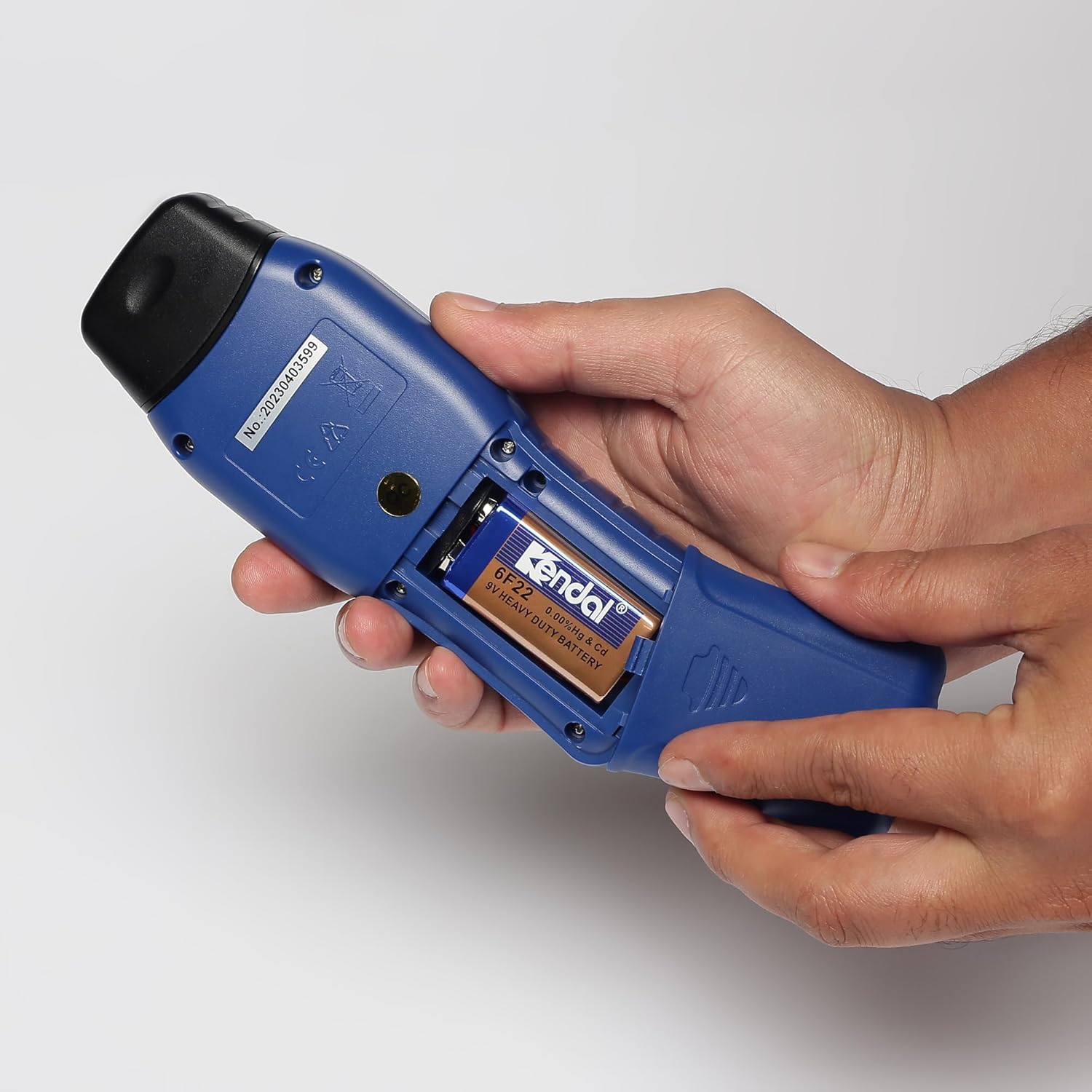
Image: Hands opening the battery compartment cover on the back of the meter.
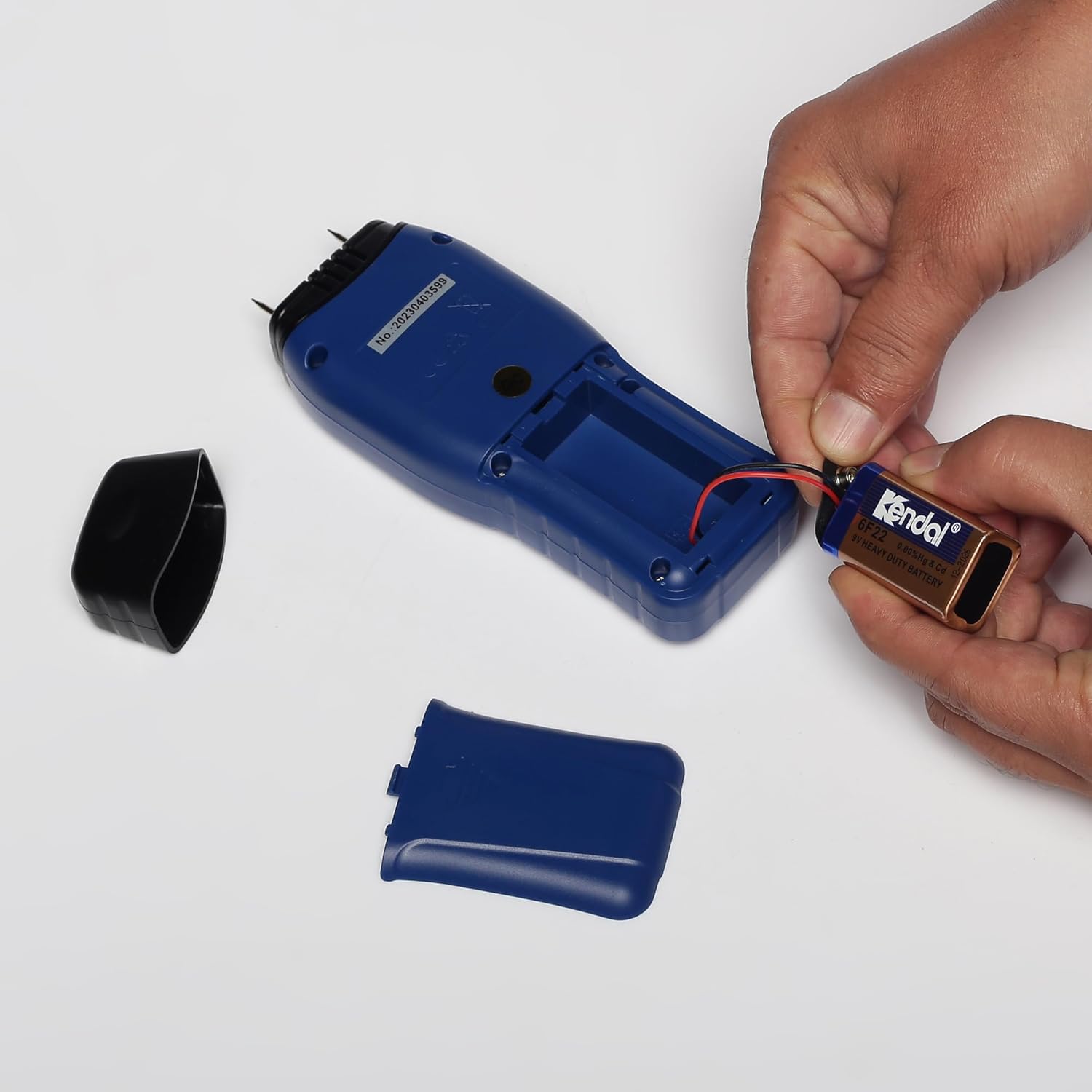
Image: Hands connecting and inserting a 9V battery into the meter's battery compartment.
Instrucțiuni de operare
Dispozitiv terminatview

Imagine: față view of the BEETECH B-M2 Moisture Meter, showing the LCD screen displaying moisture percentage and temperature, along with power, backlight, mode, and MAX/MIN buttons.
Pornire/Oprire
- Apăsați tasta Buton de pornire (U-shaped arrow icon) to turn the meter on.
- Aparatul de măsură se va opri automat după o perioadă de inactivitate pentru a conserva bateria.
Selecting Material Mode
- Apăsați tasta butonul MODE to cycle through the available material types: Wood and Building Materials.
- The selected mode will be indicated on the LCD display. Ensure the correct mode is chosen for accurate measurements.
Luarea unei măsurători
- After selecting the appropriate material mode, firmly press the electrode pins into the material you wish to measure. Ensure good contact.
- The moisture content will be displayed digitally as a percentage (%) and also indicated on the analog bar graph.
- The ambient temperature will also be displayed simultaneously.

Image: A hand holding the BEETECH B-M2 Moisture Meter, showing a moisture reading of 15.4% on the LCD display.
Using MAX/MIN Function
- Apăsați tasta Butonul MAX / MIN la view the maximum or minimum moisture reading recorded during a measurement session.
- Press again to cycle between MAX, MIN, and current reading.
Controlul luminii de fundal
- Apăsați tasta Buton pentru iluminare de fundal (light bulb icon) to turn the LCD backlight on or off, improving visibility in low-light conditions.
Întreţinere
Înlocuirea electrodului
The electrode pins are replaceable. If the pins become dull, bent, or damaged, they should be replaced to ensure accurate readings. Replacement electrodes (10mm length) are not included with the meter and must be purchased separately from authorized BEETECH dealers.
Curățare și depozitare
- Wipe the meter with a soft, dry cloth after each use. Do not use abrasive cleaners or solvents.
- Store the meter in its protective pouch in a cool, dry place away from direct sunlight and extreme temperatures.
- If the meter will not be used for an extended period, remove the battery to prevent leakage.
Depanare
If you encounter issues with your BEETECH B-M2 Moisture Meter, please refer to the following common troubleshooting steps:
- Fără afișaj/contorul nu pornește:
- Verificați dacă bateria este instalată corect, respectând polaritatea.
- Înlocuiți bateria de 9V cu una nouă.
- Citiri inexacte:
- Ensure the electrode pins are making firm and complete contact with the material.
- Verify that the correct material mode (Wood or Building Materials) is selected.
- Check if the electrode pins are damaged or dull; replace if necessary.
- Ensure the material surface is clean and free from contaminants.
- Afișajul este întunecat:
- Press the backlight button to activate the backlight.
- Replace the battery if the display remains dim even with the backlight on.
If the problem persists after attempting these steps, please contact BEETECH customer support for further assistance.
Specificații
| Model | B-M2 |
| Principiul de măsurare | Impedanță electrică |
| Interval de măsurare | Not specified in provided data (typically varies by material type) |
| Afişa | LCD with Backlight, Analog Bar, Digital Display |
| Material Modes | Wood, Building Materials (Plaster, Concrete, Mortar, etc.) |
| Lungimea electrodului | 10 mm (înlocuit) |
| Alimentare electrică | Baterie 9V |
| Oprire automată | Da |
| Măsurători simultane | Moisture and Temperature |
| Dimensiuni (pachet) | 20.5 x 10.5 x 10.5 cm |
| Greutatea articolului | 435 g |
| Producător | BEETECH |
| Țara de origine | China |
Garanție și suport
For warranty information, technical support, or service inquiries regarding your BEETECH B-M2 Moisture Meter, please refer to the warranty card included with your product or contact BEETECH customer service directly. Contact details can typically be found on the manufacturer's official website-ul sau pe ambalajul produsului.