
1. Produs terminatview
The LENCENT 100W GaN3 Universal Travel Adapter is a versatile charging solution designed for international travel. It features a universal AC outlet, two USB-C ports, and two USB-A ports, allowing for simultaneous charging of multiple devices. Equipped with advanced GaN III technology, it offers efficient and fast charging in a compact form factor.

Image: LENCENT 100W GaN3 Universal Travel Adapter, showcasing its multiple ports and compact design.
2. Informații importante privind siguranța
WARNING: This adapter is NOT a voltage convertor. Nu convertește voltage. Asigurați-vă că dispozitivele dvs. sunt compatibile cu volumul localtage (100-250V) before use. Failure to do so may damage your devices or the adapter.
- Do not exceed the maximum load of 2500W (at 250V) or 10A.
- Equipped with integrated double 10A fuses for overload protection.
- Features a safety valve to prevent accidental contact with live parts.
- Constructed from fire-resistant materials.
- A nu se lăsa la îndemâna copiilor.
- Nu expuneți la lichide sau temperaturi extreme.
- Do not disassemble or attempt to repair the adapter.
3. Setup and Plug Selection
The LENCENT Universal Travel Adapter includes interchangeable plugs for various regions. To select the appropriate plug:
- Identify the required plug type for your destination (e.g., US, UK, EU, AUS).
- Slide the corresponding plug selector switch on the side of the adapter to extend the correct pins. Ensure the pins are fully extended and locked into place before use.
- To retract a plug, slide the selector switch back.

Image: Diagram illustrating the different international plug types (EU, UK, US, AUS) supported by the adapter.

Image: Visual representation of the universal AC socket, compatible with over 200 countries and various plug types (A, B, C, O, E/F, G, I, J, L, N).
4. Instrucțiuni de utilizare
This adapter allows you to charge up to five devices simultaneously using its universal AC outlet, two USB-C ports, and two USB-A ports.
4.1 Conectarea la o priză
- Ensure the correct plug type is extended for your destination.
- Insert the adapter firmly into the wall outlet.
4.2 Dispozitive de încărcare
- Priză universală de curent alternativ: Plug in devices such as laptops, electric toothbrushes, shavers, or cameras. This outlet supports up to 2500W (at 250V).
- USB-C Ports (C1, C2): Connect USB-C compatible devices for fast charging. USB-C1 supports up to 100W Max. When both C1 and C2 are used, C1 provides 65W and C2 provides 35W.
- Porturi USB-A (A1, A2): Connect standard USB-A devices. Each USB-A port provides up to 18W.
The adapter intelligently identifies connected devices and delivers optimal charging current for fast and safe charging.

Image: The adapter connected to a wall outlet, fast charging a laptop via USB-C, demonstrating its 100W capability.

Image: The adapter in use, charging multiple devices (phone, laptop, landline phone base) simultaneously from a single wall outlet.
5. Întreținere
- Clean the adapter with a dry, soft cloth. Do not use liquid cleaners.
- Depozitați adaptorul într-un loc răcoros și uscat atunci când nu îl utilizați.
- Evitați să scăpați adaptorul sau să îl supuneți la impacturi puternice.
- The adapter includes a replaceable 10A fuse. If the adapter stops working, check and replace the fuse if necessary. A spare fuse is typically included.
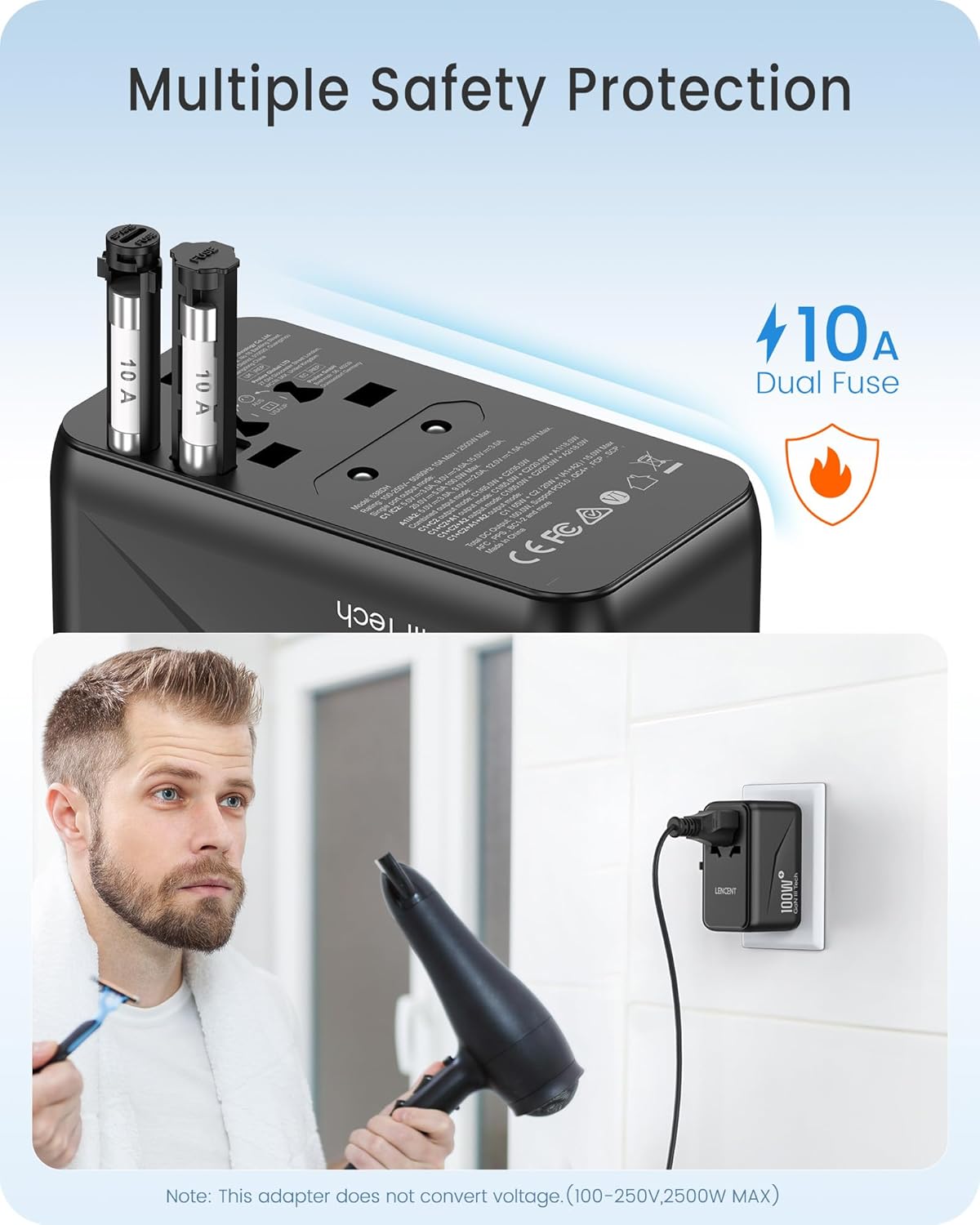
Imagine: Prim-plan view of the adapter's side, highlighting the dual 10A fuses for safety and overload protection.
6. Depanare
- Adapter not working:
- Asigurați-vă că adaptorul este introdus complet în priza de perete.
- Verify that the correct plug pins are fully extended and locked.
- Check if the device connected to the adapter is functioning correctly.
- Inspect the fuse. If blown, replace it with a new 10A fuse.
- Dispozitivul nu se încarcă sau se încarcă lent:
- Ensure your device's charging cable is securely connected to both the adapter and the device.
- Confirm that your device is compatible with the adapter's output specifications (voltage și wattagși).
- If charging multiple devices, the total power output is shared. Disconnect some devices to see if charging speed improves for a specific device.
- Supraîncălzire:
- Disconnect all devices and unplug the adapter from the wall. Allow it to cool down.
- Asigurați puterea totalătage of connected devices does not exceed the adapter's maximum capacity (2500W).
- Asigurați o ventilație adecvată în jurul adaptorului.
7. Specificații
| Numărul de model | 638DH |
| Vol. De intraretage | 100-250V ~ 50/60Hz |
| Ieșire AC | 100-250V ~ 10A Max, 2500W Max |
| Ieșire USB-C1 | 5V/3A, 9V/3A, 12V/3A, 15V/3A, 20V/5A (100W max.) |
| Ieșire USB-C2 | 5V/3A, 9V/3A, 12V/2.9A (35W max.) |
| Ieșire USB-A1/A2 | 5V/3A, 9V/2A, 12V/1.5A (18W max.) |
| Total ieșire USB | 100W Max |
| Dimensiuni (L x l x H) | 3.62 x 2.13 x 2.09 inchi (9.2 x 5.4 x 5.3 cm) |
| Greutatea articolului | 9.5 uncii (268 grame) |
| Tehnologie | GaN III, PD 3.0, QC 4.0, PPS |
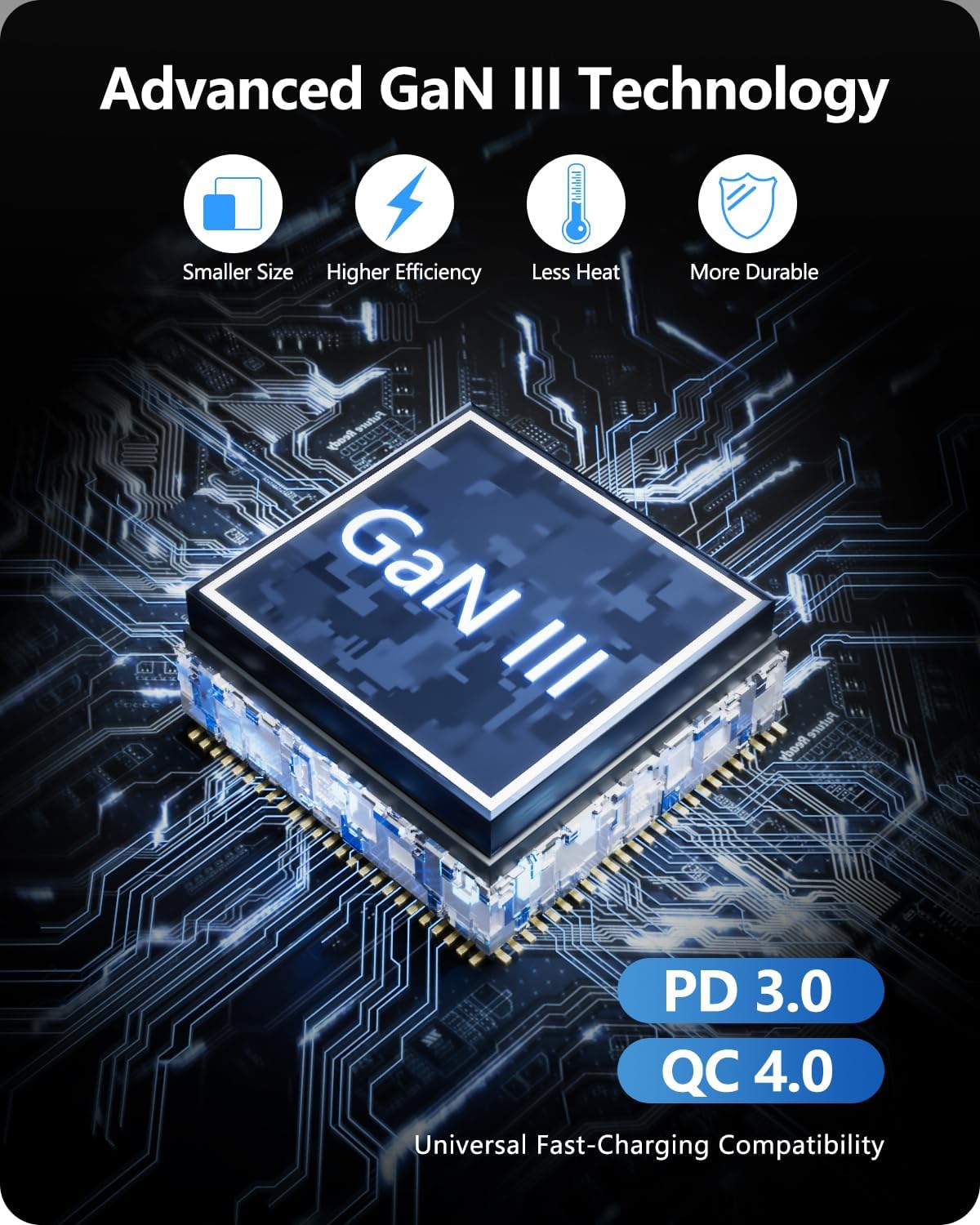
Image: Diagram illustrating the benefits of GaN III Technology: smaller size, higher efficiency, less heat, and increased durability.

Image: The adapter next to a smartphone, tablet, and smartwatch, emphasizing its compact size (2.05*3.62*2.09 inches).
8. Garanție și asistență
LENCENT products are manufactured with quality and reliability in mind. For warranty information or technical support, please refer to the official LENCENT website-ul lor web sau contactați direct serviciul lor de asistență pentru clienți. Vă rugăm să păstrați dovada achiziției pentru orice reclamații în garanție.
Producator: LENCENT Technology Co.,Ltd.
Pentru asistență suplimentară, vizitați LENCENT Store on Amazon.