
Introducere
This manual provides detailed instructions for the installation, operation, and maintenance of your Mars Gaming MARSGAMING MCX ATX PC Gaming Case, Model MCF. Please read this manual thoroughly before beginning assembly to ensure proper setup and optimal performance.

Figure 1: Mars Gaming MARSGAMING MCX ATX PC Gaming Case (Model MCF)
Caracteristici cheie
- Advanced Gaming Lighting: Features triple vented front and rear fans with ARGB lighting, complemented by a Metal-Mesh front design and tempered glass side window.
- Design aerodinamic: Sophisticated look with pure geometric lines and premium finishes. The aerodynamically designed front panel enhances ventilation and airflow.
- Full ARGB Compatibility: ARGB lighting with multiple preset effects, controllable via an ARGB connector or motherboard for extensive aesthetic customization.
- Capacitate maximă de răcire: Includes a triple front fan system and a 120mm rear fan. Supports up to 6 x 120mm fans, removable magnetic top and bottom filters, and dual chamber design. Full support for up to 360mm liquid cooling.
- Maximum Internal Capacity: Supports ATX, micro-ATX, and mini-ITX motherboards, up to 5 hard drives, and efficient internal cable management. Accommodates VGAs up to 305mm long (330mm without front fan) and 167mm wide, and heatsinks up to 177mm high.
Conținutul pachetului
Verificați dacă toate componentele sunt prezente în pachet înainte de a continua instalarea.
- Mars Gaming MARSGAMING MCX ATX PC Gaming Case (Model MCF)
- 4 x 120mm ARGB Fans (pre-installed)
- Kit accesorii (șuruburi, distanțiere, coliere de cablu)
- Manual de utilizare (acest document)
Instrucțiuni de configurare
1. Pregătirea cazului
Place the case on a stable, flat surface. Remove the tempered glass side panel by unscrewing the thumb screws at the rear of the case and carefully sliding the panel off.
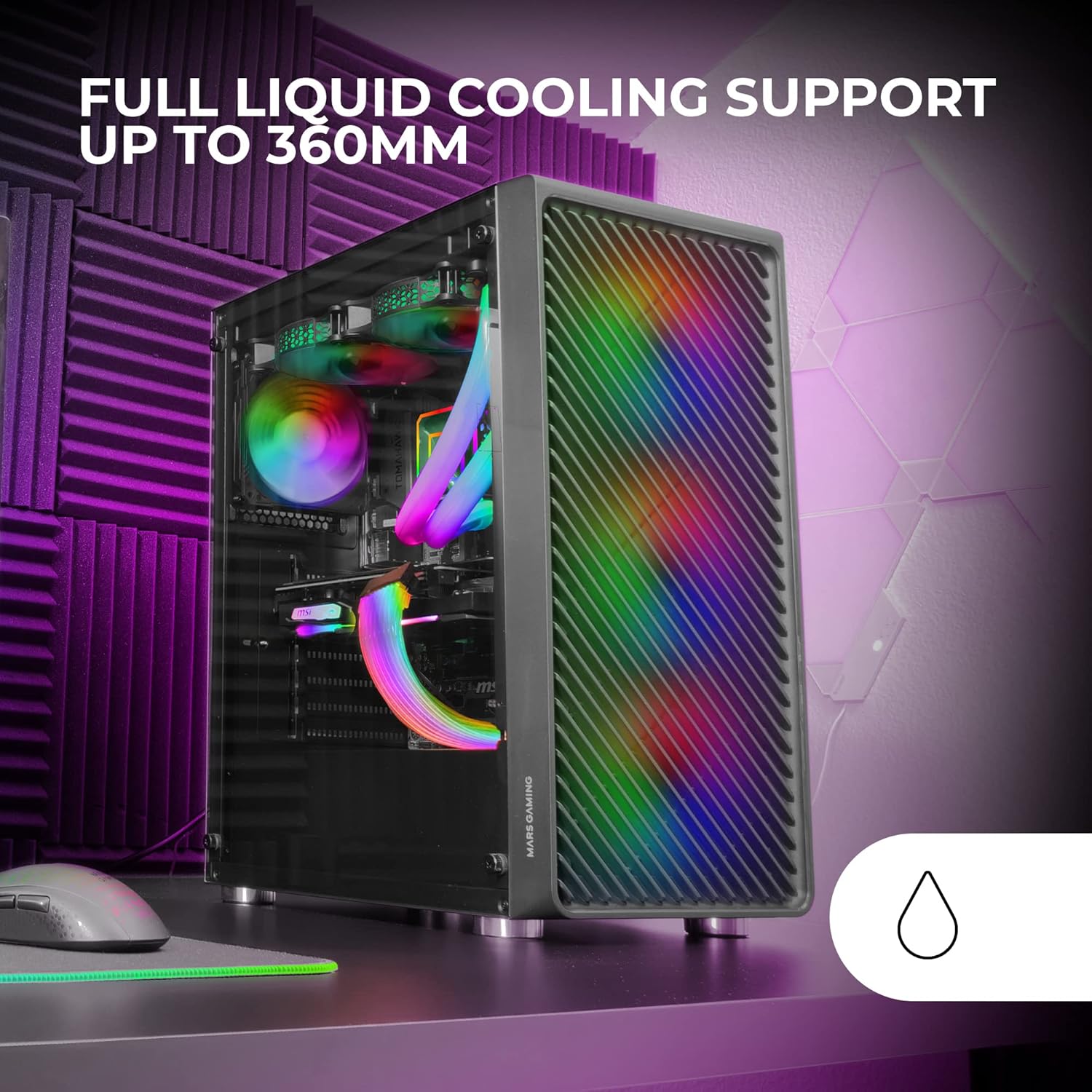
Figure 2: Tempered Glass Side Window
The front panel features a Metal-Mesh design for optimal airflow.

Figure 3: Metal-Mesh Front Panel
2. Instalarea plăcii de bază
Install the appropriate standoffs for your ATX, Micro-ATX, or Mini-ITX motherboard. Carefully place the motherboard into the case, aligning it with the standoffs and the I/O shield opening. Secure the motherboard with screws from the accessory kit.
3. Instalarea unității de alimentare (PSU)
The case features a bottom-mount power supply design. Slide your PSU into its designated compartment at the bottom rear of the case and secure it with screws. Route the necessary cables through the cable management cutouts.
4. Instalarea unității de stocare
Install your 3.5-inch hard drives and 2.5-inch solid-state drives into the available drive bays. The case supports up to 5 hard drives. Refer to the internal layout diagram for bay locations.
5. Instalarea plăcii grafice (VGA)
Remove the necessary PCI-E slot covers. Insert your graphics card into the appropriate PCI-E slot on your motherboard and secure it with screws. The case supports VGAs up to 305mm long (330mm without a front fan) and 167mm wide.
6. Instalarea sistemului de răcire (ventilatoare și răcire cu lichid)
The case comes with four pre-installed 120mm ARGB fans (three front, one rear). Additional fans can be installed as follows:
- Top: Până la 2 ventilatoare de 120 mm sau 2 ventilatoare de 140 mm.
- Faţă: Up to 3 x 120mm or 2 x 140mm fans (pre-installed).
- Spate: 1 ventilator de 120 mm (preinstalat).
For liquid cooling, the case supports radiators up to 360mm.

Figure 4: Pre-installed 4x 120mm ARGB Fans

Figure 5: Internal Layout and Cooling Support
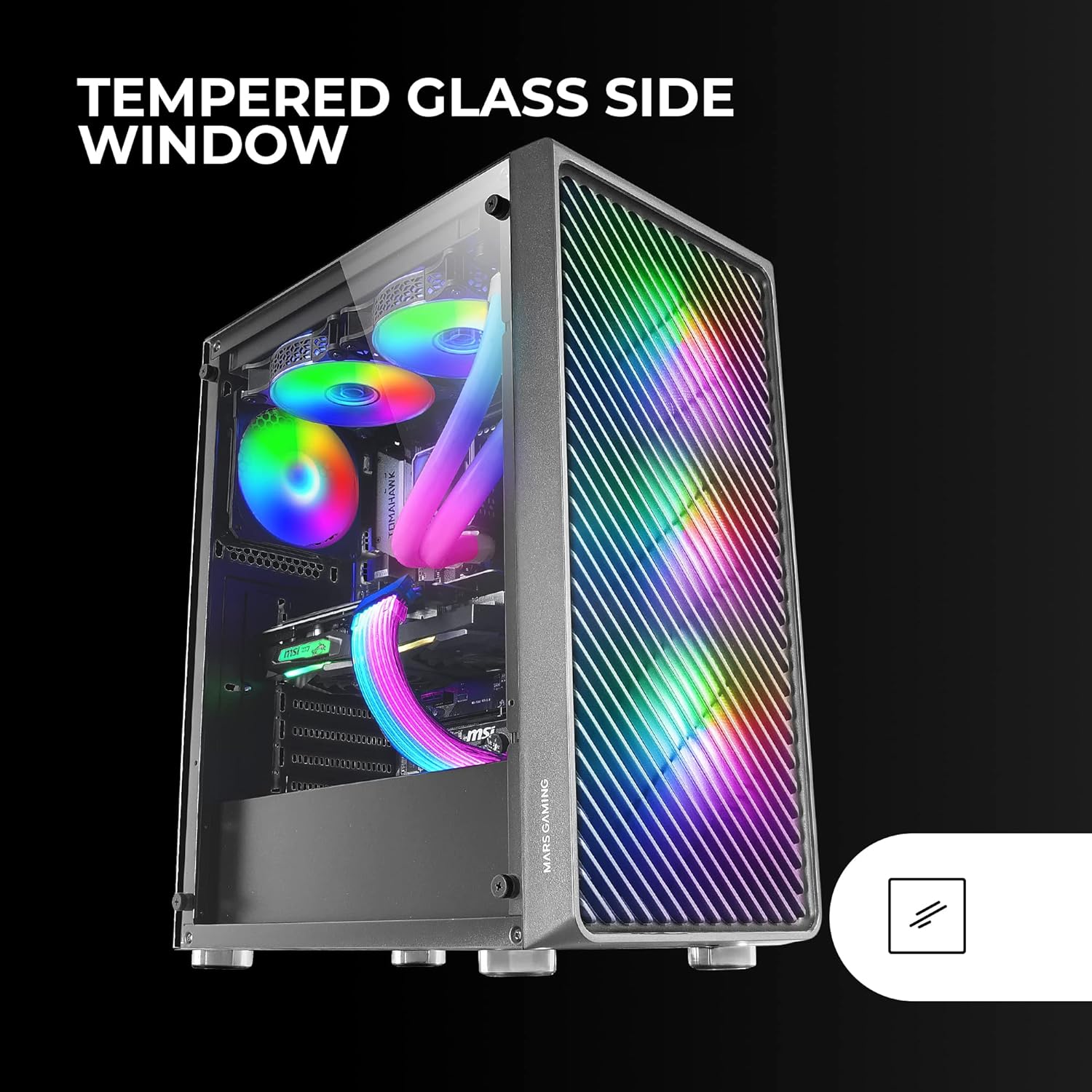
Figure 6: Liquid Cooling Support
7. Gestionarea cablurilor
Folosește decupajele pentru gestionarea cablurilor și punctele de fixare din spatele tăvii plăcii de bază pentru a direcționa și fixa cablurile. Acest lucru îmbunătățește circulația aerului și aspectul estetic.
8. Adunarea finală
Once all components are installed and cables are managed, reattach the tempered glass side panel and secure it with the thumb screws.
Instrucțiuni de operare
Pornirea
Connect your power supply to a wall outlet. Press the power button located on the top panel of the case to turn on your system.
Controlul iluminării ARGB
The pre-installed ARGB fans can be controlled via your motherboard's ARGB software (if connected to an ARGB header) or through the integrated controller (if applicable). Refer to your motherboard manual for specific ARGB software instructions. The case offers multiple preset lighting effects.
Întreţinere
Curățarea carcasei
Curățați regulat exteriorul carcasei cu o lavetă moale șiamp cloth. Avoid abrasive cleaners. For interior cleaning, use compressed air to remove dust from components and fans.
Întreținerea filtrului de praf
The case features removable magnetic dust filters on the top and bottom. Periodically remove and clean these filters to maintain optimal airflow and prevent dust buildup inside the system. Wash with water and mild soap, then dry completely before reattaching.
Depanare
Fans Not Spinning / RGB Not Working
- Check all fan and ARGB connections to the motherboard or controller.
- Asigurați-vă că sursa de alimentare furnizează suficientă energie.
- Verify that ARGB software or physical controls are correctly configured.
Flux de aer slab / Supraîncălzire
- Clean all dust filters and fans.
- Ensure proper fan orientation for intake and exhaust.
- Verify that no cables are obstructing airflow.
- Consider adding additional fans if temperatures remain high.
Sistemul nu pornește
- Verificați toate conexiunile de alimentare de la sursa de alimentare la placa de bază și componente.
- Asigurați-vă că cablul butonului de alimentare de pe panoul frontal este conectat corect la placa de bază.
- Verify the PSU is switched on.
Specificații
| Caracteristică | Detaliu |
|---|---|
| Marca | Mars Gaming |
| Numele modelului | MCF |
| Tipul cazului | Mid Tower |
| Compatibilitate cu placa de baza | ATX, Micro ATX, Mini-ITX |
| Material | Metal |
| Culoare | Negru |
| Dimensiuni articol (D x L x H) | 14.96" D x 8.5" L x 18.11" H |
| Greutatea articolului | 4.7 kilograme |
| Internal Bays Quantity | 5 (for 3.5" Hard Disk Form Factor) |
| Lungime maximă GPU | 305mm (330mm without front fan) |
| Înălțime maximă răcitor CPU | 177mm |
| Ventilatoare preinstalate | 4 ventilatoare ARGB de 120 mm |
| Metoda de răcire | Aer, Apă |
| Suport pentru răcirea lichidelor | Up to 360mm radiator |
| Tip de montare a sursei de alimentare | Montare de jos |
| Total porturi USB | 2 (USB 2.0) |
| Caracteristici speciale | RGB Lighting, Tempered Glass Side Panel, Metal-Mesh Front Panel |
Garanție și suport
Pentru informații despre garanție și asistență tehnică, vă rugăm să consultați site-ul oficial Mars Gaming. website-ul lor web sau contactați departamentul de asistență pentru clienți. Păstrați dovada achiziției pentru solicitările de garanție.
Producător: Mars Gaming