
1. Introducere
Thank you for choosing the EBTOOLS 2.4G Wireless Keyboard and Mouse combo. This product is designed for comfortable and efficient use with its low-noise operation, adjustable DPI settings, and reliable 2.4G wireless connectivity. This manual provides detailed instructions for setup, operation, and maintenance to ensure optimal performance.
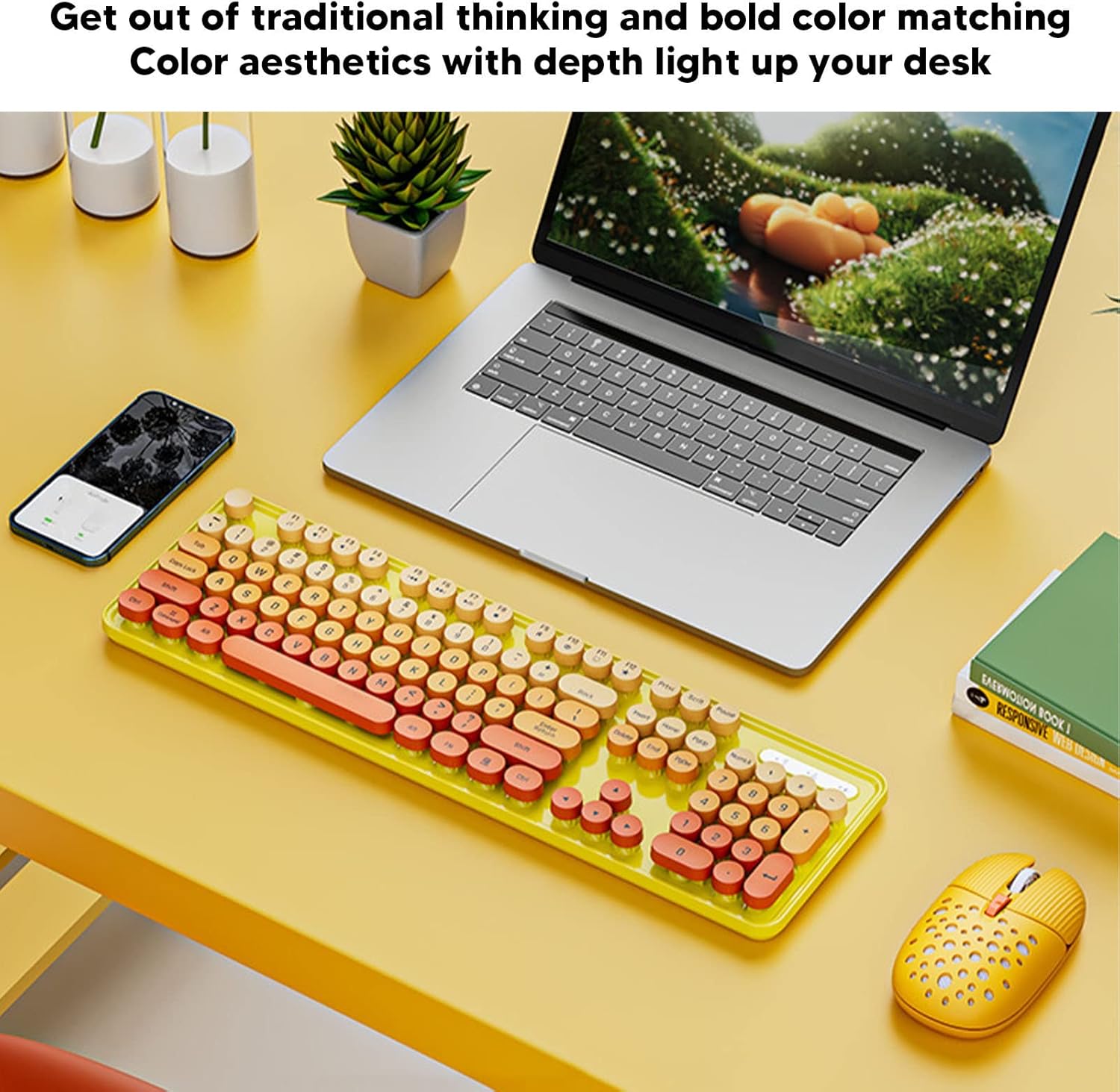
Image: The EBTOOLS 2.4G Wireless Keyboard and Mouse in mixed color yellow, displayed on a desk alongside a laptop and smartphone, showcasing its design and compact form factor.
2. Conținutul pachetului
- 1 x EBTOOLS 2.4G Wireless Keyboard
- 1 x EBTOOLS 2.4G Wireless Mouse
- 1 x Receptor USB (de obicei, depozitat în compartimentul bateriei mouse-ului)
- Manual de utilizare (acest document)
3. Instrucțiuni de configurare
3.1. Instalarea bateriei
The keyboard and mouse require batteries for operation. Please ensure you have 1 AA battery for the keyboard and 1 AA battery for the mouse (batteries are not included).
- Localizați compartimentul bateriei pe partea inferioară a tastaturii.
- Deschideți capacul compartimentului bateriei.
- Introduceți bateria AA respectând indicatorii de polaritate (+/-) din interiorul compartimentului.
- Închideți bine capacul compartimentului bateriei.

Image: The underside of the EBTOOLS keyboard with the battery compartment open, showing where to insert the AA battery.
3.2. Conectarea receptorului USB
The keyboard and mouse share a single 2.4G USB receiver for wireless connection.
- Locate the USB receiver. It is typically stored in the battery compartment of the mouse for safekeeping.
- Scoateți receptorul USB din slotul său de stocare.
- Plug the USB receiver into an available USB port on your computer (desktop PC, laptop, etc.).
- The system should automatically detect and install the necessary drivers. This is a plug-and-play device.

Image: A diagram illustrating the compatibility of the keyboard and mouse with various systems, including desktop PCs, laptops, and other computers, highlighting its plug-and-play functionality.

Image: An illustration demonstrating the 2.4G wireless connection mode for the keyboard and mouse, emphasizing the ability to connect two devices wirelessly with a single receiver.
4. Instrucțiuni de utilizare
4.1. Ajustarea DPI-ului mouse-ului
The mouse features three adjustable DPI (Dots Per Inch) settings to suit your preference and task requirements. You can cycle through these settings by pressing the DPI button, usually located near the scroll wheel on the mouse.
- 800 DPI: Suitable for precise tasks or slower cursor movement.
- 1600 DPI: Setare standard pentru uz general.
- 2400 DPI: Ideal for faster cursor movement, such as gaming or navigating large screens.
4.2. Using Multimedia Keys
The keyboard is equipped with 18 multimedia keys for quick access to various functions. These keys are typically activated by pressing the Fn key in combination with the corresponding function key (F1-F12) or dedicated multimedia keys.

Imagine: O imagine detaliată view of the EBTOOLS keyboard layout, highlighting the standard keys and the 18 multimedia keys, along with their respective functions such as volume control, media playback, and quick access to applications.
Common multimedia functions include:
- Volume Down / Up / Mute
- Play / Pause / Previous Track / Next Track
- Home / My Computer / Mail / Favorites
- Other system-specific functions
5. Întreținere
5.1. Curatenie
To maintain the longevity and appearance of your keyboard and mouse:
- Folosiți o lavetă moale și uscată pentru a șterge suprafețele.
- Pentru murdăria persistentă, dreaptă ușorampClătiți cârpa cu apă sau o soluție de curățare delicată. Evitați substanțele chimice dure.
- Folosește aer comprimat pentru a îndepărta praful și resturile dintre tastele tastaturii.
5.2. Înlocuirea bateriei
When the keyboard or mouse becomes unresponsive or exhibits intermittent connectivity, it may be time to replace the batteries. Follow the battery installation steps in Section 3.1.

Image: An illustration depicting the energy-saving features of the keyboard and mouse, emphasizing lower power consumption and extended battery life for continuous use.
6. Depanare
| Problemă | Soluţie |
|---|---|
| Tastatura/mouse-ul nu răspunde |
|
| Conexiune intermitentă |
|
| Cursorul mouse-ului este neregulat sau nu se mișcă lin |
|
7. Specificații
| Caracteristică | Detaliu |
|---|---|
| Marca | EBTOOLS |
| Culoare | Mixed Color Yellow |
| Tehnologia de conectivitate | 2.4G Radio Frequency Wireless |
| Caracteristica specială | Funcționare cu zgomot redus |
| Dispozitive compatibile | Personal Computer (Desktop PC, Laptop) |
| Sistem de operare | Major PC Operating Systems |
| Orientarea mâinii (mouse) | Ambidextru |
| Bateriile necesare | Yes (1 AA for keyboard, 1 AA for mouse) |
| Număr de taste (tastatură) | 104 |
| Sursa de alimentare | Alimentat cu baterie |
| Aspectul tastaturii | QWERTY |
| Setări DPI mouse | 800, 1600, 2400 (reglabil) |
| Material | ABS |
8. Videoclipuri oficiale ale produselor
8.1. Keyboard and Mouse Overview
Video: Un pesteview of the EBTOOLS Keyboard and Mouse, demonstrating its features and design. This video is provided by the seller, Zhiyavex-US.
8.2. Yunseity Wireless Keyboard and Mouse Demonstration
Video: A demonstration of the Yunseity Wireless Keyboard and Mouse, showcasing its functionality and user experience. This video is provided by the seller, Zhiyavex-US.
9. Garanție și asistență
EBTOOLS products are designed for reliability and performance. For any questions, technical support, or warranty inquiries, please refer to the contact information provided with your purchase or visit the official EBTOOLS website. Vă rugăm să păstrați dovada achiziției pentru reclamații în garanție.
The product comes with a standard return policy of 30 days from the date of purchase for refund or replacement, as per seller terms.