
Introducere
This manual provides essential information for the safe and effective use of your Paladone Green Xbox Icons Light. Please read these instructions carefully before use and retain them for future reference.

The Paladone Green Xbox Icons Light, featuring the iconic Xbox logo and sphere, illuminated in a vibrant green hue.
Informații de siguranță
- A nu se lăsa la îndemâna copiilor: Acest produs nu este o jucărie.
- Numai pentru utilizare în interior: Nu expuneți la ploaie sau umezeală.
- Sursa de alimentare: Use only the provided USB cable or 3x AAA batteries. Do not mix old and new batteries, or different types of batteries.
- Evitați temperaturile extreme: Do not operate in excessively hot or cold environments.
- curatenie: Disconnect from power before cleaning. Use a soft, dry cloth. Do not use liquid cleaners.
- Eliminare: Dispose of batteries and the product responsibly according to local regulations.
Conținutul pachetului
Despachetați cu grijă cutia și asigurați-vă că toate articolele sunt prezente:
- 1 x Paladone Green Xbox Icons Light Unit
- 1 x Cablu de alimentare USB

The product packaging, indicating the Xbox Icons Light and its features.
Înființat
Your Xbox Icons Light can be powered by either the included USB cable or 3x AAA batteries (not included).
Powering via USB:
- Insert the small end of the USB cable into the USB port on the back of the light unit.
- Insert the large end of the USB cable into a powered USB port (e.g., computer, USB wall adapter, game console).
Powering via Batteries:
- Locate the battery compartment on the underside of the light unit.
- Deschideți capacul compartimentului bateriei.
- Introduceți 3 baterii AAA, asigurându-vă că polaritatea este corectă (+/-).
- Închideți bine capacul compartimentului bateriei.

The Xbox Icons Light can be powered using the included USB cable or 3x AAA batteries (not included).
Instrucțiuni de operare
The Xbox Icons Light features a power button, typically located on the base or side of the unit. Press this button to cycle through the available lighting modes.
Pentru a porni/dezactiva:
- Apăsați butonul de pornire o dată pentru a aprinde lumina.
- Continue pressing the power button to cycle through the lighting modes.
- Press the power button after the last lighting mode to turn the light off.

The Xbox Icons Light offers dynamic phasing and pulsing light modes for varied visual effects.
Moduri de iluminare
The Paladone Green Xbox Icons Light offers three distinct lighting modes:
- Mod standard: The light remains steadily illuminated.
- Shifting Mode: The light transitions between different brightness levels or sections.
- Mod pulsatoriu: The light gently pulses, creating a dynamic effect.
Press the power button repeatedly to switch between these modes.
Întreţinere
curatenie:
- Ensure the light is turned off and disconnected from any power source before cleaning.
- Ștergeți suprafața cu o lavetă moale, uscată și fără scame.
- Nu folosiți produse de curățare abrazive, solvenți sau substanțe chimice dure, deoarece acestea pot deteriora finisajul.
Înlocuire baterie:
- If using batteries, replace all three AAA batteries when the light dims or stops functioning.
- Follow the instructions in the 'Powering via Batteries' section under 'Setup' for safe battery replacement.
- Always dispose of used batteries according to local environmental guidelines.
Depanare
| Problemă | Cauza posibila | Soluţie |
|---|---|---|
| Lumina nu se aprinde. | No power supply or depleted batteries. | Check USB cable connection or replace AAA batteries. |
| Lumina este slabă sau pâlpâie. | Putere scăzută a bateriei. | Replace AAA batteries or use USB power. |
| Cannot change lighting modes. | Power issue or button malfunction. | Ensure stable power. If problem persists, contact support. |
Specificații
| Caracteristică | Detaliu |
|---|---|
| Numărul de model | PP8961XB |
| Dimensiuni (L x l x H) | 12.45 x 4.92 x 2.91 inchi (31.8 cm x 12.5 cm x 7.4 cm) |
| Greutatea articolului | 16 uncii (aproximativ 453 grame) |
| Material | Plastic |
| Sursa de alimentare | USB Cable (included) or 3x AAA Batteries (not included) |
| Tip de bec | LED |
| Numărul de lumini | 1 |
| Voltage | Operates on low voltage DC (5V via USB, 4.5V via AAA batteries). Listed specification: 230 Volts (AC) for power adapter compatibility (adapter not included). |
| Caracteristici speciale | Dynamic Phasing and Pulsing Light Modes |
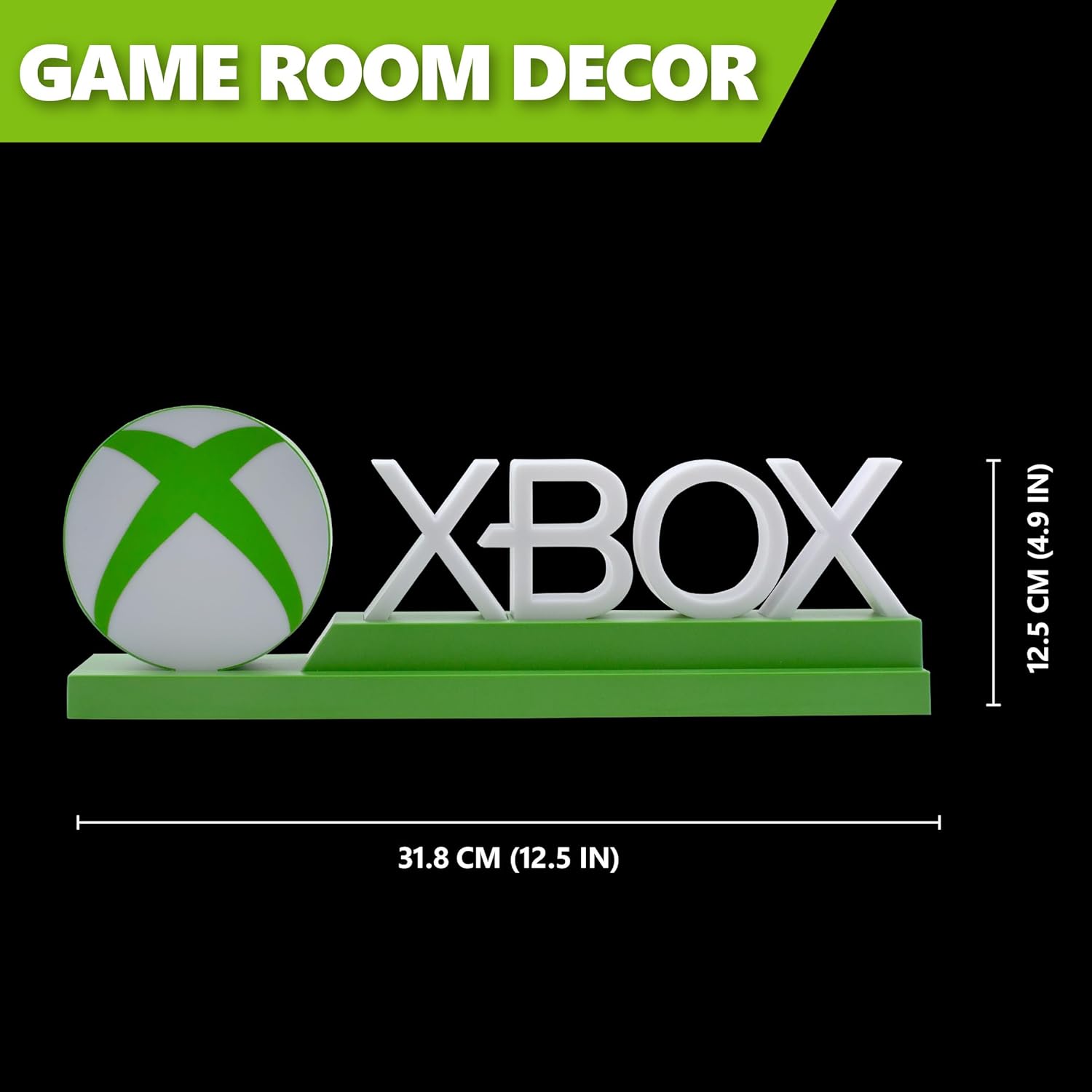
Detailed dimensions of the Xbox Icons Light, measuring 31.8 cm (12.5 inches) in width and 12.5 cm (4.9 inches) in height.
Garanție și suport
For warranty information, product support, or to inquire about replacement parts, please refer to the retailer where the product was purchased or visit the official Paladone webPăstrați dovada achiziției pentru reclamații în garanție.
Paladone Official Website: www.paladone.com