
Lexip JVASWI00101
Lexip PIXMINDS Steelplay Adventure Twinpads User Manual
Comprehensive guide for your gaming experience.
Introducere
The Lexip PIXMINDS Steelplay Adventure Twinpads are designed to enhance your gaming experience on compatible systems. These controllers offer precise input and comfortable handling for extended play sessions. This manual provides essential information for setup, operation, maintenance, and troubleshooting.
Conținutul pachetului
La deschiderea ambalajului, asigurați-vă că sunt prezente toate componentele:
- Lexip PIXMINDS Steelplay Adventure Twinpads (Left and Right controllers)
- Manual de utilizare (acest document)
- Required Lithium Ion batteries (pre-installed or included)

Image: The retail packaging for the Lexip PIXMINDS Steelplay Adventure Twinpads, showing the controllers and compatibility information.
Înființat
The Twinpads are compatible with Nintendo Switch™ and Nintendo Switch™ OLED models. They connect wirelessly via Bluetooth.
1. Charging the Twinpads
The Twinpads come with Lithium Ion batteries. Before first use, ensure they are fully charged. The LED indicators on the controllers will show charging status.
2. Împerecherea cu dispozitivul dvs.
- Asigură-te că consola Nintendo Switch este pornită și actualizată la cea mai recentă versiune de software.
- Din meniul ACASĂ, selectați „Controlere” > „Modificare prindere/ordine”.
- On each Twinpad, press and hold the small pairing button located on the side or back until the player LEDs begin to flash.
- Once the LEDs stop flashing and remain solid, the Twinpad is successfully paired.
- Repeat for the other Twinpad.
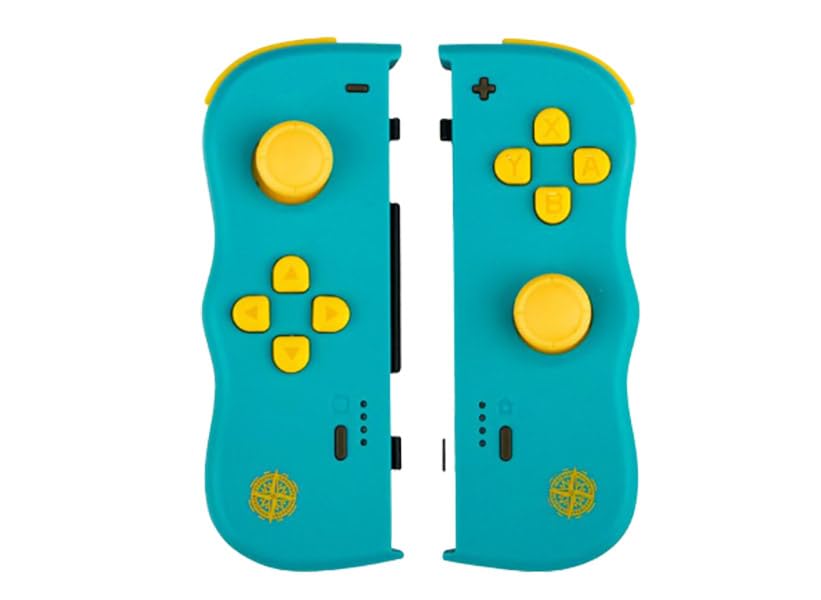
Imagine: față view of the Lexip PIXMINDS Steelplay Adventure Twinpads, showing the joysticks, D-pad, and action buttons.
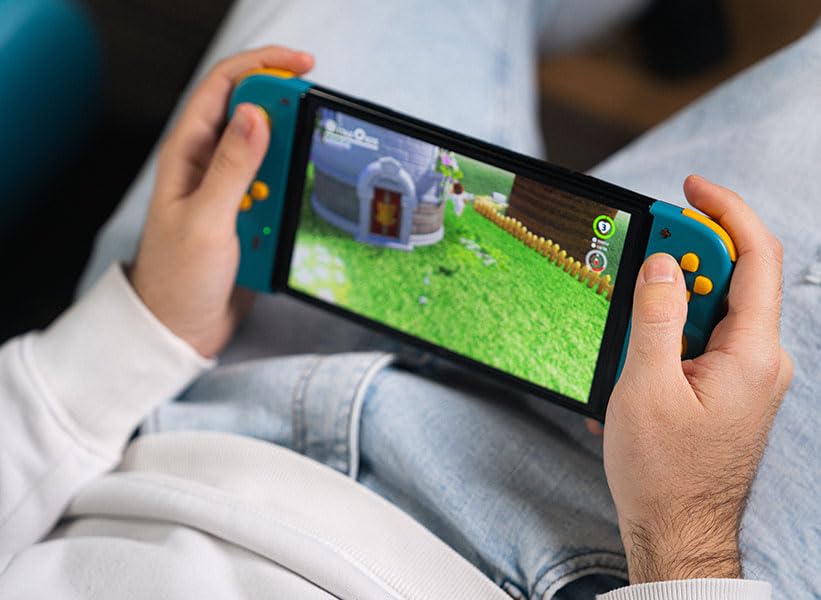
Imagine: Laterală view of the Lexip PIXMINDS Steelplay Adventure Twinpads, highlighting the rail for attachment and potential pairing button location.
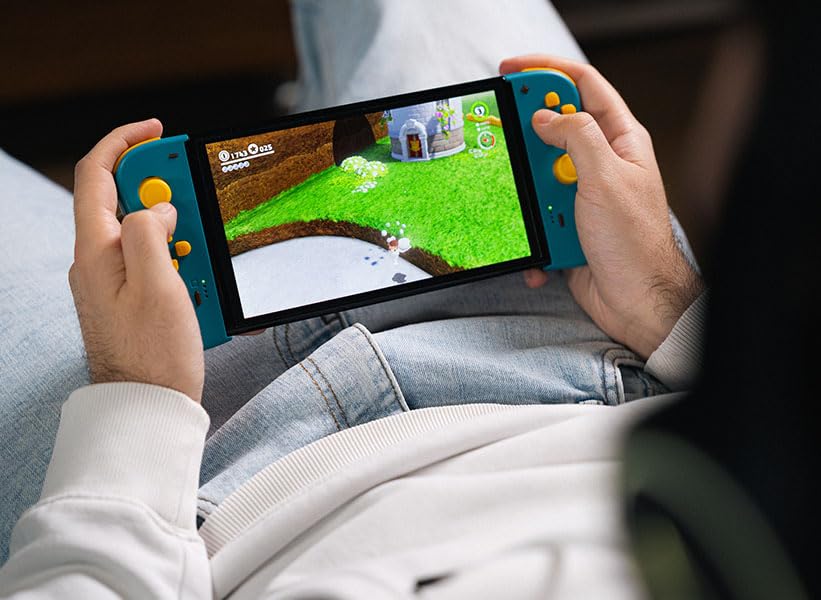
Imagine: Spate view of the Lexip PIXMINDS Steelplay Adventure Twinpads, showing the ergonomic design and additional buttons.
Instrucțiuni de operare
Once paired, the Twinpads function as independent left and right controllers, similar to the original Joy-Con controllers. They can be used for various games that support detached controller play.
Dispunerea butoanelor și funcții
- Left Twinpad: Analog Stick, D-pad, Minus (-) Button, Screenshot Button, SL/SR Buttons (on side rail).
- Right Twinpad: Analog Stick, A/B/X/Y Buttons, Plus (+) Button, Home Button, SL/SR Buttons (on side rail).
- Note: Specific button functions may vary depending on the game.
Reconectare
If the Twinpads disconnect or you wish to reconnect them after turning off the console, simply press any button on each Twinpad. They should automatically reconnect to the last paired console.
Întreţinere
Proper care will extend the lifespan of your Twinpads.
- curatenie: Use a soft, dry cloth to wipe the surface of the controllers. For stubborn dirt, slightly dampClătiți cârpa cu apă. Evitați utilizarea substanțelor chimice dure sau a produselor de curățare abrazive.
- Depozitare: Store the Twinpads in a cool, dry place away from direct sunlight and extreme temperatures.
- Îngrijirea bateriei: If storing for an extended period, ensure the batteries are partially charged (around 50%) to maintain battery health. Avoid fully discharging the batteries for long periods.
Depanare
If you encounter issues with your Twinpads, try the following solutions:
- Controlerele nu se împerechează:
- Ensure the Twinpads are charged.
- Verify Bluetooth is enabled on your console.
- Try re-pairing the controllers by following the "Pairing with Your Device" steps.
- Move closer to the console to ensure a strong Bluetooth signal.
- Repornește consola Nintendo Switch.
- Întârziere sau deconectare la intrare:
- Ensure there are no obstructions between the controllers and the console.
- Minimizează interferențele de la alte dispozitive wireless.
- Verificați nivelul bateriei și reîncărcați dacă este necesar.
- Butoanele care nu răspund:
- Curățați în jurul butoanelor pentru a îndepărta orice resturi.
- Ensure the controllers are properly paired and connected.
- Test the controllers in a different game or the console's controller test menu.
Specificații
| Caracteristică | Detaliu |
|---|---|
| Model | JVASWI00101 |
| Marca | Lexip, PIXMINDS, Steelplay |
| Conectivitate | Bluetooth |
| Compatibilitate | Nintendo Switch™, Nintendo Switch™ OLED |
| Tip baterie | 1 baterie litiu-ion (inclusă) |
| Greutatea articolului | 5.6 uncii (aproximativ 158.76 grame) |
| Dimensiuni pachet | 6.18 x 4.72 x 1.26 inci (aprox. 15.7 x 12 x 3.2 cm) |
| Producător | PIXMINDS |
| Data de lansare | 1 ianuarie 2023 |
Garanție și suport
The Lexip PIXMINDS Steelplay Adventure Twinpads come with a 5 an garanție, as indicated on the product packaging. To register your product and activate your warranty, please visit the official warranty registration page:
Register Your Product for Warranty
For technical support or further inquiries, please refer to the official Lexip support channels or contact your retailer.
Ask a question about this manual
Ask about setup, troubleshooting, compatibility, parts, safety, or missing instructions. Manuals+ will review the question and use this page’s manual context to help answer it.