
Produs terminatview
The Delton S12 Ergonomic Vertical Wireless Mouse is designed for comfort and efficiency, promoting a natural hand and wrist posture. It features a 2.4GHz wireless connection, six buttons, and three adjustable DPI levels for precise control. This manual provides instructions for setup, operation, maintenance, and troubleshooting.

Image: The Delton S12 Ergonomic Vertical Wireless Mouse, showcasing its vertical design.
Înființat
1. Despachetarea
Carefully remove the mouse and its accessories from the packaging. Ensure all components are present: the Delton S12 Vertical Wireless Mouse and the USB dongle.
2. Instalarea bateriei
The Delton S12 mouse requires two (2) AAA batteries (not included). Follow these steps to install them:
- Localizați compartimentul bateriei pe partea inferioară a mouse-ului.
- Deschideți ușor capacul compartimentului bateriei.
- Introduceți două baterii AAA, asigurându-vă că polaritatea este corectă (+/-).
- Închideți capacul compartimentului bateriei până când se fixează în siguranță cu un clic.
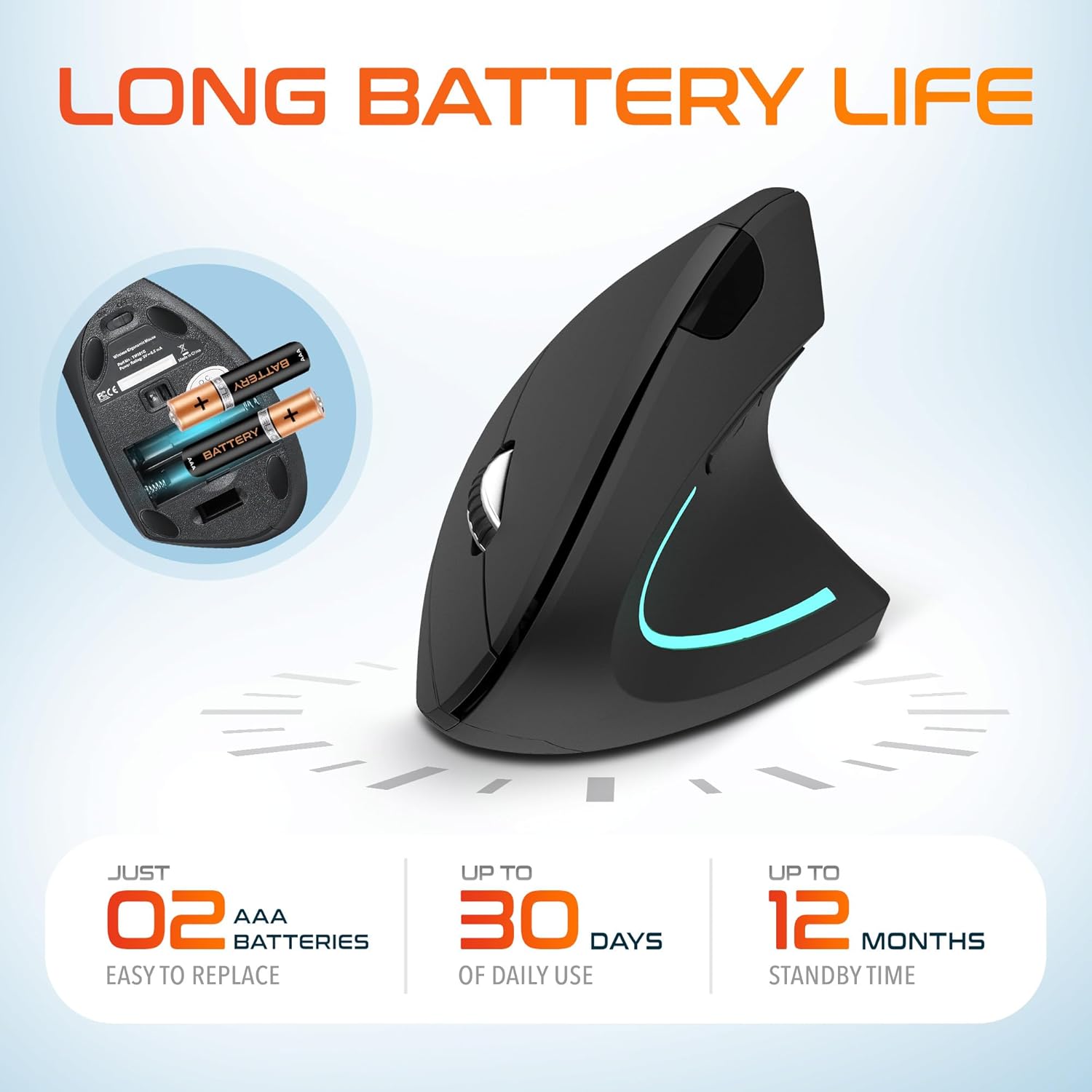
Image: The underside of the Delton S12 mouse with the battery compartment open, showing the correct placement for two AAA batteries.
3. Connecting the USB Dongle
The mouse connects wirelessly via a 2.4GHz USB dongle. No drivers are typically required for most operating systems.
- Remove the USB dongle from its storage slot, usually located near the battery compartment.
- Plug the USB dongle into an available USB port on your computer (PC, Laptop, Mac, Chromebook, etc.).
- The computer should automatically detect and install the necessary drivers. The mouse is ready for use once detected.

Image: The Delton S12 mouse positioned next to its USB dongle, ready for connection to a computer.
Utilizarea mouse-ului
The Delton S12 mouse features six buttons and a scroll wheel for enhanced functionality.
1. Funcții butoane
- Click stânga: Buton principal de selecție și activare.
- Click dreapta: Accesează meniurile contextuale.
- Rotiță de defilare: Derulează vertical prin documente și web pagini. De asemenea, se poate face clic pentru funcționalitatea clicului din mijloc.
- Buton comutare DPI: Ajustează sensibilitatea cursorului (DPI).
- Buton înainte: Navighează înainte în web browsere sau file exploratori.
- Buton înapoi: Navighează înapoi în web browsere sau file exploratori.

Image: Diagram illustrating the location and function of the six buttons on the Delton S12 Ergonomic Vertical Wireless Mouse.
2. Ajustarea DPI-ului
The mouse offers three adjustable DPI levels (800, 1200, 2400) to suit different tasks and preferences. Press the DPI Switch Button (located behind the scroll wheel) to cycle through the settings. An indicator LED will change color to show the current DPI level:
- LED albastru: 800 DPI (Lower sensitivity, suitable for precise work)
- LED roșu: 1200 DPI (Medium sensitivity, standard use)
- LED verde: 2400 DPI (Higher sensitivity, suitable for faster cursor movement)

Image: Close-up of the Delton S12 mouse showing the DPI indicator LED changing colors (blue, red, green) for different sensitivity settings.
Întreţinere
1. Curatenie
Pentru a menține performanțe optime, curățați mouse-ul în mod regulat. Folosiți o cârpă moale și uscată pentru a șterge suprafața. Pentru murdăria persistentă, curățați ușor.amp Se poate folosi o cârpă, dar asigurați-vă că nu pătrunde umezeală în componentele interne. Evitați substanțele chimice dure sau produsele de curățare abrazive.
2. Înlocuirea bateriei
When the mouse performance degrades or it stops responding, it's time to replace the batteries. Follow the battery installation steps outlined in the Setup section. Dispose of used batteries responsibly according to local regulations.
Depanare
Mouse-ul nu răspunde:
- Asigurați-vă că mouse-ul este pornit.
- Verificați dacă bateriile sunt instalate corect și au o încărcare suficientă. Înlocuiți-le dacă este necesar.
- Verify the USB dongle is securely plugged into a working USB port on your computer. Try a different USB port.
- Move the mouse closer to the USB dongle to ensure it's within the 30-foot operating range.
- Reporniți computerul.
Mișcare neregulată a cursorului:
- Curățați senzorul optic de pe partea inferioară a mouse-ului cu o lavetă moale și uscată.
- Asigurați-vă că utilizați mouse-ul pe o suprafață adecvată. Evitați suprafețele foarte reflectorizante sau transparente. Se recomandă utilizarea unui mouse pad.
- Verificați interferența de la alte dispozitive fără fir.
DPI Indicator Light Not Changing:
- Press the DPI switch button firmly. If the issue persists, ensure batteries are fresh.
Specificații
| Marca | Delton |
| Numărul de model | S12 |
| Tehnologia de conectivitate | Wireless 2.4 GHz (dongle USB) |
| Tehnologia de detectare a mișcării | Optic |
| Niveluri DPI | 800, 1200, 2400 |
| Numărul de butoane | 6 |
| Orientarea mâinii | Corect |
| Sursa de alimentare | Battery Powered (2 x AAA batteries required) |
| Durata medie a bateriei | Până la 30 zile (utilizare zilnică) |
| wireless Range | Până la 30 de picioare |
| Dispozitive compatibile | PC, Laptop, Mac, Chromebook, iOS devices |
| Sistem de operare | Windows 11/10/9/8/7/XP, Mac OS 9/8/7, Linux, Chrome OS |
| Material | Plastic |
Garanție și suport
Informații despre garanție:
This Delton S12 Ergonomic Vertical Wireless Mouse comes with a 1-Year Manufacturer Warranty. This warranty covers defects in materials and workmanship under normal use. For warranty claims, please retain your proof of purchase.
Asistență clienți:
For technical assistance, troubleshooting, or any questions regarding your Delton S12 mouse, please contact Delton customer support. Refer to the product packaging or the official Delton website pentru cele mai recente informații de contact.