
1. Introducere
The Dangbei Neo Smart Projector is a compact, portable device designed to deliver a high-quality home theater experience. Featuring official Netflix licensing, 1080P Full HD resolution, HDR10 support, and intelligent adjustment technologies, this projector offers versatile entertainment options with ease of use. This manual provides essential information for setting up, operating, and maintaining your projector.

Figure 1: Dangbei Neo Smart Projector.
2. Ce se află în cutie
Upon unboxing your Dangbei Neo Smart Projector, verify that all the following items are included:
- Proiector inteligent Dangbei Neo
- Telecomanda
- Adaptor de alimentare
- Cablu de alimentare
- Manual de utilizare
- Laveta de curatare

Figure 2: Projector and included accessories.
3. Configurare
3.1 Pornirea inițială
- Connect the power cable to the power adapter, then plug the adapter into the projector's DC input port.
- Conectați cablul de alimentare la o priză electrică adecvată.
- Apăsați butonul de pornire de pe proiector sau de pe telecomandă pentru a porni dispozitivul.
3.2 Conexiune de rețea
The projector supports 5GHz Wi-Fi and Bluetooth 5.0 for seamless connectivity.
- Navigați la meniul „Setări” de pe ecranul principal al proiectorului.
- Select 'Network' and choose your desired Wi-Fi network. Enter the password if prompted.
- For Bluetooth devices, select 'Bluetooth' in the 'Settings' menu and pair your device.
3.3 Intelligent Adjustment Technologies
The Dangbei Neo features 4-in-1 smart adjustment for an optimal viewexperiență:
- Focalizare automată: The projector automatically adjusts for a clear and sharp image.
- Corecție automată a distorsiunii trapezoidale: The image is automatically adjusted to a rectangular shape, correcting for angled projections.
- Potrivire inteligentă a ecranului: The projector automatically aligns the image with the screen boundaries.
- Evitarea obstacolelor: The projection automatically adjusts to avoid obstacles in its path.
These features typically activate automatically upon startup or movement of the projector. Manual adjustments are also available in the settings menu.
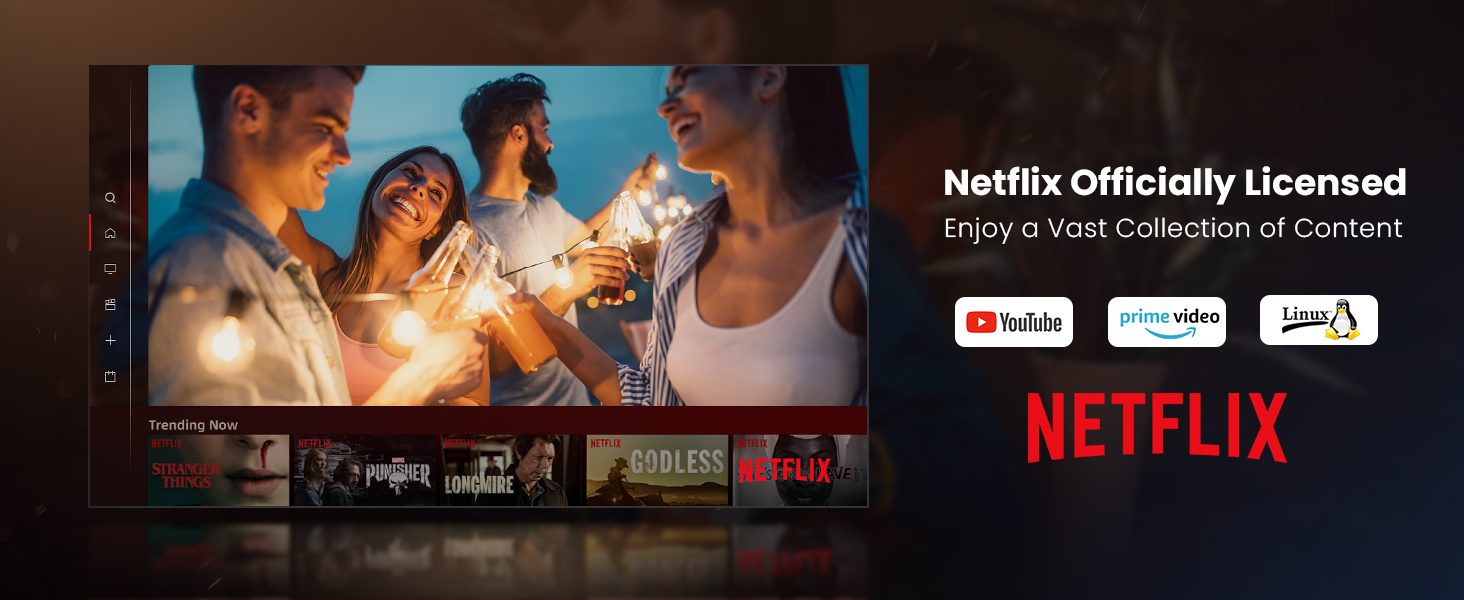
Figure 3: Visual representation of auto-focus and auto-keystone correction.
3.4 Conectarea dispozitivelor externe
Proiectorul oferă mai multe opțiuni de conectivitate:
- HDMI: Connect gaming consoles, laptops, or other HDMI-enabled devices. One HDMI port supports ARC for enhanced audio return.
- USB: Use the USB ports for multimedia playback from external storage devices.
- SPDIF: Pentru ieșire audio digitală către sisteme audio compatibile.
- LAN: Pentru o conexiune la internet prin cablu.
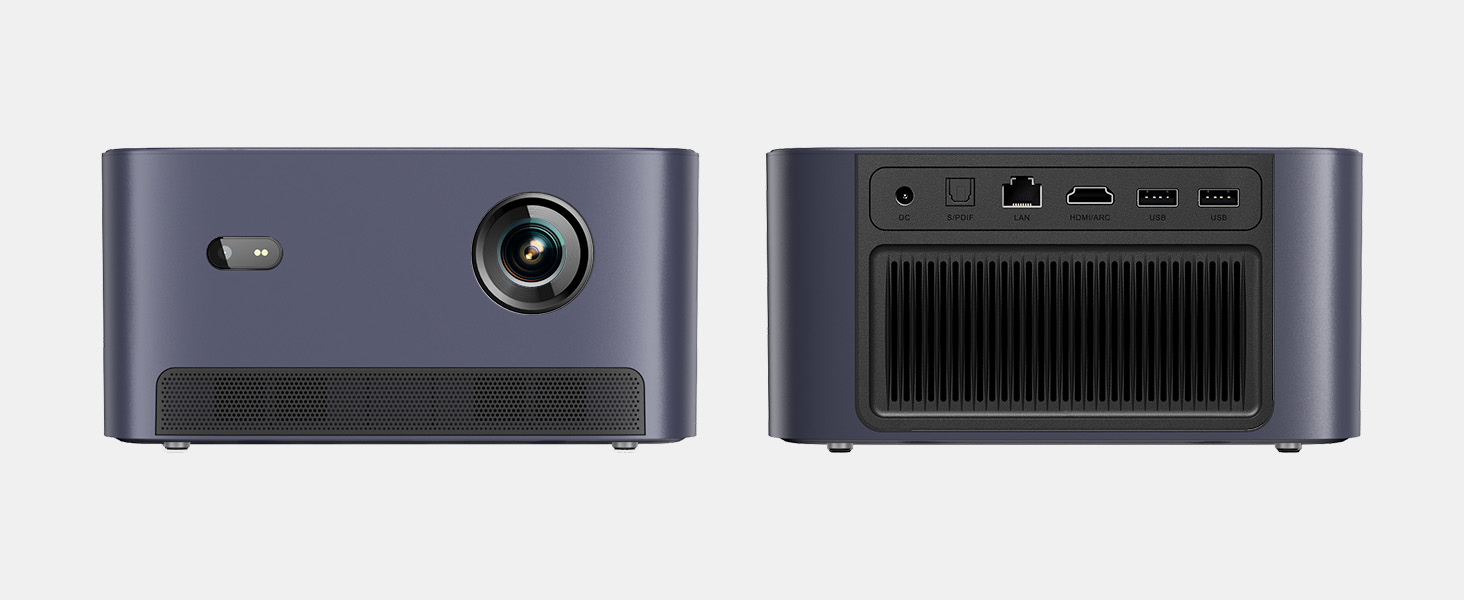
Figura 4: Spate view a proiectorului care prezintă diverse porturi de intrare/ieșire.
5. Instrucțiuni de utilizare
5.1 Navigarea prin interfață
The projector runs on a Linux-based operating system with a user-friendly interface. Use the remote control's directional pad and 'OK' button to navigate through menus and select options.
5.2 Aplicații preinstalate
Enjoy a variety of streaming content with pre-installed and officially licensed applications:
- Netflix: Access your Netflix subscription directly.
- YouTube: Stream videos from YouTube.
- Prime Video: Watch content from Amazon Prime Video.
- Additional apps are available through the integrated app store.

Figure 5: Projector displaying the Netflix interface.
5.3 Setări de imagine și audio
Optimizați-vă viewexperiență cu următoarele caracteristici:
- Rezoluţie: Native 1080P Full HD with support for HDR10/HLG for sharp, crisp images.
- Dimensiunea proiecției: Up to 120 inches for an immersive cinematic experience.
- Audio: Integrated 2x6W speakers with Dolby Audio support provide 360° surround sound.
- Reglarea luminozității prin inteligență artificială: Automatically optimizes brightness based on ambient light.

Figure 6: Large projected image from the Dangbei Neo.

Figure 7: Illustration of 360° surround sound from the projector.
6. Întreținere
- curatenie: Use the provided cleaning cloth to gently wipe the lens and exterior surfaces. Avoid abrasive materials or harsh chemicals.
- Ventilare: Asigurați-vă că orificiile de ventilație ale proiectorului sunt libere și neobstrucționate pentru a preveni supraîncălzirea.
- Lamp Viaţă: The laser light source has a lifespan of up to 30,000 hours, providing long-term use without frequent lamp înlocuire.
7. Depanare
| Problemă | Cauza posibila | Soluţie |
|---|---|---|
| No image/blurry image | Power issue, focus/keystone incorrect, lens obstructed | Check power connection. Use auto-focus/keystone or adjust manually. Clean the lens. |
| Nici un sunet | Volume too low, audio output settings, external device issue | Increase volume. Check audio settings. Ensure external device audio is working. |
| Probleme de conectivitate Wi-Fi/Bluetooth | Parolă incorectă, dispozitiv în afara razei de acoperire, interferențe | Verify password. Move closer to router/device. Reduce interference. |
| Supraîncălzirea proiectorului | Blocked ventilation, prolonged use | Ensure vents are clear. Allow projector to cool down. |
8. Specificații
| Caracteristică | Detaliu |
|---|---|
| Marca | Danbei |
| Model | Neo |
| Rezoluția afișajului | 1920 x 1080 (1080P FHD) |
| Suport HDR | HDR10/HLG |
| Sursă de lumină | Laser (ALPD) |
| Lamp Viaţă | Până la 30,000 ore |
| Luminozitate | 2100 ISO lumeni |
| Raport de contrast | 12,000:1 (dinamic) |
| Sistem de operare | Sistemul de operare Linux |
| Aplicații preinstalate | Netflix, YouTube, Prime Video |
| Conectivitate | 5GHz Wi-Fi, Bluetooth 5.0, HDMI (ARC), USB, SPDIF, LAN |
| Audio | 2x6W Dolby Audio Speakers, 360° Surround Sound |
| Caracteristici inteligente | Auto Focus, Auto Keystone Correction, Intelligent Screen Fit, Obstacle Avoidance, AI Brightness Adjustment |
| Dimensiuni | 7.87 x 6.18 x 3.94 inci |
| Greutate | 0.141 uncii |
9. Garanție și asistență
The Dangbei Neo Smart Projector comes with a standard manufacturer's warranty. For detailed warranty information, product support, or service inquiries, please refer to the warranty card included in your package or visit the official Dangbei website-ul.
Suport online: www.dangbei.com
10. Videoclip oficial al produsului
Urmăriți videoclipul oficial al produsului pentru o imagine de ansambluview of the Dangbei Neo Smart Projector's features and capabilities.
Video: Dangbei Neo Netflix Officially-Licensed Smart Projector. This video highlights key features and usage scenarios.