
Dangbei Neo
Manual de utilizare pentru proiectorul Dangbei Neo Mini
Model: Neo | Brand: Dangbei
1. Introducere
Welcome to the user manual for your new Dangbei Neo Mini Projector. This portable projector is designed to deliver a high-quality cinematic experience with its 1080P Full HD resolution, 540 ISO Lumens brightness, and officially-licensed streaming applications like Netflix. Equipped with intelligent features such as auto-focus, keystone correction, object avoidance, and screen adaption, the Neo ensures an effortless setup and a clear, sharp image. Its integrated 12W Dolby Audio speakers provide immersive sound, complemented by 5G Wi-Fi and Bluetooth 5.0 connectivity for versatile media playback. Please read this manual thoroughly to understand the product's features and ensure proper operation and maintenance.
2. Ce se află în cutie
Verificați dacă toate următoarele articole sunt incluse în pachetul dumneavoastră:
- Dangbei Neo Projector x 1
- Power Adapter 90W (19V/4.74A) x 1
- Cablu de curent alternativ x 1
- Telecomandă x 1
- Manual de instrucțiuni x 1
3. Produs terminatview

Figura 3.1: Față view of the Dangbei Neo Mini Projector, showcasing its compact design, projection lens, and intelligent sensors.
The Dangbei Neo Mini Projector features a sleek, compact design. The front panel houses the projection lens and intelligent sensors for auto-focus and obstacle avoidance. The sides are equipped with ventilation grilles to ensure optimal cooling during operation. The rear panel contains all the necessary input and output ports for connecting external devices.

Figura 3.2: Spate view of the projector, detailing the various connectivity ports including DC power input, S/PDIF, LAN, HDMI/ARC, and USB ports.
Componente cheie:
- Lentila de proiectie: Emits the image onto the screen or wall.
- Senzori inteligenți: Used for auto-focus, keystone correction, and obstacle avoidance.
- Grile de ventilație: Located on the sides, these ensure proper airflow to prevent overheating.
- Power Input (DC): Se conectează la adaptorul de alimentare inclus.
- S/PDIF Port: Pentru ieșire audio digitală.
- Port LAN: Pentru conexiune la internet prin cablu.
- HDMI/ARC Port: Connects to external video sources (e.g., Blu-ray player, game console). Supports Audio Return Channel (ARC).
- Porturi USB: For connecting USB storage devices or other peripherals.
4. Configurare
4.1 Plasarea
Choose a flat, stable surface for your projector. The Dangbei Neo is highly portable, allowing for flexible placement in various environments, from your living room to outdoor settings.

Figure 4.1: The projector's compact size makes it ideal for portable use, easily fitting on small surfaces like an outdoor table.
The projector can project an image size of up to 120 inches. Adjust the distance between the projector and the projection surface to achieve your desired screen size. Ensure the projection surface is clean and smooth for the best image quality.
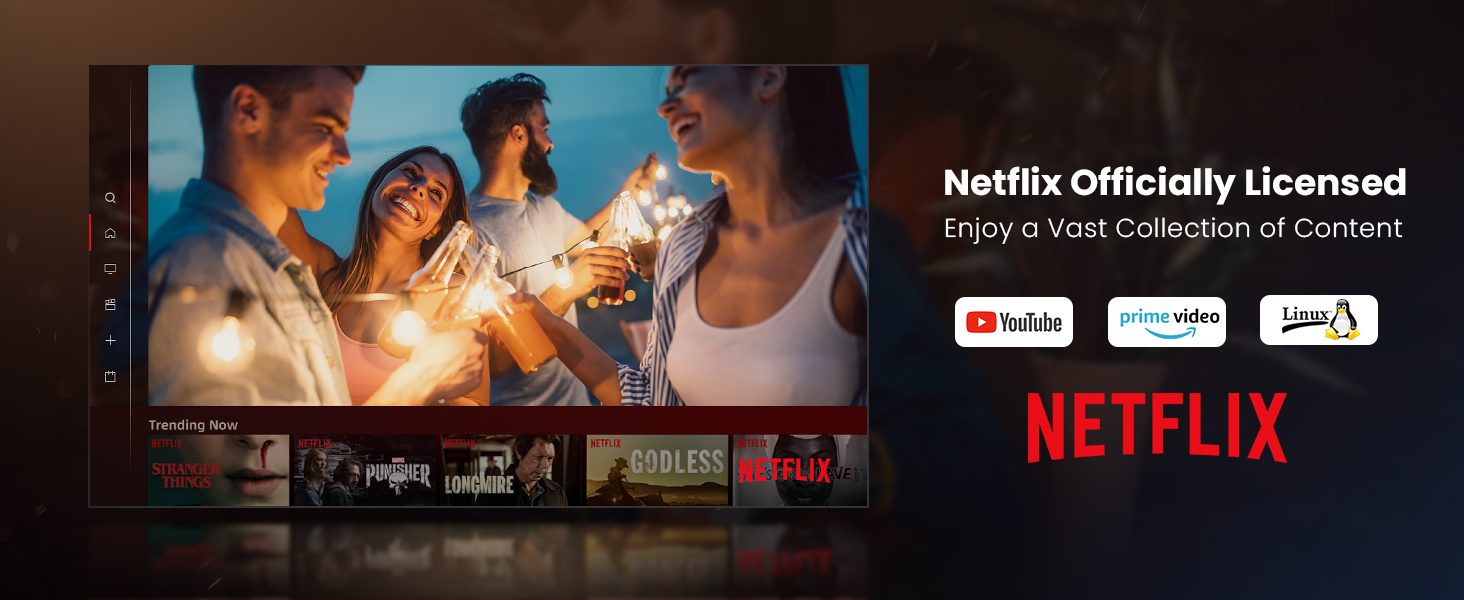
Figure 4.2: Illustrates the flexible projection sizes achievable with the Dangbei Neo, ranging from 37.5 inches to a maximum of 120 inches, allowing for versatile viewtrăind experiențe.
4.2 Conexiune la alimentare
- Connect the AC cord to the power adapter.
- Plug the power adapter into the DC input port on the rear of the projector.
- Plug the other end of the AC cord into a power outlet.
4.3 Initial Setup (Intelligent Features)
The Dangbei Neo is equipped with intelligent features to simplify setup:

Figure 4.3: Visual representation of the projector's intelligent features, including automatic focus, keystone correction, obstacle avoidance, and smart screen adaptation for a perfect image.
- Focalizare automată: Upon startup or movement, the projector automatically adjusts the focus to ensure a clear and sharp image.
- Corecție automată a distorsiunii trapezoidale: The projector automatically corrects trapezoidal distortion, ensuring a perfectly rectangular image even if the projector is not perfectly aligned with the screen.
- Evitarea obiectelor: The projector can detect and avoid obstacles in the projection path, adjusting the image size or position to bypass them.
- Screen Adaption: The projector intelligently fits the image to the screen or wall, optimizing the display area.
These features typically activate automatically. If manual adjustment is needed, navigate to the 'Settings' menu using the remote control.
5. Instrucțiuni de utilizare
5.1 Pornire/Oprire
- Pornire: Press the Power button on the remote control or the projector's top panel.
- Oprire: Press the Power button again. A shutdown confirmation prompt may appear; select 'Shutdown' to turn off the projector.
5.2 Navigare
Use the included remote control to navigate the projector's interface. The directional buttons allow you to move through menus, and the 'OK' button confirms selections. Other buttons provide quick access to Home, Back, Volume, and Settings.
5.3 Aplicații de streaming
The Dangbei Neo comes with officially-licensed Netflix, YouTube, and Prime Video pre-installed, running on a Linux system. This allows direct access to a vast library of content without additional devices.

Figure 5.1: The projector's home screen displaying pre-installed streaming applications like Netflix, YouTube, and Prime Video, ready for immediate use.
To access these apps, navigate to their icons on the home screen and select them. Ensure the projector is connected to the internet.
5.4 Conectivitate
Proiectorul oferă mai multe opțiuni de conectivitate:
- Wi-Fi (5G): Connect to your wireless network for streaming content and accessing online features. Go to 'Settings' > 'Network' to configure Wi-Fi.
- Bluetooth 5.0: Connect external Bluetooth speakers, headphones, or other compatible devices for enhanced audio. Go to 'Settings' > 'Bluetooth'.
- HDMI: Connect external devices such as laptops, gaming consoles, or Blu-ray players using an HDMI cable. Select the HDMI input source from the projector's menu.
- USB: Plug in USB drives to play local media files (videos, photos, music). Select the USB input source.

Figure 5.2: Demonstrates the projector's high-speed 5G Wi-Fi capability, enabling seamless streaming and screen mirroring from iOS, Android, and Windows devices.

Figure 5.3: Illustrates the wide range of entertainment options and connectivity ports available on the Dangbei Neo, including USB, HDMI, and LAN, supporting various devices.
5.5 Audio
The projector features built-in 2x6W speakers with Dolby Audio support, providing 360-degree surround sound for an immersive audio experience.

Figure 5.4: Depicts the immersive 360-degree surround sound experience provided by the projector's Dolby Audio speakers, enhancing entertainment.
Adjust the volume using the volume buttons on the remote control. For external audio systems, connect via Bluetooth or the S/PDIF port.
5.6 Protecția ochilor
The Dangbei Neo is equipped with a TOF (Time-of-Flight) sensor for eye protection. This sensor intelligently detects obstacles within the projected image's range and rapidly dims the screen to prevent sudden eye irritation caused by direct exposure to the projected light.

Figure 5.5: Illustrates the eye protection feature, where the projector automatically dims the light when an object or person approaches the projection path, safeguarding eyes.
6. Întreținere
Întreținerea regulată asigură longevitatea și performanța optimă a proiectorului dumneavoastră.
6.1 Îngrijirea lentilelor
The projector features a protection lens filter to prevent scratches and dust on the lens, extending its service life.

Figure 6.1: The projector's design includes a protective lens filter, which helps prevent dust and scratches, contributing to the device's durability and image clarity.
- Curățarea lentilei: Use a soft, lint-free cloth specifically designed for optical lenses. Gently wipe the lens in a circular motion. Do not use abrasive cleaners or solvents.
- Prevenirea prafului: Keep the projector covered when not in use to prevent dust accumulation.
6.2 Îngrijire generală
- Curățarea C-uluiasing: Ștergeți exteriorul proiectorului cu o lavetă moale și uscată.
- Ventilare: Ensure the ventilation grilles are not blocked to allow proper airflow and prevent overheating.
- Depozitare: Depozitați proiectorul într-un loc răcoros și uscat, ferit de lumina directă a soarelui și de temperaturi extreme.
7. Depanare
If you encounter issues with your Dangbei Neo Mini Projector, refer to the following common problems and solutions:
| Problemă | Cauza posibila | Soluţie |
|---|---|---|
| Nicio imagine sau imagine neclară | Power not connected, lens cap on, focus issue, incorrect input source. | Ensure power is connected. Remove lens cap. Allow auto-focus to complete or manually adjust focus. Select correct input source (HDMI, USB, etc.). |
| Nici un sunet | Volume too low, mute enabled, incorrect audio output setting, external device audio issue. | Increase volume. Disable mute. Check audio output settings in projector menu. Ensure external device audio is working. |
| Probleme de conexiune Wi-Fi | Parolă incorectă, în afara razei de acoperire, problemă cu routerul. | Verificați parola Wi-Fi. Mutați proiectorul mai aproape de router. Reporniți routerul și proiectorul. |
| Telecomanda nu funcționează | Batteries low/dead, obstruction, pairing issue. | Replace batteries. Ensure no obstructions between remote and projector. Re-pair remote if necessary (refer to remote control guide). |
| Supraîncălzirea proiectorului | Ventilație blocată, utilizare prelungită în mediu cald. | Ensure ventilation grilles are clear. Operate in a well-ventilated area. Allow projector to cool down. |
8. Specificații
Detailed technical specifications for the Dangbei Neo Mini Projector:
| Caracteristică | Detaliu |
|---|---|
| Nume de marcă | Danbei |
| Greutatea articolului | 5.85 lire sterline |
| Dimensiunile produsului | 7.87 x 6.18 x 3.94 inci |
| Numărul de model al articolului | Neo |
| Nume Culoare | Alb |
| Caracteristici speciale | Auto Focus, Auto Obstacle Avoidance, Built-In Dolby Audio Speakers, Netflix Officially-Licensed, Short Throw |
| Utilizări recomandate pentru produs | Education, Gaming, Home Cinema |
| Tehnologia de conectivitate | Bluetooth, HDMI, USB, Wi-Fi |
| Rezoluția afișajului | 1920 x 1080 (1080P FHD) |
| Diagonala ecranului vizibilă | 120" / 305 cm (Max) |
| Durata de viață a sursei de lumină | Până la 30,000 ore |
| Ieșire audio | 2x6W Speakers, Dolby Audio Support |
9. Garanție și asistență
Dangbei products are manufactured to the highest quality standards. For specific warranty details, please refer to the warranty card included with your product or visit the official Dangbei webPăstrați dovada achiziției pentru reclamații în garanție.
For technical support, troubleshooting assistance, or service inquiries, please contact Dangbei Customer Service through their official website or the contact information provided in your product packaging. When contacting support, please have your product model number (Neo) and purchase information ready.
Resurse online:
- Visit the official Dangbei website pentru întrebări frecvente, actualizări de software și resurse suplimentare de asistență.
- Check the product page on Amazon for updated information or community forums.
Ask a question about this manual
Ask about setup, troubleshooting, compatibility, parts, safety, or missing instructions. Manuals+ will review the question and use this page’s manual context to help answer it.