
Introducere
The DIZO Earphones with HD Mic (Model DA2106) are designed to provide a clear audio experience for music listening and calls. Featuring an 11.2mm dynamic driver for enhanced bass and a built-in HD microphone for clear communication, these wired in-ear earphones are equipped with a tangle-free cable and a 90-degree angle audio jack for durability and ease of use.
Conținutul pachetului
Vă rugăm să verificați dacă toate articolele sunt prezente în colet:
- DIZO Earphones (Model DA2106)
- Manual de utilizare (acest document)
Produs terminatview
Familiarize yourself with the components of your DIZO Earphones.

Imaginea 1: Pesteview of DIZO Earphones, illustrating the earbuds, in-line remote control, and 3.5mm audio jack.
- Căști: Designed for in-ear comfort and sound delivery.
- Telecomandă în linie: Integrated into the cable for easy access to functions.
- Microfon HD: Located on the in-line remote for clear voice capture during calls.
- Cablu anti-încurcare: Cablu durabil, conceput pentru a rezista încurcării.
- 90-Degree Angle Audio Jack: A 3.5mm connector designed for reduced strain and enhanced durability when plugged into devices.

Imaginea 2: Detaliat view of the in-line remote control and the 90-degree 3.5mm audio jack.

Imaginea 3: Focus on the 90-degree angle audio jack, highlighting its design for durability.
Înființat
Connecting your DIZO Earphones is a straightforward process:
- Identificați portul audio: Locate the 3.5mm audio jack on your device (e.g., smartphone, laptop, tablet). This port is typically marked with a headphone icon.
- Insert the Jack: Gently insert the 3.5mm audio jack of the DIZO Earphones into your device's audio port until it is fully seated. The 90-degree angle design helps reduce stress on the cable.
- Adjust Earphones: Place the earbuds comfortably into your ears. Ensure a snug fit for optimal sound quality and bass response.
- Test audio: Play some audio from your device to confirm that the earphones are working correctly. Adjust the volume on your device as needed.
Instrucțiuni de operare
The in-line remote control allows for easy management of audio playback and calls.

Imaginea 4: Various angles of the earphones, highlighting the in-line remote for control.
- Redare/Întrerupe muzică: Press the multi-function button on the in-line remote once to play or pause the current audio track.
- Următoarea piesă: Apăsați butonul multifuncțional de două ori rapid pentru a trece la următoarea piesă.
- Pista anterioară: Press the multi-function button three times quickly to go back to the previous track.
- Răspundeți/Terminați apelul: Apăsați butonul multifuncțional o dată pentru a răspunde la un apel primit sau a încheia un apel activ.
- Respinge apelul: Apăsați și mențineți apăsat butonul multifuncțional timp de aproximativ 2 secunde pentru a respinge un apel primit.
- Activați Asistentul vocal: Press and hold the multi-function button for approximately 2 seconds (when not on a call) to activate your device's voice assistant (e.g., Google Assistant, Siri).
Nota: Volume control is managed directly through your connected device.
Întreţinere
Îngrijirea adecvată asigură longevitatea și performanța căștilor tale.
- curatenie:
- Ștergeți ușor căștile și cablul cu o lavetă moale, uscată și fără scame.
- For ear tips, remove them and clean with a mild soap solution if necessary, then rinse thoroughly and ensure they are completely dry before reattaching.
- Nu utilizați substanțe chimice dure, agenți de curățare abrazivi sau solvenți.
- Depozitare:
- Depozitați căștile într-un loc curat și uscat atunci când nu le utilizați.
- Evitați temperaturile extreme și lumina directă a soarelui.
- Do not wrap the cable too tightly to prevent damage. The tangle-free design helps with neat storage.
- Manipulare:
- Avoid pulling the cable forcefully when disconnecting from a device; always grasp the 3.5mm jack.
- Do not expose the earphones to water or excessive moisture. While they have some water repellency, they are not waterproof.
Depanare
Dacă întâmpinați probleme, consultați următoarele probleme și soluții comune:
| Problemă | Soluţie |
|---|---|
| Niciun sunet din căști. |
|
| Microfonul nu funcționează în timpul apelurilor. |
|
| Calitatea sunetului este slabă sau distorsionată. |
|
Specificații
Key technical specifications for the DIZO Earphones (Model DA2106):
| Caracteristică | Detaliu |
|---|---|
| Numărul de model | DA2106 |
| Dimensiunea driverului | Driver dinamic de 11.2 mm |
| Plasarea urechii | În ureche |
| Conectivitate | Cu fir (mufă de 3.5 mm) |
| Impedanta | 28 ohmi |
| Raspuns in frecventa | 20000 KHz |
| Sensibilitate | 106 dB |
| Microfon | HD Microphone Included |
| Caracteristici cablu | Fără încurcături |
| Audio Jack Angle | 90 de grade |
| Greutate | 14 grame |
| Material | Plastic |
| Dispozitive compatibile | Cellphones, Laptops, Telephones |
| Nivel de rezistență la apă | Hidrofug |
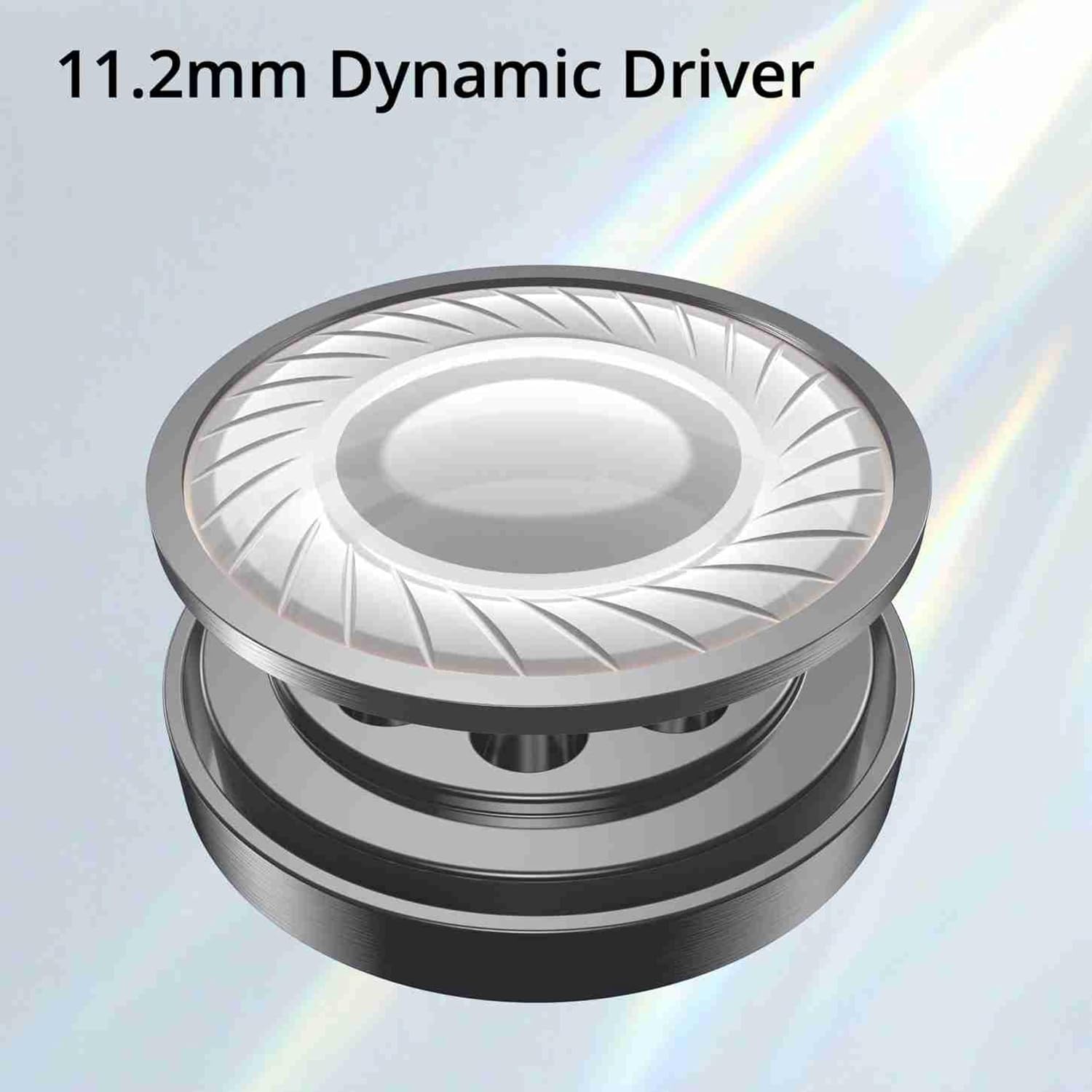
Imaginea 5: Illustration of the 11.2mm Dynamic Driver, responsible for audio output.

Imaginea 6: Visual representation of the earphones' capability for excellent bass performance.

Imaginea 7: Detail of the tangle-free cable, designed for durability and ease of use.
Garanție și suport
DIZO provides a limited warranty for this product.
- Perioada de garantie: 12 luni de la data cumpararii.
- Service garantie: For warranty claims or technical support, please carry the product to an authorized service center.
- Informații de contact:
- E-mail: service.in@dizo.net
- Număr gratuit: 1800 843 3030
Vă rugăm să păstrați dovada achiziției pentru validarea garanției.