
Alarm.com V724X
Alarm.com ADC-V724X Outdoor Wi-Fi Camera User Manual
Model: V724X
Introducere
The Alarm.com ADC-V724X is an advanced outdoor Wi-Fi camera designed to enhance the security of your property. It features High Dynamic Range (HDR) for clear imaging, two-way audio for communication, 1080p resolution, and a wide 117-degree field of view. Equipped with Video Analytics and IR Night Vision, it provides intelligent detection and monitoring capabilities. The camera also includes a MicroSD card slot for local storage and boasts an IP66 ingress protection rating, ensuring durability in various outdoor conditions.
Informații de siguranță
- Ensure the camera is installed by a qualified professional or with proper safety precautions.
- Use only the specified 12VDC power supply.
- Nu expuneți camera la temperaturi extreme în afara intervalului său de funcționare.
- Evitați expunerea directă a obiectivului la surse puternice de lumină pentru perioade lungi de timp.
- Deconectați alimentarea înainte de a efectua orice operațiune de întreținere sau curățare.
- A nu se lăsa la îndemâna copiilor.
Conținutul pachetului
Verificați dacă toate articolele sunt prezente în colet:
- Alarm.com ADC-V724X Outdoor Wi-Fi Camera
- Elemente de montare (șuruburi, ancore)
- Ghid de instalare
- Adaptor de alimentare (12VDC)
Înființat
1. Instalare fizică
The ADC-V724X camera is designed for outdoor wall mounting. Choose a location that provides the desired field of view and is within range of your Wi-Fi network.
- Pregătiți suprafața de montare: Use the included mounting template (if provided) or the camera base to mark drill holes.
- Găuri: Drill pilot holes for the mounting screws. Insert wall anchors if mounting into drywall or masonry.
- Fixați suportul: Attach the camera's mounting base securely to the surface using the provided screws.
- Atașați camera: Connect the camera body to the mounted base. Adjust the camera angle for optimal coverage.

Figura 1: Față view of the ADC-V724X camera, highlighting its compact design and lens.
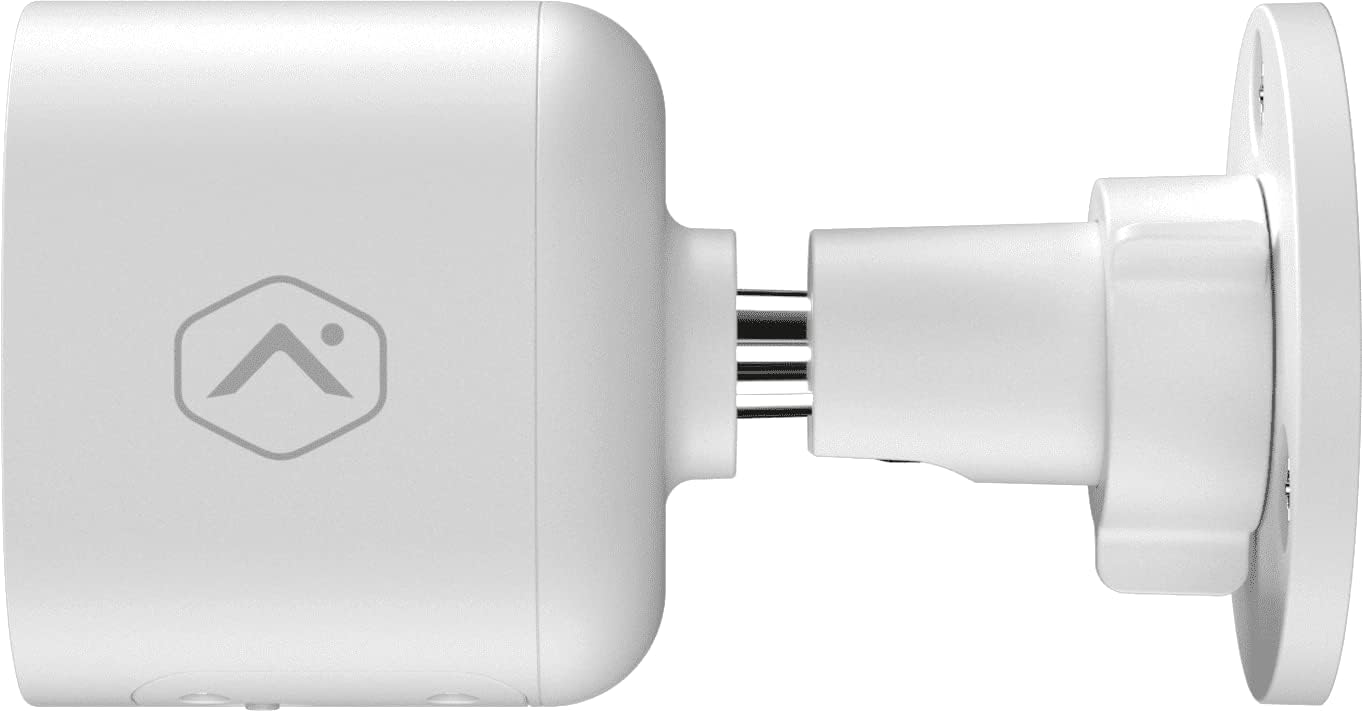
Figura 2: Pro lateralfile of the camera, illustrating how it connects to the wall mount.

Figura 3: Înclinat view of the camera, demonstrating its adjustable mounting capabilities.
2. Conexiune la alimentare
Connect the provided 12VDC power adapter to the camera's power input. Ensure the connection is secure and protected from weather elements if applicable.
3. Conexiune la rețea (Wi-Fi)
The ADC-V724X connects to your network via Wi-Fi (2.4 or 5 GHz). Integration with your Alarm.com system typically requires activation through your Alarm.com service provider.
- Pornire: Plug in the camera. The LED indicator will show its status (refer to LED status guide in your Alarm.com app or provider's documentation).
- Add to System: Contact your Alarm.com service provider to add the camera to your existing security system. They will guide you through the process, which often involves scanning a QR code on the camera or entering its MAC address.
- Configurați Wi-Fi-ul: Your service provider will assist in connecting the camera to your home Wi-Fi network through the Alarm.com app or website-ul.

Figura 4: Spate view of the camera, displaying the QR code and product information essential for system integration.
Operarea camerei
Once installed and connected, the ADC-V724X camera operates primarily through the Alarm.com Customer Website-ul și aplicația mobilă.
Trăi View și Înregistrare
- Accesați fluxul live: Open the Alarm.com app or website, navigate to the camera section, and select the ADC-V724X to view fluxul său live.
- Onboard Recording (Smart View): The camera supports local recording to a MicroSD card (sold separately, up to 512 GB). This allows for continuous, encrypted recordings that can be viewed from anywhere via the Alarm.com platform.
- Înregistrare în cloud: Depending on your Alarm.com service plan, video clips triggered by events (e.g., motion) will be uploaded to the cloud for secure storage and access.
Audio bidirecțional
Camera dispune de un microfon și un difuzor încorporate, permițând comunicarea bidirecțională.
- Inițiați comunicarea: Din live view in the Alarm.com app, tap the microphone icon to speak through the camera's speaker. Release the icon to listen.
- Audio in Recorded Clips: Audio is included in recorded video clips, providing additional context for events.
Video Analytics and Alerts
Configure Video Analytics rules through your Alarm.com account to receive smarter, more relevant alerts.
- Zone de detectare: Definiți zone specifice din câmpul de acțiune al camerei view pentru detectarea mișcării.
- Object Classification: The camera can differentiate between people, animals, and vehicles, reducing false alerts.
- Setări de alertă: Customize notifications (e.g., push notifications, email) for specific events detected by Video Analytics.
Vedere de noapte (IR)
The camera automatically switches to infrared (IR) night vision in low-light conditions, providing clear black-and-white video.
- Activare automată: The camera's built-in light sensor detects ambient light levels and activates IR LEDs as needed.
- Performanță optimă: Ensure no obstructions are blocking the IR illuminators on the camera's front.
Întreţinere
Curățarea camerei
- Obiectiv: Gently wipe the camera lens with a soft, clean, lint-free cloth. If necessary, use a small amount of lens cleaning solution. Avoid abrasive cleaners.
- Corp: Ștergeți corpul camerei cu reclamăamp pânză. Nu utilizați substanțe chimice dure sau solvenți.
- Frecvenţă: Clean the camera periodically, especially if installed in dusty or high-traffic areas, to ensure optimal image quality.
Gestionarea cardului MicroSD
The camera supports a MicroSD card for local storage. The slot is located on the bottom of the camera, protected by a cover.
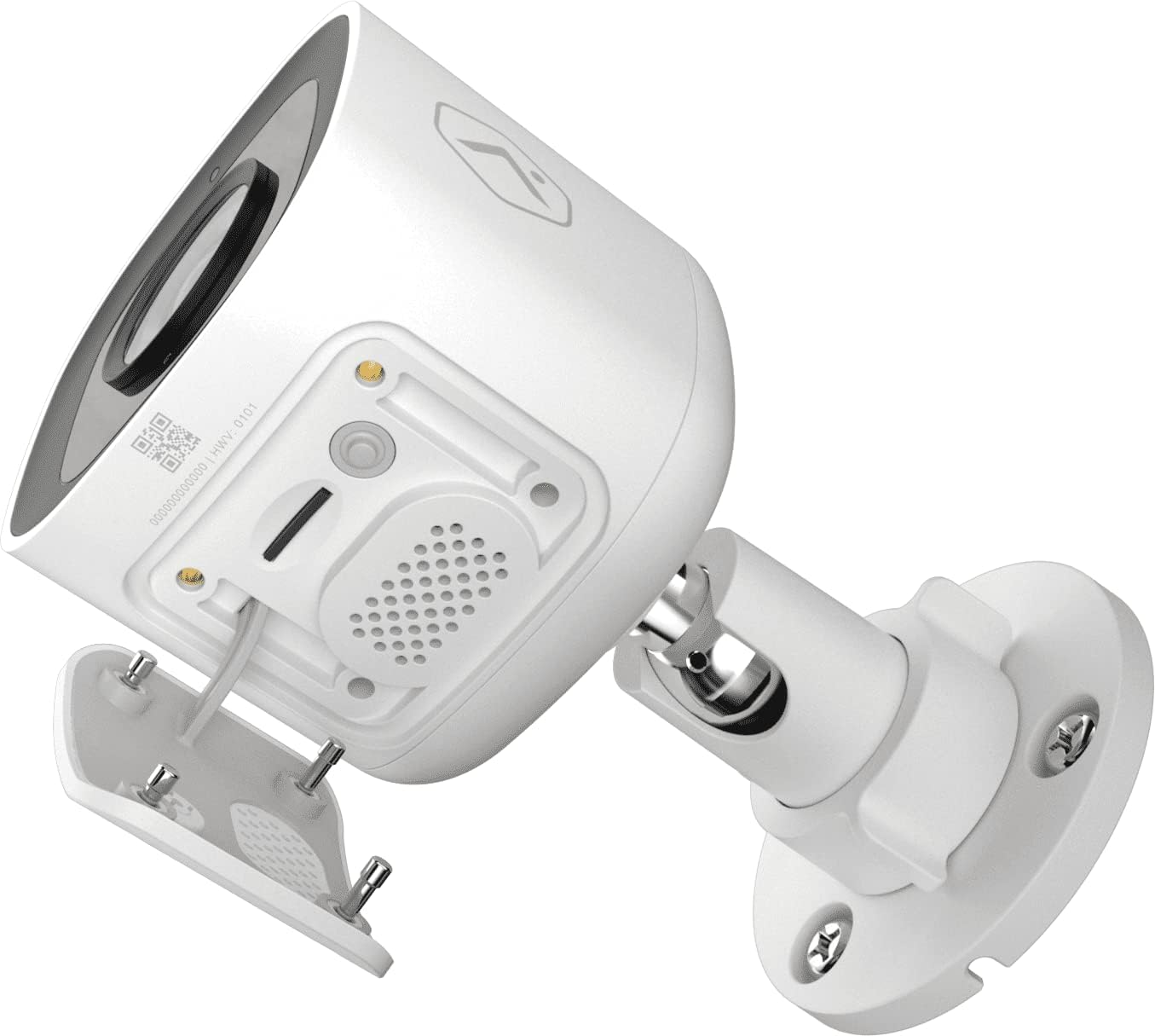
Figura 5: De jos view of the camera showing the access panel for the MicroSD card slot.
- Instalare: Carefully insert a compatible MicroSD card (up to 512 GB) into the slot until it clicks into place. Ensure the camera is powered off before insertion or removal.
- Formatare: The Alarm.com system may prompt you to format the card upon first use.
- Înlocuire: If the card becomes full or corrupted, replace it with a new one. Data on the card can be managed through the Alarm.com platform.
Depanare
| Problemă | Cauza posibila | Soluţie |
|---|---|---|
| Camera nu pornește | Fără curent, adaptor defect, conexiune slăbită. | Check power outlet, ensure adapter is securely connected to camera and power source. |
| Nu se poate conecta la Wi-Fi | Incorrect Wi-Fi password, camera too far from router, network interference. | Verify Wi-Fi password. Move camera closer to router or use a Wi-Fi extender. Reduce interference from other devices. Contact your Alarm.com provider for assistance with network setup. |
| Calitate slabă a imaginii | Lentilă murdară, lumină slabă, probleme cu lățimea de bandă a rețelei. | Curățați lentila camerei. Asigurați o iluminare adecvată sau verificați setările de vedere nocturnă. Verificați conexiunea stabilă la internet. |
| Audio bidirecțional nu funcționează | Microphone/speaker blocked, volume too low, app settings. | Ensure nothing is obstructing the microphone or speaker. Check volume settings in the Alarm.com app. |
| No local recording | No MicroSD card, incompatible card, card full/corrupted. | Insert a compatible MicroSD card. Format the card via the Alarm.com app. Replace the card if corrupted. |
For further assistance, please contact your Alarm.com service provider.
Specificații
| Caracteristică | Detaliu |
|---|---|
| Numărul de model | V724X |
| Rezoluție efectivă a camerei | 2MP |
| Rezoluție video maximă | 1920 x 1080 (1080p Full HD) |
| Câmpul de View (FOV) | 117 de grade |
| Audio | 2-Way Audio (Microphone and Speaker) |
| Tip de vedere nocturnă | IR (infraroșu) |
| Conectivitate | Wi-Fi (2.4 or 5 GHz) |
| Stocare locală | MicroSD Card Slot (up to 512 GB, sold separately) |
| Evaluare de protecție la intrare | IP66 |
| Alimentare electrică | 12VDC |
| Dimensiuni (L x l x H) | 2.5 x 2.5 x 4.5 inci |
| Greutate | 1.46 lire sterline (0.66 kilograme) |
| Caracteristici speciale | HDR, Video Analytics, Motion Sensor |
Garanție și suport
For warranty information and technical support, please refer to the documentation provided by your Alarm.com service provider or visit the official Alarm.com website. Support for the ADC-V724X camera is typically handled through your authorized Alarm.com dealer or installer.
Resurse online:
Ask a question about this manual
Ask about setup, troubleshooting, compatibility, parts, safety, or missing instructions. Manuals+ will review the question and use this page’s manual context to help answer it.