
Produs terminatview
The VOYEE Wireless Pro Controller S03 is designed for enhanced gaming experiences across multiple platforms. It features advanced functionalities such as programmable buttons, motion control, adjustable vibration, and turbo functions, ensuring precise and responsive gameplay. This controller is compatible with Nintendo Switch, Switch Lite, Switch OLED, and PC (wired mode).

Figure 1: VOYEE Wireless Pro Controller S03
Configurare și conectare
Connecting to Nintendo Switch/Lite/OLED (Wireless)
- Asigură-te că consola Nintendo Switch este pornită și actualizată la cea mai recentă versiune de sistem.
- Din meniul HOME, selectați Controlori, atunci Schimbați Grip/Comanda.
- On the VOYEE Pro Controller, press and hold the butonul Acasă (house icon) for a few seconds until the LED indicators begin to flash rapidly. This indicates pairing mode.
- Once the controller is detected by the Switch, the LED indicators will stop flashing and remain solid, indicating a successful connection.
- Controlerul este acum gata de utilizare.
Connecting to PC (Wired Mode)
- Connect the VOYEE Pro Controller to your PC using the provided USB-C cable.
- The controller will be recognized as a gamepad. Ensure your PC's operating system (Windows) is updated and has the necessary drivers.
- For optimal performance, some games or platforms may require specific controller configurations.
Instrucțiuni de operare
Programmable Custom Buttons (M1/M2)
The controller features two mappable buttons, M1 and M2, located on the underside. These buttons can be programmed to replicate up to 16 key inputs, allowing for complex actions with a single press. This feature is designed to enhance gameplay efficiency and extend the lifespan of frequently used buttons.

Figure 2: Programmable M1/M2 Buttons
Rumble Control and Gyro Sensor
Experience immersive gameplay with the 4-level adjustable vibration feedback provided by enhanced dual motors. The integrated 6-axis gyro sensor allows for precise motion control, enabling quick and responsive actions in games that support this feature.
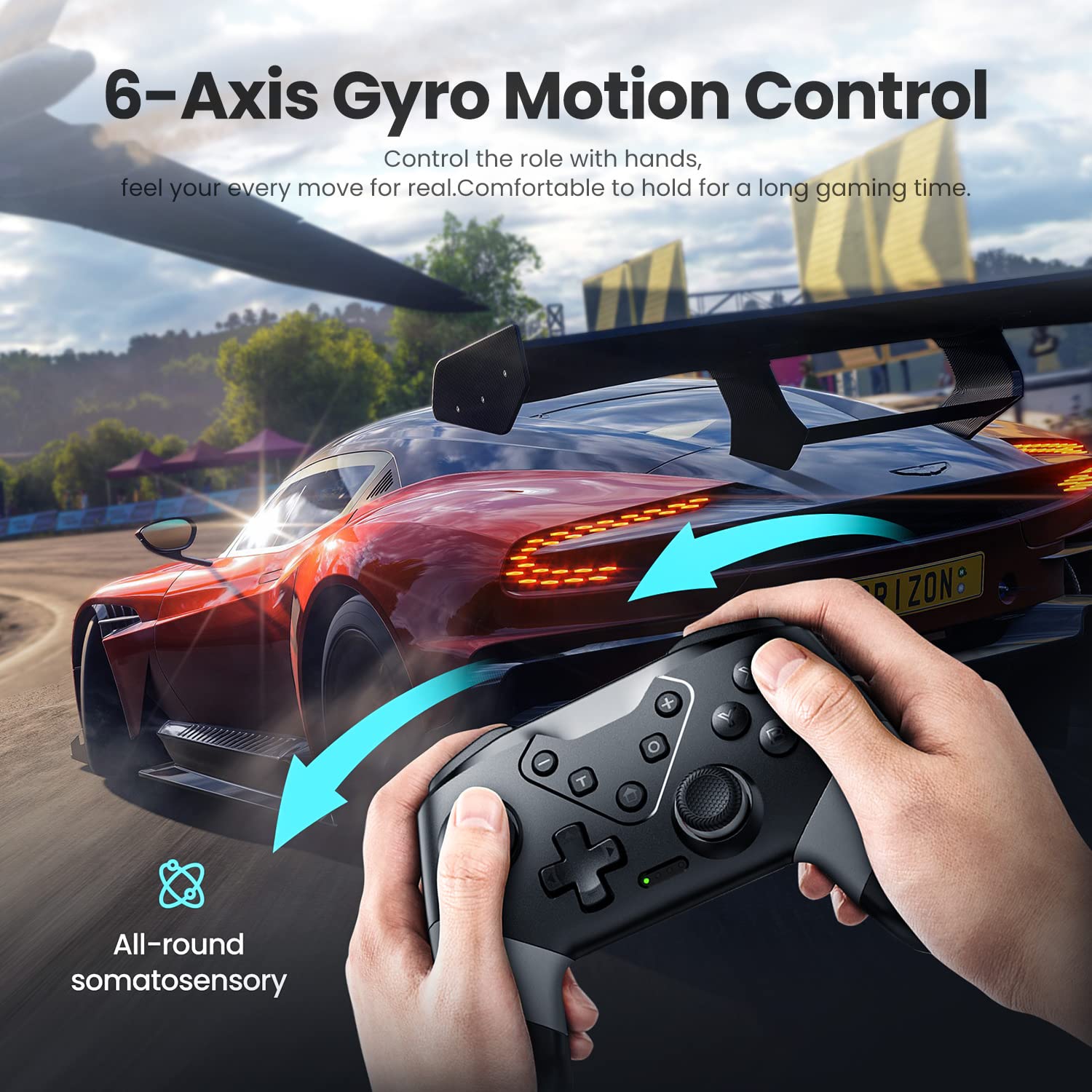
Figure 3: 6-Axis Gyro Motion Control

Figure 4: 3-Level Vibration
Turbo Speed Function
The controller supports three levels of turbo speed, allowing for continuous rapid input of a button. This feature is particularly useful in action and arcade games where quick, repeated presses are advantageous.
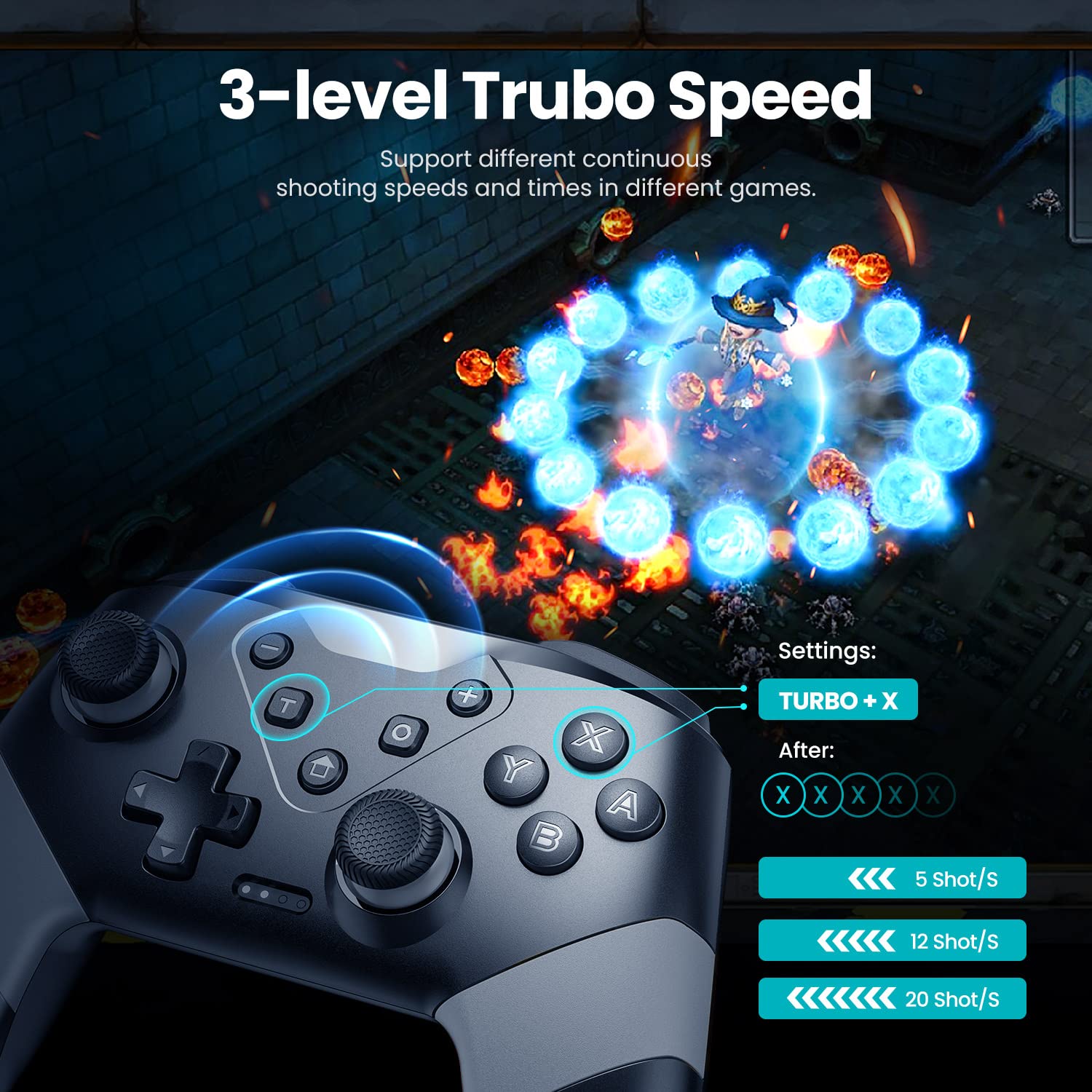
Figure 5: 3-Level Turbo Speed
Wake-up and Screenshot Functions
The controller supports a wake-up function for compatible devices. A dedicated screenshot button allows for instant capture of in-game moments.
Interval de control wireless
Enjoy flexible gameplay with a wireless control range of up to 33 feet (approximately 10 meters), providing freedom of movement during gaming sessions.
Întreţinere
Încărcarea controlerului
The VOYEE Pro Controller is equipped with a 600mAh Lithium Ion battery. To charge, connect the controller to a power source using the provided USB-C cable. A full charge typically takes 2-3 hours and provides approximately 10-13 hours of uninterrupted gaming.

Figura 6: Încărcarea și durata de viață a bateriei
Curățare și depozitare
- Folosiți o cârpă moale și uscată pentru a curăța controlerul. Evitați utilizarea substanțelor chimice dure sau a materialelor abrazive.
- Depozitați controlerul într-un loc răcoros și uscat, ferit de lumina directă a soarelui și de temperaturi extreme.
- When not in use for extended periods, ensure the controller is fully charged before storage to maintain battery health.
Depanare
| Emisiune | Cauza posibila | Soluţie |
|---|---|---|
| Controller does not connect wirelessly to Switch. | Controller not in pairing mode, Switch not detecting. | Ensure controller is fully charged. Press and hold the Home button until LEDs flash rapidly. On Switch, go to Controllers > Change Grip/Order. If issues persist, restart both controller and Switch. |
| Controller does not connect to PC (wired). | Driver error, cable issue, or PC compatibility. | Ensure USB-C cable is securely connected. Check PC device manager for driver issues. Try a different USB port. Ensure PC operating system is updated. |
| Controller automatically powers off. | Idle for too long. | This is a power-saving feature. The controller is designed to power off after a period of inactivity to conserve battery. |
| Buttons are noisy/clacky. | Sunet normal de funcționare. | This is a characteristic of the controller's button mechanism and is not indicative of a defect. |
| Turbo function does not work on M1/M2 buttons. | Limitarea funcțiilor. | The turbo function is designed for standard face buttons and not for the programmable M1/M2 buttons. |
Specificații
- Număr de model: S03
- Dimensiuni produs: 5.9 x 2.59 x 4.17 inci
- Greutatea articolului: 6.9 uncii
- Baterie: 1 baterie litiu-ion (inclusă), 600 mAh
- Timp de încărcare: 2-3 ore
- Timp de rulare: 10-13 ore
- Conectivitate: Fără fir (Bluetooth), Cu fir (USB-C)
- Compatibilitate: Nintendo Switch, Switch Lite, Switch OLED, PC (Windows)
- Caracteristici: 6-Axis Gyro Motion Control, 4-Level Vibration, 2 Programmable Buttons (M1/M2), 3-Level Turbo Speed, Wake-up Function, Screenshot Button.
- Raza wireless: Până la 33 de picioare (10 metri)
- Producător: Dongguan Chenhao Electronic Technology Co.,LTD. VOYEE
Garanție și suport
For specific warranty information and customer support, please refer to the documentation included with your product or contact VOYEE customer service directly. Details regarding warranty periods and support channels are typically provided at the point of purchase or on the manufacturer's official website-ul.