
1. Introducere
Thank you for choosing the Perlegear Tilting TV Wall Mount. This manual provides essential information for safe installation, operation, and maintenance of your new TV mount. Please read it thoroughly before installation and keep it for future reference.
This wall mount is designed to securely hold 13-42 inch LCD/LED/flat-screen TVs and monitors weighing up to 45kg (99 lbs). It features a slim profile and offers a tool-free tilt adjustment of ±15 degrees for optimal viewunghiuri de ing.
2. Informații de siguranță
AVERTIZARE: Improper installation may result in serious injury or damage to your equipment. If you do not understand these instructions or have doubts about the safety of the installation, please contact a qualified installer.
- Capacitate de greutate: Do not exceed the maximum weight capacity of 45kg (99 lbs). This mount is intended for use only with the maximum weights indicated.
- Dimensiunea televizorului: Compatibil cu televizoare de la 13 la 42 de inci.
- Compatibilitate VESA: Ensure your TV's VESA pattern (mounting holes on the back of the TV) is between 75x75mm and 300x300mm.
- Tip de perete: This mount is suitable for concrete walls, brick walls, and solid wood stud walls. Do not install on drywall alone without proper stud support.
- Earthquake Resistance: When properly installed on a suitable wall, this mount provides enhanced stability, reducing the risk of TV tip-over from minor impacts or tremors.
- Always ensure all screws are securely tightened before use.
3. Conținutul pachetului
Please verify that all components are present and undamaged before installation. If any parts are missing or defective, contact Perlegear customer service.
- Placă de perete
- Suporturi TV (2x)
- Kit de montare (diverse șuruburi, șaibe, distanțiere, ancore)
- Manual de instructiuni
4. Specificații
| Caracteristică | Caietul de sarcini |
|---|---|
| Tip de montare | Montare pe perete |
| Tipul de mișcare | Înclinare |
| Marca | Echipament de litigii |
| Material | Oțel aliat |
| Culoare | Negru |
| Dispozitive compatibile | Televiziune |
| Unghi maxim de înclinare | ±15 grade |
| Dimensiune maximă compatibilă | 42 inchi |
| Dimensiune minimă compatibilă | 13 inchi |
| Capacitate de încărcare | Up to 45kg (99 lbs) |
| Compatibilitate VESA | Min. 75x75mm, Max. 300x300mm |
| Distanța de perete | 62mm |

Figura 1: Diagrama specificațiilor produsului
5. Ghid de instalare
Before starting, ensure you have the necessary tools (drill, level, screwdriver, stud finder) and have confirmed your TV's weight, size, and VESA pattern, as well as your wall type.

Figure 2: Pre-Installation Checklist
Instalare pas cu pas:
- Atașați suporturile TV la televizor: Secure the two TV brackets to the back of your television using the appropriate screws, washers, and spacers from the hardware kit. Ensure the brackets are level and firmly attached.
- Montarea plăcii de perete pe perete: Locate the desired mounting position on your wall. Use a stud finder for wood stud walls. Mark the drill holes for the wall plate. Drill pilot holes and secure the wall plate using the provided lag bolts and anchors (if applicable for concrete/brick). Ensure the wall plate is level.
- Agățați televizorul pe placa de perete: Carefully lift the television and hook the TV brackets onto the wall plate. Ensure the TV is securely seated on the wall plate. Engage any safety locks or screws to prevent accidental dislodgement.

Figura 3: Pași simpli de instalare
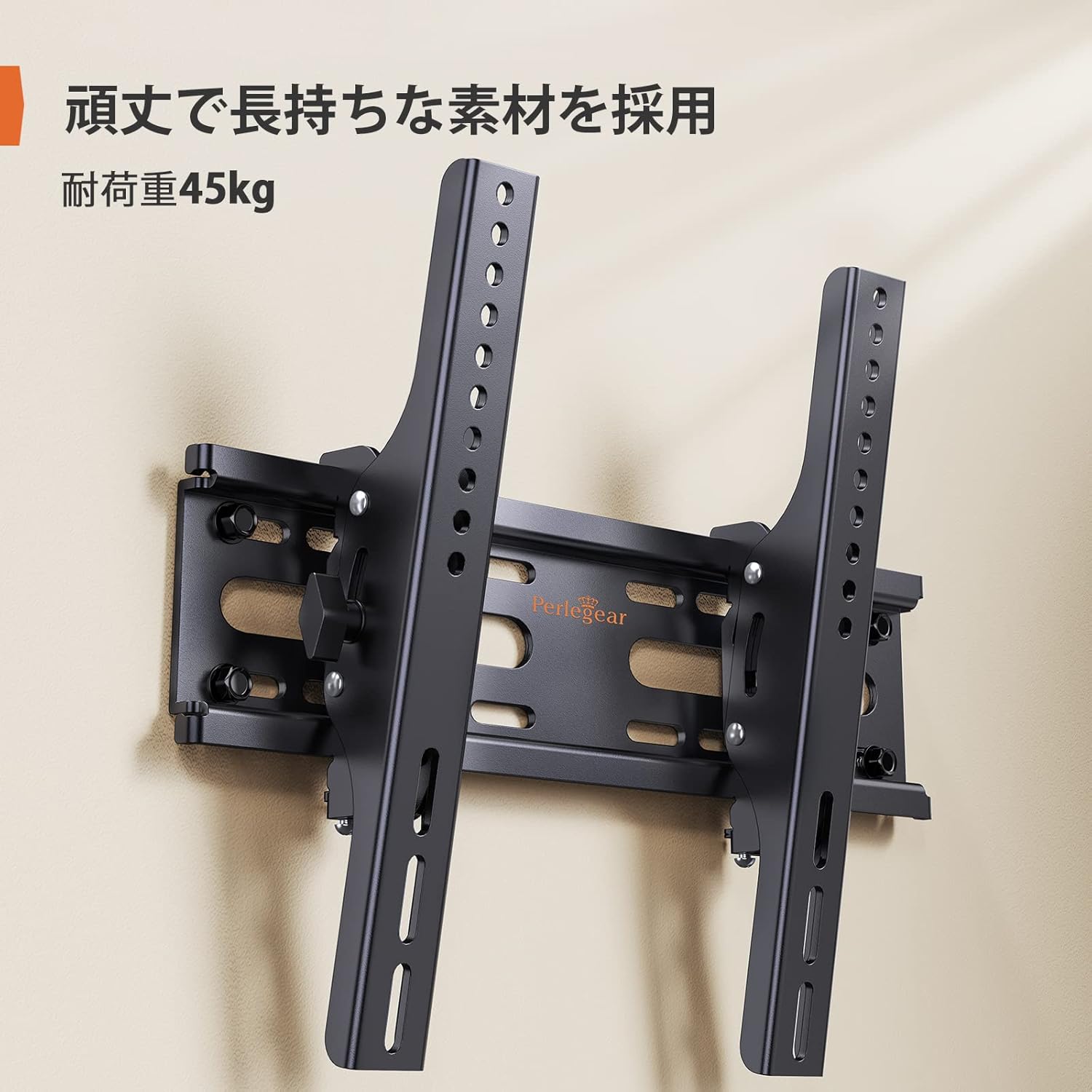
Figure 4: Installed Wall Mount

Figure 5: Slim Profile (62mm from wall)

Figure 6: Monitor Installation Example
6. Instrucțiuni de utilizare
This wall mount allows for easy vertical tilt adjustment to achieve the best viewunghiul de iluminare și reduce strălucirea.
Reglarea înclinării:
The mount features a knob-style adjustment mechanism. Simply loosen the knobs on the side of the TV brackets to adjust the tilt angle up or down by up to 15 degrees. Once the desired angle is achieved, tighten the knobs firmly to secure the TV in place. No additional tools are required for this adjustment.

Figura 7: Interval de reglare a înclinării

Figure 8: Tilt Mechanism and Security Features
Video 1: Product Features and Tilt Adjustment Demonstration. This video illustrates the slim design, tilt functionality, and how the mount helps save space in various room settings.
7. Întreținere
Pentru a asigura longevitatea și funcționarea în siguranță a suportului de perete pentru televizor, urmați aceste instrucțiuni de întreținere:
- curatenie: Ștergeți suportul cu o cârpă moale și uscată. Evitați utilizarea de produse de curățare abrazive sau solvenți care ar putea deteriora finisajul.
- Verificări periodice: Verificați periodic toate șuruburile și bolțurile pentru a vă asigura că rămân strânse și fixate. În timp, vibrațiile sau mișcarea pot cauza slăbirea elementelor de fixare.
- Inspecția deteriorării: Inspect the mount for any signs of damage or wear. If any damage is found, discontinue use and contact customer support.
8. Depanare
If you encounter any issues during or after installation, refer to the following common problems and solutions:
- Televizorul nu este orizontal: Ensure the wall plate was installed level. If the wall plate is level, check if the TV brackets are properly aligned and tightened on the TV. Some mounts allow for minor post-installation leveling adjustments.
- Televizorul pare instabil: Double-check all mounting screws on both the TV and the wall plate. Ensure the wall type is appropriate and that anchors (if used) are correctly installed. The mount is designed for high load capacity and stability when correctly installed.
- Dificultate la înclinare: Loosen the tilt adjustment knobs slightly before attempting to adjust the angle. If the mechanism feels stiff, ensure no cables are obstructing movement.
- Părți lipsă: Refer to the package contents list. If any parts are missing, contact Perlegear customer support immediately.
9. Garanție și asistență
The Perlegear Tilting TV Wall Mount (Model PGST1-J) comes with a Garanție de 5 an de la producător. Această garanție acoperă defectele de materiale și de manoperă în condiții normale de utilizare.
For warranty claims, technical support, or any questions regarding your product, please contact Perlegear customer service through the retailer where you purchased the product or visit the official Perlegear website-ul.