
Introducere
Thank you for choosing the Varmilo Minilo VXB67 65% Bluetooth Mechanical Keyboard. This manual provides detailed instructions for setting up, operating, and maintaining your new keyboard. The VXB67 offers a compact 65% layout, dual-mode connectivity (wired USB-C and Bluetooth), and a comfortable typing experience with Varmilo EC Daisy V2 switches and durable ABS double-shot keycaps. It also features a Type-Cool sound dampening structure for a clear typing sound.

Image: The Varmilo Minilo VXB67 keyboard, showcasing its compact design and color scheme.
Conținutul pachetului
Vă rugăm să verificați conținutul pachetului pentru a vă asigura că toate articolele sunt prezente:
- Varmilo Minilo VXB67 Mechanical Keyboard
- Cablu USB-C
- Extractor pentru chei
- Comutator Extractor
- Capac de praf
- Manual de utilizare (acest document)

Image: The Varmilo Minilo VXB67 keyboard alongside its USB-C cable, keycap puller, switch puller, and a clear dust cover.
Înființat
1. Conexiune prin cablu
- Localizați portul USB-C de pe tastatură.
- Conectați un capăt al cablului USB-C furnizat la tastatură.
- Conectați celălalt capăt al cablului USB-C la un port USB disponibil de pe computer.
- Tastatura va fi recunoscută automat de sistemul dumneavoastră de operare.
2. Conexiune Bluetooth
The VXB67 keyboard can connect to up to 3 devices via Bluetooth.
- Asigurați-vă că tastatura este încărcată sau conectată prin USB-C.
- Turn on Bluetooth on your device (computer, tablet, or smartphone).
- Pe tastatură, apăsați și țineți apăsat butonul Fn cheie și una dintre tastele Bluetooth (Q, W, sau E) for 3-5 seconds to enter pairing mode. The indicator light will flash.
- On your device, search for Bluetooth devices and select "Varmilo VXB67" (or similar) from the list.
- După asociere, indicatorul luminos de pe tastatură va înceta să clipească și va rămâne aprins continuu.
- Repetați pentru maximum două dispozitive suplimentare care utilizează celelalte taste Bluetooth.
3. Reglarea unghiului tastaturii
The keyboard features 3-level adjustable kickstands on the bottom to customize your typing angle for comfort.

Image: The underside of the keyboard, highlighting the foldable kickstands for ergonomic adjustment.
Video: Demonstrates the features of the Varmilo Minilo Eucalyptus keyboard, including the adjustable kickstands and multi-device connectivity.
Instrucțiuni de operare
1. Înlocuirea capacului tastelor și a comutatorului
The VXB67 features hot-swappable switches, allowing you to change switches without soldering. Use the provided keycap and switch pullers for this process.
- Îndepărtarea capacelor tastelor: Use the keycap puller to gently grip the keycap and pull upwards.
- Scoaterea comutatoarelor: Use the switch puller to carefully grip the top and bottom clips of the switch and pull upwards.
- Instalarea comutatoarelor: Aliniați pinii noului comutator cu orificiile de pe PCB. Apăsați ferm până când comutatorul se fixează în poziție cu un clic. Asigurați-vă că pinii nu sunt îndoiți.
- Instalarea tastelor: Place the keycap over the switch stem and press down gently until it is secure.
Video: Demonstrates the process of changing switches and keycaps on the Varmilo Minilo 67 keyboard.
2. Controlul luminii de fundal
The keyboard features white LED backlighting. Use the following key combinations to control the backlight:
- Fn + \ |: Cycle through backlight effects.
- Fn + ↑: Măriți luminozitatea iluminării de fundal.
- Fn + ↓: Reduceți luminozitatea iluminării de fundal.
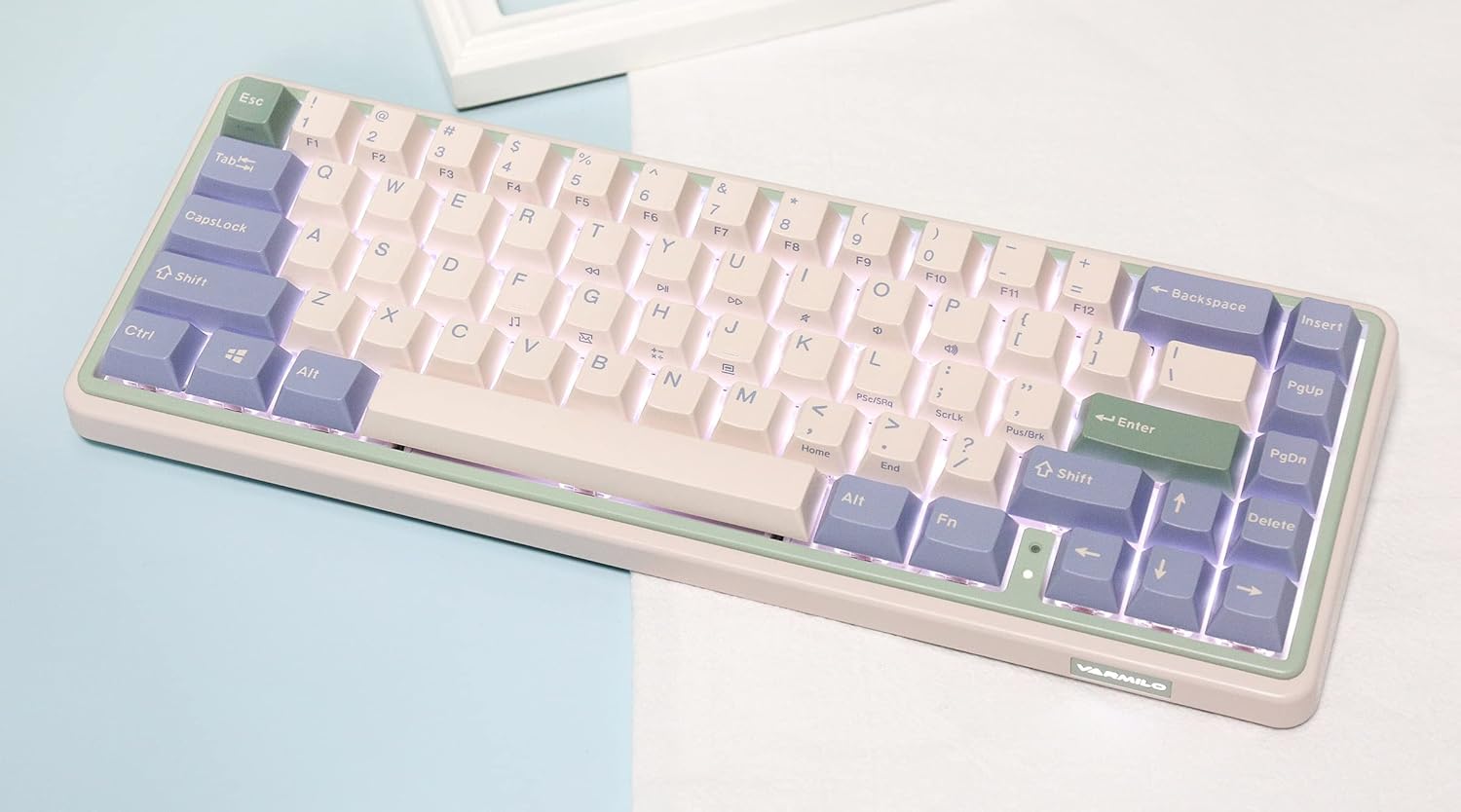
Image: The Varmilo Minilo VXB67 keyboard illuminated by its white LED backlighting.
3. Comutare multi-dispozitiv
To switch between paired Bluetooth devices:
- Presa Fn + Q pentru a comuta la Dispozitivul Bluetooth 1.
- Presa Fn + W pentru a comuta la Dispozitivul Bluetooth 2.
- Presa Fn + E pentru a comuta la Dispozitivul Bluetooth 3.
The keyboard will quickly connect to the selected device.
Întreţinere
- curatenie: Folosiți o cârpă moale și uscată pentru a șterge suprafața tastaturii. Pentru o curățare mai profundă, scoateți capacele tastelor folosind extractorul pentru capace furnizat și folosiți aer comprimat pentru a îndepărta resturile.
- Încărcarea bateriei: Connect the keyboard via the USB-C cable to a power source (computer USB port or USB wall adapter). The Escape key will light up while charging and flash when the battery is low.
- Depozitare: When not in use, store the keyboard in a cool, dry place. Use the provided dust cover to protect it from dust and spills.
Depanare
- Tastatura nu răspunde (cu fir):
- Asigurați-vă că este conectat corect cablul USB-C atât la tastatură, cât și la computer.
- Încercați un alt port USB pe computer.
- Încercați un alt cablu USB-C.
- Tastatura nu răspunde (Bluetooth):
- Asigurați-vă că Bluetooth este activat pe dispozitivul dvs.
- Asigurați-vă că tastatura este încărcată.
- Reintrați în modul de asociere (Fn + Q/W/E) and attempt to re-pair with your device.
- Forget the device on your computer/tablet/phone and try pairing again.
- Cheile nu se înregistrează:
- Ensure the keycap and switch are properly seated. Remove and re-install if necessary.
- If using hot-swappable switches, ensure the switch pins are not bent.
- Lumina de fundal nu funcționează:
- Check backlight brightness settings (Fn + ↑/↓).
- Ensure the keyboard is not in a low power state.
Specificații
| Model | VXB67 |
| Aspect | 65% (67 de taste) |
| Conectivitate | Bluetooth 5.0, USB-C cu fir |
| Comutatoare | Varmilo EC Daisy V2 (Hot-swappable) |
| keycaps | 1.5mm thick ABS Double Shot |
| Iluminare de fundal | LED alb |
| Capacitatea bateriei | 3400mAh |
| Dispozitive compatibile | PC (and other Bluetooth-enabled devices) |
| Material | Acrilonitril Butadien Stiren (ABS) |
| Dimensiuni | Approx. 15 x 7 x 2.5 inches (based on package dimensions) |
| Greutate | 3.21 lire sterline |
Garanție și suport
For warranty information and technical support, please refer to the official Varmilo website-ul web sau contactați distribuitorul. Păstrați dovada achiziției pentru a putea solicita garanție.
Oficial Varmilo Website: www.varmilo.com