
1. Introducere
This manual provides detailed instructions for the installation, operation, and maintenance of your Voktta Battery Capacity Voltage Meter. This device is designed to accurately display battery capacity and real-time voltage for various battery types, including lead-acid and lithium-ion batteries, across a wide voltage (DC 12V până la 84V).
The meter features a clear LCD display with an alarm function for low battery capacity, making it suitable for a variety of applications such as electric vehicles, portable power supplies, and UPS systems.
2. Informații de siguranță
- Deconectați întotdeauna alimentarea înainte de instalare sau întreținere.
- Ensure correct polarity when connecting the meter to the battery. Incorrect wiring can damage the device and the battery.
- Nu expuneți dispozitivul la temperaturi extreme, umiditate sau medii corozive.
- Manevrați cu grijă pentru a evita deteriorarea fizică.
- This device is designed for monitoring purposes only and should not be used as a primary safety device.
3. Produs terminatview
The Voktta Battery Capacity Voltage Meter is a compact and sensitive digital LCD display unit. It features a PVC waterproof screen for durability and a clear green backlight for visibility from various angles. The device includes a function button for switching between battery capacity, real-time voltage display, or turning off the display.

Figura 3.1: Voktta Battery Capacity Voltage Meter with dimensions. The image shows the front view of the meter with a green LCD displaying "Battery capacity / Voltage" and "91%". Dimensions are indicated: 1.4cm height, 5.5cm length, and 2.8cm width.

Figura 3.2: Față și spate view of the Voktta Battery Capacity Voltage Meter. The top image shows the front display with battery capacity and voltage. The bottom image shows the internal circuit board labeled "GuYu GY-6 V6.40 U4" with various electronic components and a connector port.

Figura 3.3: Screen display diagram of Voktta Battery Capacity Voltage Meter. This diagram illustrates the various display modes and settings accessible via the function and setting keys. It shows the battery capacity bar, percentage și voltage lecturi.
Caracteristici cheie:
- Moduri de afișare: Switch between battery capacity percentage, real-time voltage, or turn off the display.
- Alarma baterie scăzută: Audible and visual alarm (sound and flash) activates when battery capacity drops below 20%.
- Compatibilitate largă: Supports 12V/24V/36V/48V/60V/72V/84V lead-acid batteries, lithium batteries, ternary lithium batteries, lithium iron phosphate batteries, polymer lithium-ion batteries, and 3-15 series lithium-ion batteries.
- Waterproof Screen: Features a PVC waterproof screen protector.
- Consum redus de energie: Maximum current consumption of 5mA.
4. Configurare și instalare
4.1 Instrucțiuni de cablare
Connect the meter directly to the positive and negative terminals of the battery. Ensure correct polarity to prevent damage.

Figura 4.1: Wiring diagrams for Voktta Battery Capacity Voltage Meter. The image displays three circuit diagrams: "Connects to positive and negative battery terminals", "Connection with load switch", and "Power independent switch control connection". These diagrams illustrate how to integrate the meter into different electrical systems with a charger, battery, electricity source, and load.
4.2 Setarea tipului de baterie
The meter needs to be configured for the specific battery type and voltage range it will monitor. This is typically done using the Cheie de setare pe spatele dispozitivului.

Figura 4.2: Voktta Battery Capacity Voltage Meter with Function Key and Setting Key. This image highlights the "Function Key" on the front and the "Setting Key" on the back, along with the terminal wire port. The setting key is used for initial configuration of battery specifications.
Refer to the following table for common battery type settings:
| Tip baterie | Voltage Gama | Setting Code/Procedure |
|---|---|---|
| Baterie plumb-acid | 12V, 24V, 36V, 48V, 60V, 72V, 84V | Specific setting procedure required (refer to detailed instructions for your model's setting menu). |
| Baterie Litiu-Ion | 3-15 series (e.g., 3S, 4S, ..., 15S) | Specific setting procedure required (refer to detailed instructions for your model's setting menu). |
| Baterie ternară cu litiu | (Voltage dependent on series) | Specific setting procedure required (refer to detailed instructions for your model's setting menu). |
| Baterie Litiu Fier Fosfat | (Voltage dependent on series) | Specific setting procedure required (refer to detailed instructions for your model's setting menu). |
Note: The exact setting procedure for battery types and voltage ranges may vary. Please consult the specific instructions provided with your product packaging or the manufacturer's website for detailed configuration steps.
5. Instrucțiuni de utilizare
5.1 Moduri de afișare
Once connected and configured, the meter will display battery information on its LCD screen. Use the Tasta funcțională (the button on the front) to cycle through different display modes:
- Capacitatea bateriei Procenttage: Shows the remaining battery charge as a percentage (de exemplu, „91%”).
- Vol. în timp realtage: Afișează volumul curenttage a bateriei.
- Afișare oprită: Turns off the screen to conserve power. Press the button again to reactivate the display.
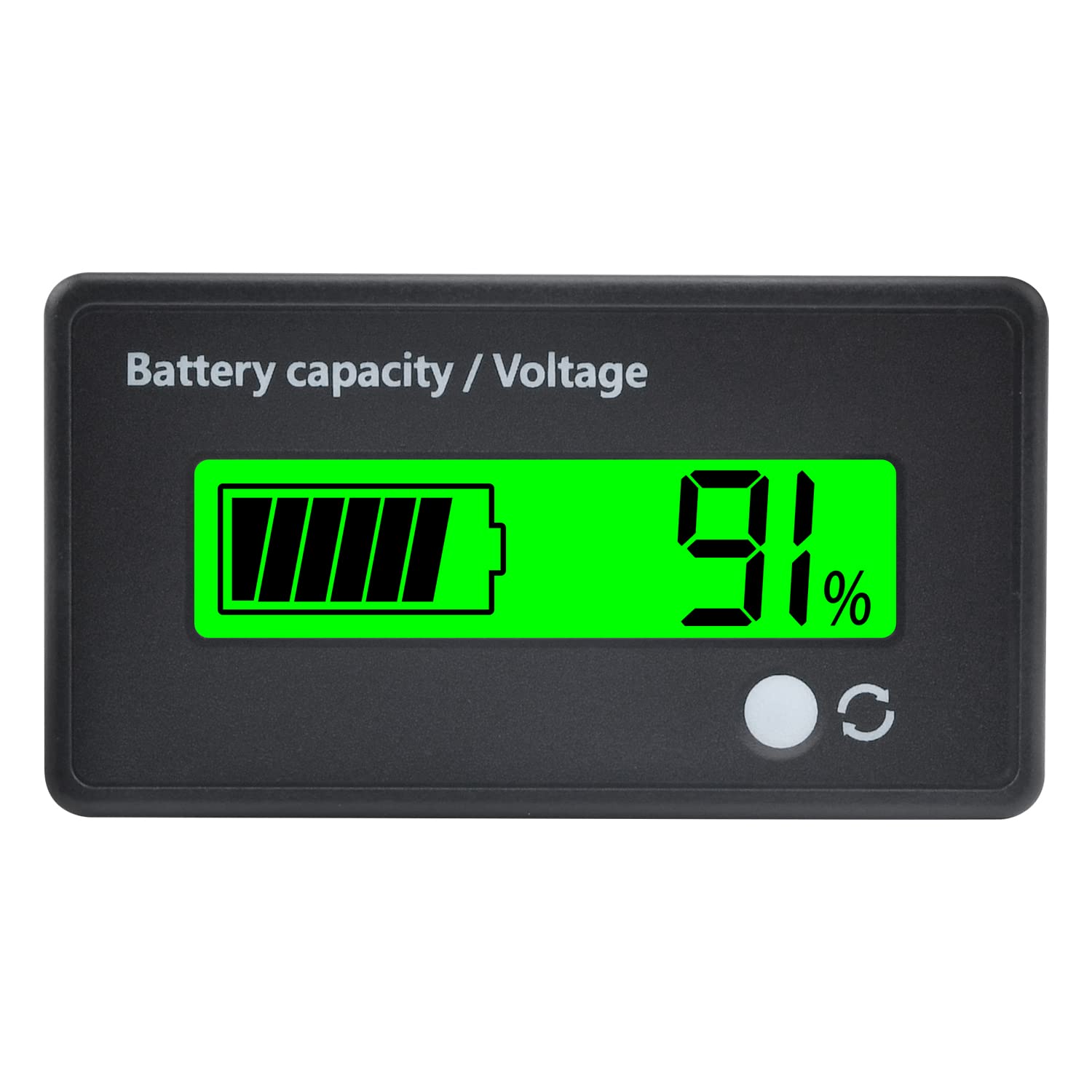
Figura 5.1: Voktta Battery Capacity Voltage Meter displaying 91% capacity. The image shows a close-up of the meter's green LCD screen, clearly indicating a battery icon with full bars and "91%" next to it, along with the function button.
5.2 Alarma de baterie descărcată
The meter is equipped with an alarm function. If the battery capacity drops below 20%, the display will emit an audible sound and flash, alerting the user to recharge the battery.
6. Întreținere
- curatenie: Ștergeți ecranul și casinȘtergeți cu o cârpă moale și uscată. Nu utilizați substanțe de curățare abrazive sau solvenți.
- Depozitare: If storing the device for an extended period, ensure it is disconnected from the battery and stored in a dry, cool place.
- Inspecţie: Periodically check the wiring for any signs of wear or damage.
7. Depanare
| Problemă | Cauza posibila | Soluţie |
|---|---|---|
| Afișajul este gol | No power, incorrect wiring, or display is off. | Check battery connections and polarity. Ensure the battery has sufficient charge. Press the Function Key to turn on the display. |
| Incorrect capacity/voltage lectura | Incorrect battery type setting. | Reconfigure the battery type and voltage range using the Setting Key as per Section 4.2. |
| Alarma sună frecvent | Battery capacity is consistently below 20%. | Recharge the battery. If the issue persists after charging, the battery may be faulty or nearing end-of-life. |
| Butoanele nu răspund | Device malfunction or temporary glitch. | Disconnect and reconnect power to reset the device. If the problem persists, contact customer support. |
8. Specificații
| Caracteristică | Detaliu |
|---|---|
| Numărul de model | Voktta-BT |
| Marca | Voktta |
| Tipuri de baterii compatibile | Lead-Acid (12V-84V), Lithium-Ion (3-15 series), Ternary Lithium, Lithium Iron Phosphate, Polymer Lithium-Ion |
| Vol. Minim de funcționaretage | 12 volți DC |
| Tip de afișare | LCD with Green Backlight |
| Protecție ecran | PVC Waterproof |
| Consum maxim de curent | 5mA |
| Greutatea articolului | 20 grame |
| Dimensiuni pachet | 15.1 x 10.8 x 2.1 cm |
| Origine | China |
| Certificari | CE Mark, RoHS Compliant |
9. Asistență și contact
For any questions or assistance regarding your Voktta Battery Capacity Voltage Meter, please refer to the product page where this manual was downloaded or contact Voktta customer support.
We are committed to providing support and resolving any issues you may encounter.
Producător: Voktta