
1. Configurare și utilizare inițială
1.1 Conținutul pachetului
Verificați dacă pachetul dvs. conține următoarele articole:
- EURANS Smart Watch IW1 Lite
- Cablu de încărcare
- Manual de utilizare
1.2 Încărcarea dispozitivului
Before first use, fully charge your smart watch. The device features a 7-day battery life with typical use and a standby time of 30 days. A full charge typically takes 1 hour.
- Conectați cablul magnetic de încărcare la contactele de încărcare de pe spatele ceasului.
- Conectați capătul USB al cablului la un adaptor de alimentare USB standard (se recomandă 5V/1A) sau la portul USB al unui computer.
- The watch screen will display a charging indicator. Ensure the contacts are clean and dry before charging.
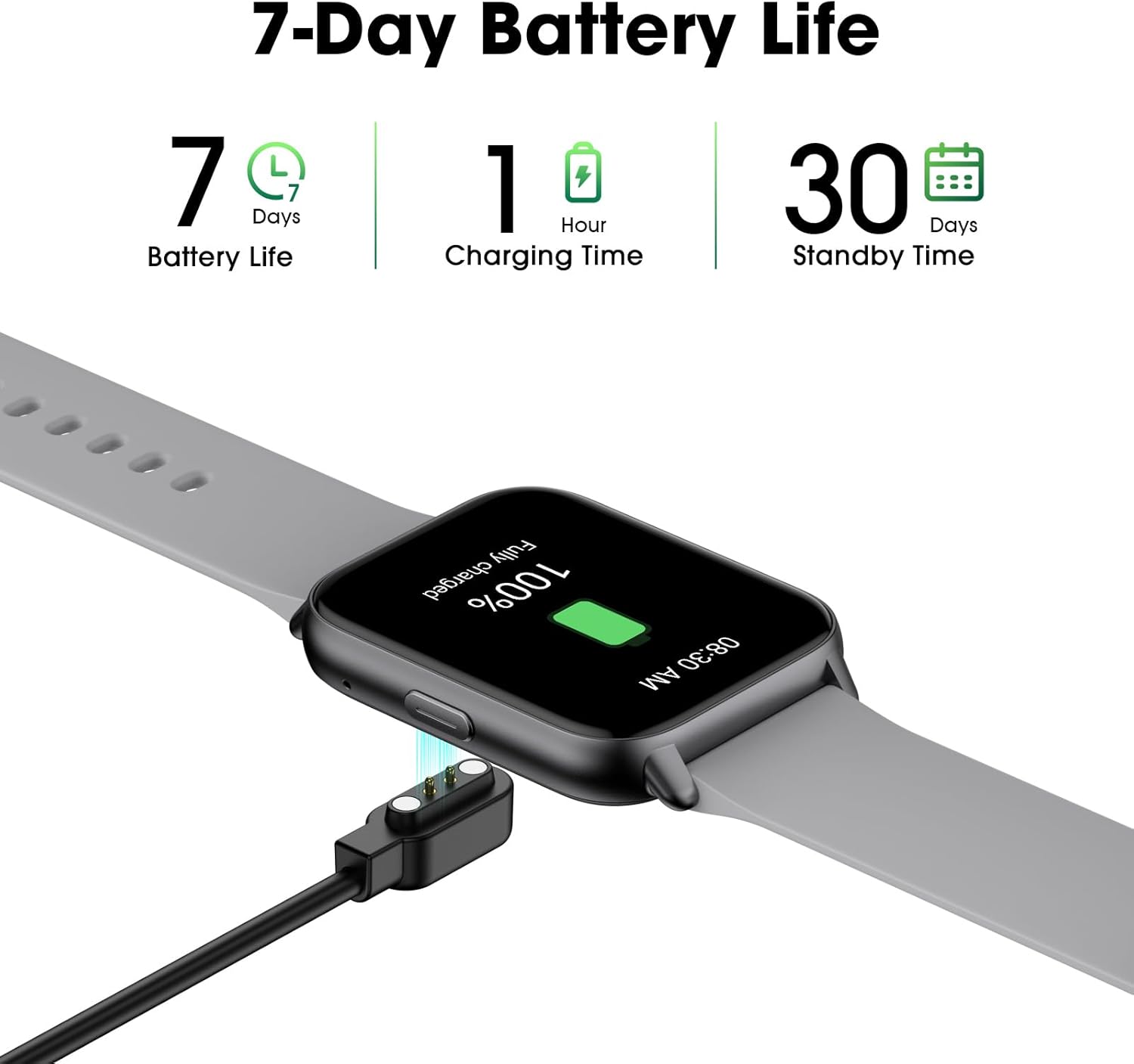
Image: The EURANS Smart Watch IW1 Lite connected to its magnetic charging cable, showing a full charge. Text on the image indicates '7 Days Battery Life', '1 Hour Charging Time', and '30 Days Standby Time'.
1.3 Pornire/Oprire
- Pornire: Apăsați și țineți apăsat butonul lateral timp de câteva secunde, până când ecranul se aprinde.
- Oprire: From the watch face, swipe down to access the quick settings, then tap the power icon, or navigate to 'Settings' > 'Power Off' and confirm.
1.4 Navigare de bază
The EURANS Smart Watch IW1 Lite features a touch-sensitive HD screen and a side button for navigation.
- Glisați în sus/jos: Derulați prin meniuri sau notificări.
- Glisați la stânga/dreapta: Access different function screens (e.g., activity data, heart rate).
- Robinet: Selectați un element sau confirmați o acțiune.
- Buton lateral: Apăsați pentru a reveni la fața ceasului sau pentru a activa ecranul.

Image: The EURANS Smart Watch IW1 Lite showing the main watch face with current time (08:26), date (APR 06, SATURDAY), and activity metrics including calories burned (234), steps taken (8000), and distance (4.25). A smaller inset image shows options for 'Binding APP' or 'Skip Binding'.
1.5 Optional App Connection
The EURANS Smart Watch IW1 Lite is designed to function independently without requiring a smartphone app. All core features like step counting, calorie tracking, and health monitoring are accessible directly on the watch. However, an optional companion application can be used to access additional features:
- Înregistrare și verificare date: View historical fitness and health data.
- Weather Display: Receive weather updates on your watch.
- Message Notification: Receive alerts from your smartphone.
Refer to the app's instructions for pairing and setup if you choose to use these extended features.
2. Utilizarea ceasului inteligent
2.1 Urmărirea activității
The watch automatically tracks your daily activity. Swipe through the watch faces to view your current statistics.
- Contor de pasi: Records the number of steps taken throughout the day.
- Urmărirea caloriilor: Estimează caloriile arse pe baza activității tale.
- Monitorizare distanță: Calculează distanța parcursă.

Image: A man and a woman running outdoors. Below them, three circular icons display activity data: 426 Kcal (Calories), 9973 Steps, and 3.96 KM (Distance).
2.2 Monitorizarea sănătății
The EURANS Smart Watch IW1 Lite provides continuous health monitoring features.
- Monitor de ritm cardiac: Measures your heart rate throughout the day. Access the heart rate screen to view date în timp real și tendințe istorice.
- Măsurarea oxigenului din sânge (SpO2): Provides on-demand blood oxygen saturation readings.
- Monitorizare somn: Urmărește tiparele de somn, inclusiv somnul profund, somnul ușor și orele de trezire.
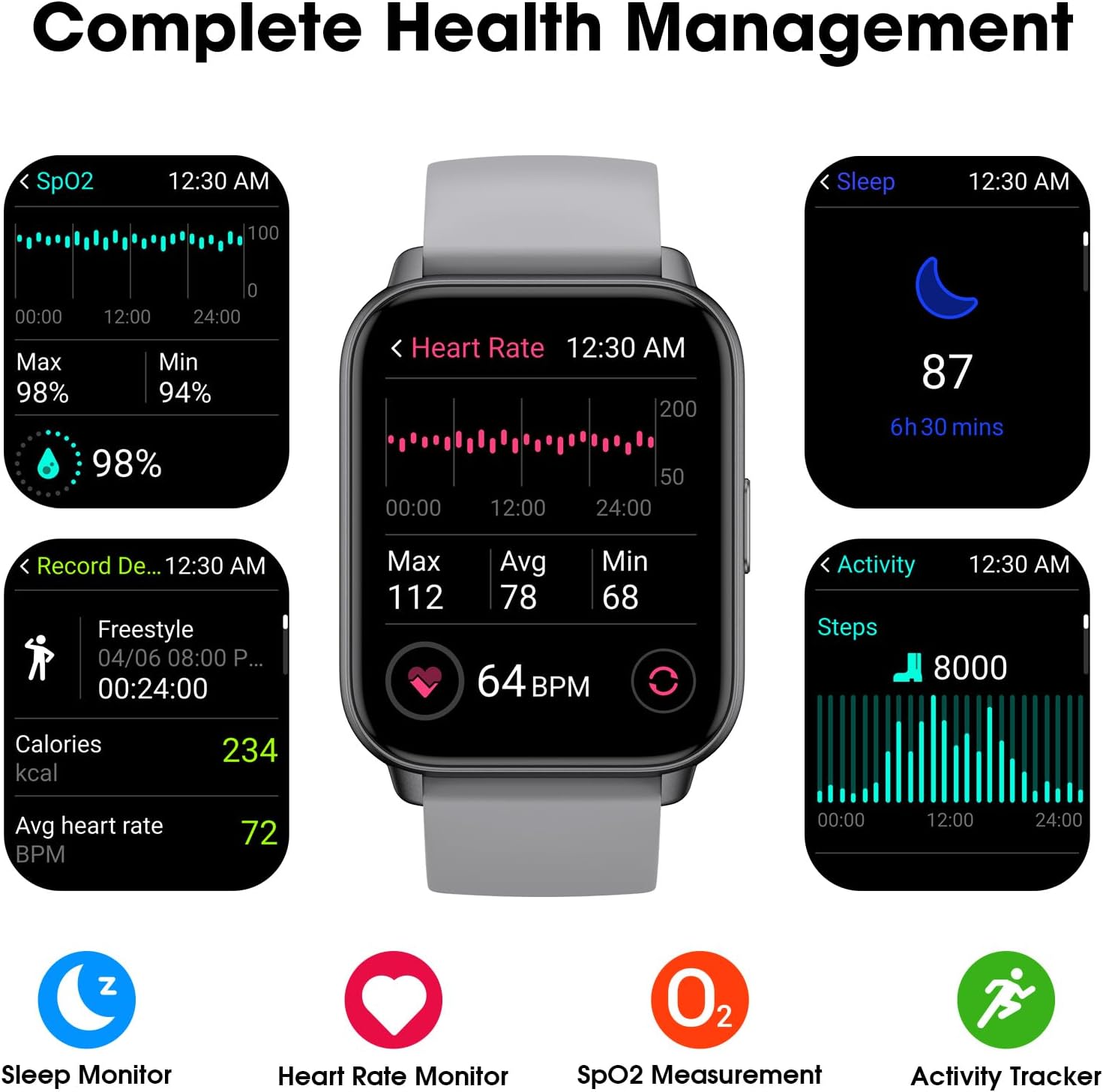
Image: A collage of watch screens demonstrating various health management features. These include SpO2 measurement (98%), heart rate monitoring (64 BPM with max/avg/min), sleep tracking (87, 6h 30 mins), and activity recording (calories, heart rate, steps).
2.3 Funcții ceas
Beyond fitness tracking, the watch includes several utility functions:
- Afișare timp: Customizable watch faces to show time and date.
- Ceas cu alarmă: Setați alarmele direct pe ceas.
- Cronometru: Pentru activități de cronometrare.
- Cronometru: For countdowns.
2.4 Display Readability
The EURANS Smart Watch IW1 Lite features a 1.69-inch HD screen designed for clear visibility.
- Numere mari: Time and data are displayed with large, easy-to-read digits.
- Sunlight Readability: The screen is optimized for visibility even under direct sunlight.

Imagine: Un prim-plan view of the EURANS Smart Watch IW1 Lite screen, demonstrating its large and easy-to-read display. The image shows the time (08:26), date (APR 06), and activity metrics, emphasizing clarity and readability under various lighting conditions.
3. Întreținere
3.1 Curățarea ceasului
Regular cleaning helps maintain the watch's performance and appearance.
- Ștergeți ecranul și cureaua cu o lavetă moale șiamp, cârpă fără scame.
- Evitați utilizarea substanțelor chimice dure, a agenților de curățare abrazivi sau a solvenților.
- Asigurați-vă că contactele de încărcare sunt curate și uscate pentru a preveni coroziunea și a asigura o încărcare corectă.
3.2 Rezistența la apă
The EURANS Smart Watch IW1 Lite is IP68 waterproof, meaning it is resistant to dust and can withstand immersion in water up to 1.5 meters for up to 30 minutes.
- It is suitable for daily use, such as hand washing, rain, and swimming in shallow water.
- Nu utilizați ceasul în apă fierbinte, saune sau camere cu aburi, deoarece aburul poate pătrunde în garnituri.
- Avoid prolonged immersion or high-pressure water activities like diving or high-speed water sports.
- Nu acționați butoanele sub apă.
3.3 Depozitare
When not in use for extended periods, store the watch in a cool, dry place. It is recommended to charge the watch periodically to maintain battery health.
4. Depanare
If you encounter issues with your EURANS Smart Watch IW1 Lite, refer to the following common solutions:
- Ceasul nu se pornește: Asigurați-vă că ceasul este complet încărcat. Conectați-l la încărcător timp de cel puțin 10 de minute.
- Ceasul nu se încarcă: Check that the charging cable is securely connected to both the watch and the power source. Ensure the charging contacts on the watch and cable are clean and free of debris.
- Date de activitate inexacte: Ensure the watch is worn snugly on your wrist, about one finger's width above your wrist bone. Movement of the watch on your wrist can affect sensor accuracy.
- Ecranul nu răspunde: Try restarting the watch by holding the side button until the power off option appears, then power off and on again. If unresponsive, allow the battery to fully drain and then recharge.
- Ora/data incorectă: If connected to an app, ensure the watch is synced. If not using an app, manually adjust the time and date through the watch's settings.
4.1 Resetare din fabrică
If problems persist, a factory reset may resolve the issue. Note that this will erase all data on the watch.
- Navigate to 'Settings' on your watch.
- Select 'System' or 'Reset'.
- Choose 'Factory Reset' and confirm the action.
5. Specificații
| Caracteristică | Caietul de sarcini |
|---|---|
| Numărul de model | IW1 Lite |
| Marca | EURANS |
| Dimensiunea ecranului | 1.69 inchi |
| Capacitatea bateriei | 350 Miliamp Ore |
| Durata de viață tipică a bateriei | Până la 7 de zile |
| Timp de așteptare | Până la 30 de zile |
| Timp de încărcare | Aproximativ 1 oră |
| Rezistenta la apa | IP68 |
| Conectivitate | Bluetooth |
| Compatibilitatea sistemelor de operare | Android, iOS (for optional app features) |
| Caracteristici speciale | Activity Tracker, Sleep Monitor, Time Display, Heart Rate Monitor, SpO2 Measurement |
6. Garanție și asistență
6.1 Informații despre garanție
Your EURANS Smart Watch IW1 Lite is covered by a limited manufacturer's warranty. Please refer to the warranty card included in your product packaging for specific terms and conditions, including warranty period and coverage details.
6.2 Asistență pentru clienți
For technical assistance, troubleshooting, or warranty claims, please contact EURANS customer support. Contact details can typically be found on the product packaging, the official EURANS website-ul web sau prin intermediul distribuitorului dumneavoastră.