
1. Introducere
This manual provides detailed instructions for the safe and efficient use of your MECHEN HIFI MP3 Player M30. Please read this manual thoroughly before operating the device and retain it for future reference.
The MECHEN M30 is a dedicated HIFI lossless audio player designed for high-fidelity sound reproduction. It features advanced DSD decoding technology and supports a wide range of audio formats. Please note that this device does not support Bluetooth, FM radio, recording, video playback, e-books, photos, or alarm functions.

Figure 1: MECHEN M30 HIFI MP3 Player Overview
2. Caracteristicile produsului
- De înaltă fidelitate audio: Equipped with a high-quality DSP chip and advanced DSD decoding technology for immersive, low-distortion sound.
- Stocare extensibilă: Comes with a 64GB microSD card and supports expansion up to 256GB, allowing for extensive music libraries.
- Durable Design & Intuitive Controls: Constructed from a high-quality zinc alloy for durability. Features a unique scroll control wheel and simple physical buttons for easy navigation and operation.
- Conectivitate versatilă: Includes a 3.5mm headphone jack and a line-out port, enabling connection to wired headphones, AUX speakers, and car audio systems.
- Durată lungă de viață a bateriei: Built-in 1500mAh battery provides approximately 30 hours of music playback on a 2.5-hour full charge.
- Wide Format Support: Compatible with numerous audio formats including MP3, WMA, WAV/PCM, APE, FLAC, AAC, OGG, DSF, AIFF, ALAC, IMA/MS-ADPCM, DFF, and DSD 128. (Note: AAC files play in mono.)

Figure 2: High-Quality DSD and DAC Chips
3. Configurare
3.1. Conținutul pachetului
Verificați dacă toate articolele sunt prezente în colet:
- MECHEN HIFI MP3 Player M30
- 64GB MicroSD Memory Card
- Cablu USB
- Manual de utilizare (acest document)

Figura 3: Componentele incluse
3.2. Încărcarea dispozitivului
- Connect the provided USB cable to the player's charging port.
- Conectați celălalt capăt al cablului USB la un adaptor de alimentare USB (nu este inclus) sau la portul USB al unui computer.
- The battery indicator on the screen will show charging status. A full charge takes approximately 2.5 hours.
3.3. Introducerea cardului MicroSD
- Locate the microSD card slot on the side of the player.
- Gently insert the provided 64GB microSD card (or another compatible card up to 256GB) into the slot until it clicks into place.
- To remove, push the card inward until it clicks, then release, and it will eject.
3.4. Transferul muzicii Files
- Conectați playerul la computer folosind cablul USB.
- The player will appear as a removable disk (or prompt you to select 'Mass Storage' mode).
- Trageți și plasați sunetul dorit files into the appropriate folders on the microSD card. Organizing files into folders (e.g., by Artist, Album) is recommended for easier navigation.
- Safely eject the player from your computer before disconnecting the USB cable.
4. Instrucțiuni de utilizare
4.1. Pornire/Oprire
- Pornire: Apăsați și mențineți apăsat butonul de pornire/oprire până când ecranul se aprinde.
- Oprire: Apăsați și mențineți apăsat butonul de pornire/oprire până când dispozitivul se oprește.
4.2. Navigare și Meniu
- Rotiță de defilare: Rotate the scroll wheel to navigate through menus and lists.
- Butonul MENU: Press to enter the main menu or confirm a selection.
- Buton ÎNAPOI: Press to return to the previous screen or cancel an action.
- Butoane de control al redării: Use the dedicated buttons for Play/Pause, Next Track, Previous Track.
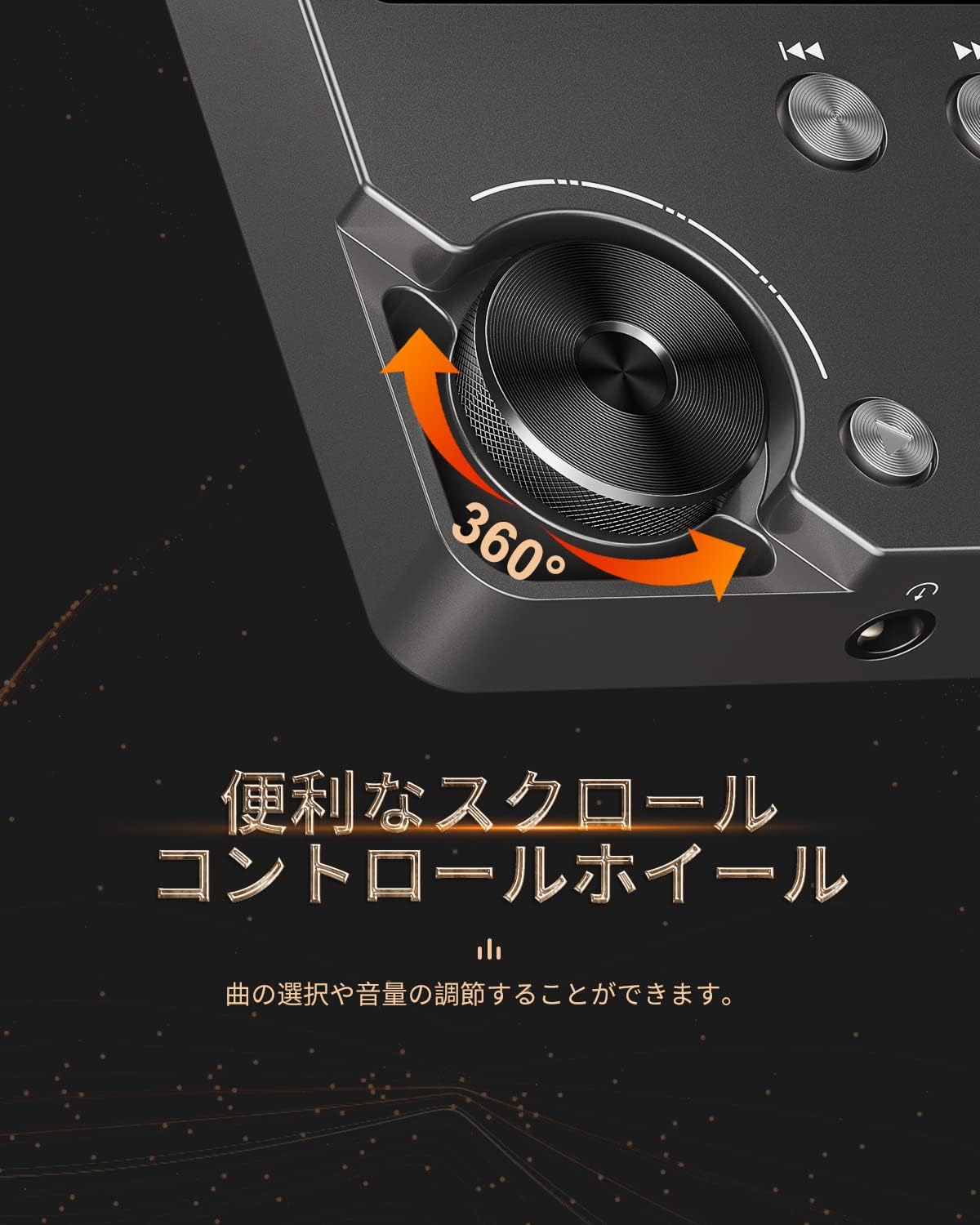
Figure 4: Scroll Control Wheel
4.3. Redarea muzicii
- Navigați la secțiunea „Muzică” din meniul principal.
- Browse your music by folder, artist, album, or all songs.
- Select a track and press the MENU button to start playback.
- Folosește butonul Redare/Pauză pentru a controla redarea.
- Press Next Track or Previous Track buttons to skip songs. Hold these buttons for fast forward or rewind.
4.4. Controlul volumului
Rotate the scroll wheel during music playback to adjust the volume level. It is recommended to set the initial maximum volume to a low level to prevent sudden loud sounds.
4.5. Setări egalizator
The player features an equalizer with various presets (e.g., Rock, Pop, Jazz, Classical, Soft, Techno) and a custom setting. Access the equalizer settings from the playback screen or system settings to adjust the sound profile după preferința dvs.

Figure 5: Equalizer Function
4.6. Repeat and Shuffle Modes
During playback, access the options menu to select repeat modes (e.g., repeat one, repeat all) or enable shuffle playback for a randomized song order.
4.7. Conectarea la dispozitive externe
The MECHEN M30 can connect to various audio output devices:
- Căști cu fir: Plug your 3.5mm headphones into the headphone jack.
- External Speakers/Car Audio: Use an AUX cable (not included) to connect the player's line-out port to your speakers or car's AUX input.

Figure 6: Connecting to Various Devices
5. Întreținere
5.1. Curatenie
Wipe the device with a soft, dry cloth. Do not use liquid cleaners or abrasive materials, as they may damage the finish or internal components.
5.2. Îngrijirea bateriei
Pentru a prelungi durata de viață a bateriei, evitați descărcarea completă frecventă a bateriei. Încărcați dispozitivul în mod regulat, chiar dacă nu îl utilizați pentru perioade lungi de timp. Depozitați dispozitivul într-un loc răcoros și uscat.

Figura 7: Informații despre baterie
5.3. Depozitare
When storing the player for a long time, ensure it is fully charged and then power it off completely. Recharge it every few months to prevent deep discharge.
6. Depanare
- Dispozitivul nu pornește: Ensure the battery is charged. Connect the player to a power source using the USB cable and try again. If the issue persists, perform a reset by pressing the reset button (if available) or holding the power button for an extended period.
- Fara sunet: Check the volume level. Ensure headphones or external speakers are properly connected. Test with different headphones or speakers if possible.
- Muzică filenu este recunoscut: Verificați dacă muzica files are in a supported format (refer to Specifications). Ensure the microSD card is properly inserted and the files are not corrupted. Re-transfer the files dacă este necesar.
- Screen is unresponsive or erratic: Try restarting the device. If the problem continues, ensure the device is not exposed to extreme temperatures or moisture.
- Album art or metadata not displayed: Ensure that the metadata (ID3 tags) for your music files are correctly embedded. While the player supports folder-based navigation, correct tags enhance the browsing experience.
- Playback stops unexpectedly: Ensure the battery is sufficiently charged. If connected to a car audio system via USB, playback might pause when the engine is turned off or on due to changes in the USB host communication.
7. Specificații
| Caracteristică | Descriere |
|---|---|
| Numele modelului | M30 |
| Marca | MECHEN |
| Afişa | LCD de 2 inchi |
| Stocare de memorie | 64GB MicroSD card included (expandable up to 256GB) |
| Conectivitate | AUX (3.5mm headphone jack, Line Out) |
| Capacitatea bateriei | 1500 mAh |
| Durata de viață a bateriei | Approx. 30 hours playback |
| Timp de încărcare | Aproximativ. 2.5 ore |
| Dimensiuni produs (D x L x H) | 1.6 x 5.6 x 8.8 cm |
| Greutatea produsului | 176 de grame |
| Formate audio acceptate | MP3 (8-48KHz, 16bits), WMA (8-192KHz, 16/24bits), WAV/PCM (8-192KHz, 8/16/24/32bits), APE (8-192KHz, 16/24bits), FLAC (8-192KHz, 16/24bits), AAC (8-96KHz, 16bits - mono playback), OGG (8-48KHz, 10-500bits), DSF (2822.4KHz, 1bit), AIFF (8-192KHz, 8/16/24/32bits), ALAC (8-192KHz, 16/24bits), IMA/MS-ADPCM (8-48KHz, 8/16bits), DFF (3072KHz, 1bit), DSD 128 (5.6MHz) |
| Caracteristici speciale | Equalizer, Shuffle Play, Hi-Res Audio, Repeat Play, Auto Power-Off |
| Țara de origine | China |
| UPC | 607469642453 |

Figura 8: Formate audio acceptate
8. Garanție și asistență
8.1. Garanția producătorului
The MECHEN HIFI MP3 Player M30 comes with a one-year manufacturer's warranty from the date of purchase. This warranty covers defects in materials and workmanship under normal use. It does not cover damage caused by misuse, accidents, unauthorized modifications, or normal wear and tear.
8.2. Asistență pentru clienți
For technical assistance, warranty claims, or any questions regarding your MECHEN M30 player, please contact your retailer or the MECHEN customer support team. Refer to the contact information provided with your purchase documentation or visit the official MECHEN website-ul pentru detalii de asistență.